
WhatsApp May Soon Let You Save Status Drafts for Later
SammyGuru is reader-supported. We have affiliate and sponsored partnerships, so we may earn a commission when you buy through links on our site — at no extra cost to you. Learn more.
WhatsApp is making one of the most useful improvements to its Status feature in years. The messaging app is developing a new “Save as draft” option that will let you save work-in-progress status updates and return to them later. The feature is currently hidden within the app’s code, so you can’t experience it just yet.
WhatsApp is working on a “Save as draft” option for status creation
Presently, if you create a status and leave the editing screen, everything is lost. It’s quite frustrating as you spend time editing images, adding stickers, or typing captions. Due to the lack of a draft feature, the only option has been to start over. Thankfully, the upcoming WhatsApp update aims to address this annoyance.
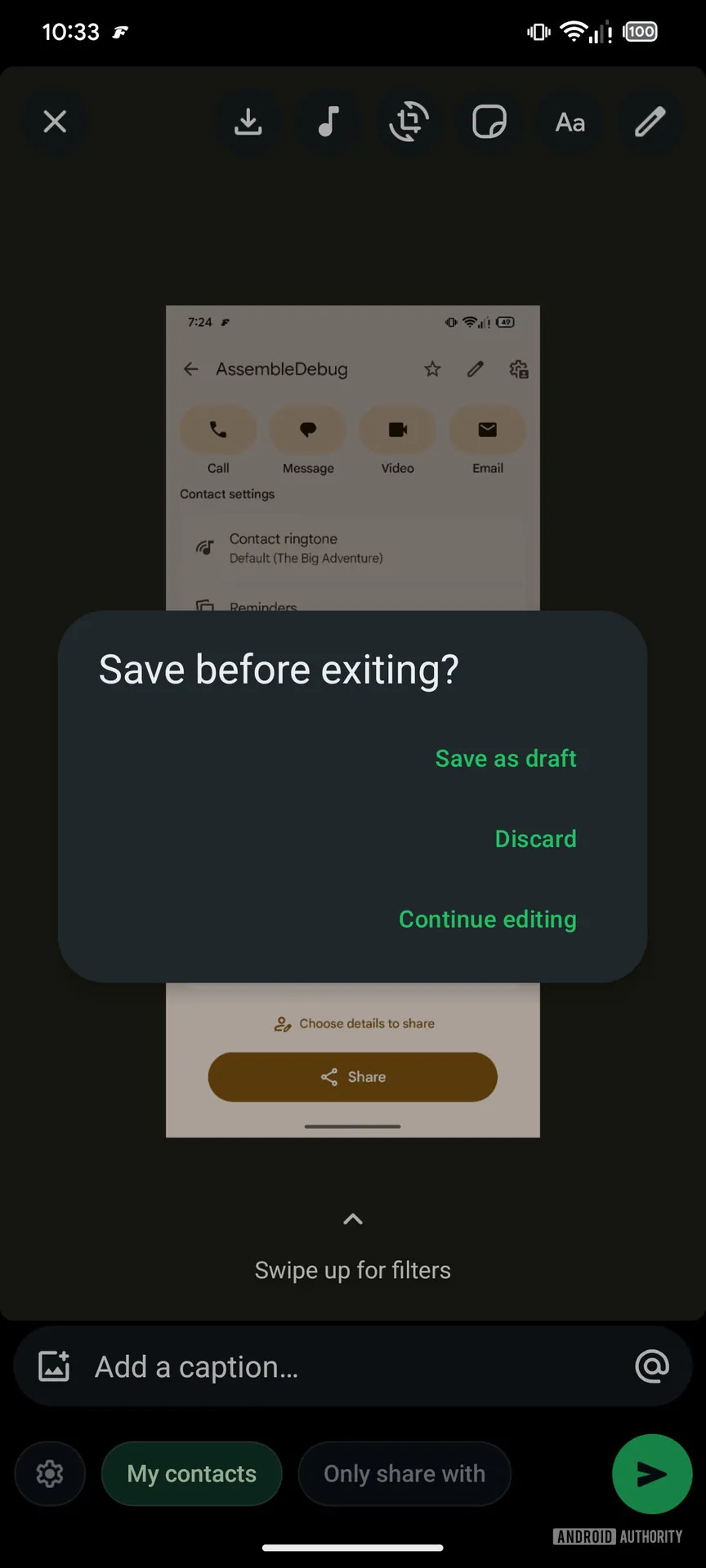
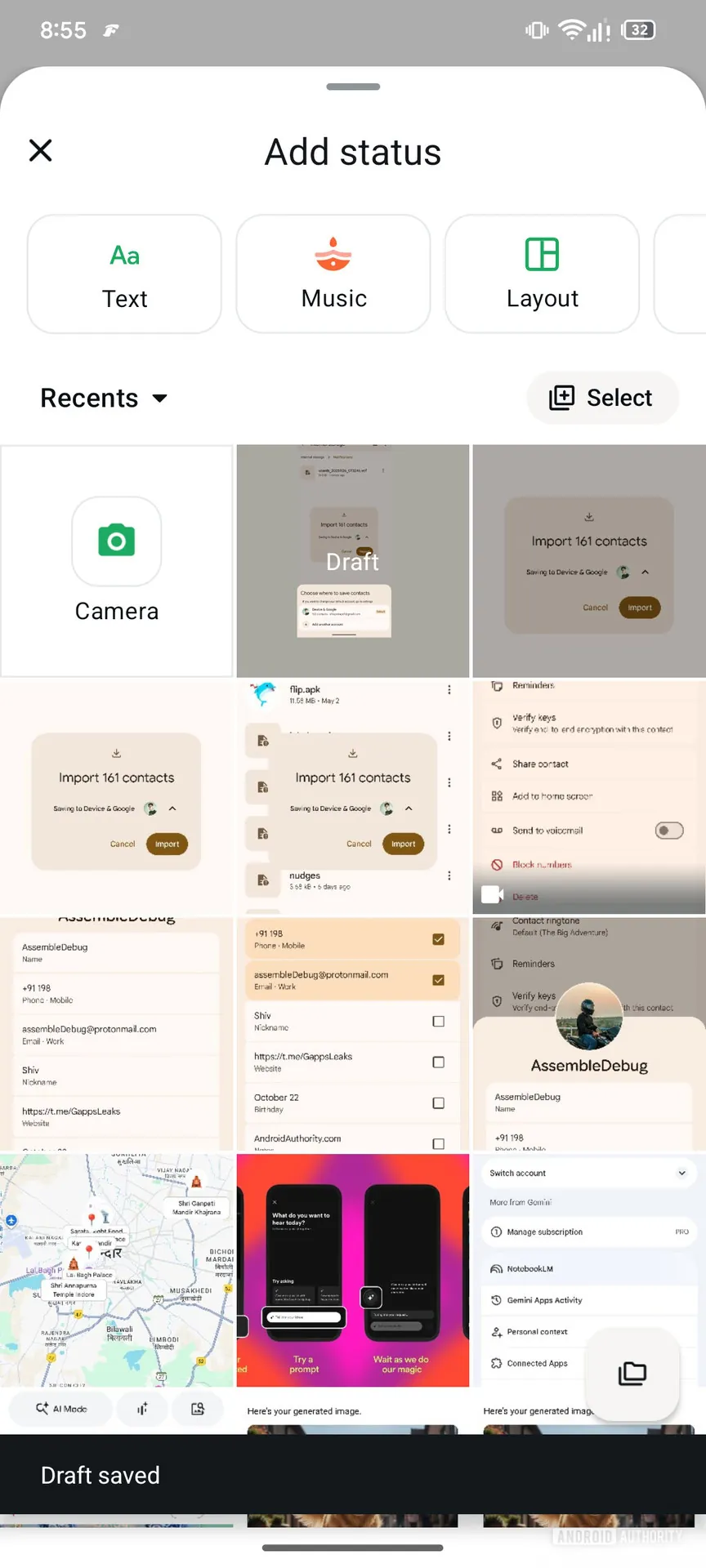
Folks over at Android Authority discovered the new draft option within WhatsApp version 2.25.36.6 through APK teardown. This feature is similar to what Instagram already offers. When you leave the status creation screen, the app will show a pop-up asking whether you want to Save as draft, Discard, or Continue editing. If you select to save, the unfinished status will show up the next time you open the status editor.
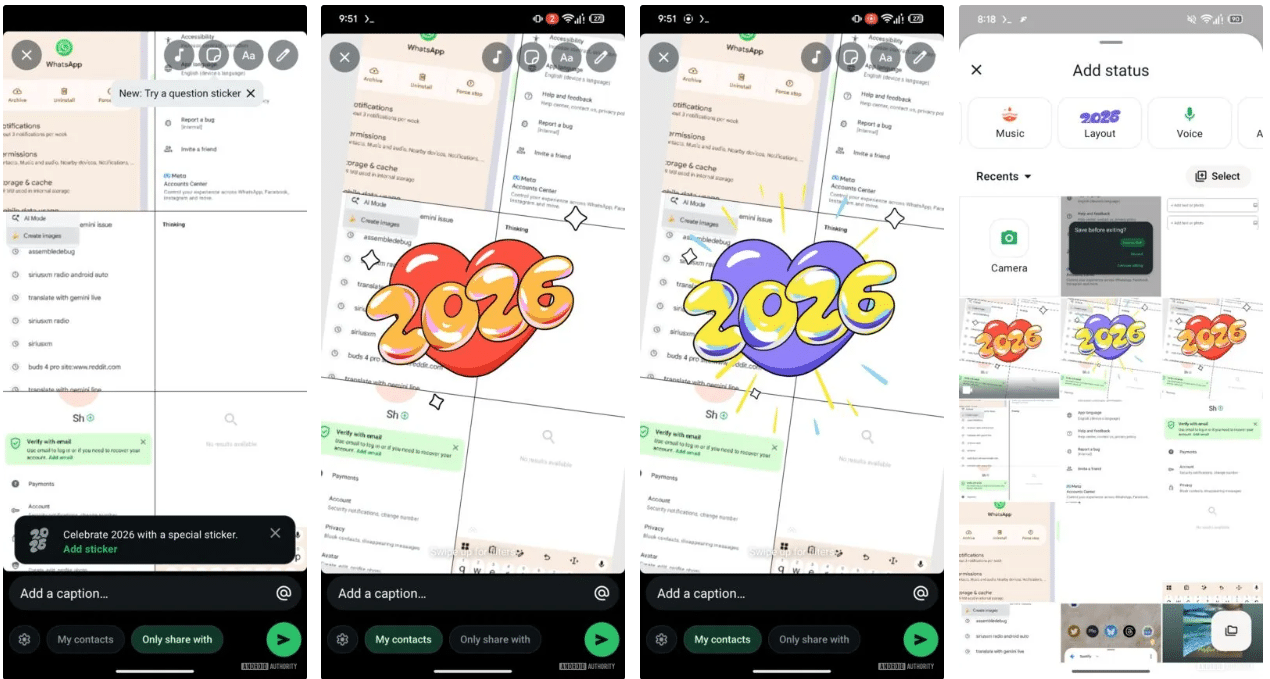
Apart from the draft option, WhatsApp is also working on other improvements to its Status feature. The app will introduce a special animated “2026” sticker with color options like green, red, and purple. This sticker will appear when you create a layout status with multiple images. Since it’s time-sensitive, WhatsApp may roll it out before the new year.
In recent weeks, WhatsApp has also introduced a bunch of status features, including AI-generated images and Status Questions. The former lets you create AI images by simply typing a description, while the latter allows you to put question stickers on your status. Furthermore, it improved the About section, making it easier for your contacts to notice your availability without needing to ask.

Written by
Binay KonwarBinay Konwar started his blogging journey in 2014 and has since written plenty of tech articles. At present, he is working as a News Writer at SammyGuru, covering everything about Samsung. He holds a Master's degree in Mathematics, but his real passion lies in tech and writing. In his free time, he enjoys playing chess and watching movies.

Follow us on Google Discover & set us as a preferred source in Google News
Share this Post
___________________________


New Blog Posts
___________________________

First Set of Pixel 11 Pro XL Renders Are Here
Pixel 11 Pro XL CAD renders show minimal design changes

Is Samsung Preparing One UI 8.5 Beta for Galaxy Z Fold 5 and Flip 5?
Samsung may launch a One UI 8.5 beta program for its 2023 foldables

Galaxy S25 One UI 8.5 Beta May Run Longer Than Expected
Galaxy S25 series’ One UI 8.5 beta may stretch to 10 rounds







