
WhatsApp Now Lets You Create AI Images for Status Updates
SammyGuru is reader-supported. We have affiliate and sponsored partnerships, so we may earn a commission when you buy through links on our site — at no extra cost to you. Learn more.
Do you use a third-party AI tool to create images for your WhatsApp status? Well, you might not need to anymore. Meta, the company behind WhatsApp, has introduced a feature that lets you generate AI images directly within the app for your status updates. The feature is currently available for some users, but it may reach everyone over the coming weeks.
Meta brings AI creativity to WhatsApp status updates
Meta aims to integrate more AI-powered creativity into WhatsApp. Now, with the AI image generation feature, the company takes the status update experience to a new level. To get started, you need to open the Updates tab in WhatsApp to create a new status. Now select the AI Images option and then type a description of the image you want to create.
For example, when you enter the prompt “cyberpunk city at dusk”, Meta AI will create a bunch of variations of the AI image. Once you pick an image, you can then proceed to customization. It lets you add text, stickers, crop the image, and more in the status editor. This makes your status updates more expressive and visually appealing. This is particularly helpful if you want to share your moods, ideas, or moments in a creative way.
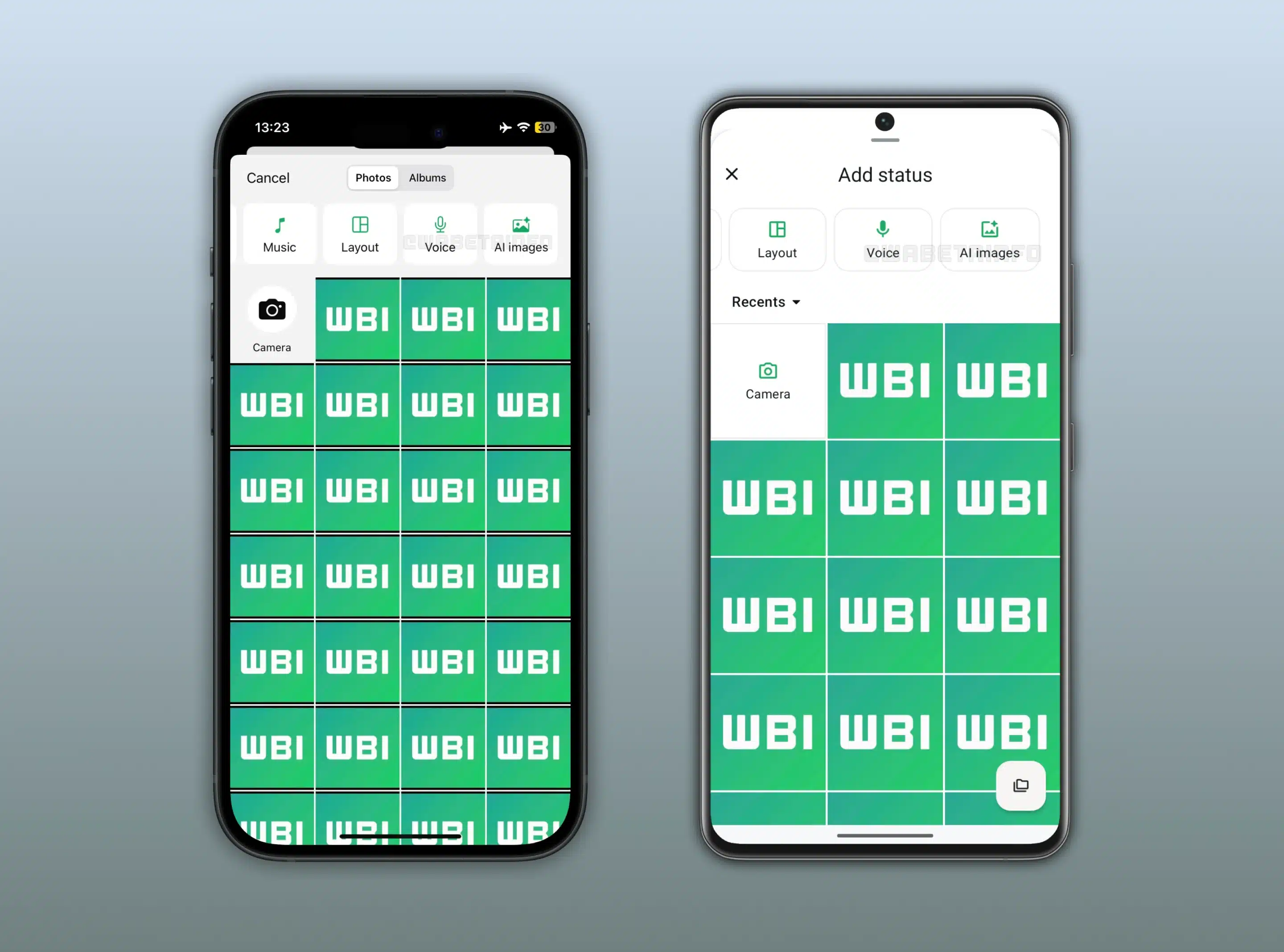
It is worth mentioning that WhatsApp already lets you create and use AI-generated images as chat themes or wallpapers. But now, the company has implemented a similar idea for status updates, allowing you to share AI-generated images with your contacts.
Meanwhile, WhatsApp is testing the Status Questions feature to make status updates more engaging. It lets you add your question directly to your status, so your contacts can reply with their answers. This means you won’t need to create a separate question status to get feedback. Furthermore, another helpful feature currently in the testing phase is the ability to search for and connect with people through their username.

Written by
Binay KonwarBinay Konwar started his blogging journey in 2014 and has since written plenty of tech articles. At present, he is working as a News Writer at SammyGuru, covering everything about Samsung. He holds a Master's degree in Mathematics, but his real passion lies in tech and writing. In his free time, he enjoys playing chess and watching movies.

Follow us on Google Discover & set us as a preferred source in Google News
Share this Post
___________________________


New Blog Posts
___________________________

First Set of Pixel 11 Pro XL Renders Are Here
Pixel 11 Pro XL CAD renders show minimal design changes

Is Samsung Preparing One UI 8.5 Beta for Galaxy Z Fold 5 and Flip 5?
Samsung may launch a One UI 8.5 beta program for its 2023 foldables

Galaxy S25 One UI 8.5 Beta May Run Longer Than Expected
Galaxy S25 series’ One UI 8.5 beta may stretch to 10 rounds







