
You Can Now Disable Ads on Family Hub Refrigerators With No Trade-Offs
SammyGuru is reader-supported. We have affiliate and sponsored partnerships, so we may earn a commission when you buy through links on our site — at no extra cost to you. Learn more.
One of the things that did not go well in recent weeks is a Samsung Family Hub refrigerator update that enabled ads on the cover screen. There was a workaround to disable the ads completely, but it also removed the widgets. Fortunately, Samsung is addressing the issue, because a refrigerator with a Family Hub price tag should not receive that kind of treatment.
Samsung now lets you disable ads on Family Hub refrigerator’s cover screen without losing on key features
According to Reddit user r/Ravage-1, you can now disable ads on your Family Hub refrigerator without any drawbacks, thanks to a new update. The method is the same as before, but this time you do not lose access to weather information, news, the calendar, or other features on the cover screen, even with the ads turned off.
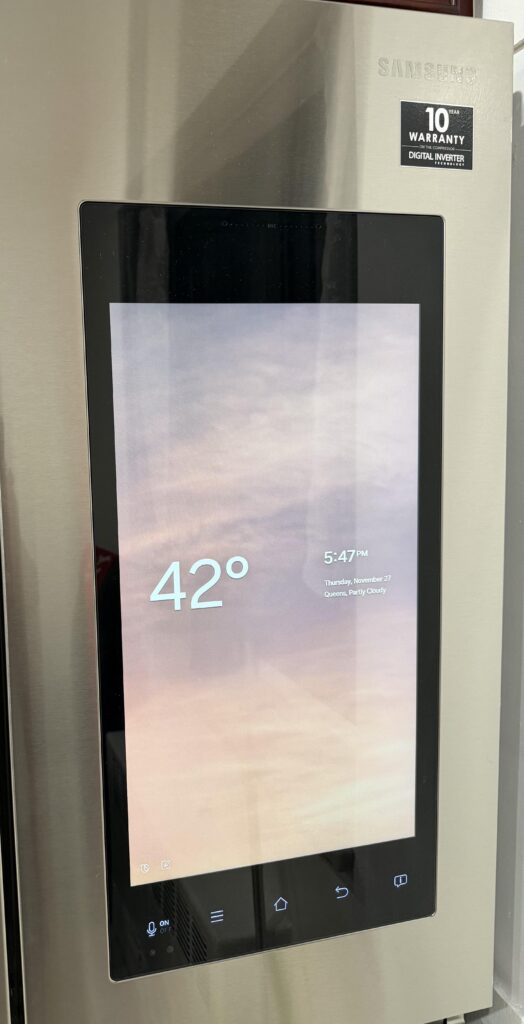
Credits: r/Ravage-1 via Reddit
To check for the update, swipe down from the top of the screen to open the quick panel. Then tap Settings > About Family Hub > Software update. If an update is available, download and install it. After that, go to Settings, scroll until you see Advertisements, and turn it off.
It is still disappointing that Samsung Family Hub refrigerators have ads enabled by default. At least now you can turn them off and continue using your fridge without interruptions. With the ads disabled, these refrigerators remain solid purchases, and Black Friday discounts have taken a few hundred dollars off the final price. You can definitely check which model fits your needs.

Written by
Abhinav AnandAbhinav Anand is the News Editor at SammyGuru and a technology journalist based in New Delhi. Before joining SammyGuru, he contributed to numerous outlets, including Android Headlines, ExtremeTech, The Mac Observer, Financial Express, Economic Times, iGeeksBlog, KnowTechie, PhonesWiki, SlashGear, and more. You can reach him at abhinav@sammyguru.com.

Follow us on Google Discover & set us as a preferred source in Google News
Share this Post
___________________________


New Blog Posts
___________________________

First Set of Pixel 11 Pro XL Renders Are Here
Pixel 11 Pro XL CAD renders show minimal design changes

Is Samsung Preparing One UI 8.5 Beta for Galaxy Z Fold 5 and Flip 5?
Samsung may launch a One UI 8.5 beta program for its 2023 foldables

Galaxy S25 One UI 8.5 Beta May Run Longer Than Expected
Galaxy S25 series’ One UI 8.5 beta may stretch to 10 rounds







