
Samsung 3D Capture: Supported Galaxy Phones and How to Use It
SammyGuru is reader-supported. We have affiliate and sponsored partnerships, so we may earn a commission when you buy through links on our site — at no extra cost to you. Learn more.
Coinciding with the launch of the Galaxy XR headset, Samsung introduced a new 3D capture camera feature for Galaxy smartphones. Available through the Camera Assistant app, it allows users to record depth-enabled photos and videos on their phone, then relive them in full 3D inside the Galaxy XR. However, not all Galaxy devices support this feature. Here’s the full list of supported models.
Samsung’s 3D capture is available on these Galaxy phones
Samsung says 3D capture requires Android 16–based One UI 8. Even then, only a limited number of devices are supported due to strict hardware requirements. As of now, the following models are compatible. While the feature should be available on future flagship models, it’s unlikely to come to any other existing device, even with software updates.
- Galaxy S25
- Galaxy S25+
- Galaxy S25 Ultra
- Galaxy S25 Edge
- Galaxy Z Fold 7
- Galaxy Z Flip 7
- Galaxy XR Headset (for playback)
These devices can capture 3D photos in 12MP resolution and 3D videos in FHD (1080p) resolution at 30fps. The Galaxy S25 Ultra can also record 30fps UHD (2160p) videos in 3D. While not officially confirmed yet, Samsung’s newly launched Galaxy Z TriFold should support 3D capture. The company emphasizes that hardware-level depth sensing and processing power are essential for this feature.
How to use the feature?
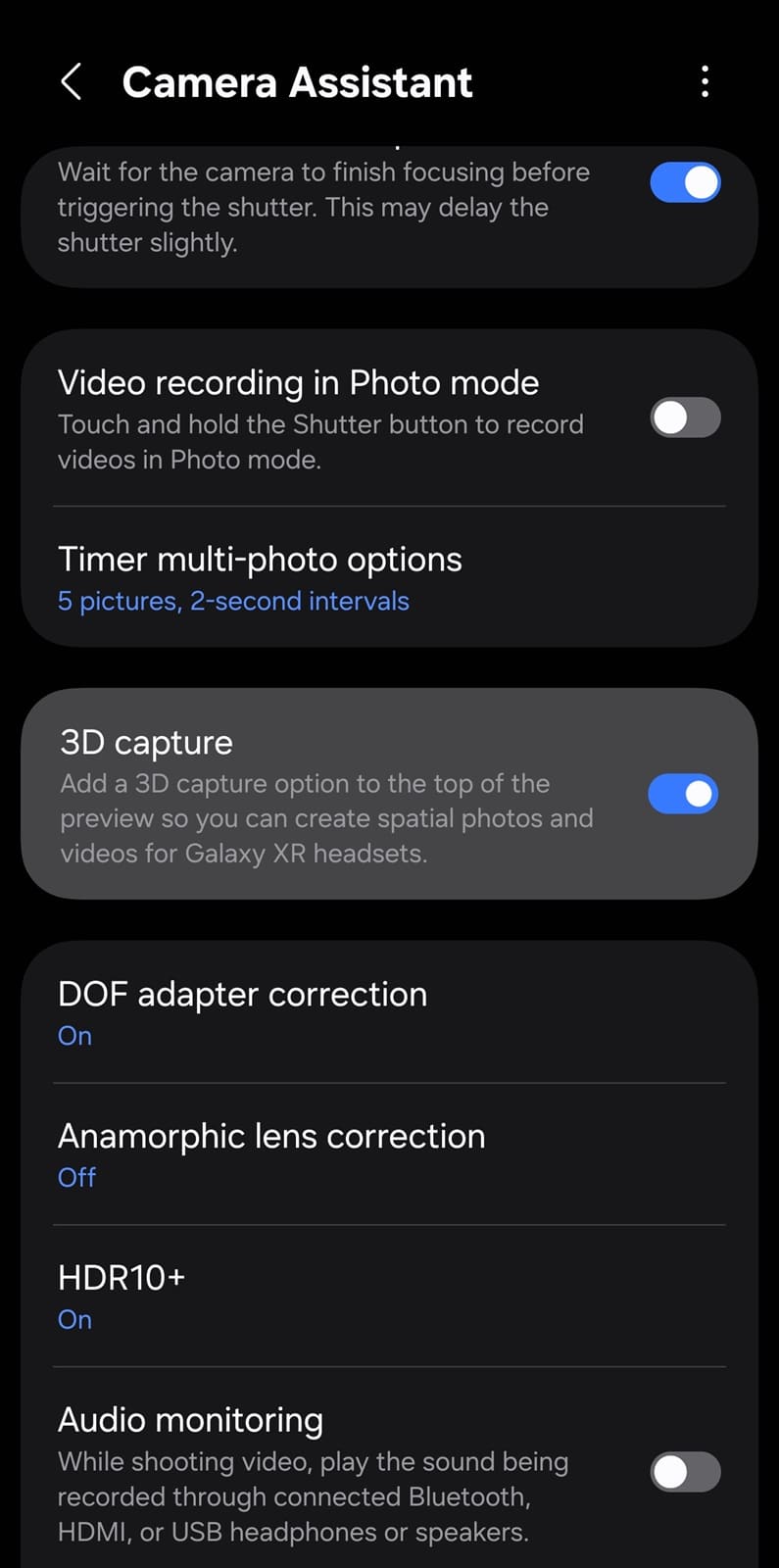
3D capture lives inside Good Lock’s Camera Assistant module, which must be installed separately. You can manually search for the app in the Galaxy Store or use this link. Once installed, launch the app and enable the 3D capture toggle. You will now see a headset icon in the main camera app (look in the top right corner). Tap this button to capture photos and videos in 3D. For best results, capture your shots in landscape mode.
To verify if your shot has been captured in 3D, open the photo/video in Gallery and swipe up to view Details. You will see a “3D capture” tag next to the device name. Of course, your smartphone display can’t show the content in stereoscopic 3D. You’ll need the Samsung Galaxy XR Headset. The headset offers a 3D viewing toggle for supported files in Gallery.
Third-party XR devices that support the MV-HEVC format can also play 3D photos and videos captured on Galaxy devices. But if you are interested in the Galaxy XR, it’s currently priced at $1,799. Samsung also offers custom prescription lenses for the headset in partnership with Kodak.

Written by
Sumit AdhikariSumit, a life-long Samsung user, is passionate about technology and has been professionally writing on tech since 2017. He’s a mathematics graduate by education and enjoys teaching basic mathematics tricks to school kids in his spare time. Sumit believes in artificial intelligence and dreams of a fully open, intelligent and connected world.

Follow us on Google Discover & set us as a preferred source in Google News
Share this Post
___________________________


New Blog Posts
___________________________

First Set of Pixel 11 Pro XL Renders Are Here
Pixel 11 Pro XL CAD renders show minimal design changes

Is Samsung Preparing One UI 8.5 Beta for Galaxy Z Fold 5 and Flip 5?
Samsung may launch a One UI 8.5 beta program for its 2023 foldables

Galaxy S25 One UI 8.5 Beta May Run Longer Than Expected
Galaxy S25 series’ One UI 8.5 beta may stretch to 10 rounds







