
How to Enable and Use Custom Back Gesture Icons with NavStar
SammyGuru is reader-supported. We have affiliate and sponsored partnerships, so we may earn a commission when you buy through links on our site — at no extra cost to you. Learn more.
Samsung’s One UI 8 update for NavStar is now rolling out with version 8.0.00.22. As the company announced, it brings a fun feature: custom back gesture icons. You can now replace the stock Android back gesture arrow with something more you. Use Samsung’s built-in icon presets, or go wild with your own photos, logos, emojis, or anything straight from your gallery. Let’s walk you through how to activate it, customize it, and fix conflicts with One Hand Operation+ if needed.
Swipe in style with custom back gesture icons in One UI 8 (NavStar)
This feature has two key requirements: a Galaxy device running One UI 8 and NavStar version 8.0.00.22 or later (you can update from Good Lock). Also, your device must be set to gesture navigation and not button navigation. If you’re ready, open NavStar and tap “Side back gesture icon”. You’ll get a myriad of preset icons, alongside an option to set a custom icon (the Gallery button at the very beginning).
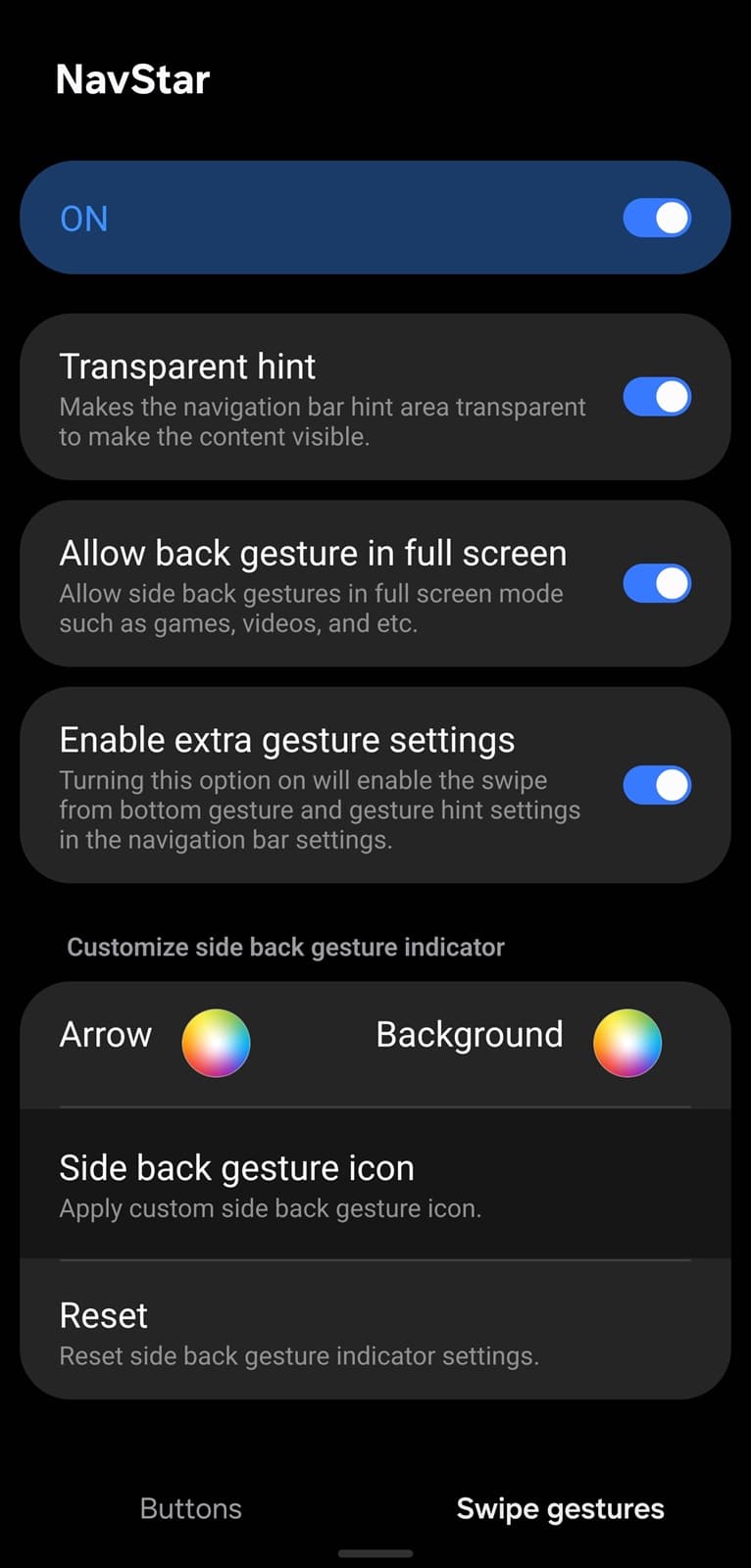
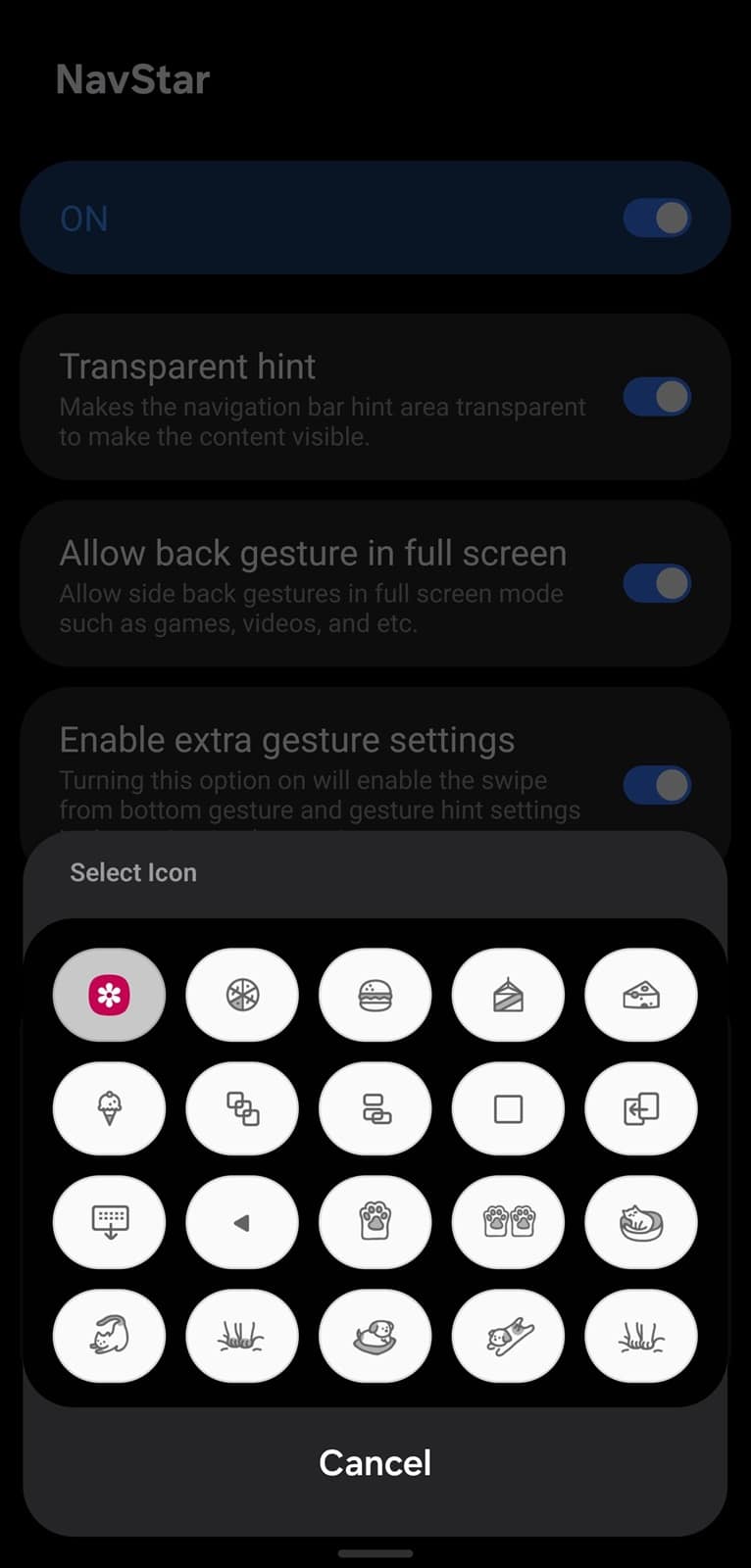
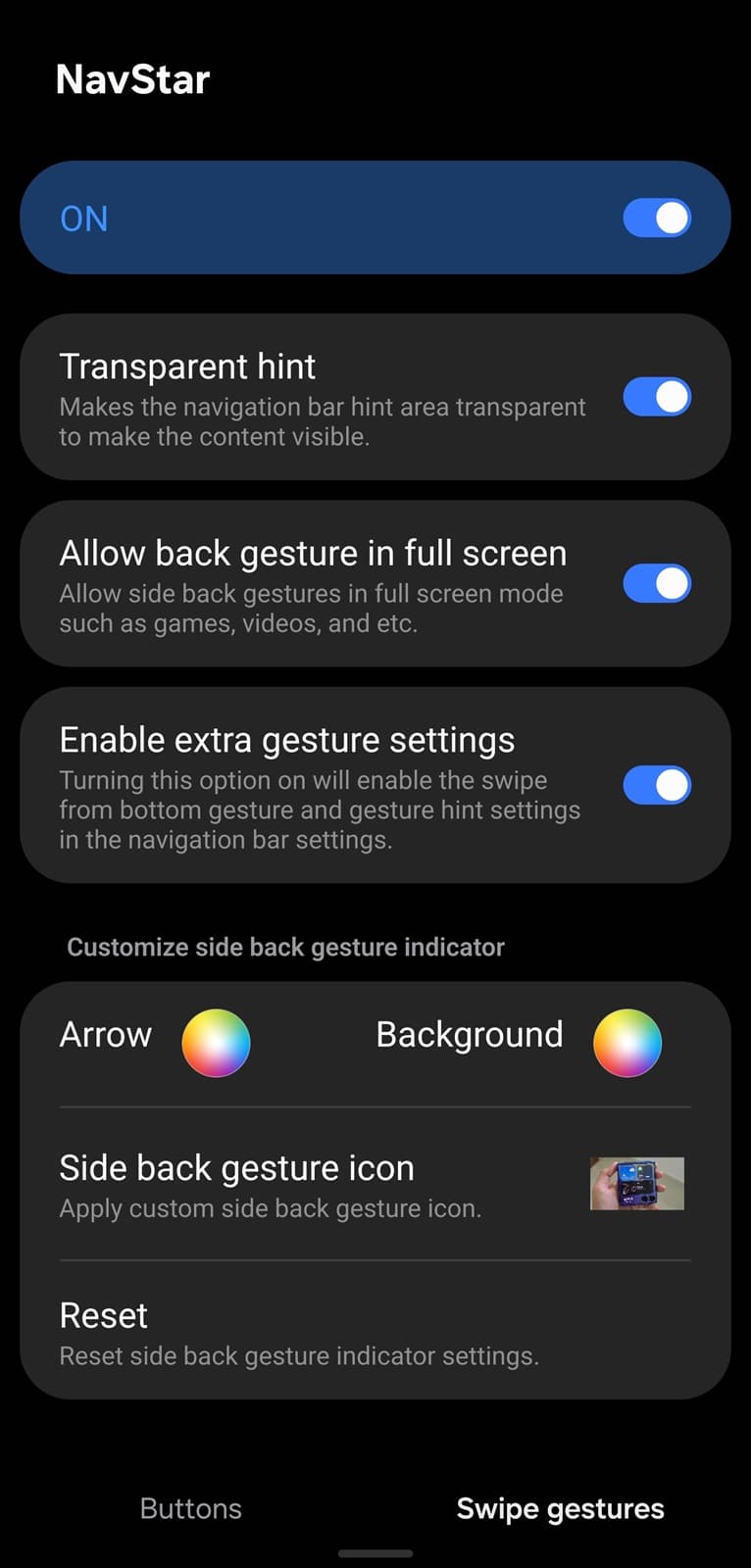
Tap this button and select a photo, emoji, or whatever you want to use as your back gesture icon, replacing the traditional arrow. That’s about it — your selected file will now appear on the screen every time you execute a back gesture. That’s one cool way to personalize your phone. As mentioned, this feature conflicts with One Hand Operation+, which overrides the back gesture icon with its own swipe animation. But don’t worry — you have two easy workarounds.
For one, you can simply turn off One Hand Operation+ (go to Good Lock > One Hand Operation+, and toggle it Off). Your custom back gesture icons will now appear perfectly on both sides. But if you want to keep One Hand Operation+ active and still use NavStar icons, follow these steps.
- Open One Hand Operation+
- Go to Advanced Settings
- Enable “System back gesture”
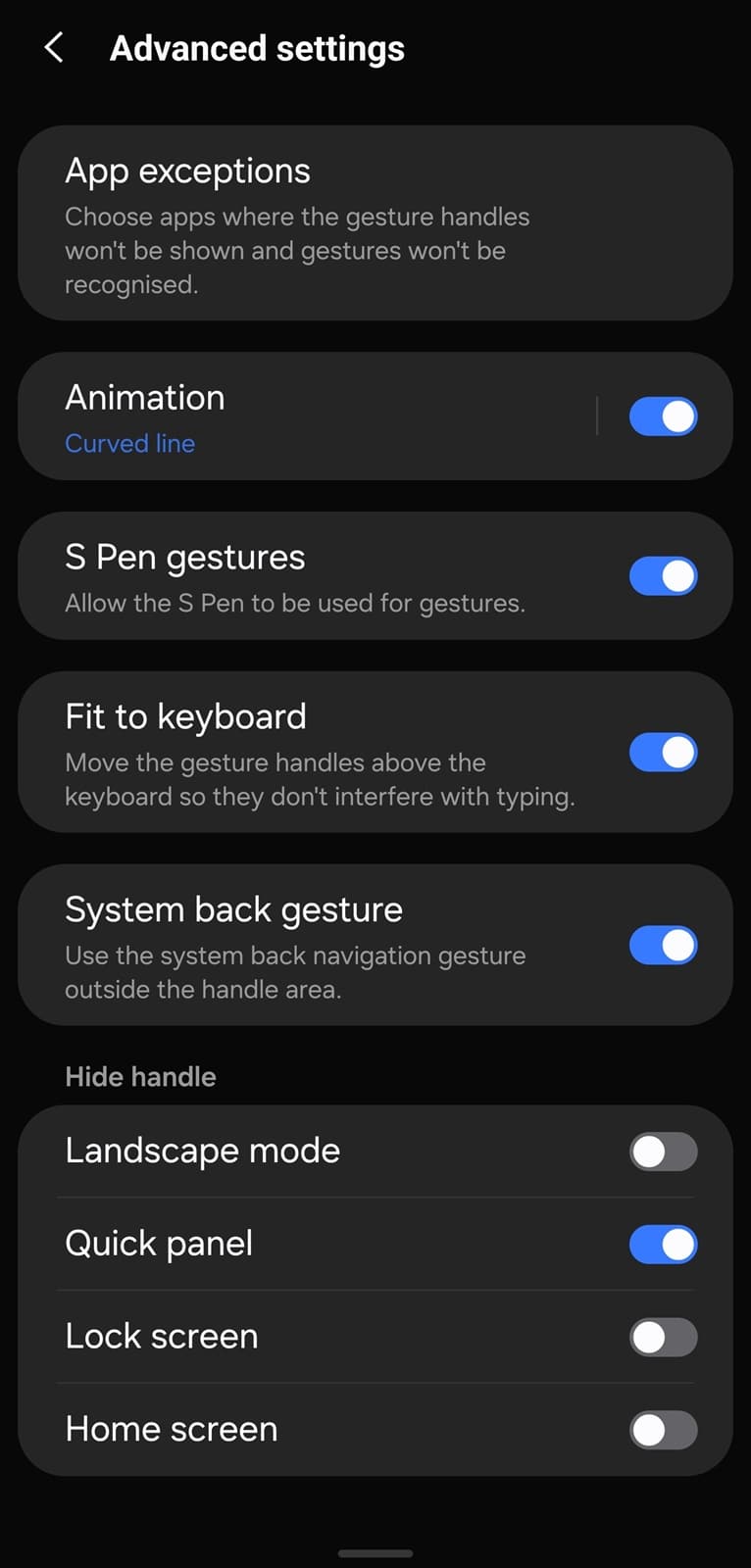
Pro tip: Shrink or reposition the One Hand Operation+ handles so you can use the system back gesture in more areas. This leaves room on the edge for NavStar to show its back gesture icon.

Written by
Sumit AdhikariSumit, a life-long Samsung user, is passionate about technology and has been professionally writing on tech since 2017. He’s a mathematics graduate by education and enjoys teaching basic mathematics tricks to school kids in his spare time. Sumit believes in artificial intelligence and dreams of a fully open, intelligent and connected world.

Follow us on Google Discover & set us as a preferred source in Google News
Share this Post
___________________________


New Blog Posts
___________________________

First Set of Pixel 11 Pro XL Renders Are Here
Pixel 11 Pro XL CAD renders show minimal design changes

Is Samsung Preparing One UI 8.5 Beta for Galaxy Z Fold 5 and Flip 5?
Samsung may launch a One UI 8.5 beta program for its 2023 foldables

Galaxy S25 One UI 8.5 Beta May Run Longer Than Expected
Galaxy S25 series’ One UI 8.5 beta may stretch to 10 rounds







