
First Look at Galaxy S26 Ultra Privacy Display Settings
SammyGuru is reader-supported. We have affiliate and sponsored partnerships, so we may earn a commission when you buy through links on our site — at no extra cost to you. Learn more.
We already know that Samsung will introduce a new Privacy Display feature with its upcoming Galaxy S26 Ultra. The feature will automatically hide sensitive information when viewed from side angles. Thanks to the latest leaked screenshots, we now have a clear picture of how this feature will work and what settings it will offer.
Leak reveals Samsung’s upcoming privacy display feature for the Galaxy S26 Ultra
Last month, One UI 8.5 internal build revealed that Samsung is testing a new Privacy Display mode. The string mentioned that it will limit screen visibility from side angles to protect your privacy in public. While this feature is part of the upcoming update, it will likely rely on Samsung’s Flex Magic Pixel technology, which is expected to be integrated into the Galaxy S26 Ultra. The technology adjusts the pixels on the screen using AI, making it difficult to read from the sides.
Thanks to the leaked Privacy Protection APK, enthusiasts running the first One UI 8.5 build on their Galaxy devices were able to explore the Privacy Display feature in detail. We also tried to find the feature by installing the APK, and it seems to be working on One UI 8 as well. However, it won’t launch until One UI 8.5 stable. As you can see in the screenshots below (via @achultra), the system will trigger the feature automatically if it meets certain conditions.
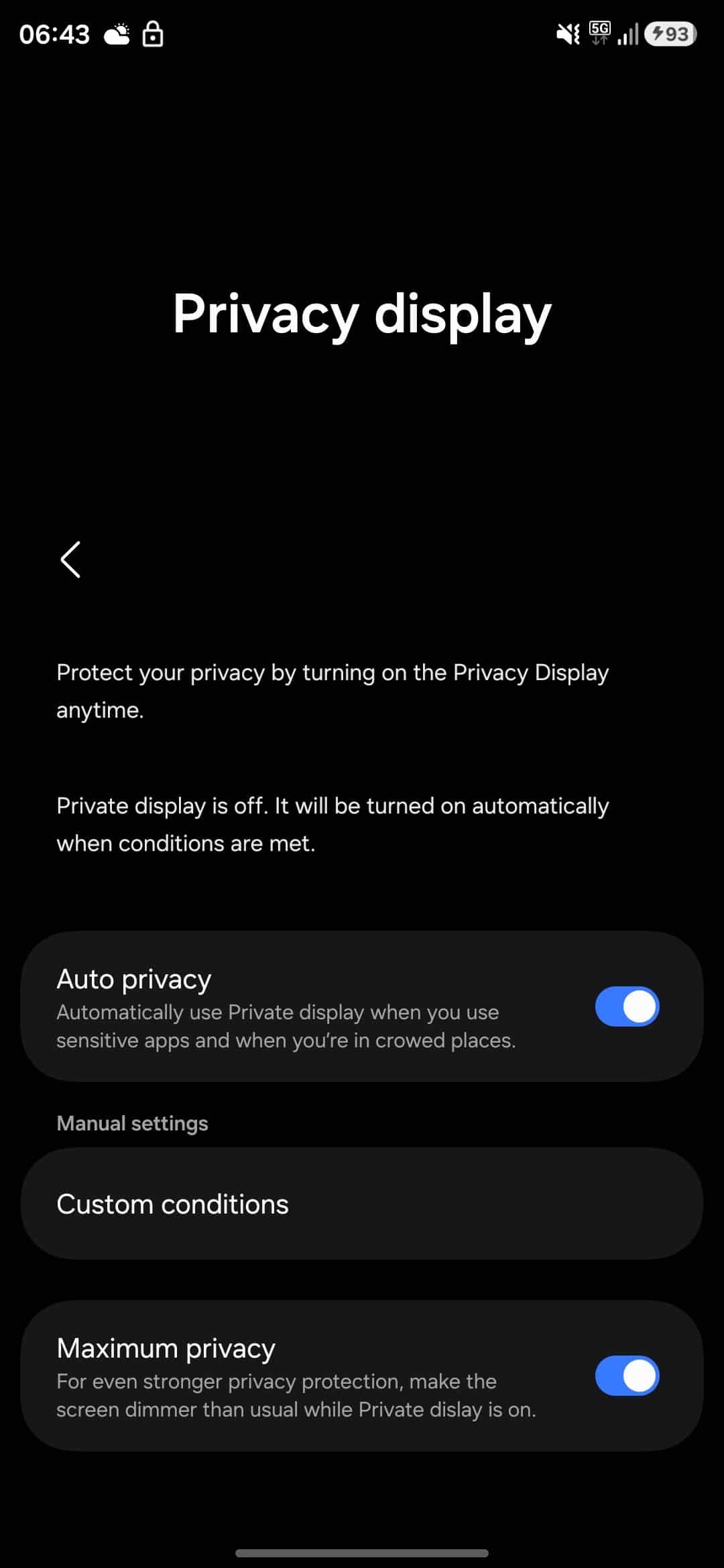
If you activate the Auto Privacy mode, it will automatically use Private Display when you use sensitive apps or when you are in crowded places. There’s an option called Custom Conditions, which should let you define specific scenarios for the mode. Furthermore, the Maximum Privacy option offers even stronger protection, making the screen dimmer than usual.
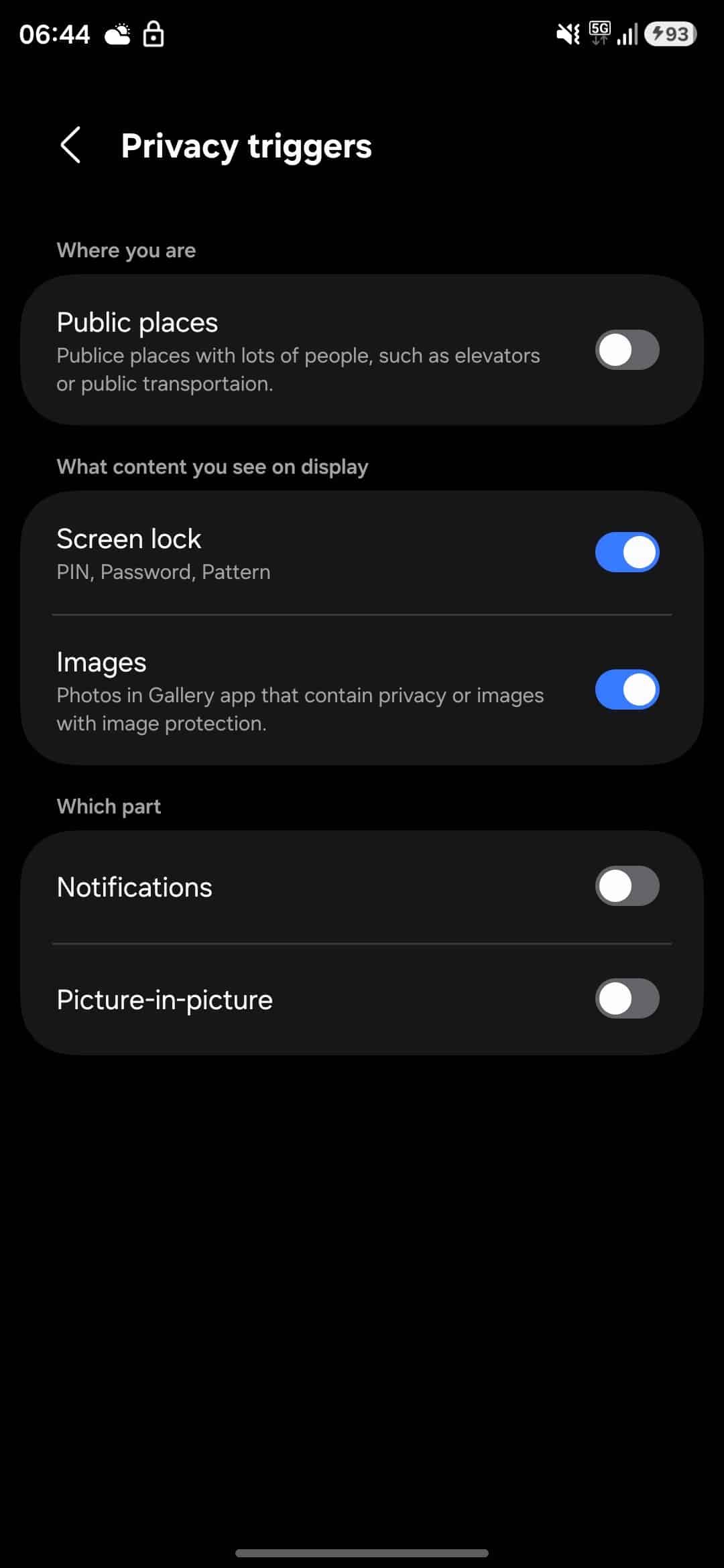
The feature also includes a bunch of privacy triggers that determine when it should activate. For example, the Public Places option comes in handy in places with lots of people, such as elevators or public transportation. Another trigger is based on the type of content, such as private images in the Gallery or screen lock inputs like PIN and password. It can also protect specific parts of your screen, including notifications and picture-in-picture windows. We will let you know when we have more information about the feature.

Written by
Binay KonwarBinay Konwar started his blogging journey in 2014 and has since written plenty of tech articles. At present, he is working as a News Writer at SammyGuru, covering everything about Samsung. He holds a Master's degree in Mathematics, but his real passion lies in tech and writing. In his free time, he enjoys playing chess and watching movies.

Follow us on Google Discover & set us as a preferred source in Google News
Share this Post
___________________________


New Blog Posts
___________________________

First Set of Pixel 11 Pro XL Renders Are Here
Pixel 11 Pro XL CAD renders show minimal design changes

Is Samsung Preparing One UI 8.5 Beta for Galaxy Z Fold 5 and Flip 5?
Samsung may launch a One UI 8.5 beta program for its 2023 foldables

Galaxy S25 One UI 8.5 Beta May Run Longer Than Expected
Galaxy S25 series’ One UI 8.5 beta may stretch to 10 rounds







