
[U: Global Rollout] New Update for Galaxy S25 Boosts Voice, Video, and RCS Messaging
SammyGuru is reader-supported. We have affiliate and sponsored partnerships, so we may earn a commission when you buy through links on our site — at no extra cost to you. Learn more.
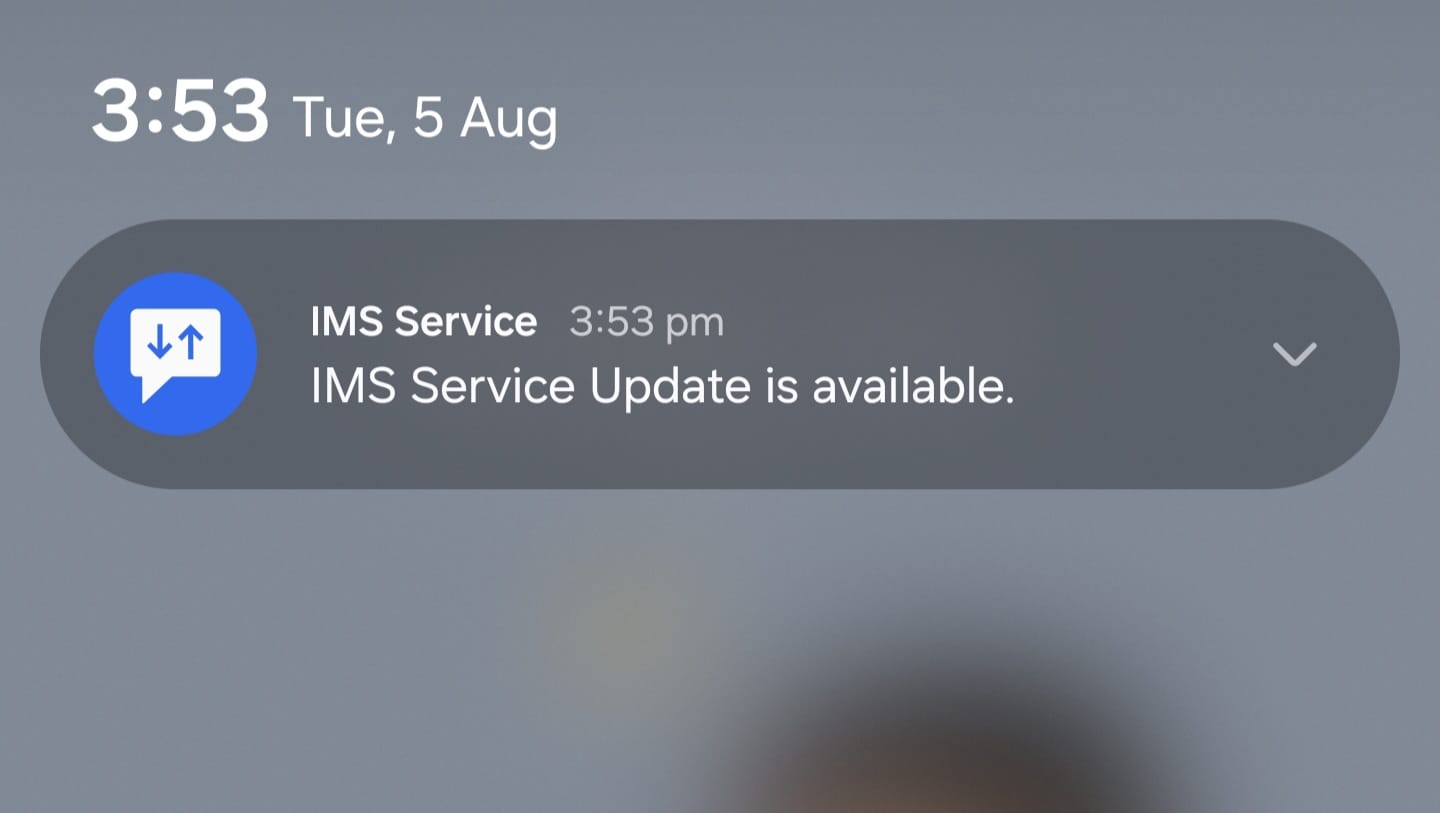
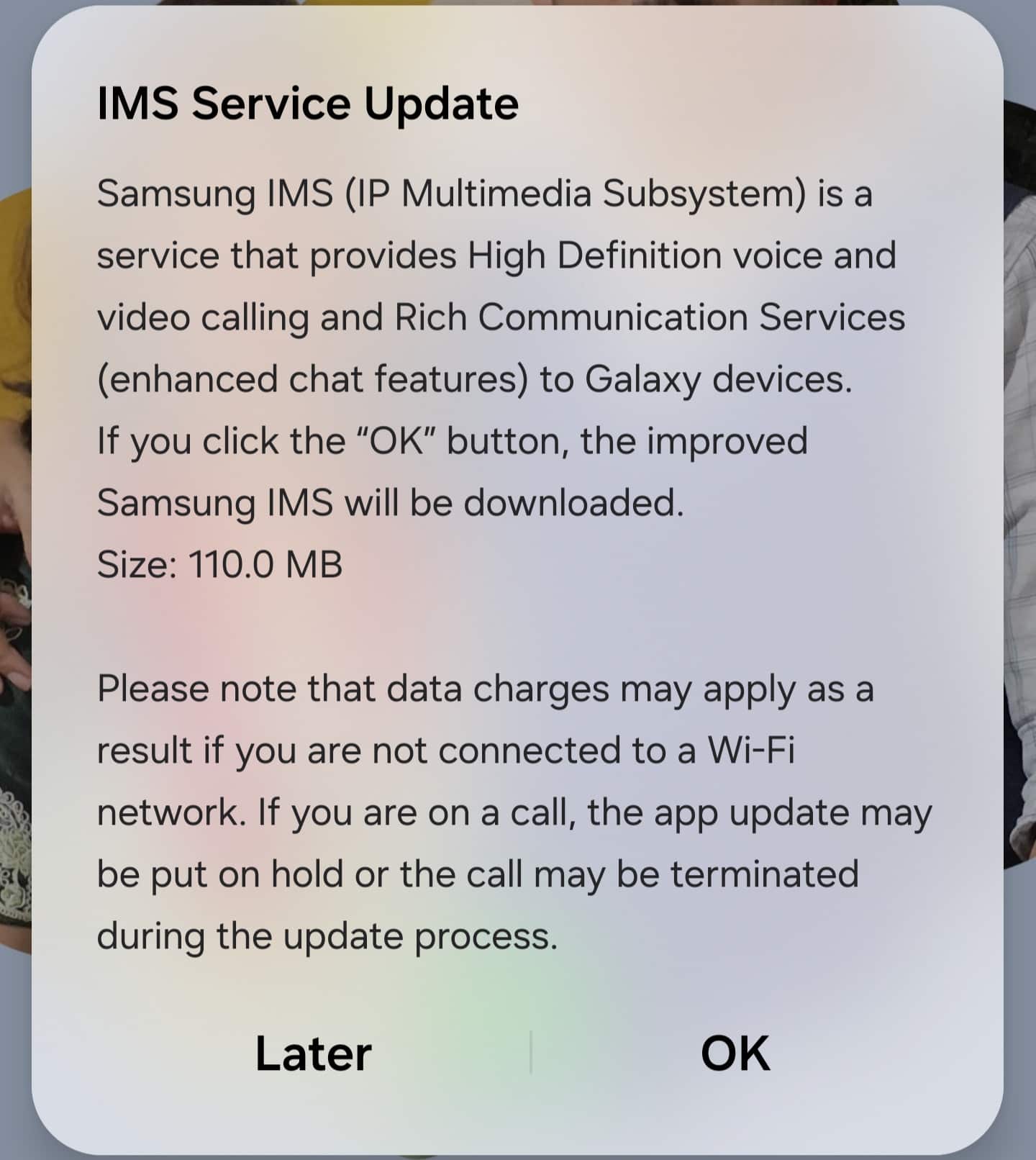
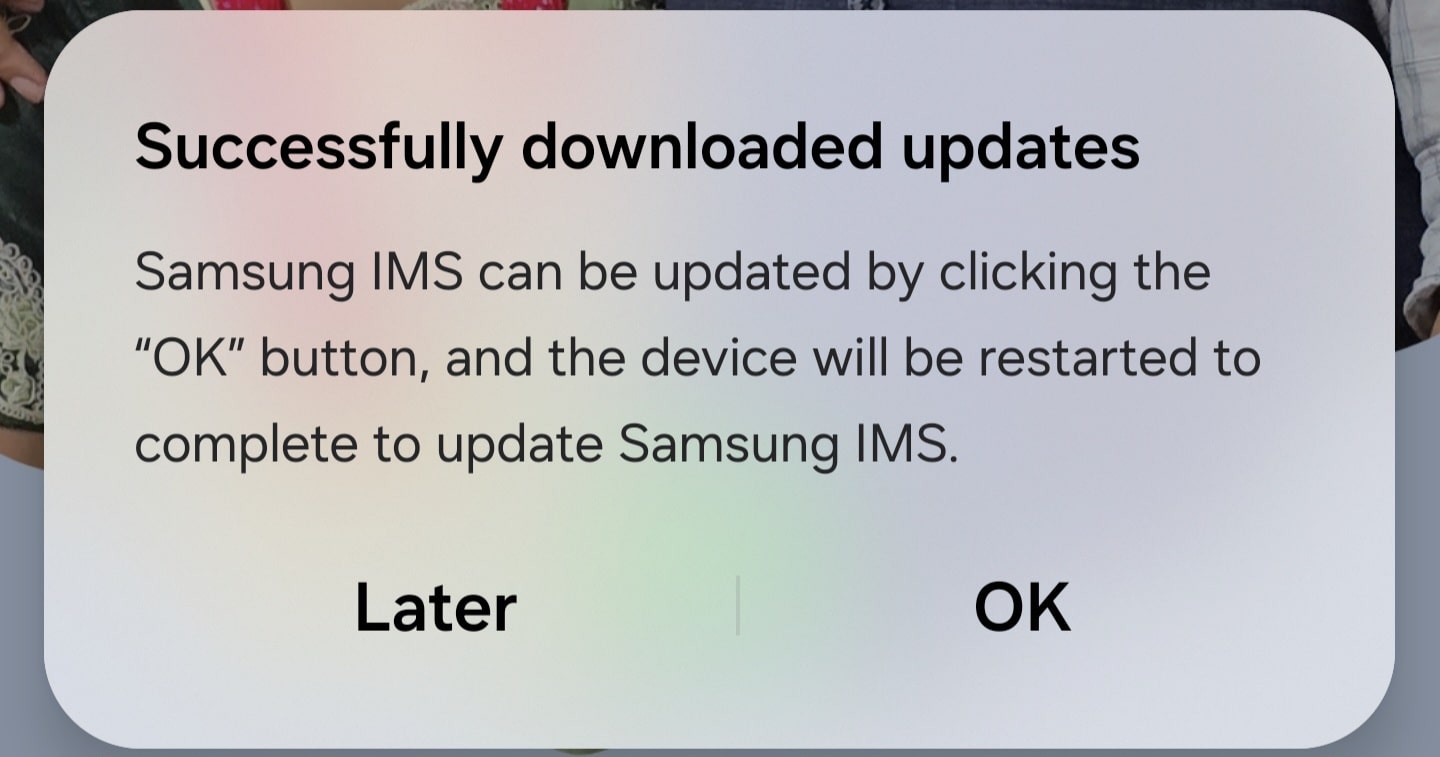
UPDATE (August 05): Shortly after the Korean release, Samsung rolled out this 110MB IMS update for the Galaxy S25 series in more markets. We recently received a notification about this update on an S25 Ultra running One UI 8 Beta 4 in India. The notification took us to a pop-up with more information and a download option. A restart was required to install the update.
The original article published on August 4, 2025, follows…
Samsung has begun rolling out a new IMS (IP Multimedia Subsystem) update for the Galaxy S25 series, following its announcement in the One UI 8 Beta 4 changelog. The update is now appearing for users who installed the latest beta version. Those still running One UI 7 may need to wait for the full One UI 8 rollout to gain access to the latest improvements in calling and messaging performance.
Galaxy S25 users get the new IMS update in One UI 8
Weighing in at around 110MB, the update arrives via a pop-up notification that appears while you’re using your phone, indicating a server-side rollout rather than a manual download. A brief description accompanying the pop-up notification confirms that the update enhances HD voice and video calling, as well as RCS (Rich Communication Service) messages.
IMS is a core component of your Galaxy phone’s network infrastructure, enabling advanced calling and messaging over mobile and Wi-Fi networks. A polished and secure IMS ensures smoother call quality, better reliability, and faster delivery of messages. As mentioned above, Samsung originally announced this update as part of One UI 8 Beta 4 for the Galaxy S25. A broader rollout may follow later this month.
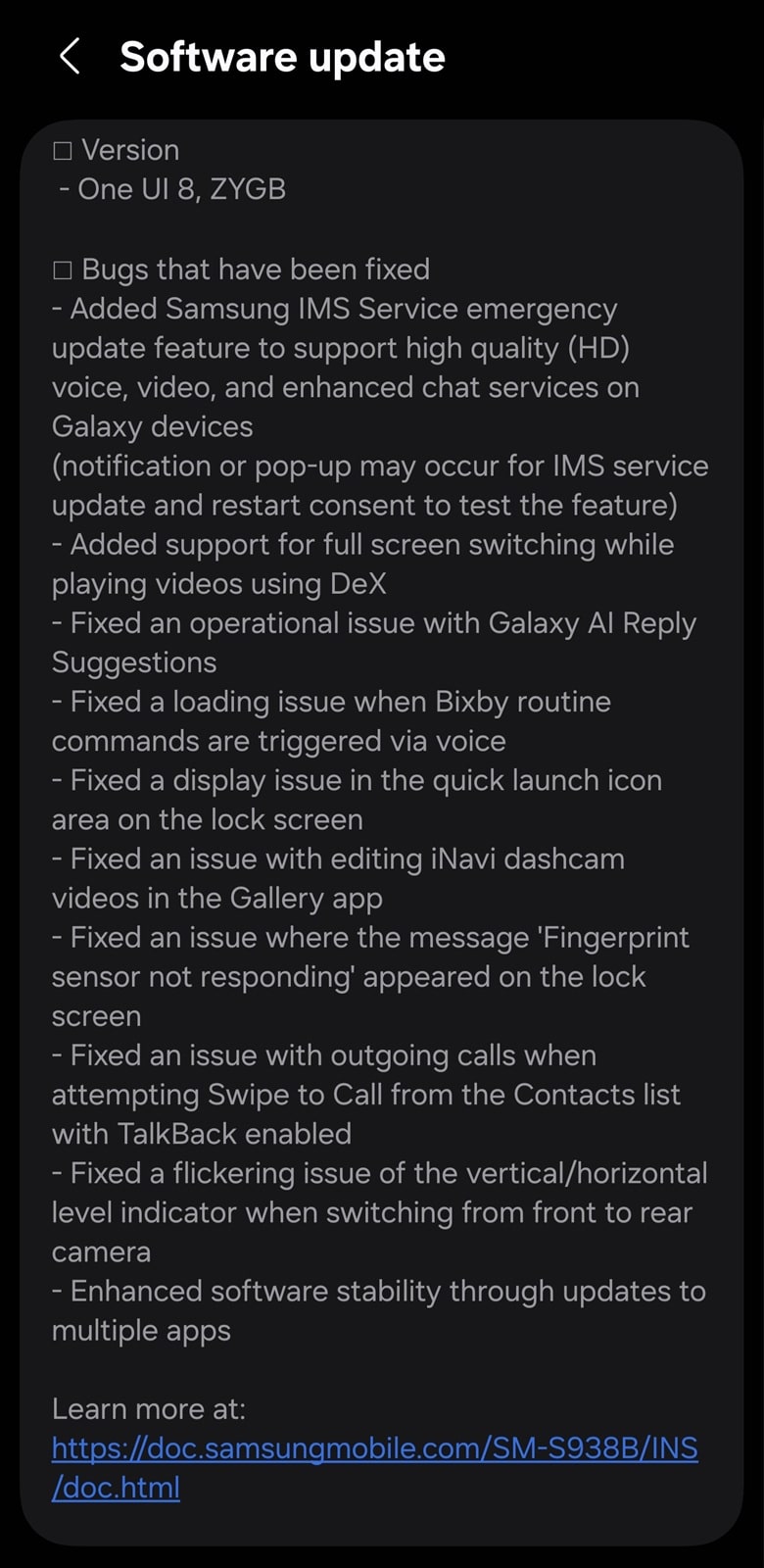
As of this writing, we have received reports from South Korea about the availability of this IMS update. Since it’s a server-side rollout, there’s no way to manually trigger or speed up the download. It may also install quietly during a reboot, so users might not even notice it being applied. You could still try navigating to Settings > About Phone and see if a pop-up appears.
Samsung does caution that calls could be temporarily interrupted during installation. However, this is normal and shouldn’t be a cause for concern. You may need to restart the device during the installation process. Keep an eye out for information.

Written by
Sumit AdhikariSumit, a life-long Samsung user, is passionate about technology and has been professionally writing on tech since 2017. He’s a mathematics graduate by education and enjoys teaching basic mathematics tricks to school kids in his spare time. Sumit believes in artificial intelligence and dreams of a fully open, intelligent and connected world.

Follow us on Google Discover & set us as a preferred source in Google News
Share this Post
___________________________


New Blog Posts
___________________________

First Set of Pixel 11 Pro XL Renders Are Here
Pixel 11 Pro XL CAD renders show minimal design changes

Is Samsung Preparing One UI 8.5 Beta for Galaxy Z Fold 5 and Flip 5?
Samsung may launch a One UI 8.5 beta program for its 2023 foldables

Galaxy S25 One UI 8.5 Beta May Run Longer Than Expected
Galaxy S25 series’ One UI 8.5 beta may stretch to 10 rounds







