
One UI 8 Beta 4 Full Changelog: New Features and Bug Fixes
SammyGuru is reader-supported. We have affiliate and sponsored partnerships, so we may earn a commission when you buy through links on our site — at no extra cost to you. Learn more.
Samsung has officially released the fourth One UI 8 beta update for the Galaxy S25 series, pushing the development closer to the final stable version. This release comes with an extensive changelog. Here are the key bug fixes and new additions coming to Galaxy S25 users with Beta 4.
Galaxy S25’s One UI 8 Beta 4 changelog explained — here’s what’s new
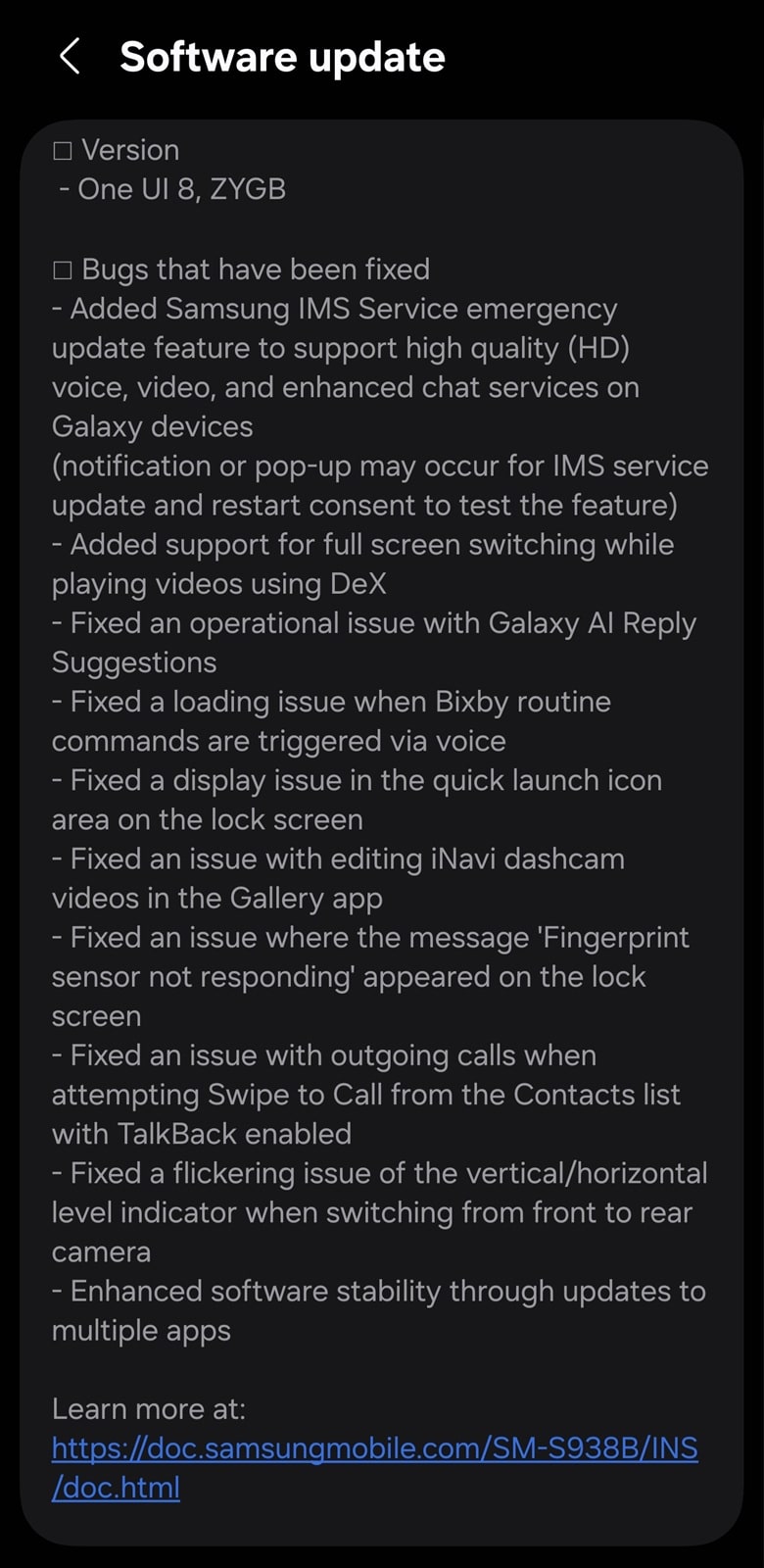
A major addition in this beta is the Samsung IMS Service emergency update feature. This allows Galaxy devices to receive on-the-fly updates for HD voice, video calling, and enhanced messaging (RCS). You might see a notification or pop-up prompting for a restart consent when testing this feature. Samsung DeX users can also now enjoy full-screen switching while watching videos, improving the multitasking experience.
Besides these additions, One UI 8 Beta 4 focuses on squashing lingering bugs from earlier versions. Samsung has fixed issues with Galaxy AI reply suggestions for smooth functioning. The company also patched bugs that caused Bixby Routine commands to fail to trigger via voice.
Other fixes include a display issue in the Quick Launch icon area on the lock screen, errors when editing iNavi dashcam videos in Gallery, random ‘Fingerprint sensor not responding’ messagse on the lock screen, outgoing calls failing when using Swipe to Call with TalkBack enabled, and flickering issues with vertical/horizontal level indicator when switching between front and rear cameras.
This update may contain many more minor bug fixes and stability optimizations. There’s growing speculation that Beta 4 might be the final release before One UI 8 hits stable channels for the Galaxy S25 series. The extensive list of bug fixes suggests the software is nearly ready for prime time. We’ll keep you posted. Meanwhile, if you are using a Galaxy smartphone, you can check for the latest updates by heading to: Settings > Software update > Download and install.

Written by
Sumit AdhikariSumit, a life-long Samsung user, is passionate about technology and has been professionally writing on tech since 2017. He’s a mathematics graduate by education and enjoys teaching basic mathematics tricks to school kids in his spare time. Sumit believes in artificial intelligence and dreams of a fully open, intelligent and connected world.

Follow us on Google Discover & set us as a preferred source in Google News
Share this Post
___________________________


New Blog Posts
___________________________

First Set of Pixel 11 Pro XL Renders Are Here
Pixel 11 Pro XL CAD renders show minimal design changes

Is Samsung Preparing One UI 8.5 Beta for Galaxy Z Fold 5 and Flip 5?
Samsung may launch a One UI 8.5 beta program for its 2023 foldables

Galaxy S25 One UI 8.5 Beta May Run Longer Than Expected
Galaxy S25 series’ One UI 8.5 beta may stretch to 10 rounds







