
[U: It’s Back] Galaxy Z Fold 7 Drops Home and App Screen Grid Customization on Main Display
SammyGuru is reader-supported. We have affiliate and sponsored partnerships, so we may earn a commission when you buy through links on our site — at no extra cost to you. Learn more.
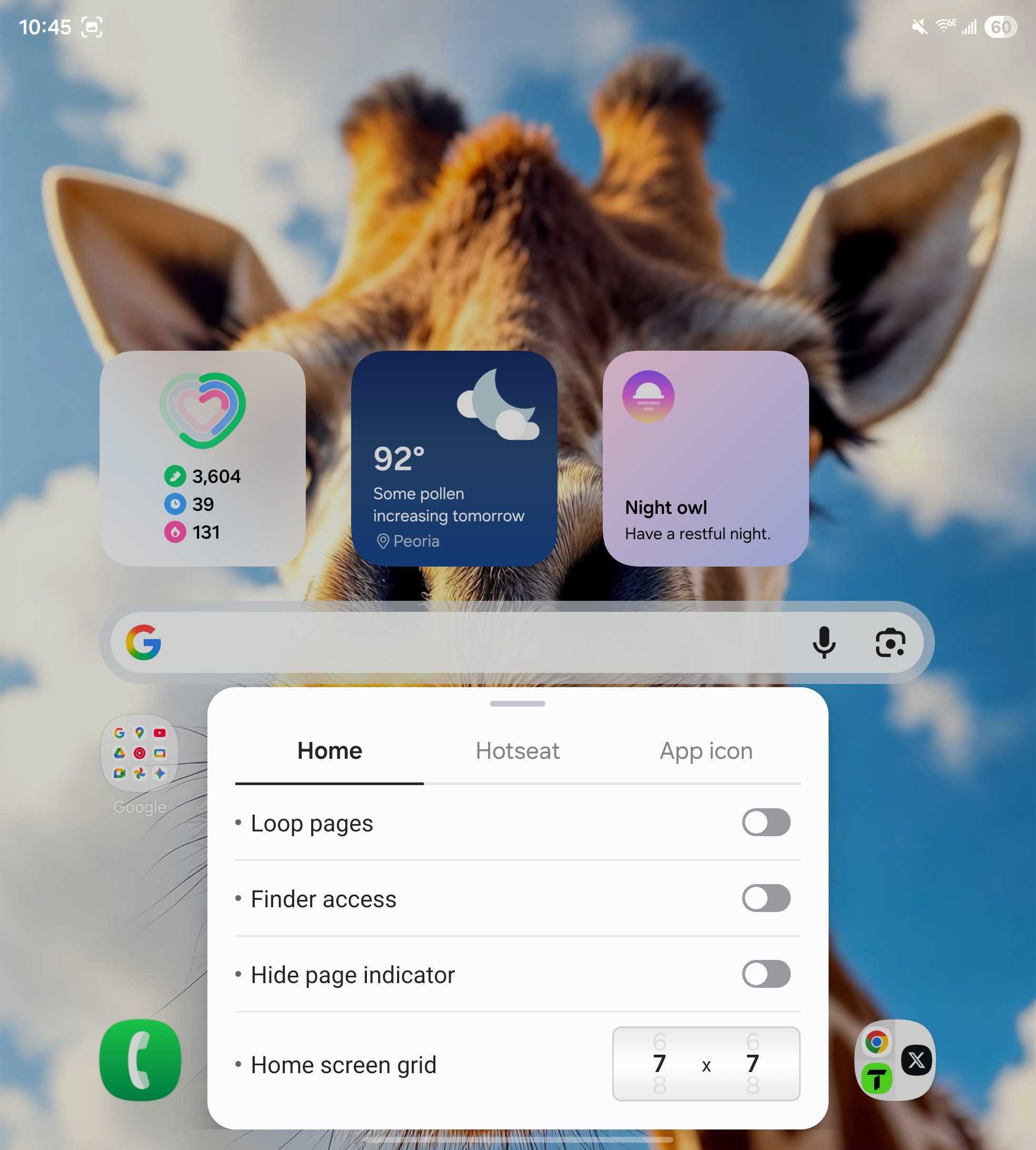
UPDATE (July 22, 2025): Just as expected, Samsung has reintroduced home screen grid customization for the Galaxy Z Fold 7’s main display via the Home Up app. The latest Home Up update for One UI 8 devices brings back the feature the company previously removed.
The original article published on July 18, 2025, follows…
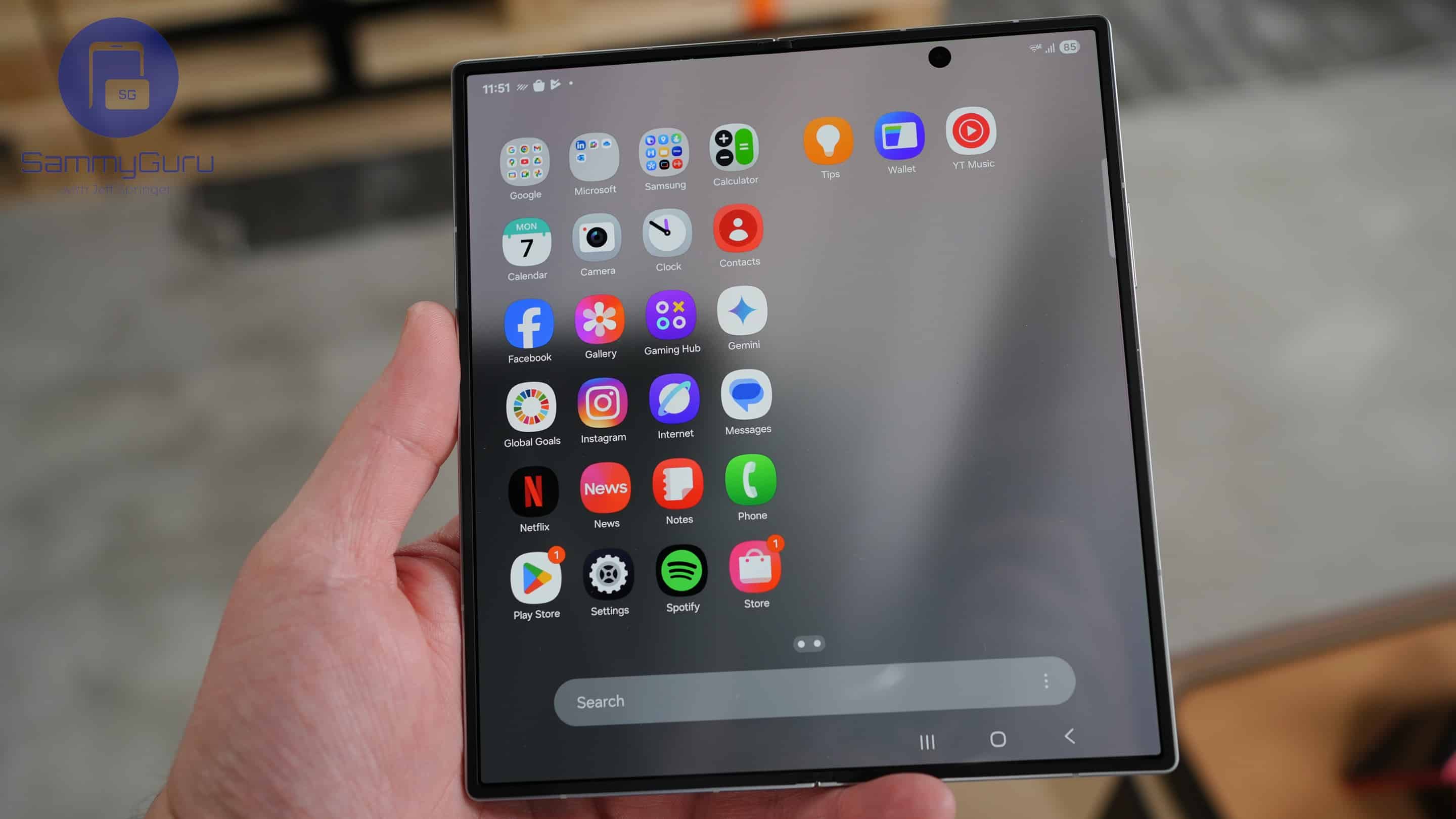
Samsung has removed the ability to customize the home and app screen grid on the Galaxy Z Fold 7’s inner display. While these customizations are still available for the cover screen, you can’t set custom app grids on the folding screen. It’s unclear whether this is an intentional move in One UI 8 or if Samsung plans to bring it back through a future Home Up update.
Galaxy Z Fold 7’s inner screen loses grid layout settings
Samsung recently launched its next-generation book-style foldable, the Galaxy Z Fold 7, with One UI 8 out of the box. The company is gearing up to ship the device to early buyers later this month. However, during our testing of the review unit, we noticed a key change to the software experience on the inner display. There is no way to customize the app screen or home screen grid — a feature available on older Fold models.
For the uninitiated, the home and app screen grid settings let users create a customized layout of icons on the home screen and the app drawer. This is particularly helpful if you want to organize apps to make better use of screen space. More importantly, on a large screen foldable device, grid customization allows users to take advantage of the expansive screen.
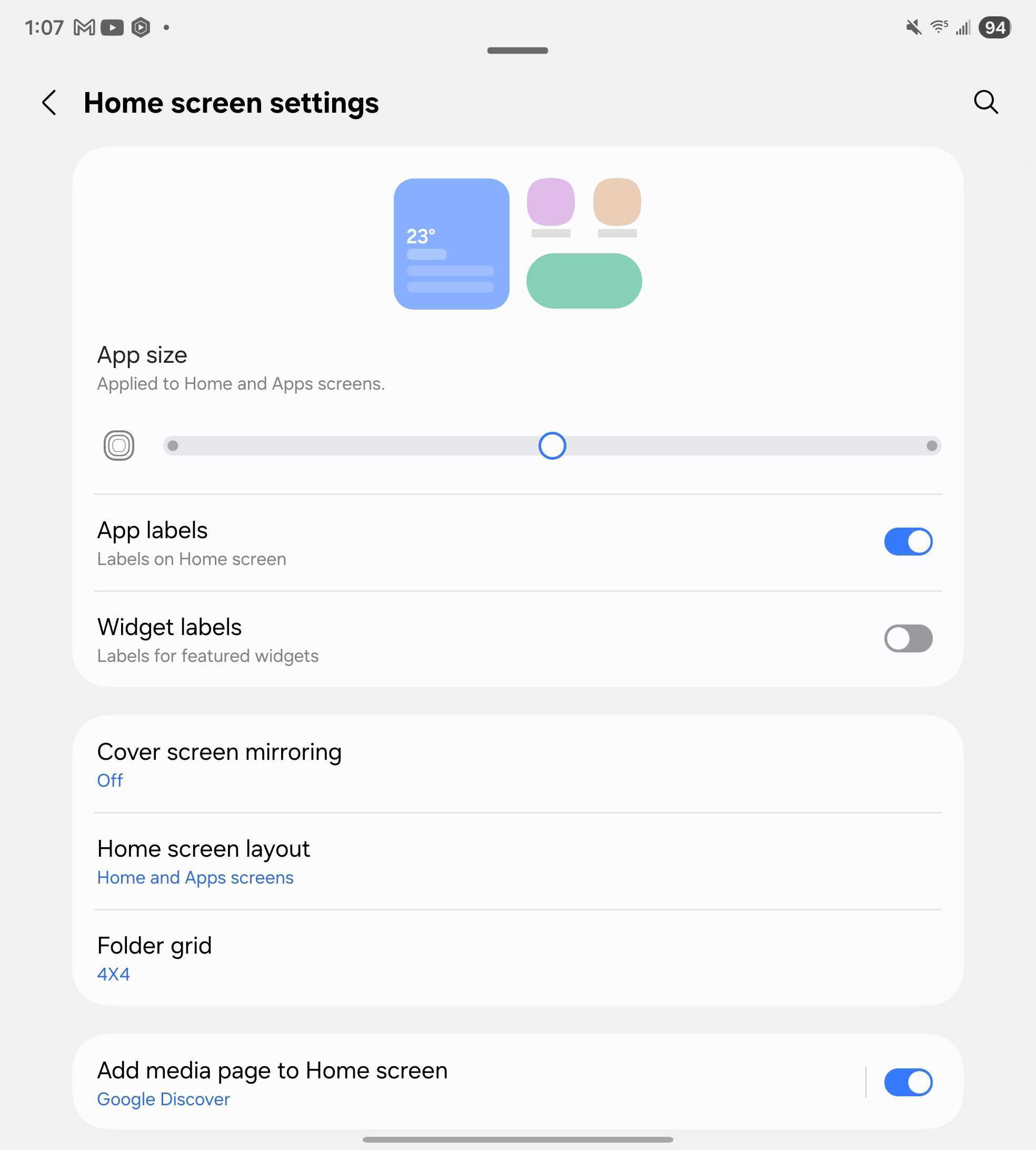
Unfortunately, with the latest Galaxy Z Fold 7, Samsung has removed that flexibility from the inner display. That means you are now stuck with a fixed layout and can not organize your apps on the home screen or the app drawer. As of now, it’s unclear whether this is an intentional move as part of One UI 8’s design direction or simply a temporary limitation.
That said, the Galaxy S25 Ultra running One UI 8 beta still has these customization options, so we highly doubt this is a general One UI 8 issue. It’s more likely that One UI 8 for foldables has this restriction, but only time will tell. Things should become clearer soon, once Samsung pushes an update to the Home Up module with One UI 8 support. We will let you know if it brings back the missing customization features. Stay tuned.

Written by
Binay KonwarBinay Konwar started his blogging journey in 2014 and has since written plenty of tech articles. At present, he is working as a News Writer at SammyGuru, covering everything about Samsung. He holds a Master's degree in Mathematics, but his real passion lies in tech and writing. In his free time, he enjoys playing chess and watching movies.

Follow us on Google Discover & set us as a preferred source in Google News
Share this Post
___________________________


New Blog Posts
___________________________

First Set of Pixel 11 Pro XL Renders Are Here
Pixel 11 Pro XL CAD renders show minimal design changes

Is Samsung Preparing One UI 8.5 Beta for Galaxy Z Fold 5 and Flip 5?
Samsung may launch a One UI 8.5 beta program for its 2023 foldables

Galaxy S25 One UI 8.5 Beta May Run Longer Than Expected
Galaxy S25 series’ One UI 8.5 beta may stretch to 10 rounds







