
WhatsApp Prepares a Close Friends Feature for Status Updates
SammyGuru is reader-supported. We have affiliate and sponsored partnerships, so we may earn a commission when you buy through links on our site — at no extra cost to you. Learn more.
WhatsApp is testing a new feature that lets you share your status only with close friends. The new feature will join the existing options like “My Contacts” and “Only Share With,” giving you more choices for who can see your updates. The new feature is available on the latest beta version for Android users and may land on the stable channel in the coming weeks.
New WhatsApp beta gives users more control over who sees their status
As you know, WhatsApp’s status feature lets you share text, photos, and videos with your contacts, just like stories on other platforms. These updates are temporary and disappear from your profile automatically after 24 hours. The best thing is that you can customize your audience and decide who can see each update. You can choose to share your status with either all your contacts or only specific people.
Meta, the company behind WhatsApp, now wants to give users more control over their privacy. Folks over at WABetaInfo spotted a new status privacy feature within the beta build 2.25.25.2. Dubbed “Close Friends,” this new feature will let users create a list of selected contacts who can see certain status updates. This is particularly helpful if you want to share personal moments with only a smaller group.
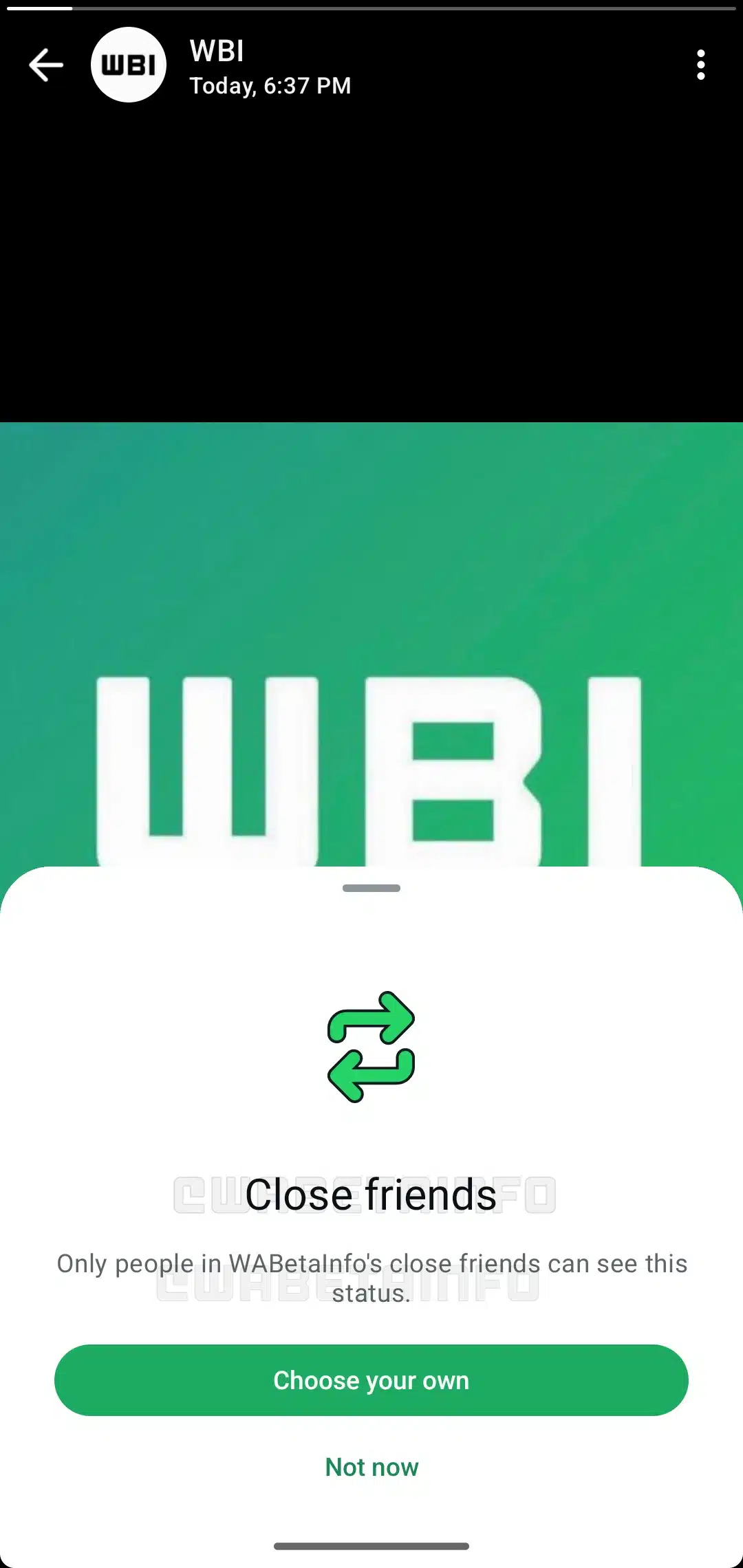
Note that all the recipients on your close friends list will know that you have posted the status only with them. The app will show a small visual indicator, helping them know the status is for a few trusted people and not for a broader audience. Furthermore, you will be able to manage your close friends list privately. The system won’t notify the recipient when you add or remove from your close friends list.
If you want to experience this feature right now, you first need to participate in the Google Play Beta Program. After that, you need to install the latest beta build of WhatsApp from the Play Store. While the company has not announced when it will make the new privacy improvement available to everyone, it should not take too long.

Written by
Binay KonwarBinay Konwar started his blogging journey in 2014 and has since written plenty of tech articles. At present, he is working as a News Writer at SammyGuru, covering everything about Samsung. He holds a Master's degree in Mathematics, but his real passion lies in tech and writing. In his free time, he enjoys playing chess and watching movies.

Follow us on Google Discover & set us as a preferred source in Google News
Share this Post
___________________________


New Blog Posts
___________________________

First Set of Pixel 11 Pro XL Renders Are Here
Pixel 11 Pro XL CAD renders show minimal design changes

Is Samsung Preparing One UI 8.5 Beta for Galaxy Z Fold 5 and Flip 5?
Samsung may launch a One UI 8.5 beta program for its 2023 foldables

Galaxy S25 One UI 8.5 Beta May Run Longer Than Expected
Galaxy S25 series’ One UI 8.5 beta may stretch to 10 rounds







