
Samsung Knox Matrix Update 1.1.01.79 Enhances Galaxy Device Security
SammyGuru is reader-supported. We have affiliate and sponsored partnerships, so we may earn a commission when you buy through links on our site — at no extra cost to you. Learn more.
Samsung has recently rolled out a new update for its Knox Matrix app with version 1.1.01.79. The update brings improvements to device security as well as introduces a new ability for connected devices. The latest version should be available to all eligible Galaxy users globally within the next few days.
What’s new in the Knox Matrix app 1.1.01.79 update?
When it comes to security, Samsung is offering its users robust protection against the growing number of digital threats. Its Knox Matrix platform lets users check the security status of their devices and quickly identify and resolve security threats. With the introduction of the latest version of the Knox Matrix app, the company aims to further strengthen security across all Samsung devices linked to the same account.
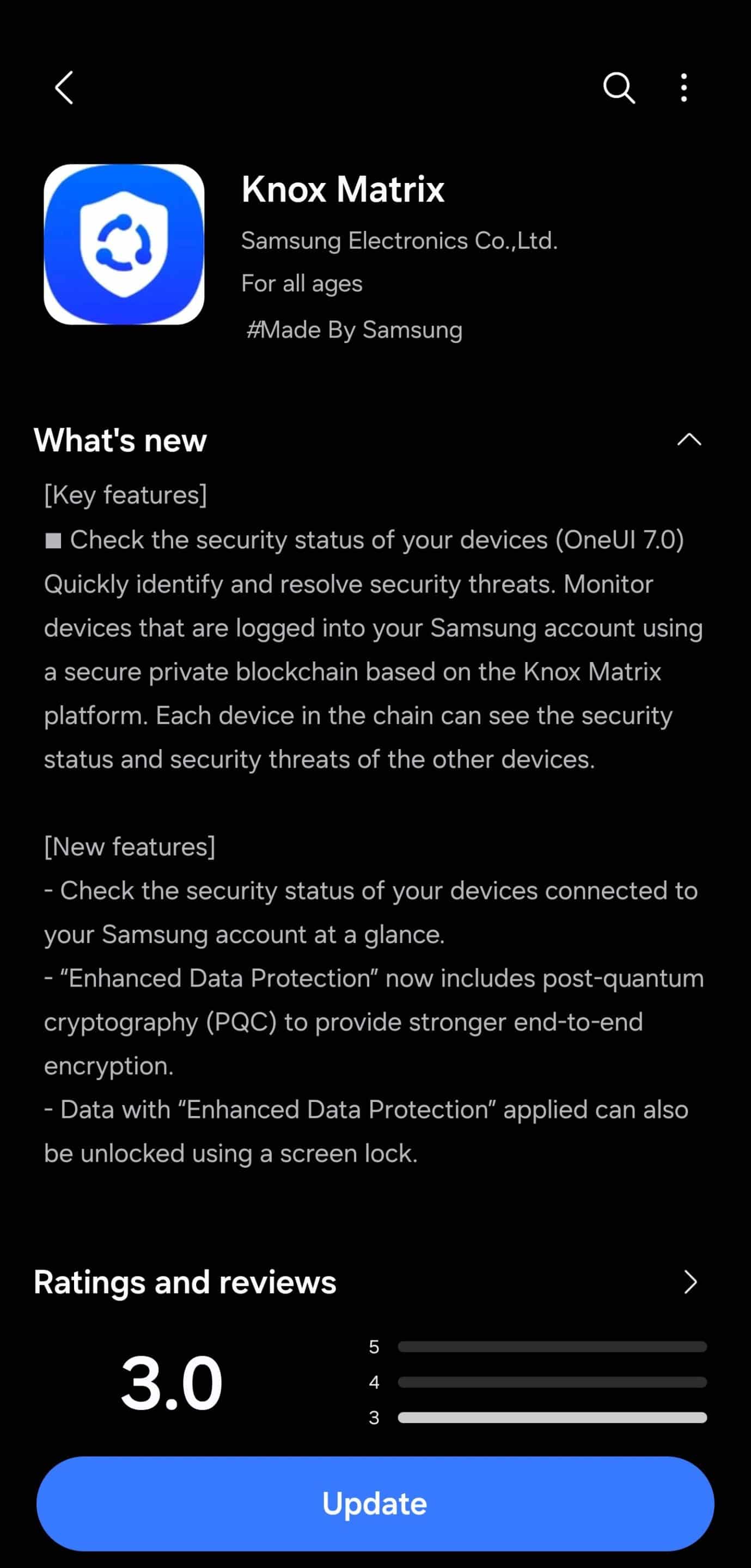
One of the notable additions is the ability to check the security status of your devices connected to your Samsung account at a glance. This is particularly helpful for identifying any threats to your other devices, all from one place. You can now take immediate action against potential threats across your ecosystem effortlessly.
Another major improvement comes with Enhanced Data Protection, which now includes post-quantum cryptography (PQC). This cutting-edge encryption aims to provide stronger end-to-end encryption. On top of that, it now lets you unlock data protected with Enhanced Data Protection using your screen lock for a more seamless and secure experience.
Update to strengthen your Galaxy device security
While the release notes don’t mention any other major enhancements, we can expect Samsung to have made under-the-hood improvements and address known bugs as well. So, if you want to strengthen your Galaxy ecosystem’s security system, you should update to the latest version of the Knox Matrix app as soon as possible.
To do so, you need to first head over to the Galaxy Store and then tap on the Menu in the corner. Then, select Updates to see if the latest version of the app is available. If it is, tap Update to install it. Note that Samsung usually does not roll out the update to all users simultaneously, so the new build may not show up on your device right away. Rest assured, it should arrive within the next few days.

Written by
Binay KonwarBinay Konwar started his blogging journey in 2014 and has since written plenty of tech articles. At present, he is working as a News Writer at SammyGuru, covering everything about Samsung. He holds a Master's degree in Mathematics, but his real passion lies in tech and writing. In his free time, he enjoys playing chess and watching movies.

Follow us on Google Discover & set us as a preferred source in Google News
Share this Post
___________________________


New Blog Posts
___________________________

First Set of Pixel 11 Pro XL Renders Are Here
Pixel 11 Pro XL CAD renders show minimal design changes

Is Samsung Preparing One UI 8.5 Beta for Galaxy Z Fold 5 and Flip 5?
Samsung may launch a One UI 8.5 beta program for its 2023 foldables

Galaxy S25 One UI 8.5 Beta May Run Longer Than Expected
Galaxy S25 series’ One UI 8.5 beta may stretch to 10 rounds







