
Samsung Details New Good Lock Features in One UI 8.5
SammyGuru is reader-supported. We have affiliate and sponsored partnerships, so we may earn a commission when you buy through links on our site — at no extra cost to you. Learn more.
Samsung usually makes some improvements to its Good Lock modules with each major software update. The company has now shared the new Good Lock features coming in its Android 16 QPR2-based One UI 8.5. If you are a One UI 8.5 beta tester, you can already enjoy some features. However, regular users will have to wait until the final version, which could debut alongside the Galaxy S26 series.
What’s new in One UI 8.5 Good Lock?
Good Lock is Samsung’s customization suite for Galaxy devices that offers a bunch of powerful modules. In its recent community post, Samsung announced that modules such as LockStar, QuickStar, Home Up, Theme Park, and Game Booster + will get a host of new features in the upcoming One UI 8.5 update.
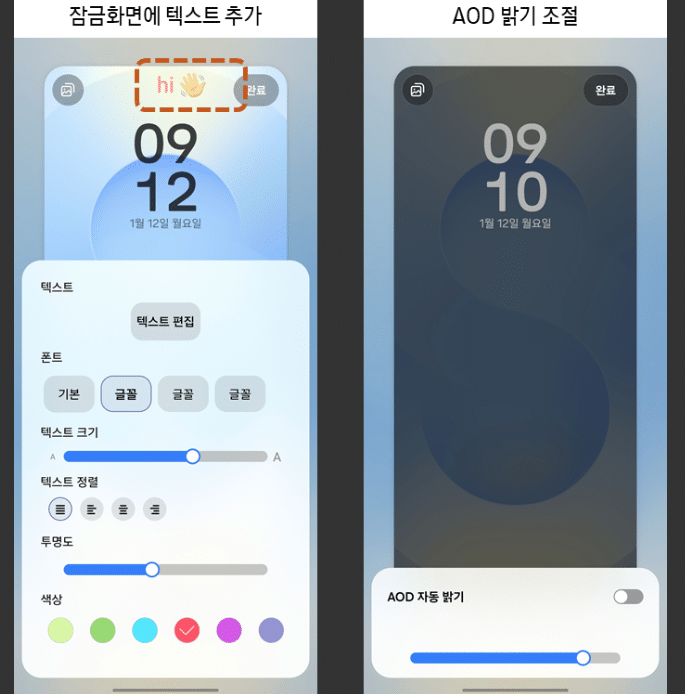
LockStar now lets you customize unlock animations and add text to the Always On Display. On top of that, it allows you to adjust the AOD brightness manually on devices that support full-screen AOD.
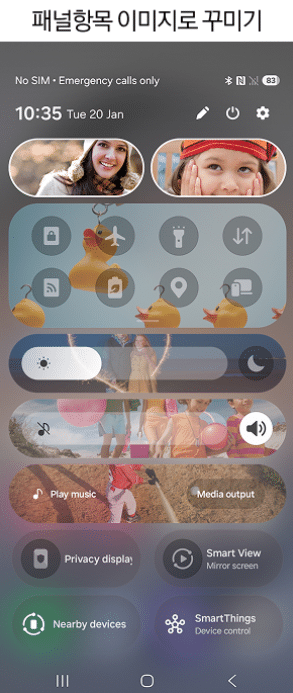
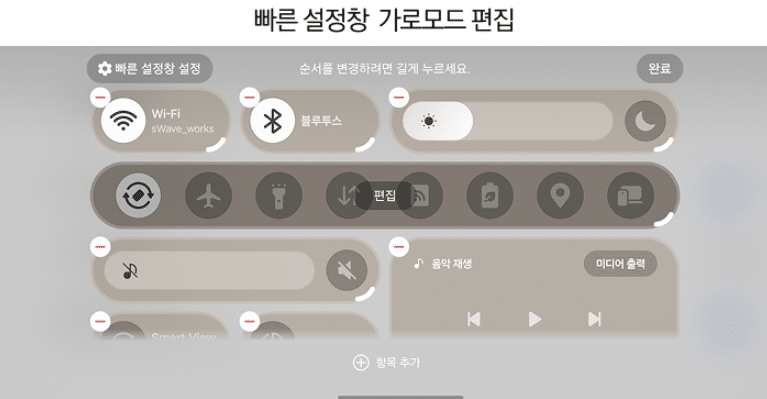
QuickStar, which manages the quick settings panel, also brings some useful improvements. You can now edit the panel in landscape mode, resize quick settings items, and replace icons with custom images. Another ability is to see current setting values in the screen brightness and volume control bars.
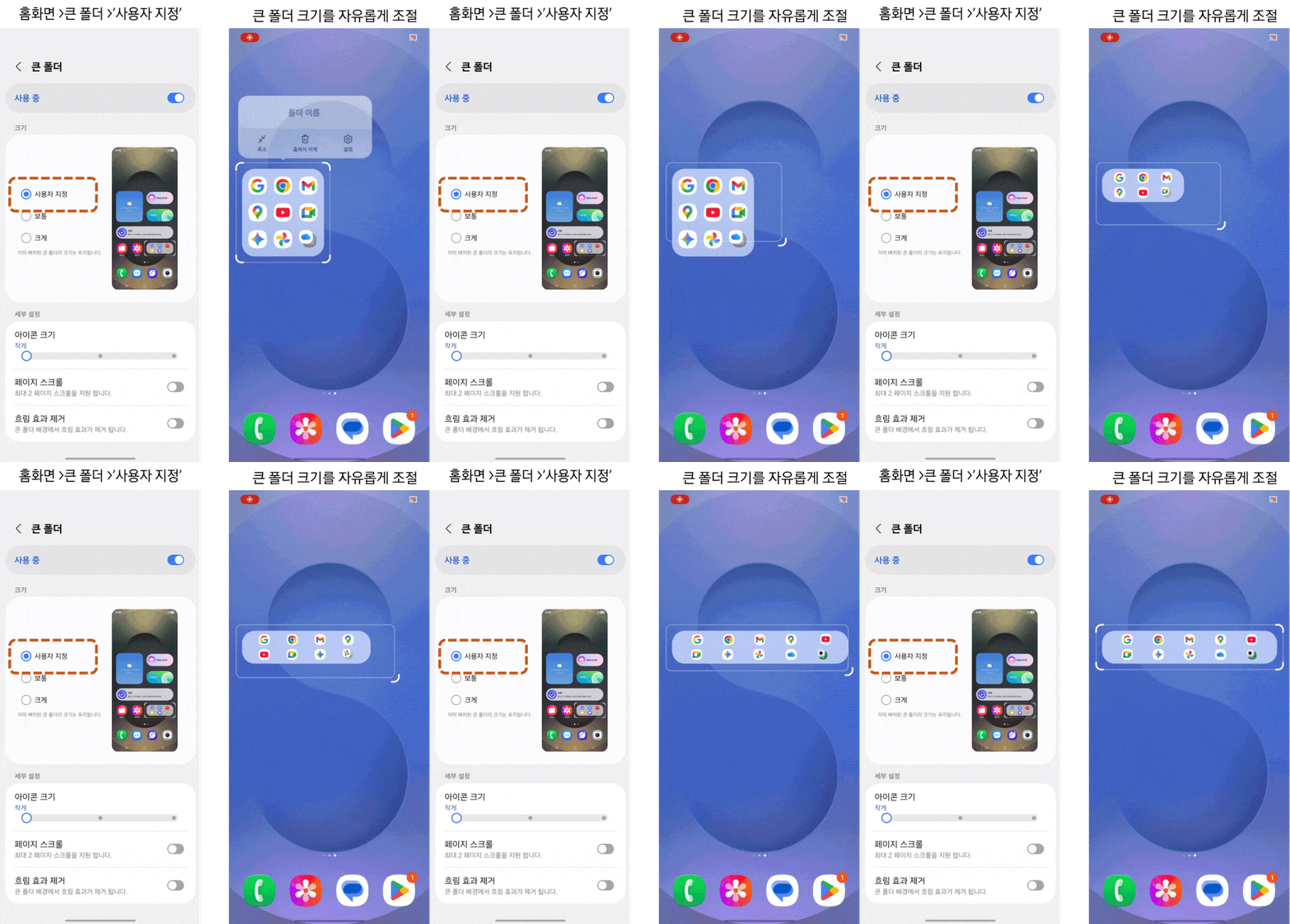
Home Up brings a bunch of changes for the home screen and widgets. You can adjust the size of large folders, scroll through folder pages, and remove the background blur. Moreover, the module lets you edit the font and color of the app icon labels on the home screen. You can adjust the size of widget content and remove the blur from widget backgrounds.
Samsung has also improved the GTS sharing feature. Now, shared home screens retain their layout even if some apps or widgets are not installed. Other improvements include the ability to turn off the “Switch to previous app” gesture even when gesture hints are on, a unified Edge panel that combines apps, shortcuts, and contacts. You can also adjust the Edge handle touch area for easier access.
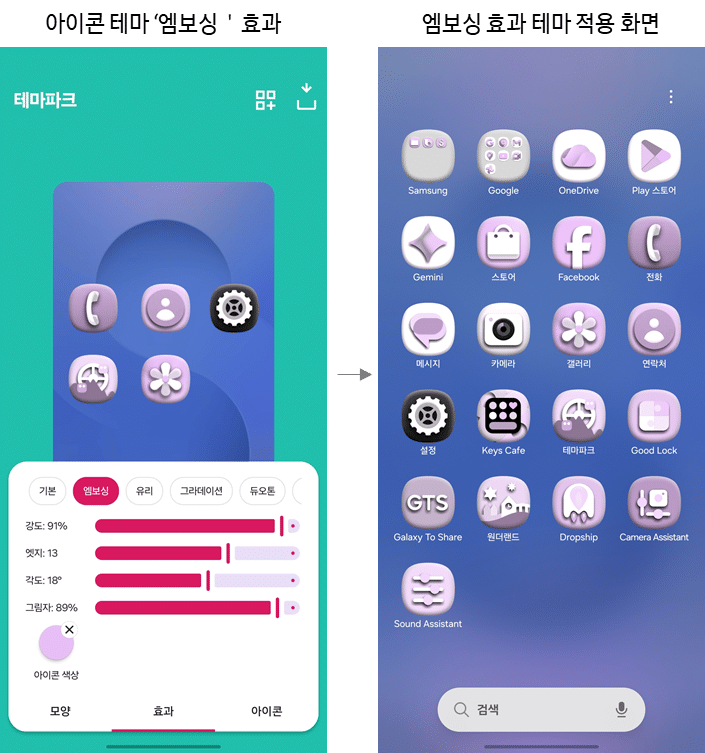
Speaking of improvements in Theme Park, you can now add a 3D embossing effect to icons. There’s also a monochrome icon style, letting you create a single-color theme.
Meanwhile, Game Booster+ brings new tools to improve gameplay. You can map gamepad input to screen touches. The module also lets you tweak CPU and GPU settings for better performance in specific games. Furthermore, you can fast-forward game intro videos, reducing waiting time.

Written by
Binay KonwarBinay Konwar started his blogging journey in 2014 and has since written plenty of tech articles. At present, he is working as a News Writer at SammyGuru, covering everything about Samsung. He holds a Master's degree in Mathematics, but his real passion lies in tech and writing. In his free time, he enjoys playing chess and watching movies.

Follow us on Google Discover & set us as a preferred source in Google News
Share this Post
___________________________


New Blog Posts
___________________________

First Set of Pixel 11 Pro XL Renders Are Here
Pixel 11 Pro XL CAD renders show minimal design changes

Is Samsung Preparing One UI 8.5 Beta for Galaxy Z Fold 5 and Flip 5?
Samsung may launch a One UI 8.5 beta program for its 2023 foldables

Galaxy S25 One UI 8.5 Beta May Run Longer Than Expected
Galaxy S25 series’ One UI 8.5 beta may stretch to 10 rounds







