
One UI 8.5 Updates LockStar with Unlock Animations and AOD Controls
SammyGuru is reader-supported. We have affiliate and sponsored partnerships, so we may earn a commission when you buy through links on our site — at no extra cost to you. Learn more.
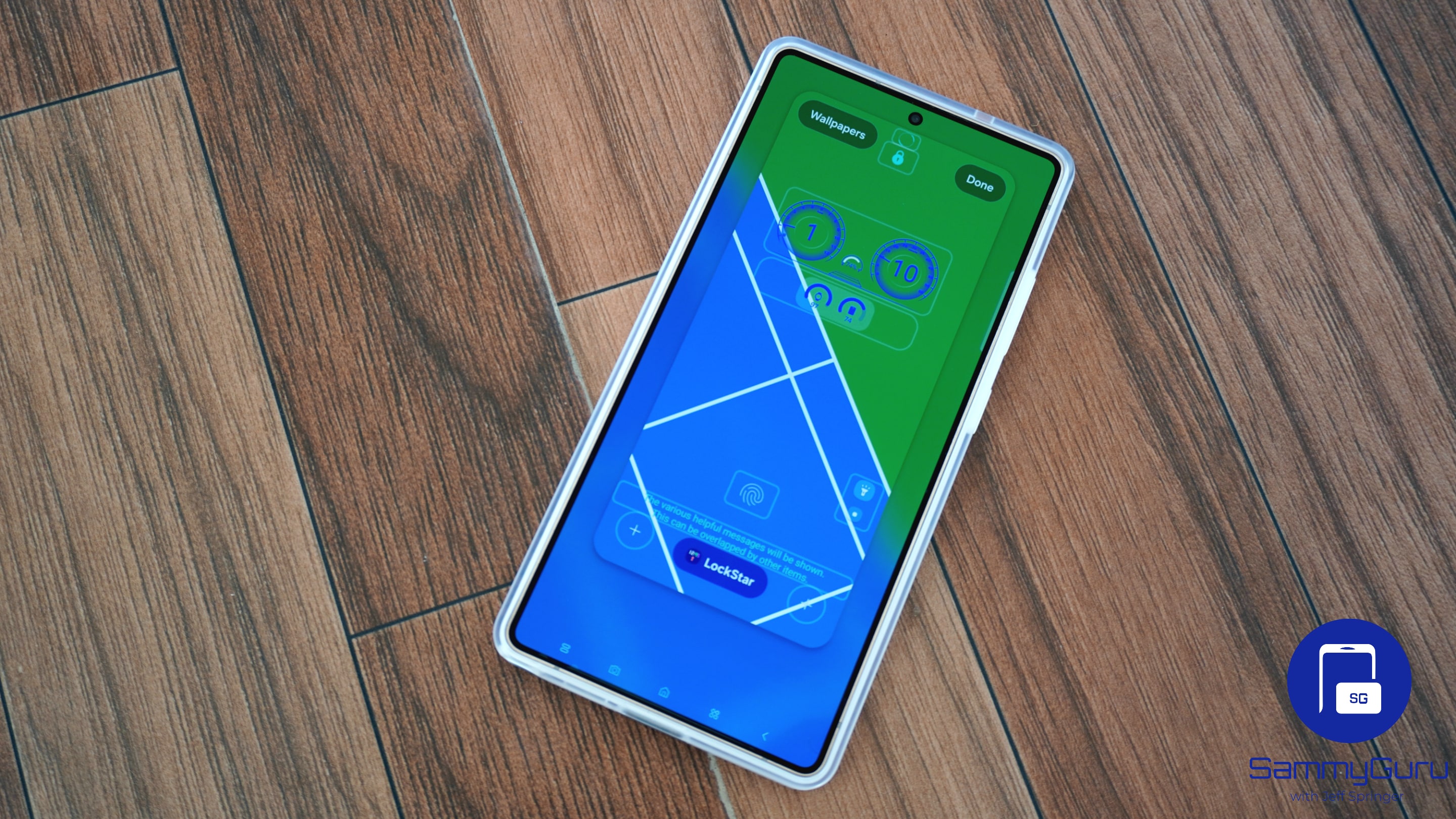
Samsung’s LockStar app is receiving a meaningful upgrade with One UI 8.5. The Good Lock module introduces fully customizable unlock animations, allowing users to fine-tune how their device transitions from the lock screen to the home screen. The update also adds manual Always On Display (AOD) brightness controls, along with several quality-of-life improvements that feel long overdue.
LockStar gives you more control over your lock screen in One UI 8.5
LockStar is part of Samsung’s Good Lock customization suite for Galaxy devices. The module focuses on lock screen personalization, allowing users to customize the clock, widgets, shortcuts, and other lock screen elements. With version 8.5.00.8 for One UI 8.5, LockStar introduces new ways to personalize how your lock screen looks and behaves.
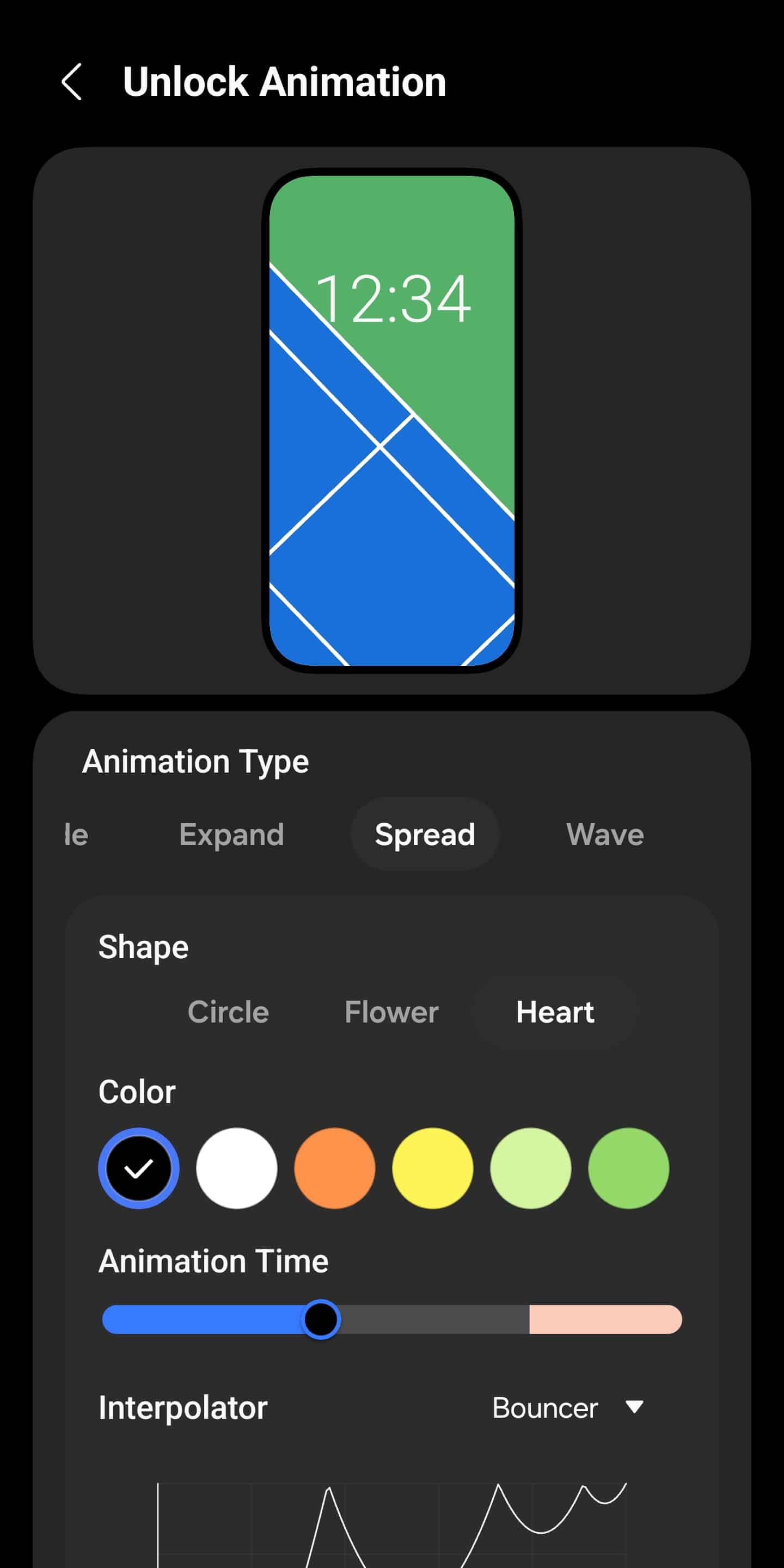
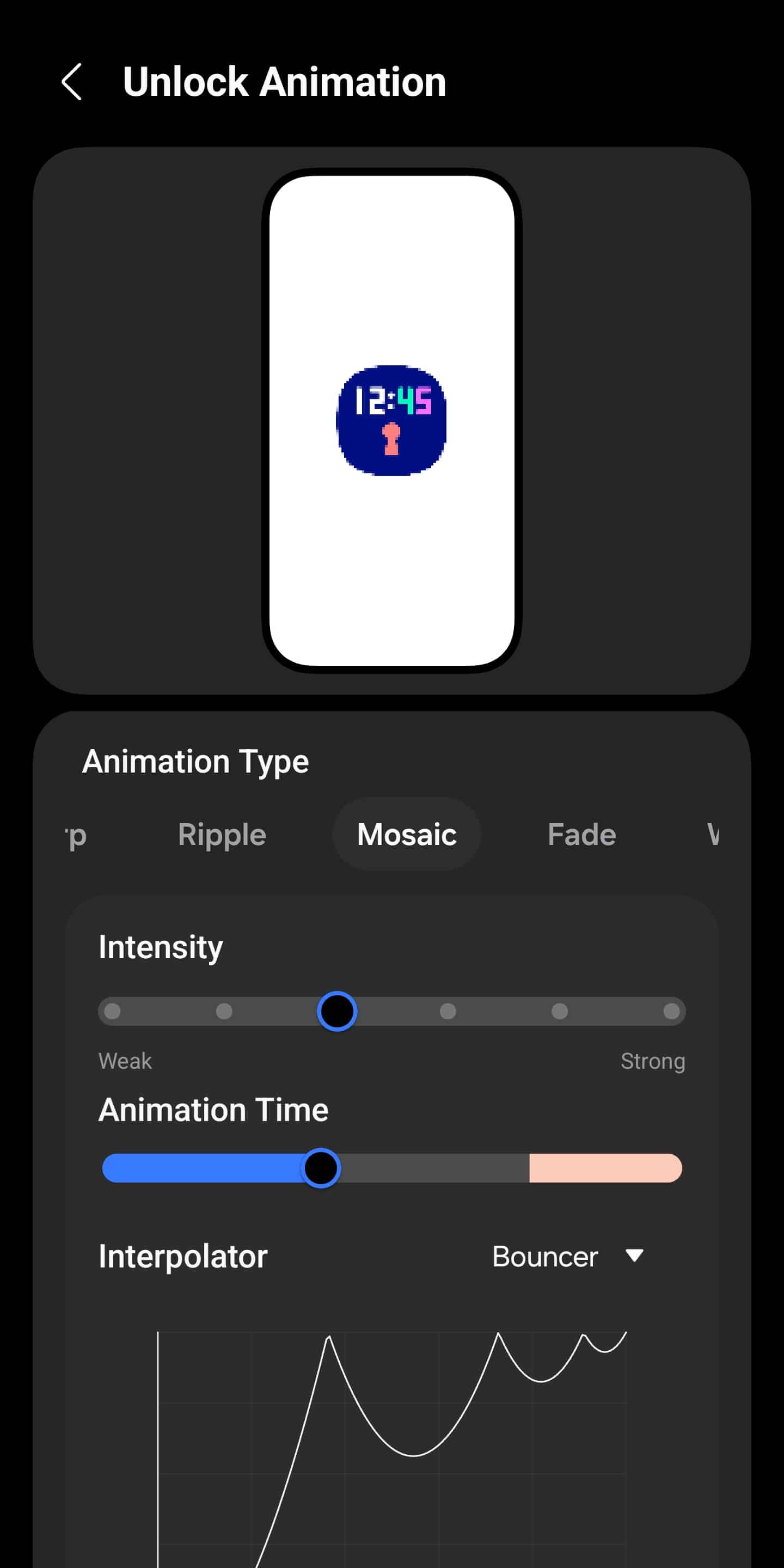
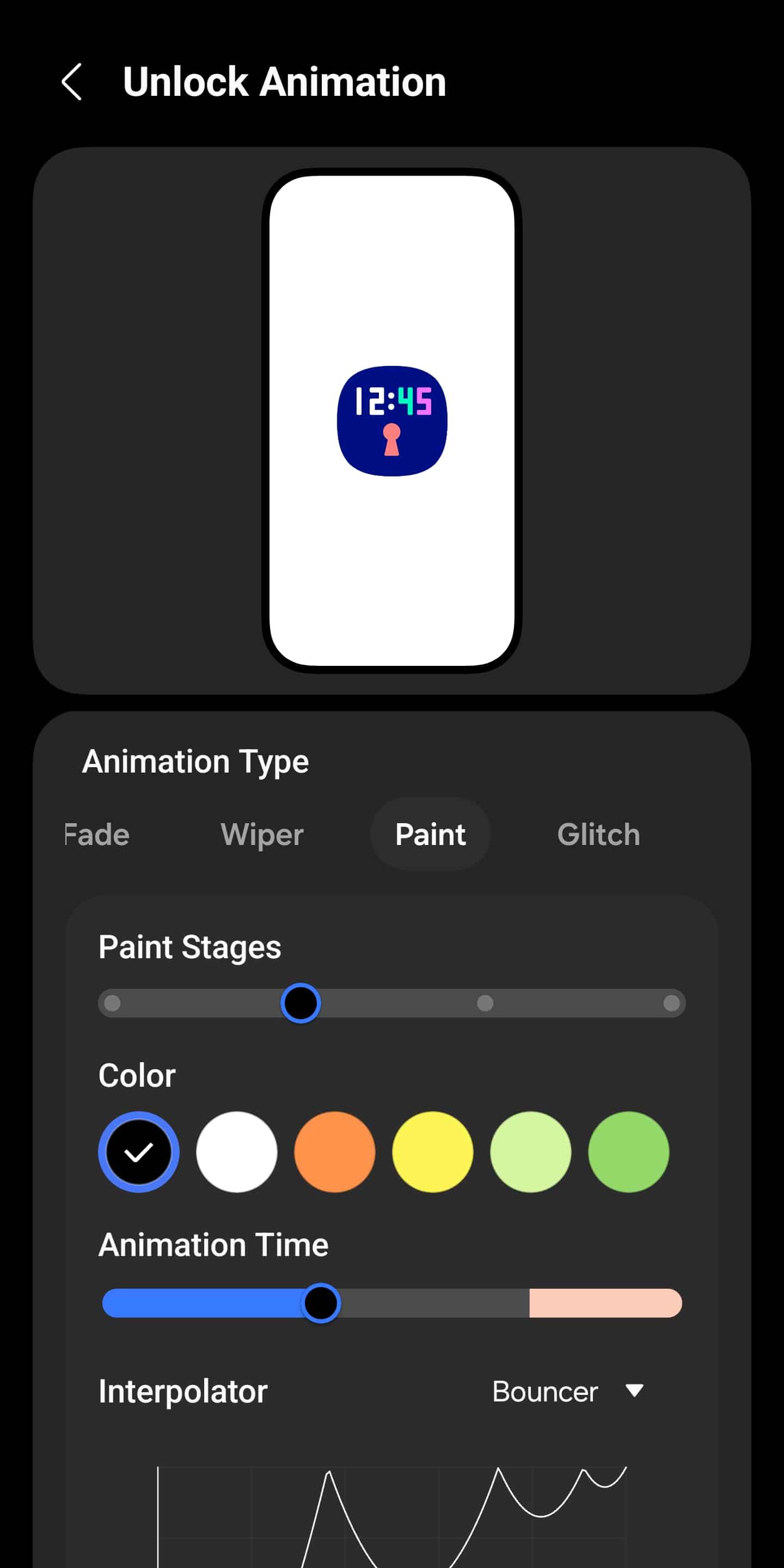
The headline addition is a set of new unlock animation effects. With One UI 8.5, LockStar expands how the lock screen transitions into the home screen, making the motion feel more intentional and fluid. You can pick from a bunch of different animation types, including:
- Slide
- Expand
- Spread
- Wave
- Warp
- Ripple
- Mosaic
- Fade
- Wiper
- Paint
- Glitch
Once you choose an animation style, LockStar lets you fine-tune it in detail. You can adjust the direction, shape, color, intensity, size, and more. Samsung also allows you to set the animation duration — keeping it shorter can make unlocking feel noticeably snappier. To finish things off, you can customize the interpolator to precisely control how the animation behaves.
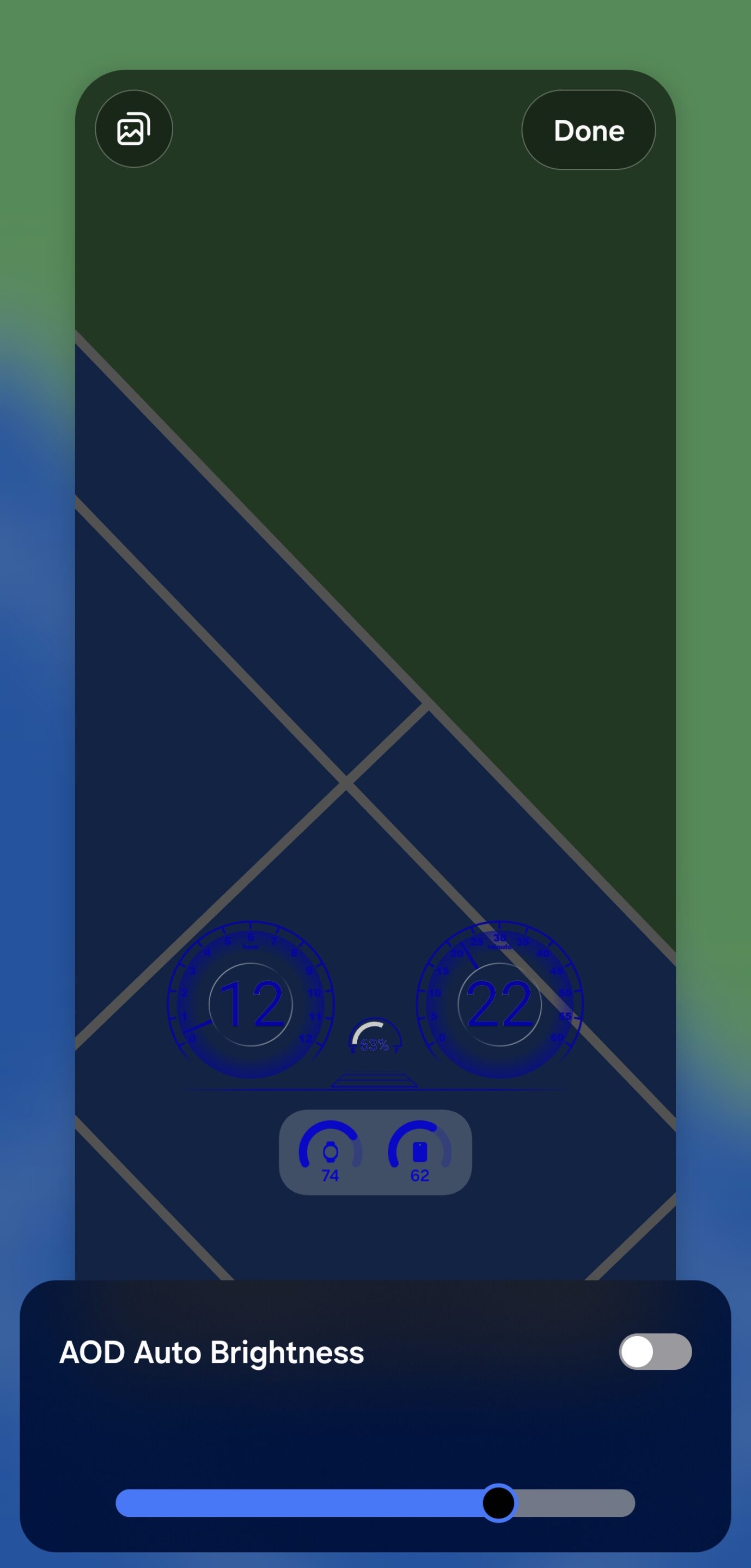
For devices that support full-screen Always On Display, LockStar’s One UI 8.5 update also adds manual AOD brightness control. Instead of relying entirely on Samsung’s automatic brightness logic, users can now decide exactly how bright the AOD should be. This version isn’t available publicly yet, but if you want to try it out, you can find the APK here. Stay tuned for further updates.

Written by
Sumit AdhikariSumit, a life-long Samsung user, is passionate about technology and has been professionally writing on tech since 2017. He’s a mathematics graduate by education and enjoys teaching basic mathematics tricks to school kids in his spare time. Sumit believes in artificial intelligence and dreams of a fully open, intelligent and connected world.

Follow us on Google Discover & set us as a preferred source in Google News
Share this Post
___________________________


New Blog Posts
___________________________

First Set of Pixel 11 Pro XL Renders Are Here
Pixel 11 Pro XL CAD renders show minimal design changes

Is Samsung Preparing One UI 8.5 Beta for Galaxy Z Fold 5 and Flip 5?
Samsung may launch a One UI 8.5 beta program for its 2023 foldables

Galaxy S25 One UI 8.5 Beta May Run Longer Than Expected
Galaxy S25 series’ One UI 8.5 beta may stretch to 10 rounds







