
One UI 8.5 To Bring Squircle Buttons to the In-Call Screen
SammyGuru is reader-supported. We have affiliate and sponsored partnerships, so we may earn a commission when you buy through links on our site — at no extra cost to you. Learn more.
There are already plenty of One UI 8.5 leaks out in the wild, giving us a pretty good idea of what to expect with the upcoming Galaxy S26 series. If everything goes according to plan, the Galaxy S26 lineup will ship with One UI 8.5 out of the box, while other devices currently running One UI 8.0 should get the update later. Today, we are giving you a first look at the redesigned in-call screen in One UI 8.5.
One UI 8.5 will revamp the in-call screen, here’s what it looks like
In a separate article, we have broken down the changes coming to the Phone app in One UI 8.5, including updates to the navigation bar. Instead of three separate tabs, there is now a single floating pill with a circle marking the active tab, along with a couple of other tweaks. Now, let us dive into the changes Samsung is making to the in-call interface.
-
- One UI 8
-
- One UI 8.5
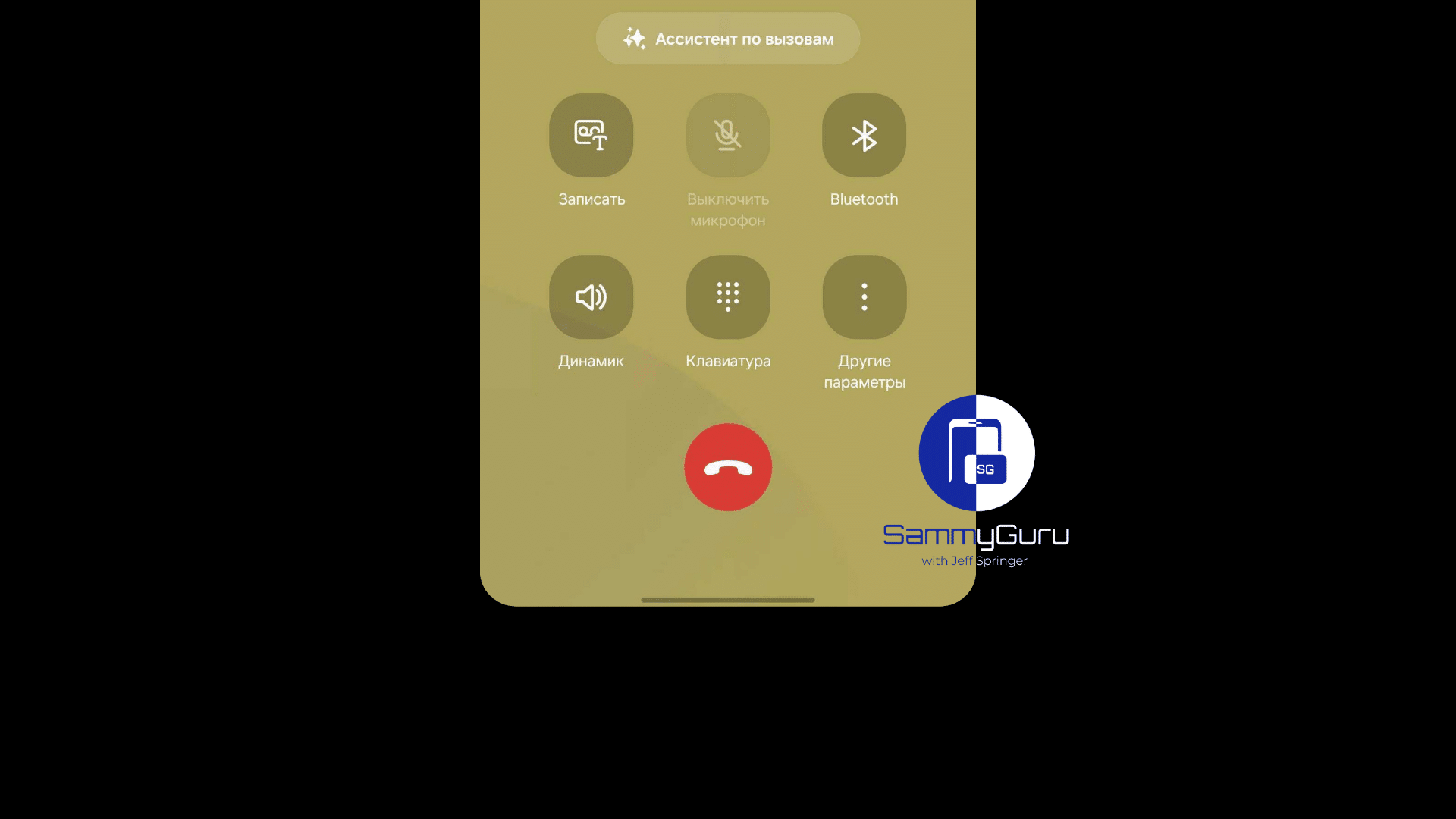
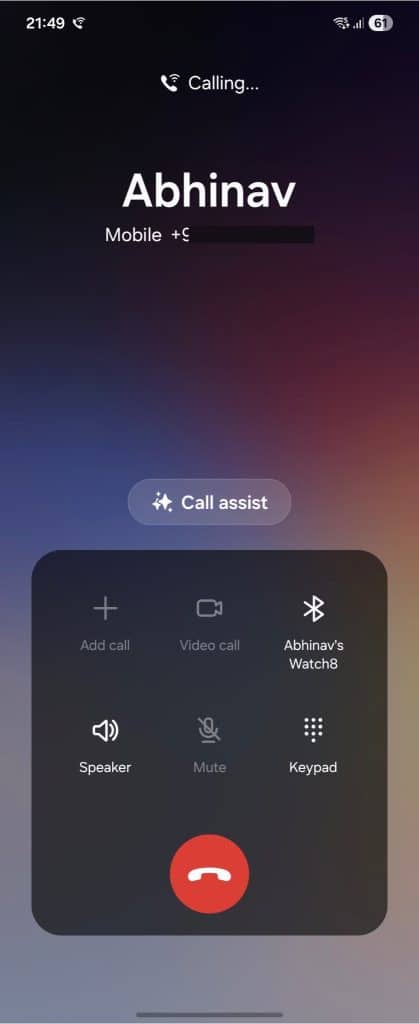
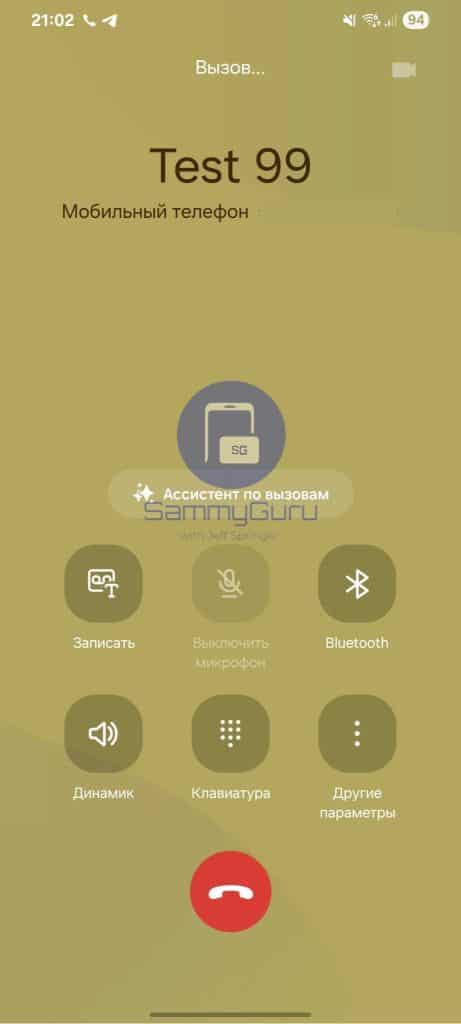
As you can see above, the in-call screen has been visually refreshed compared to One UI 8. The new version replaces the flat control board with squircle-shaped buttons while also rearranging their layout. The three-dot “More options” button has been given a more prominent spot as well.
-
- One UI 8
-
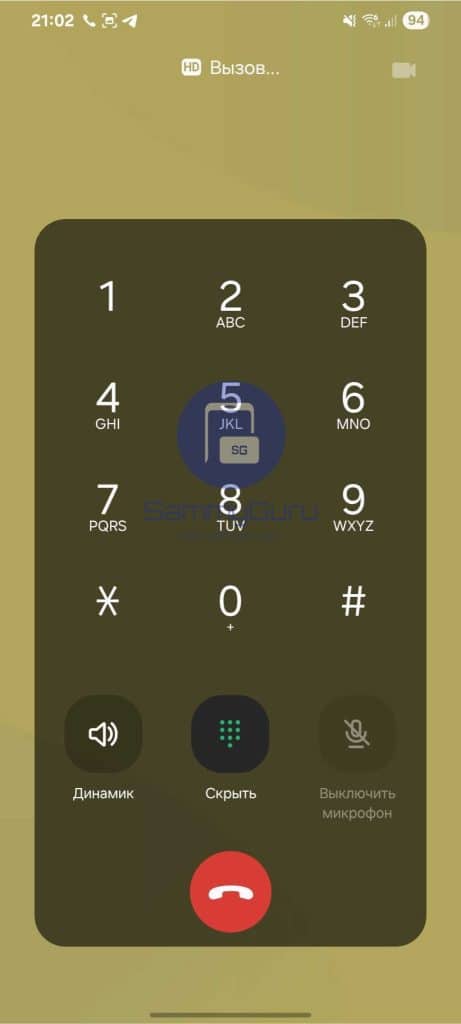
- One UI 8.5
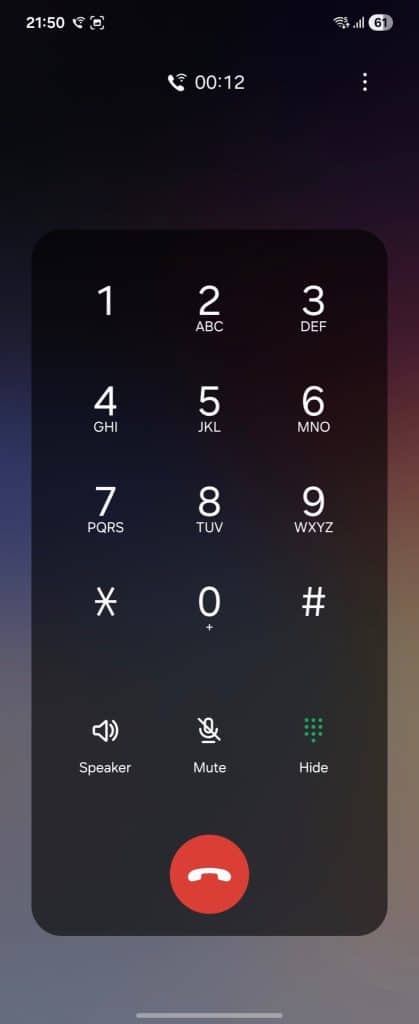
The in-call dialer also adopts the new style, shifting from a dense flat layout to neatly separated buttons. Beyond that, there are no drastic changes. Of course, we do not yet know if this is the final design. Samsung could still refine things further, especially since we are at least three months away from any public release.
That Dev has contributed to this article!

Written by
Abhinav AnandAbhinav Anand is the News Editor at SammyGuru and a technology journalist based in New Delhi. Before joining SammyGuru, he contributed to numerous outlets, including Android Headlines, ExtremeTech, The Mac Observer, Financial Express, Economic Times, iGeeksBlog, KnowTechie, PhonesWiki, SlashGear, and more. You can reach him at abhinav@sammyguru.com.

Follow us on Google Discover & set us as a preferred source in Google News
Share this Post
___________________________


New Blog Posts
___________________________

First Set of Pixel 11 Pro XL Renders Are Here
Pixel 11 Pro XL CAD renders show minimal design changes

Is Samsung Preparing One UI 8.5 Beta for Galaxy Z Fold 5 and Flip 5?
Samsung may launch a One UI 8.5 beta program for its 2023 foldables

Galaxy S25 One UI 8.5 Beta May Run Longer Than Expected
Galaxy S25 series’ One UI 8.5 beta may stretch to 10 rounds







