
One UI 8.5 Camera Updates: New Features, Settings and More
SammyGuru is reader-supported. We have affiliate and sponsored partnerships, so we may earn a commission when you buy through links on our site — at no extra cost to you. Learn more.
Samsung’s One UI 8.5 update brings substantial changes to your Galaxy phone’s camera. It doesn’t reinvent the camera experience, but it quietly refines almost every layer of it. From clearer naming to deeper Pro controls, this update focuses on reducing friction for casual users while giving enthusiasts more granular control. Here’s a complete look at what’s changed — Camera Assistant, in particular, adds several new features, so we’ll start there.
One UI 8.5 brings a major Camera Assistant overhaul
Camera Assistant receives the most substantial set of changes in One UI 8.5, transforming it from a dense settings page into a more powerful customization hub. Settings are now grouped under natural, descriptive headings, making navigation faster and more intuitive.
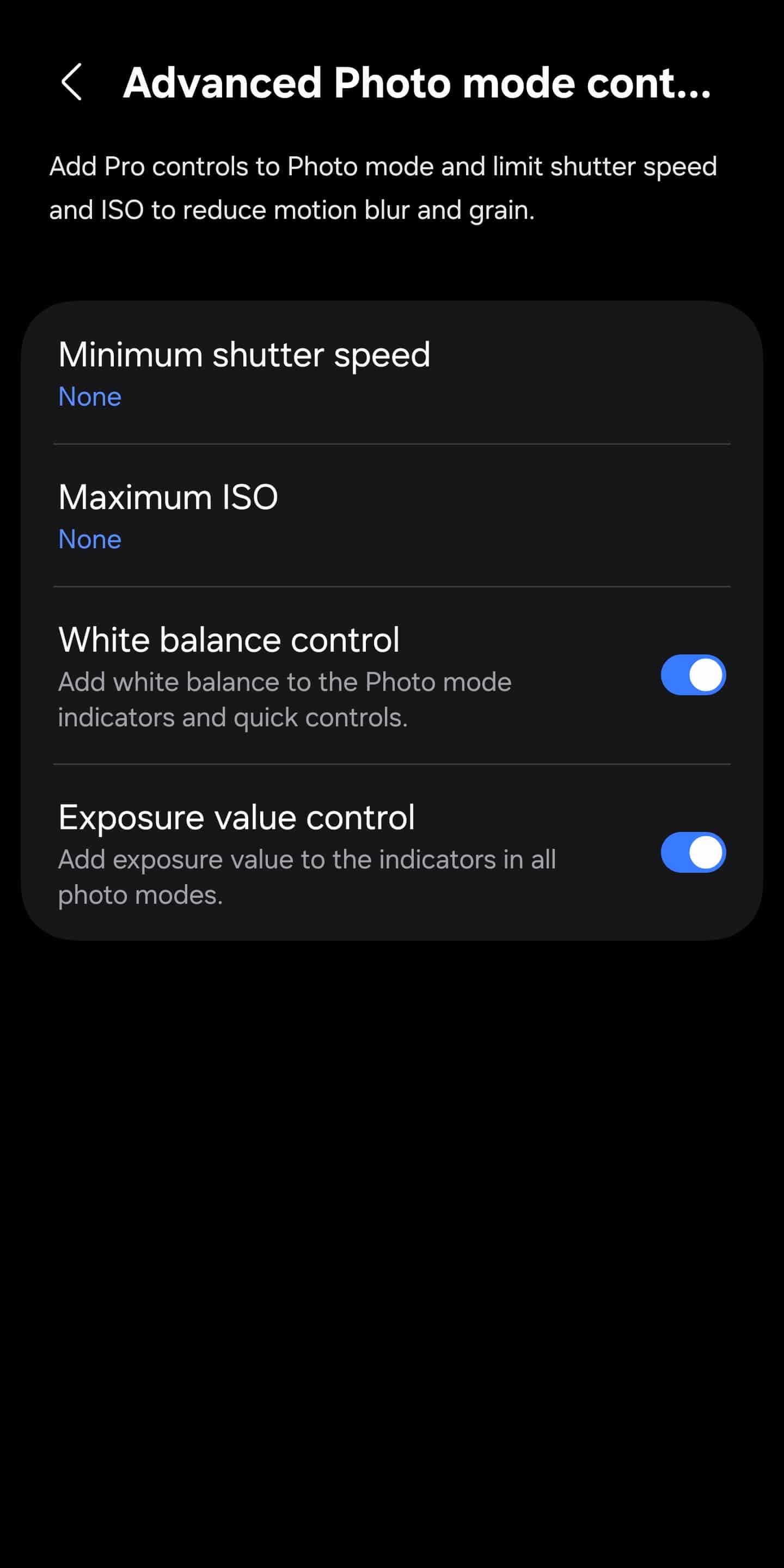
Advanced photo controls
- Minimum shutter speed control to reduce motion blur.
- Maximum ISO limit to better manage noise in low light.
- White balance and Exposure controls in standard Photo mode — no longer restricted to Pro modes.
Focus improvements
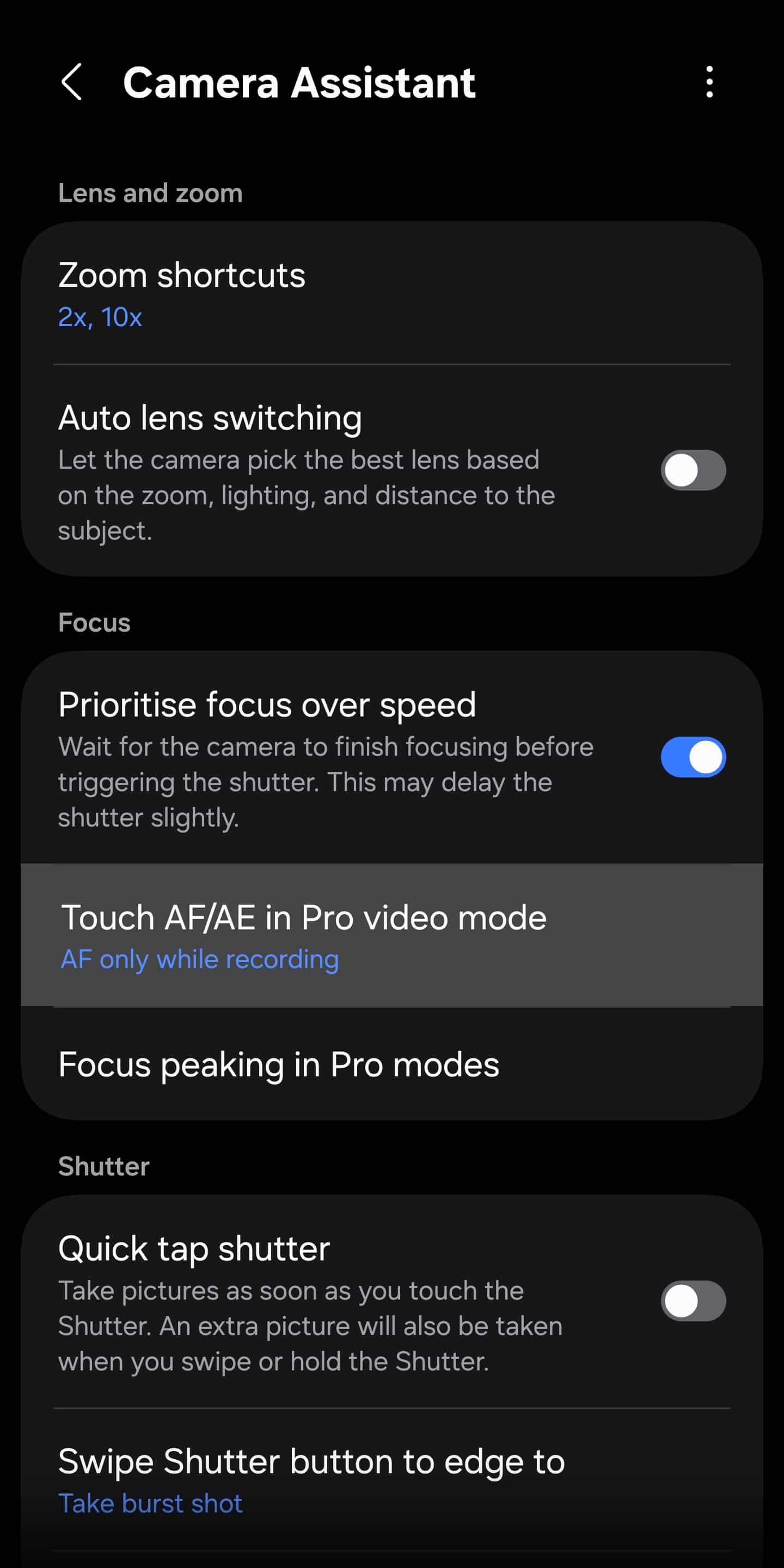
- Focus Area options in Pro Video mode now let users select autofocus without tying it to auto exposure.
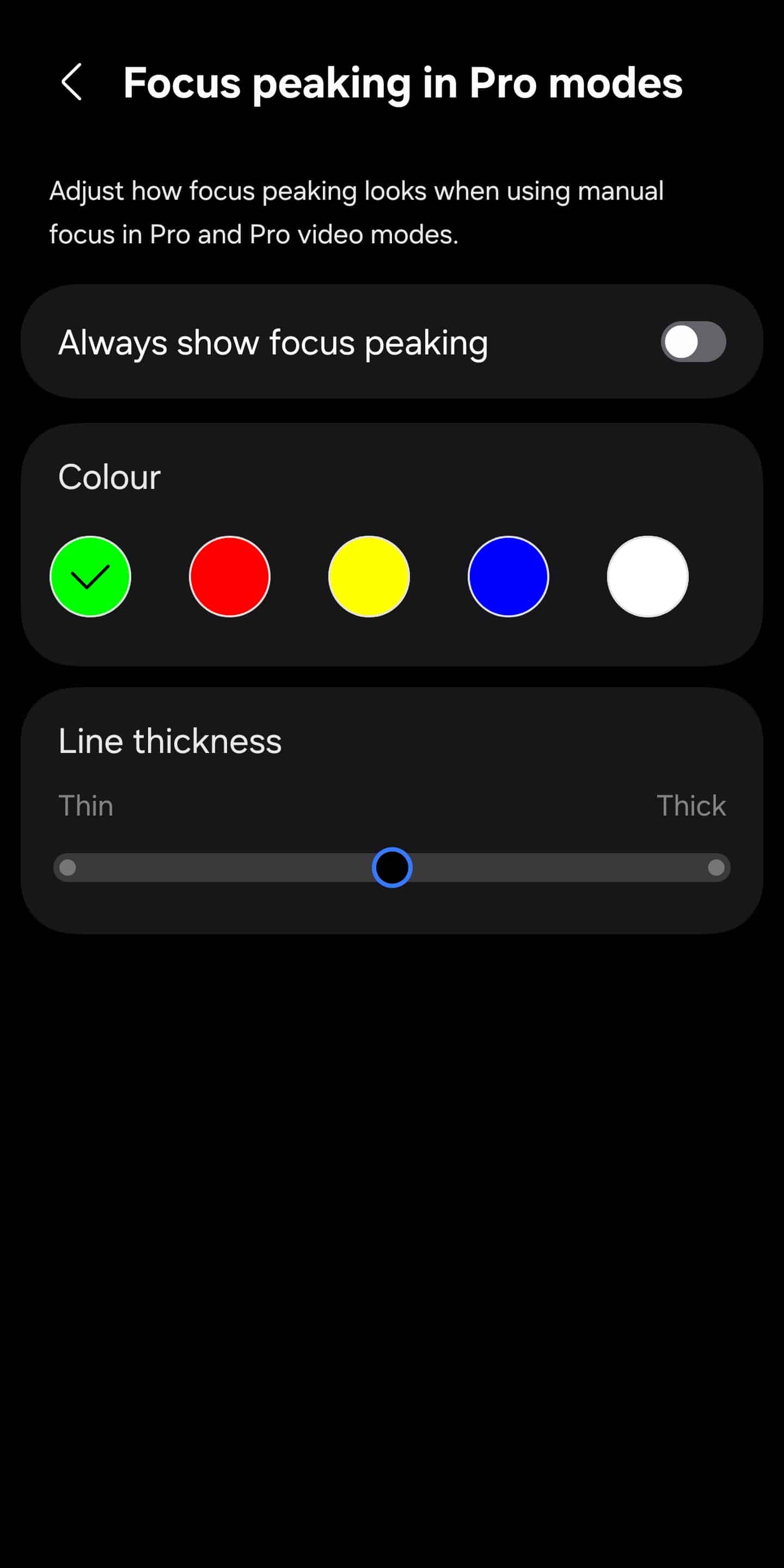
- In Pro and Pro Video modes, focus peaking now offers custom options for line color and thickness, making manual focus easier to see on different scenes and subjects.
Video and stability tweaks
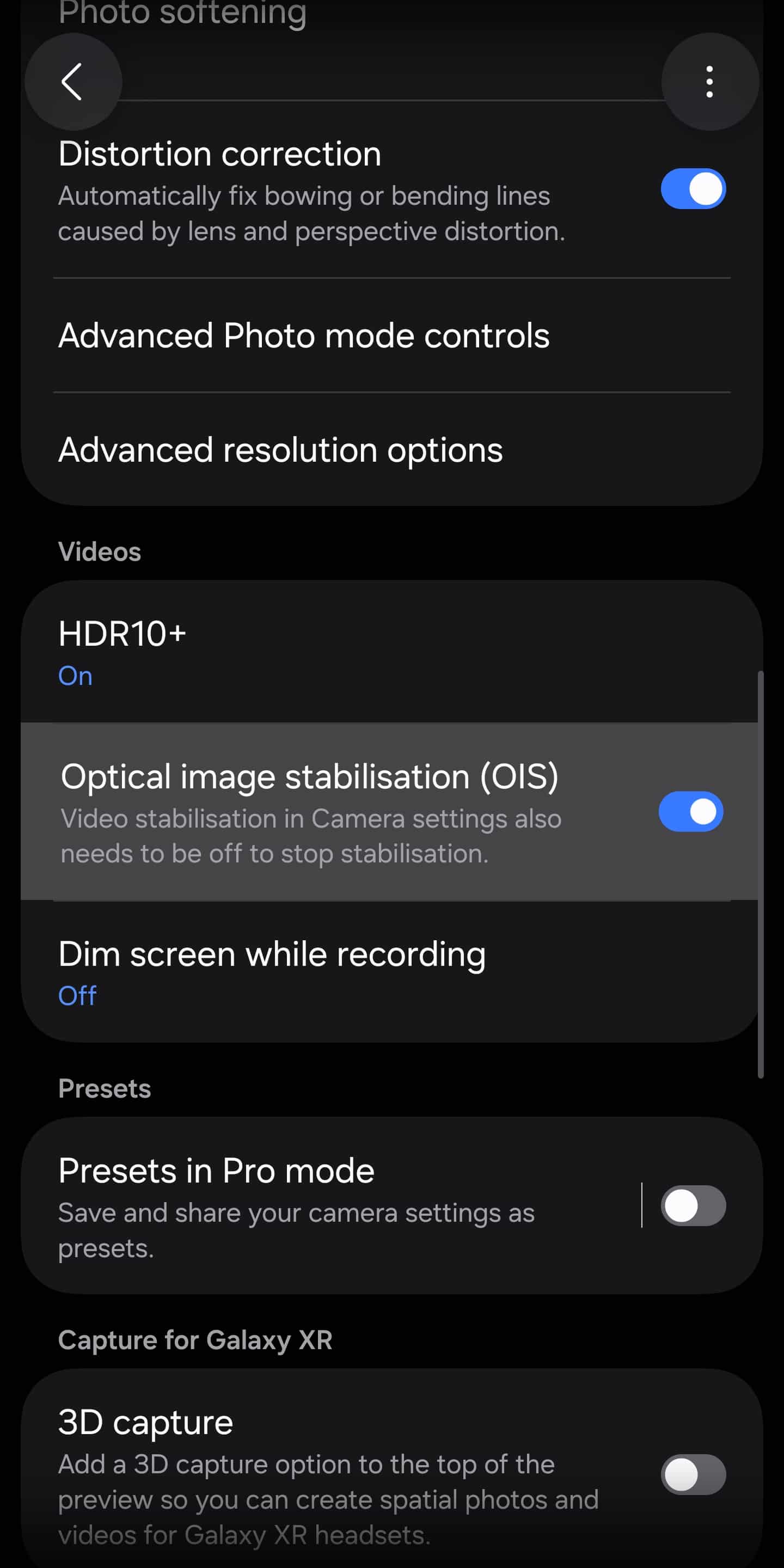
- OIS toggle allows users to manually enable or disable optical image stabilization.
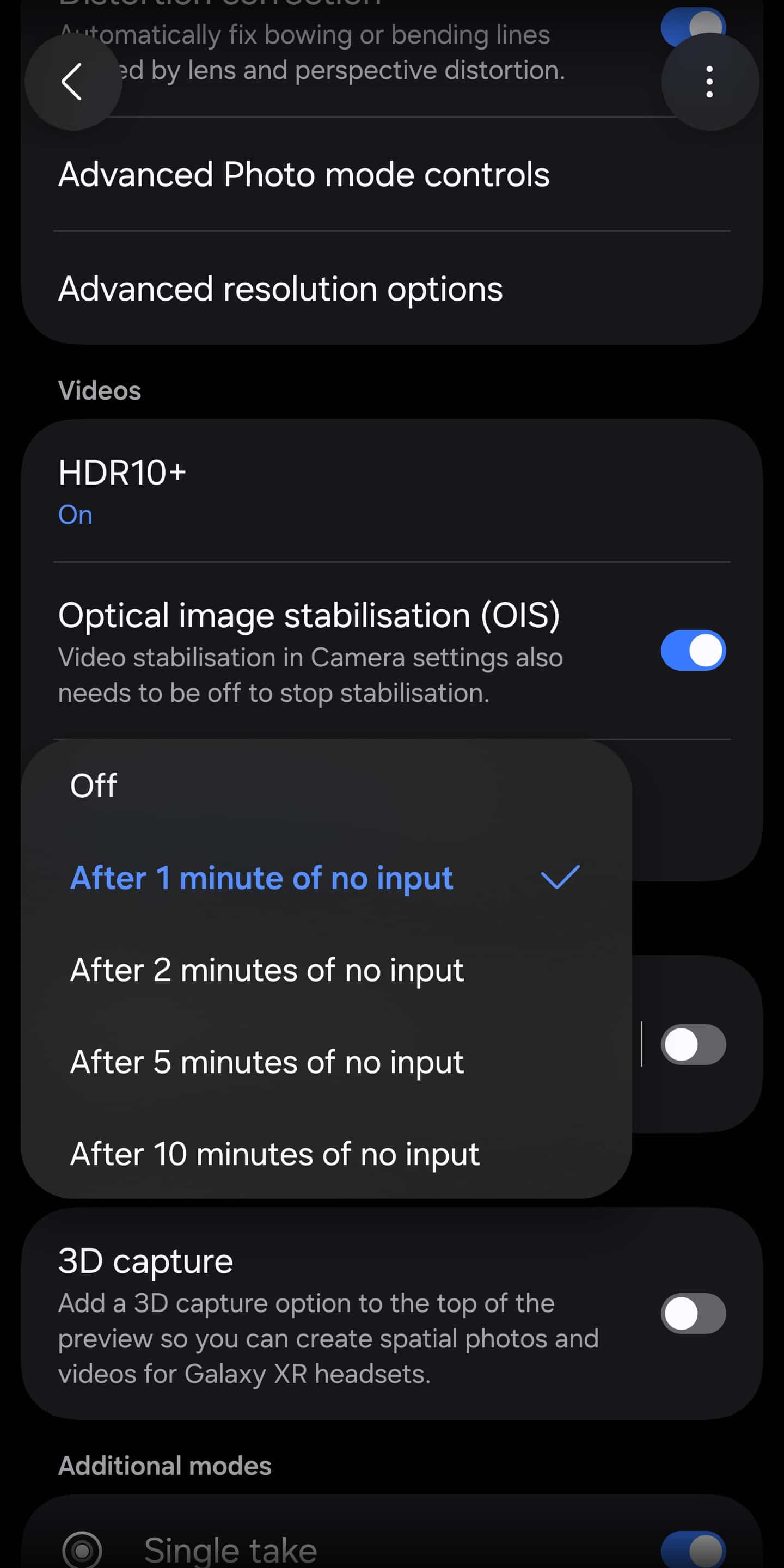
- Dim screen while recording lets the display fade after one minute of inactivity while video recording continues, which can be useful for long shoots and battery saving.
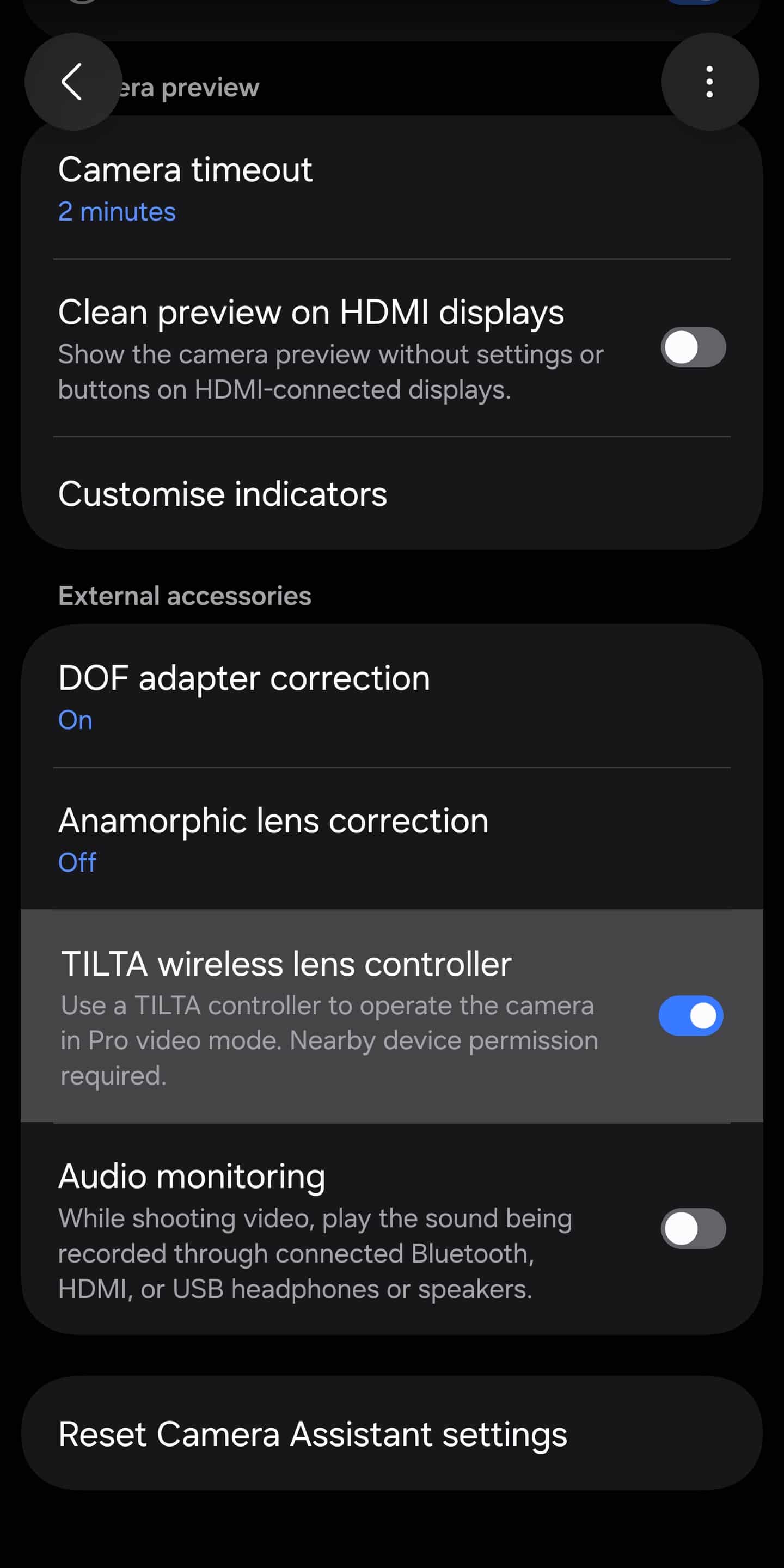
- Support for TILTA wireless lens controllers in Pro Video mode, enabling external control over camera functions.
Other changes
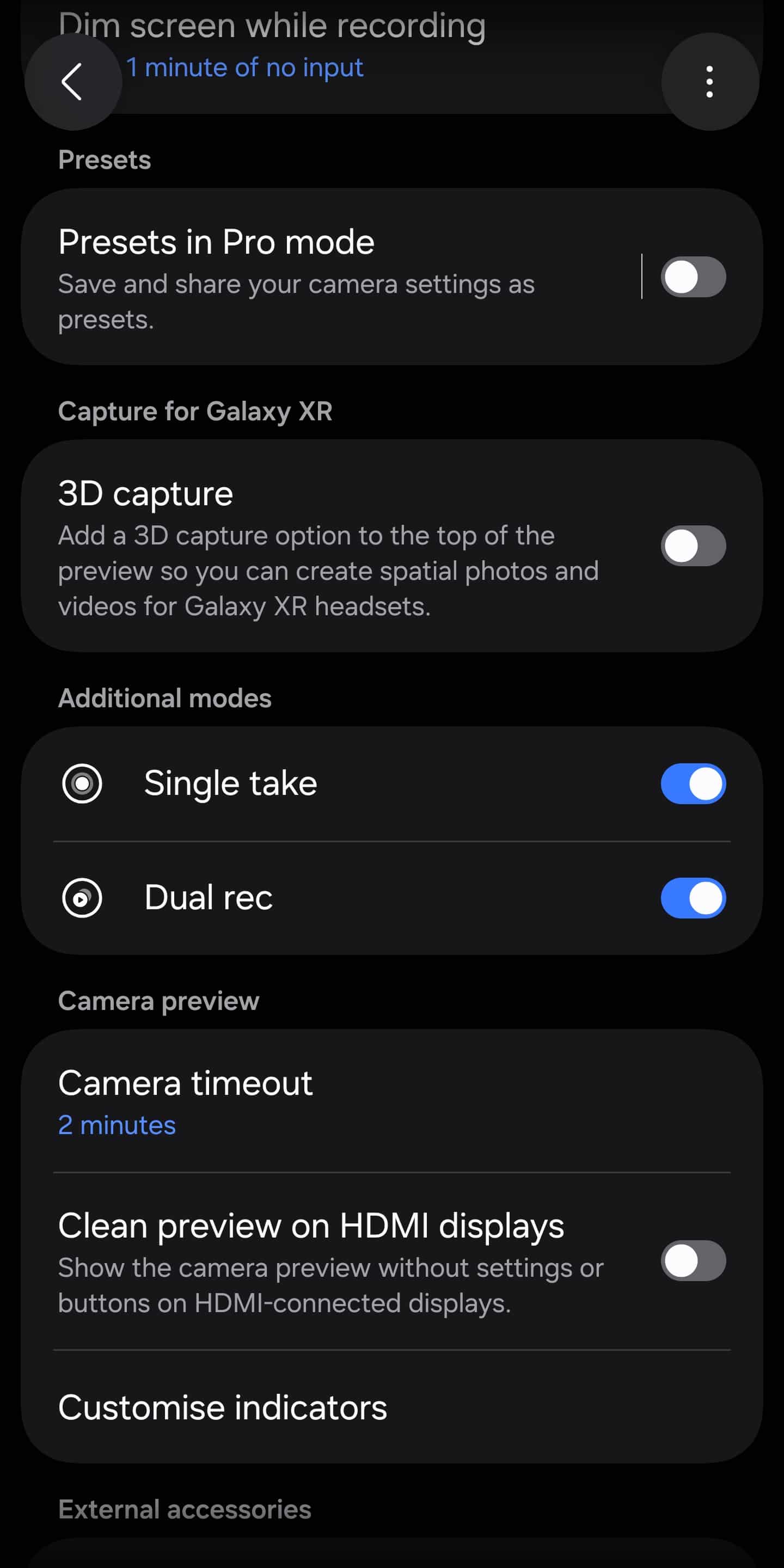
- Dual Recording and Single Take modes can be toggled on or off via Camera Assistant.
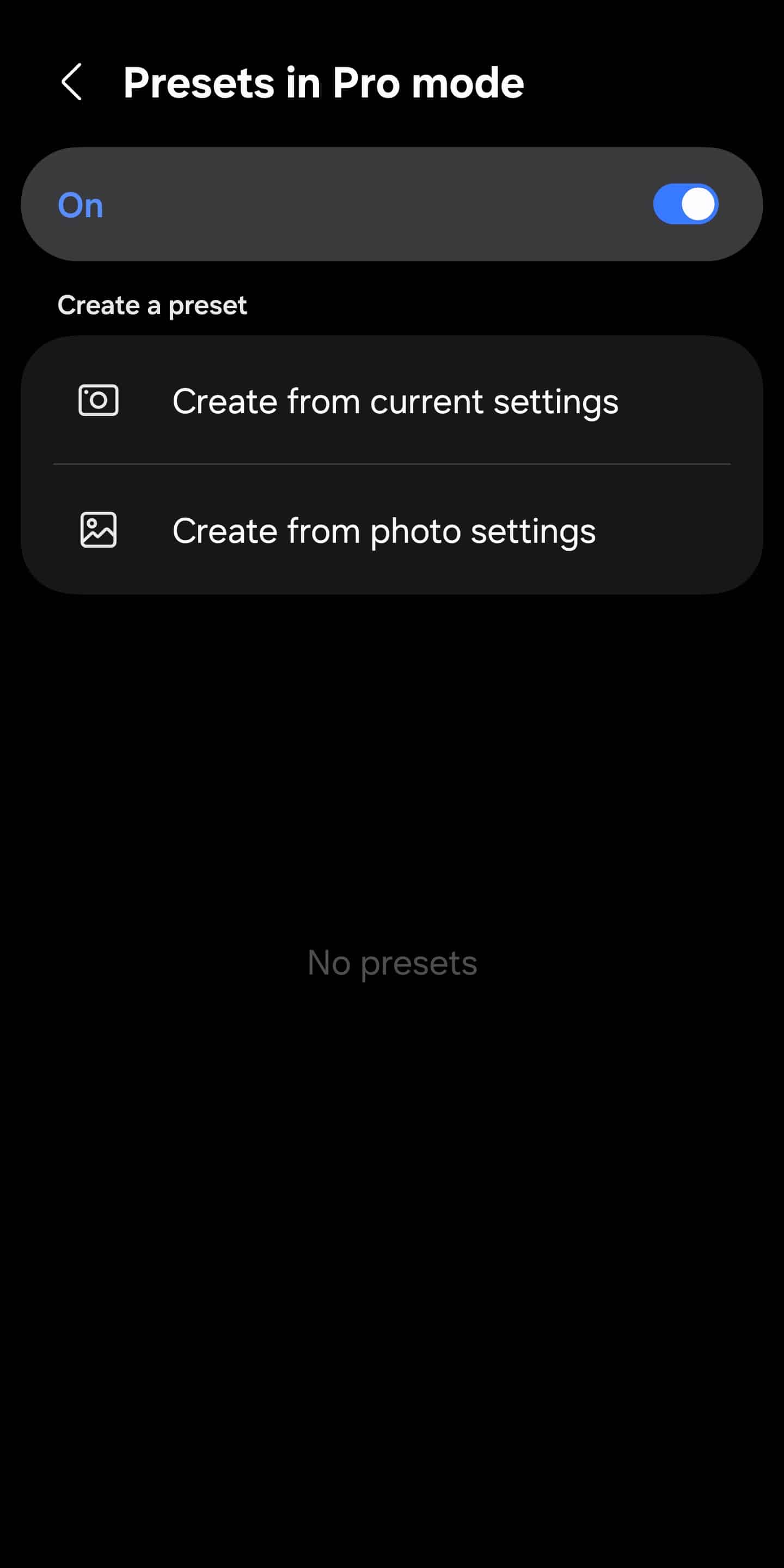
- You can now create, save, and share custom presets for Pro photo mode. Presets can be based on current camera settings or imported from an existing photo, and are easily switchable while shooting.
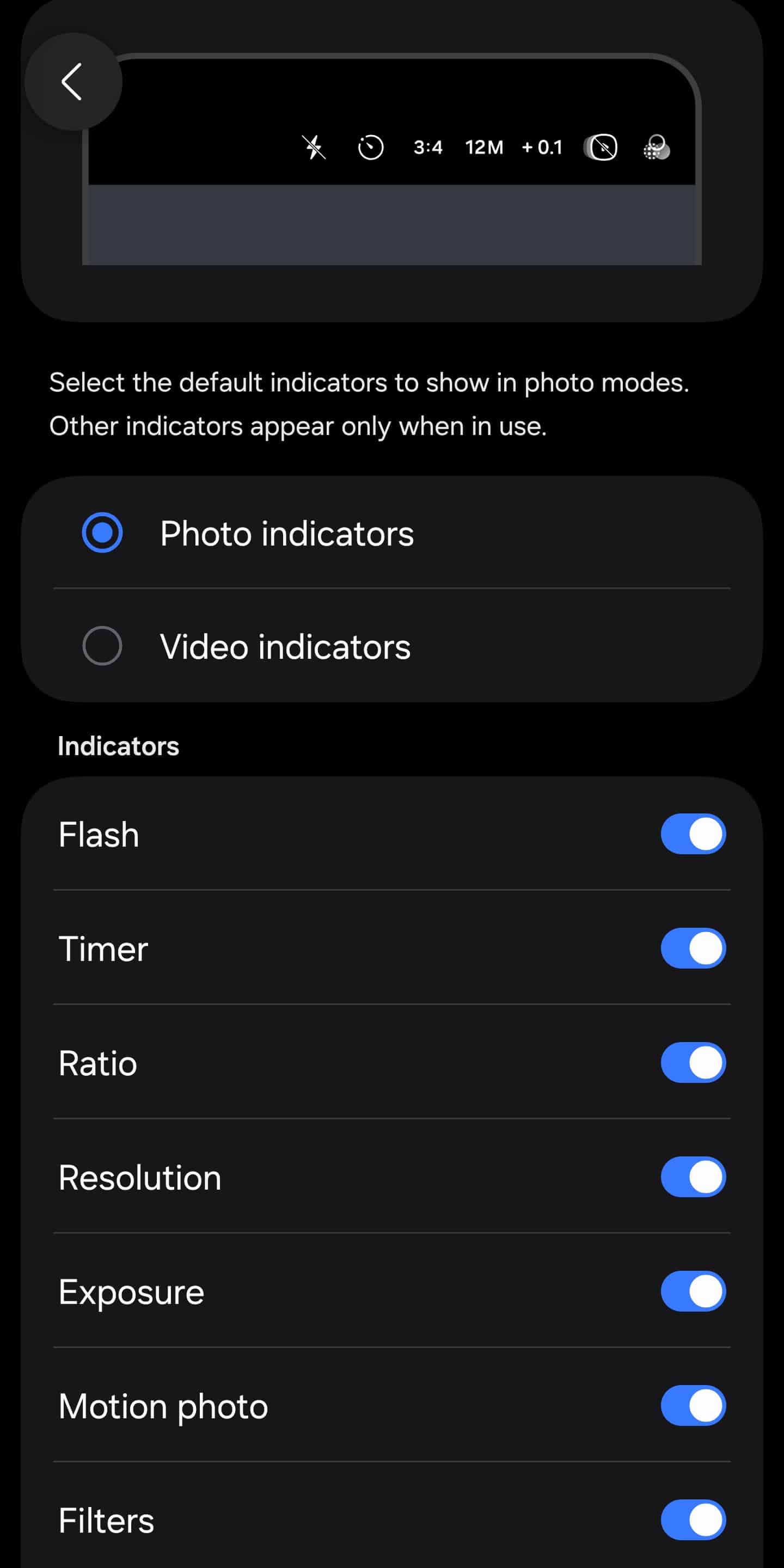
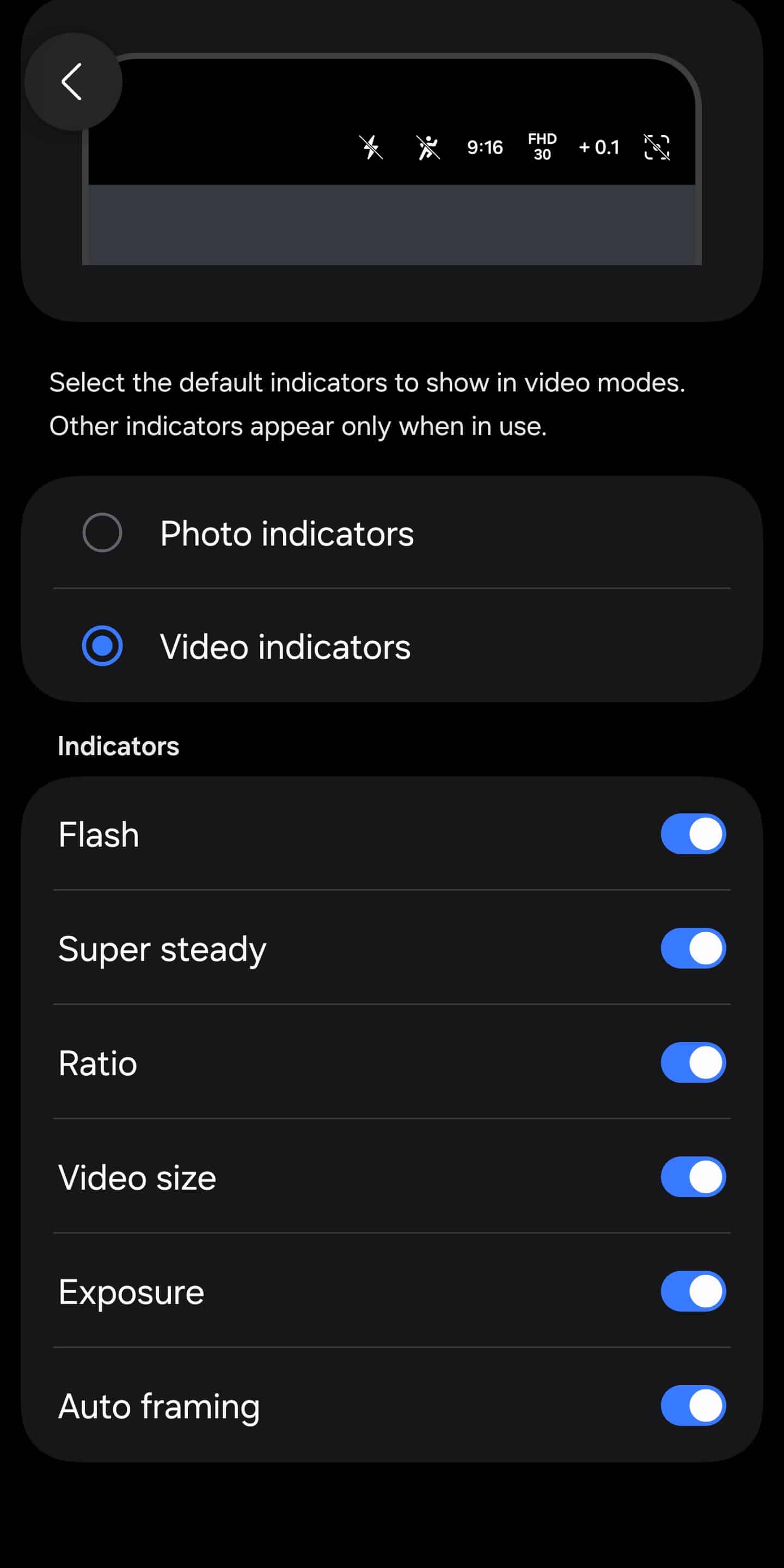
- The buttons and indicators at the top of the camera app can now be individually customized for both photo and video modes. This lets you hide features you don’t use (like face effects) and show the controls you care about most.
Changes in the stock camera app
While Camera Assistant enables new features, Samsung’s stock camera app also sees notable enhancements in One UI 8.5.
Renamed and regrouped camera settings
One of the most noticeable changes in One UI 8.5 is how camera options are labeled and organized. Samsung is clearly aiming for clarity over legacy naming.
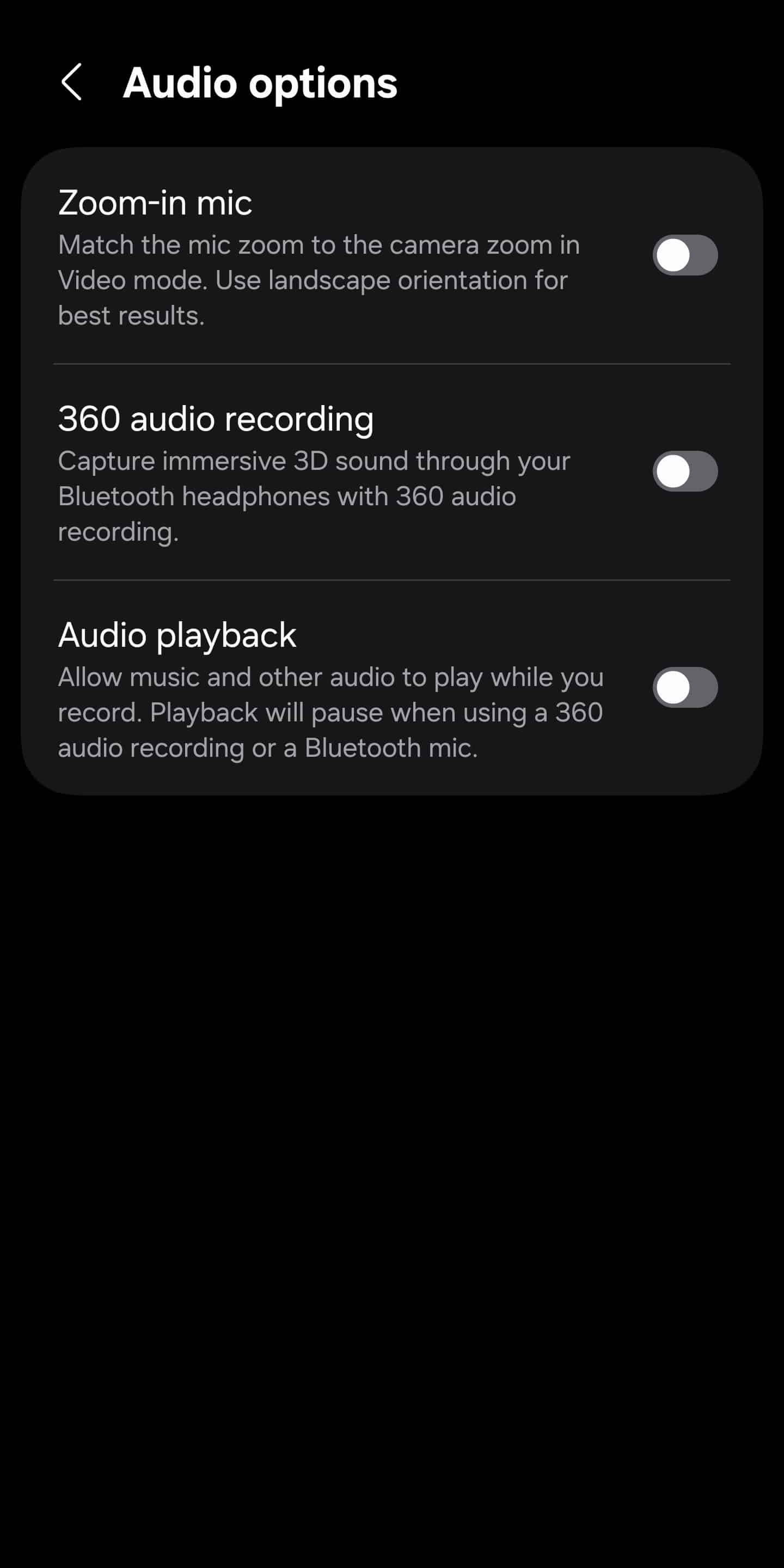
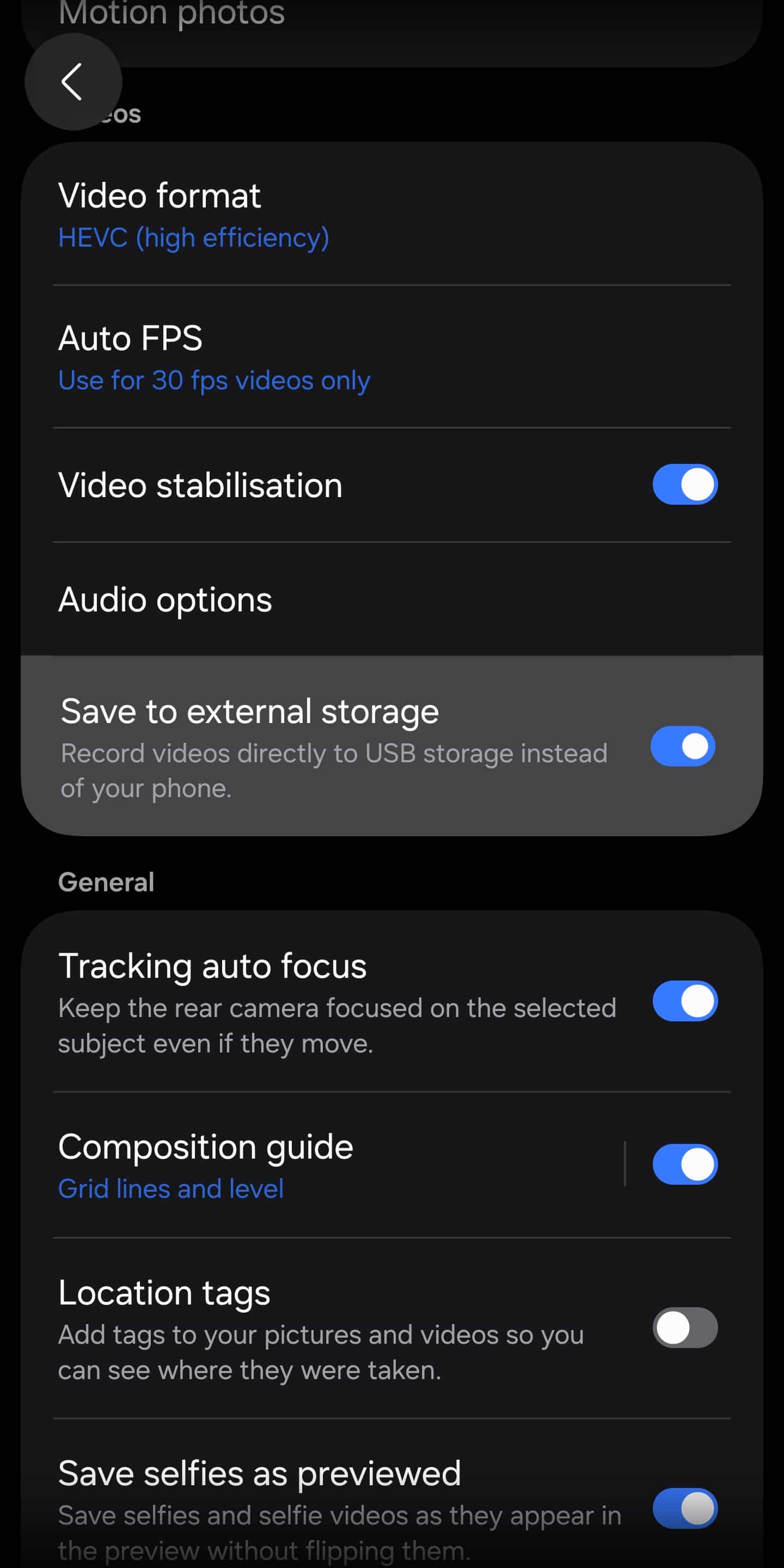
- Camera settings are now grouped into clearer sections. Audio controls, which were previously buried, are now integrated directly into the main video settings menu, reducing unnecessary menu hopping.
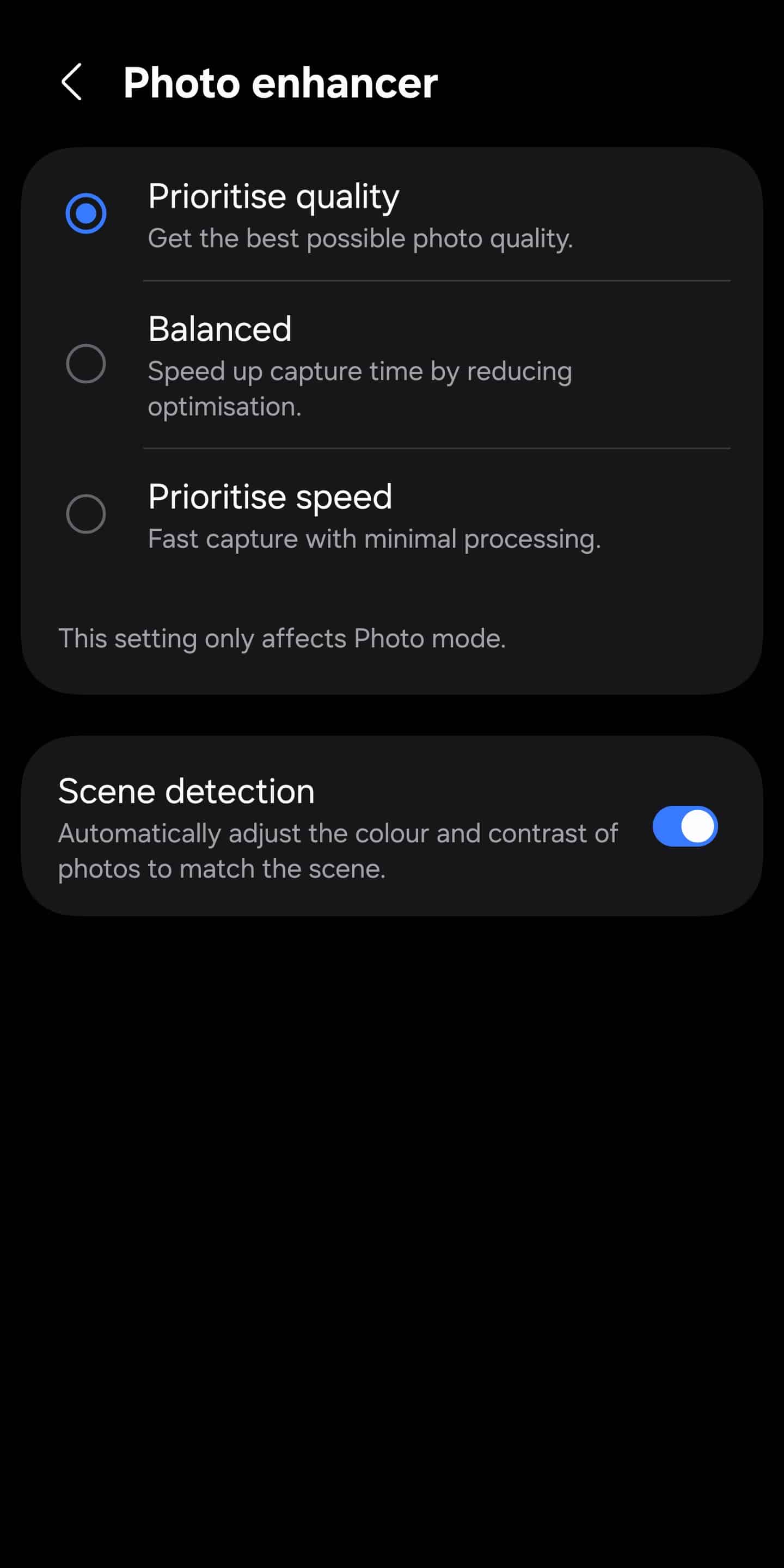
- Photo Enhancer gets a clearer identity. The feature has been renamed from “Intelligent Optimisation” and now explicitly lets users choose whether the camera should prioritize image quality or capture speed, making its behavior easier to understand at a glance.
- Scene Optimizer has also been renamed to Scene Detection, better reflecting what the feature actually does: automatically detecting scenes and applying post-processing adjustments behind the scenes.
- The option to save videos directly to external storage has been moved out of Camera Assistant and placed in the main camera settings, making it easier to find and manage.
Pro Mode and Pro Video get cleaner views
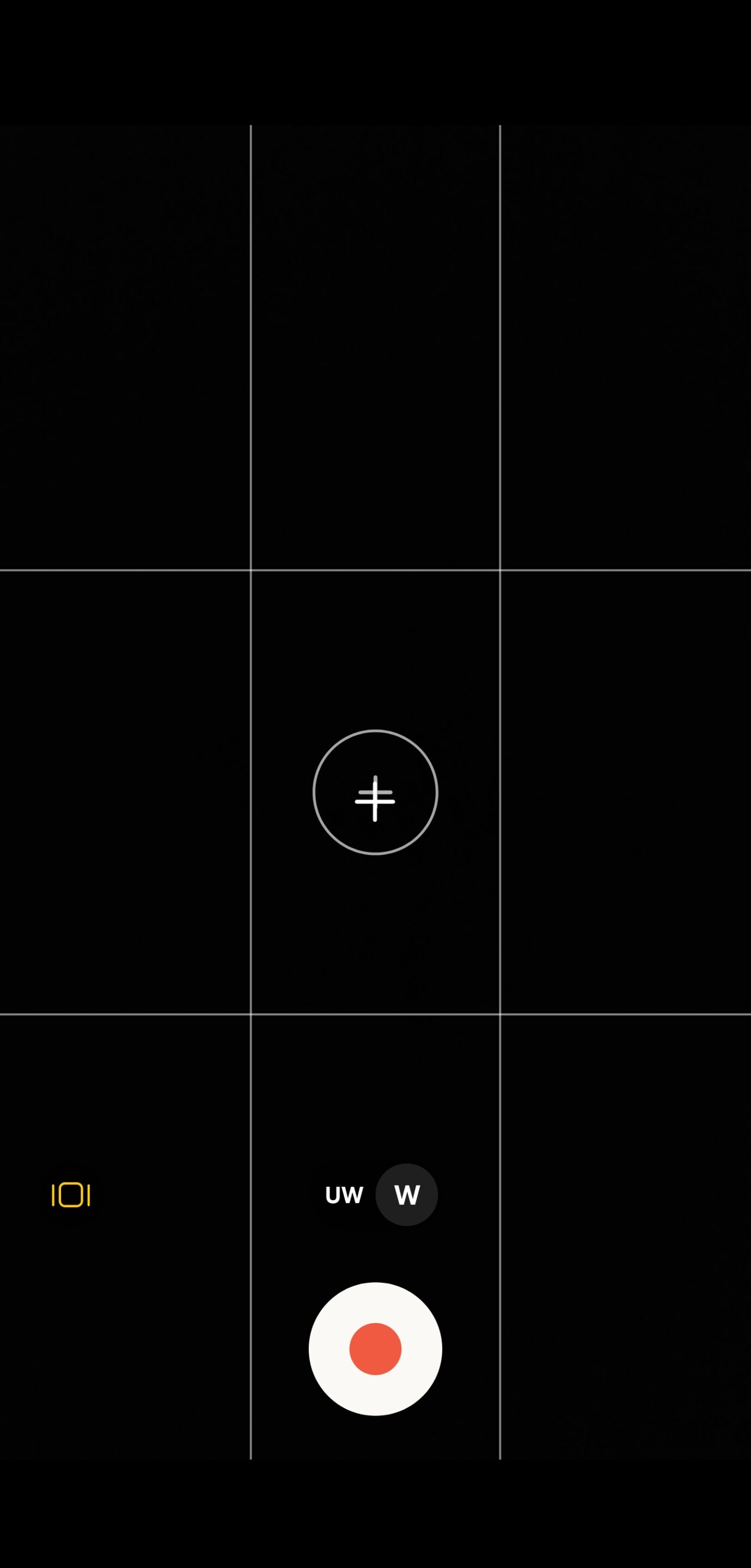
Samsung continues to refine its Pro tools, with usability improvements that matter during real-world shooting. A new option allows users to hide on-screen controls in both Pro Mode and Pro Video Mode. This provides a clean, distraction-free preview when framing photos or videos.
Overall speaking, One UI 8.5’s camera update is not about flashy new modes. Instead, it’s about precision, clarity, and control. Casual users benefit from clearer names and smarter defaults, while power users get deeper manual tools, cleaner previews, and expanded Pro Video capabilities.

Written by
Sumit AdhikariSumit, a life-long Samsung user, is passionate about technology and has been professionally writing on tech since 2017. He’s a mathematics graduate by education and enjoys teaching basic mathematics tricks to school kids in his spare time. Sumit believes in artificial intelligence and dreams of a fully open, intelligent and connected world.

Follow us on Google Discover & set us as a preferred source in Google News
Share this Post
___________________________


New Blog Posts
___________________________

First Set of Pixel 11 Pro XL Renders Are Here
Pixel 11 Pro XL CAD renders show minimal design changes

Is Samsung Preparing One UI 8.5 Beta for Galaxy Z Fold 5 and Flip 5?
Samsung may launch a One UI 8.5 beta program for its 2023 foldables

Galaxy S25 One UI 8.5 Beta May Run Longer Than Expected
Galaxy S25 series’ One UI 8.5 beta may stretch to 10 rounds







