
How To Turn On Developer Options On Your Galaxy Phone
SammyGuru is reader-supported. We have affiliate and sponsored partnerships, so we may earn a commission when you buy through links on our site — at no extra cost to you. Learn more.
Developer Options is one of those Android features many Galaxy owners end up enabling because certain apps ask for it. It exists for developers, as the name suggests, but in practice it’s where you can tweak some of the most system-level controls.
Samsung doesn’t make Developer Options visible out of the box, but enabling it is intentional and fully reversible. You’re not unlocking a secret mode or sneaking past any protections. Every Galaxy phone, and (any Android device, for that matter) has this menu built in, and turning it on by itself doesn’t affect performance, battery life, or your warranty.
Follow these steps to turn on Developer Options on your Galaxy phone
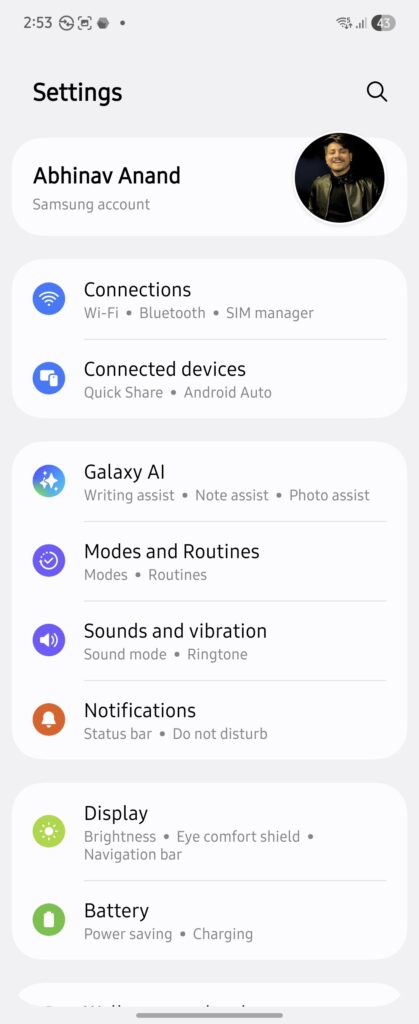
- Open the Settings app
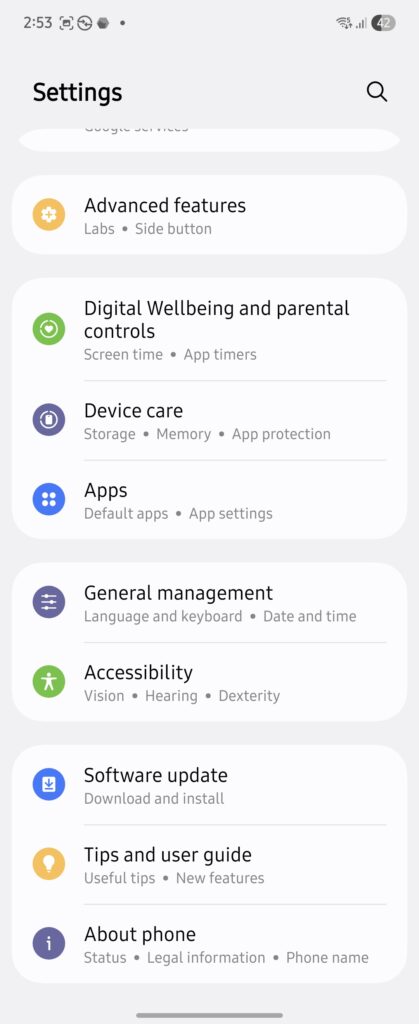
- Scroll down and tap About phone.
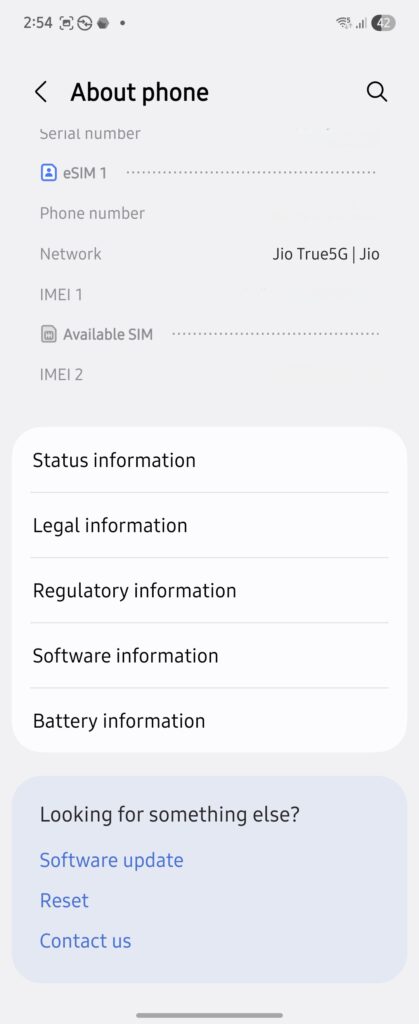
- Tap Software information.
- Find Build number and tap it seven times in a row.
- Enter your PIN, password, or biometric authentication when prompted.
- Go back to Settings and scroll down to find Developer options, usually listed just above About phone.
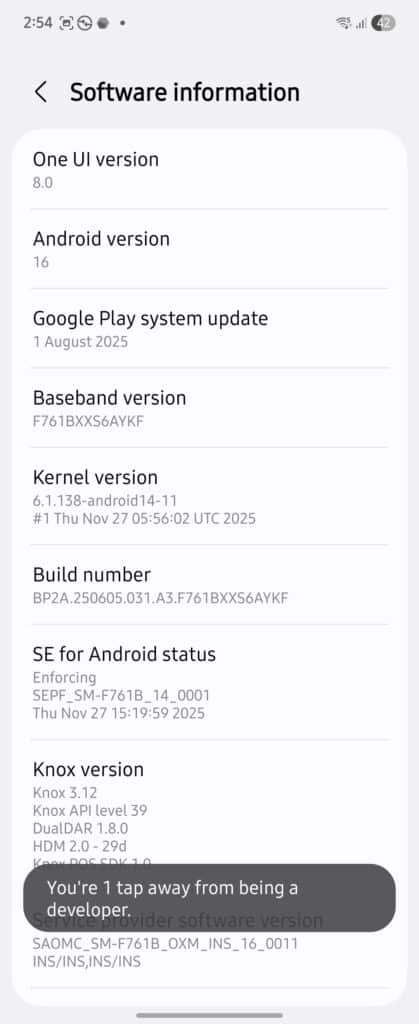
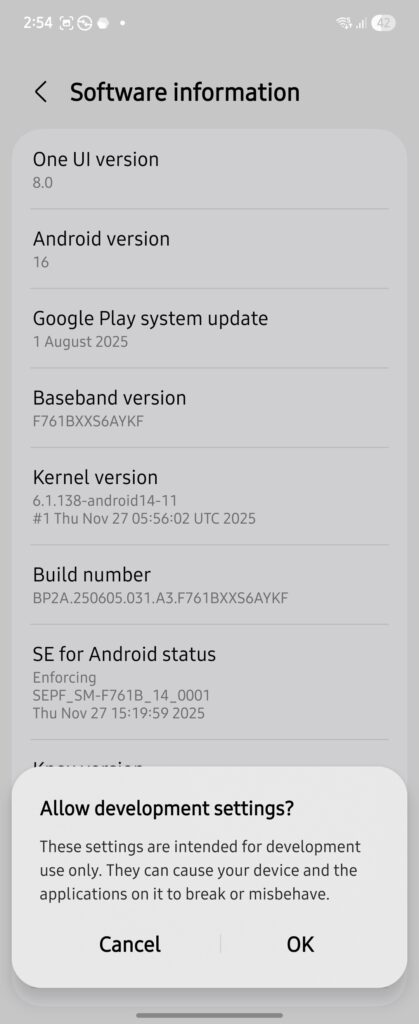
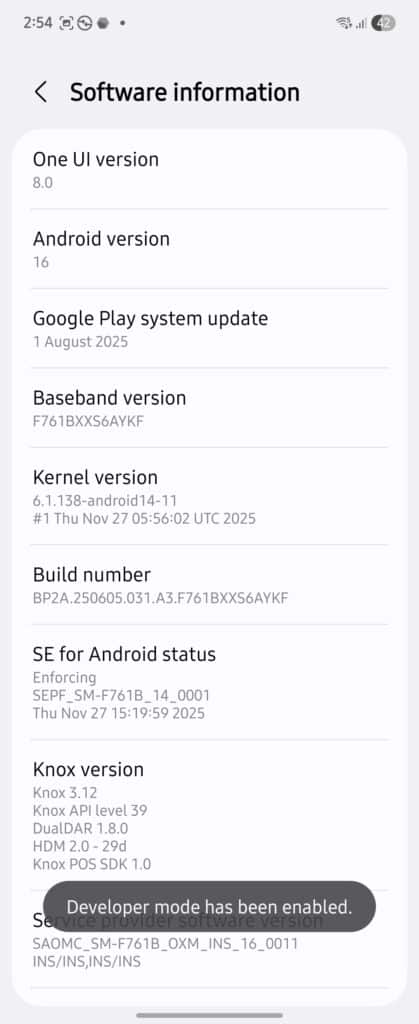
How to hide Developer options from your Galaxy phone
- Open Settings > Developer options.
- Turn off the toggle at the top of the screen.
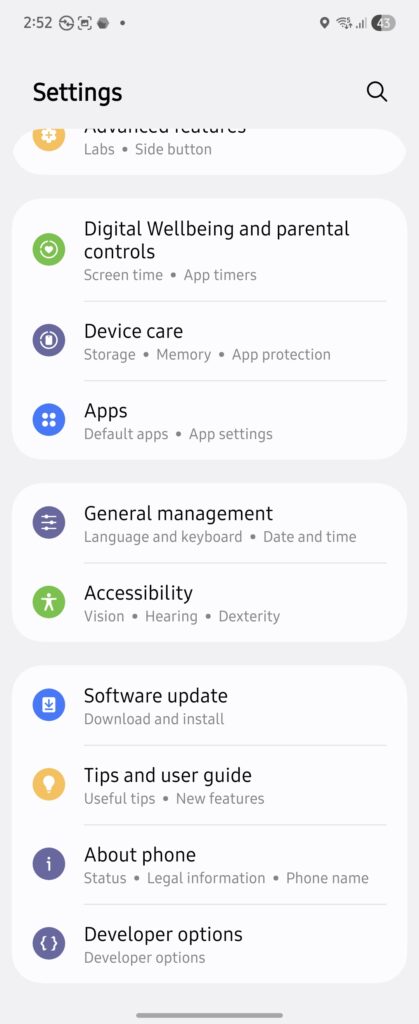
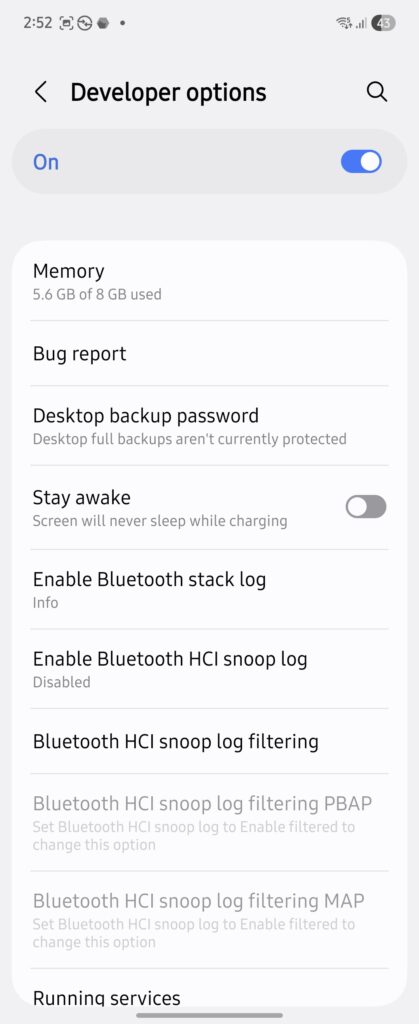
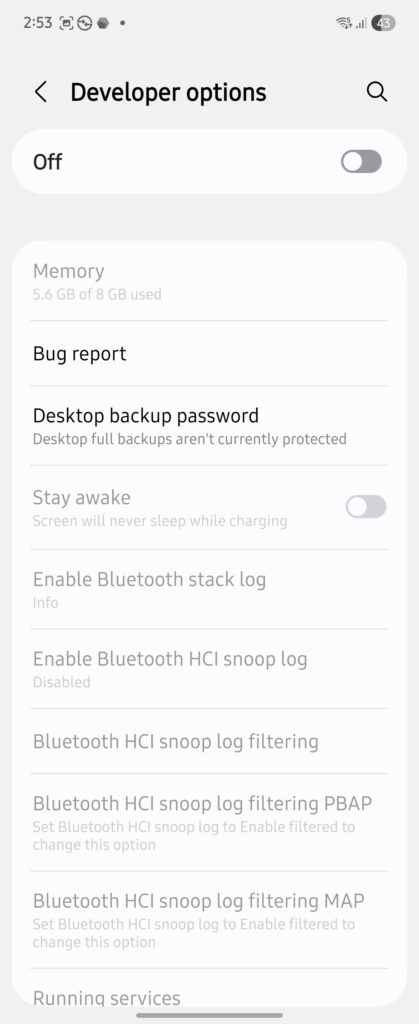
The menu will immediately disappear from Settings.
What else you should know about Developer options
Once you turn on Developer Options on your Galaxy phone, you get access to a bunch of deeper system controls, including:
- Speeding up or slowing down system animations so the phone feels quicker
- Enabling USB debugging to connect the phone to a computer
- Forcing dark mode in apps that don’t officially support it
- Keeping the screen awake while the phone is charging
- Limiting background processes for testing or troubleshooting
That’s still only part of the story. You don’t need to touch most of this. In reality, people usually turn on Developer Options for one specific setting, change it once, and then forget the menu even exists.

Written by
Abhinav AnandAbhinav Anand is the News Editor at SammyGuru and a technology journalist based in New Delhi. Before joining SammyGuru, he contributed to numerous outlets, including Android Headlines, ExtremeTech, The Mac Observer, Financial Express, Economic Times, iGeeksBlog, KnowTechie, PhonesWiki, SlashGear, and more. You can reach him at abhinav@sammyguru.com.

Follow us on Google Discover & set us as a preferred source in Google News
Share this Post
___________________________


New Blog Posts
___________________________

First Set of Pixel 11 Pro XL Renders Are Here
Pixel 11 Pro XL CAD renders show minimal design changes

Is Samsung Preparing One UI 8.5 Beta for Galaxy Z Fold 5 and Flip 5?
Samsung may launch a One UI 8.5 beta program for its 2023 foldables

Galaxy S25 One UI 8.5 Beta May Run Longer Than Expected
Galaxy S25 series’ One UI 8.5 beta may stretch to 10 rounds







