
How to Check Detailed Battery Health on Your Galaxy Phone
SammyGuru is reader-supported. We have affiliate and sponsored partnerships, so we may earn a commission when you buy through links on our site — at no extra cost to you. Learn more.
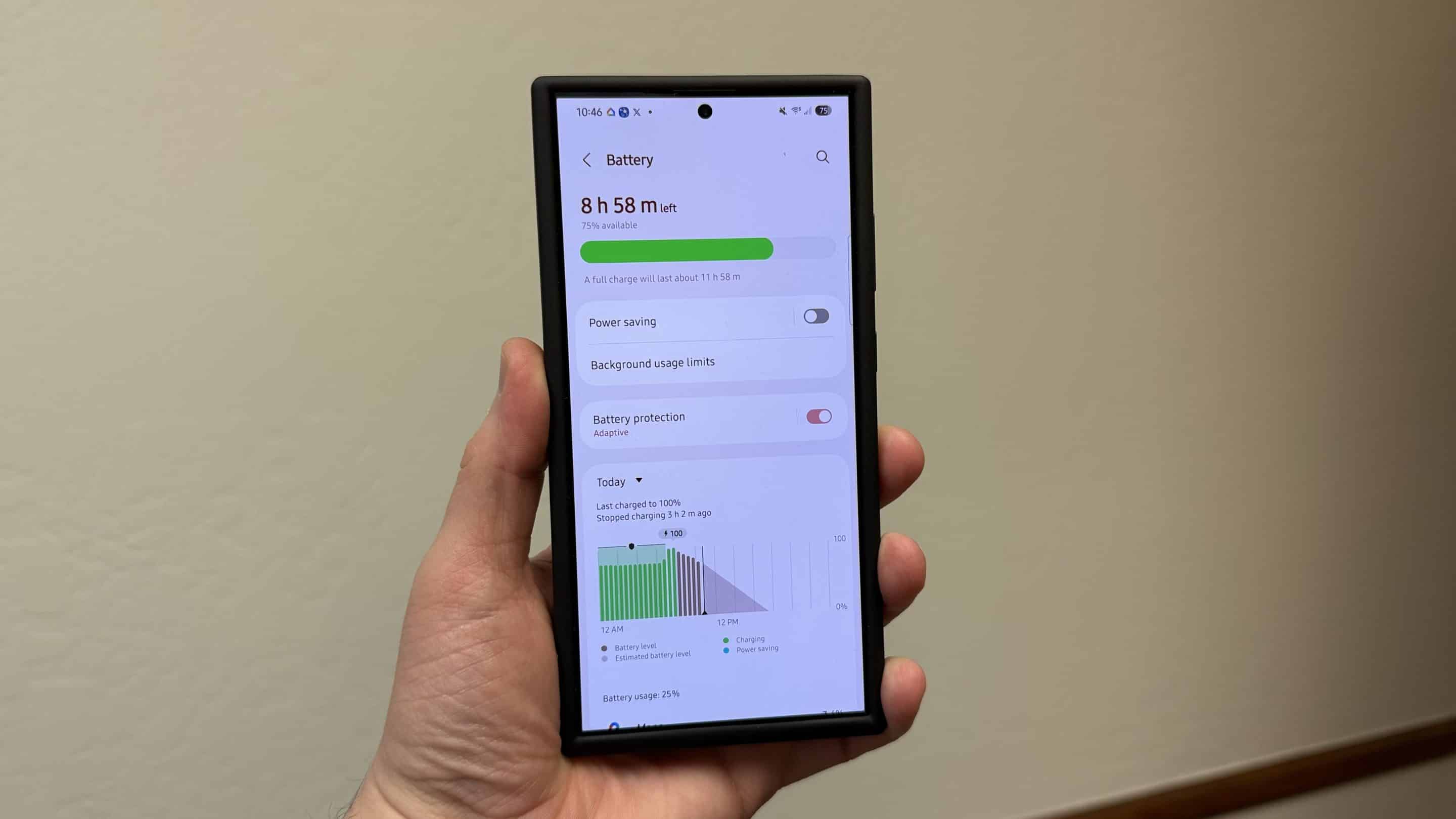
Samsung shows different levels of battery information depending on your region. On some Galaxy phones, you can already see battery health details under Settings > About phone > Battery information. But in the US and a few other regions, Samsung only shows basic stats like charging status, battery percentage, and original rated capacity.
If you want to see detailed battery health on your Galaxy phone, you’ll need to follow a few extra steps. After that, you can access deeper health data such as cycle count and actual maximum capacity. Let’s begin. If you prefer a video tutorial, you can skip to the bottom of this guide.
Follow these steps to check detailed battery health on your Galaxy phone
Before we start, you’ll need to install two apps from the Google Play Store: aBattery and Shizuku. Make sure your phone is connected to Wi-Fi and that Developer Options are enabled. Also, this method does not require a computer or root access.
Step 1: Turn on Wireless debugging
- Open Settings
- Go to Developer options
- Enable Wireless debugging
- Make sure your phone is connected to Wi-Fi
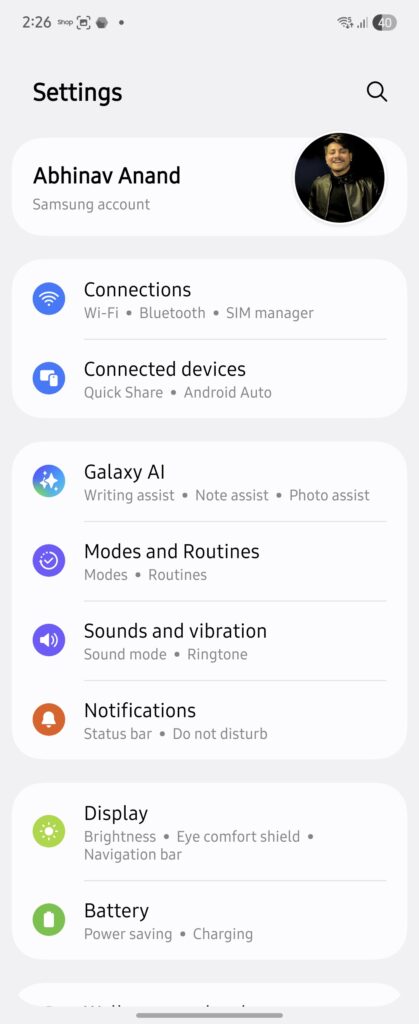
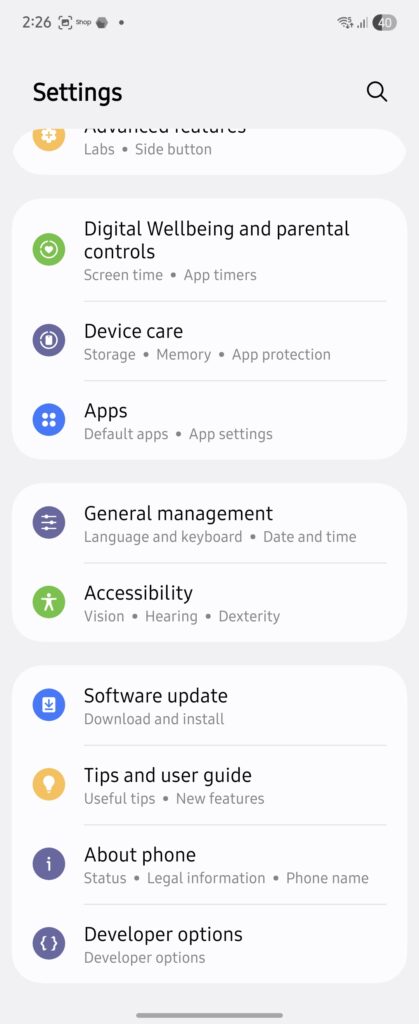
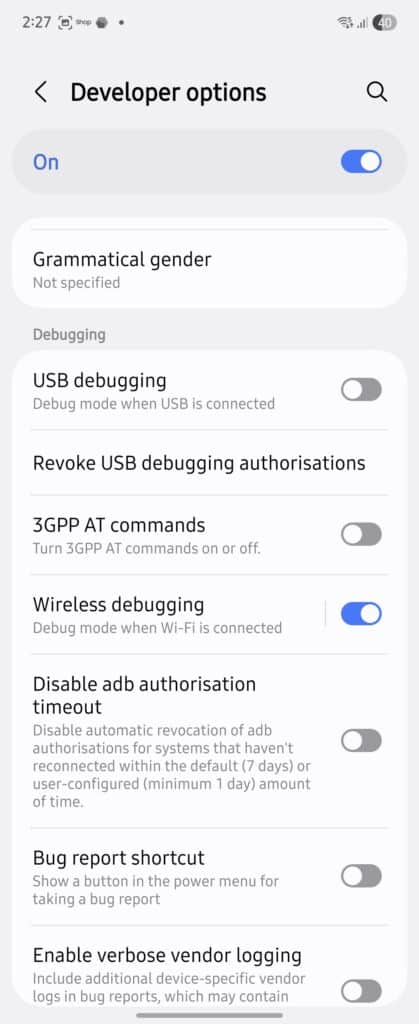
Wireless debugging is required for Shizuku to work without a computer.
Step 2: Pair Shizuku
- Open the Shizuku app
- Tap Pairing > Developer options
- Tap Wireless debugging
- Select Pair device with pairing code
- Note the six-digit pairing code you see
- Enter that code in Shizuku notification
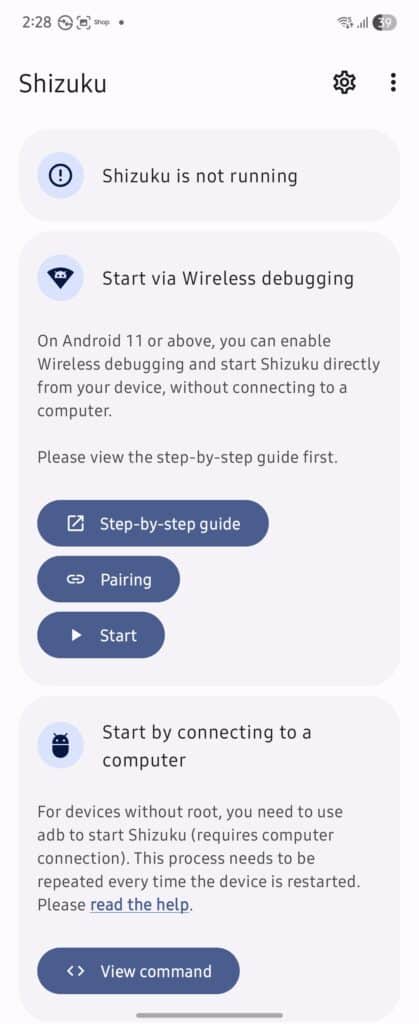
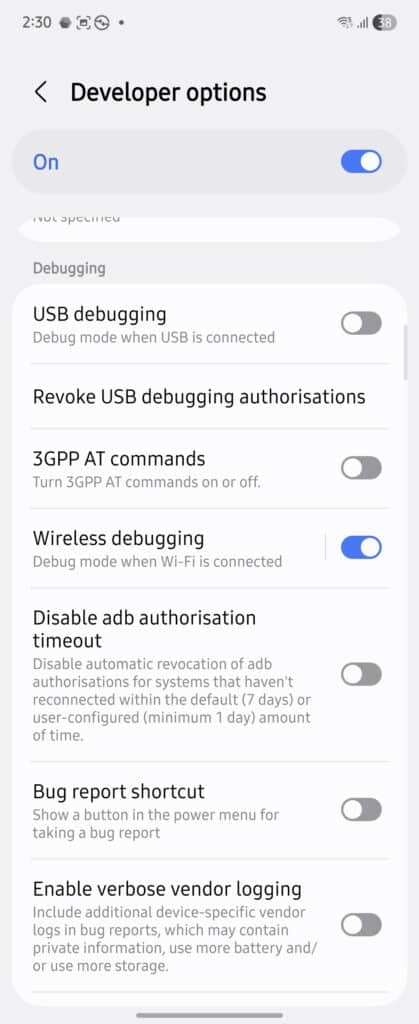
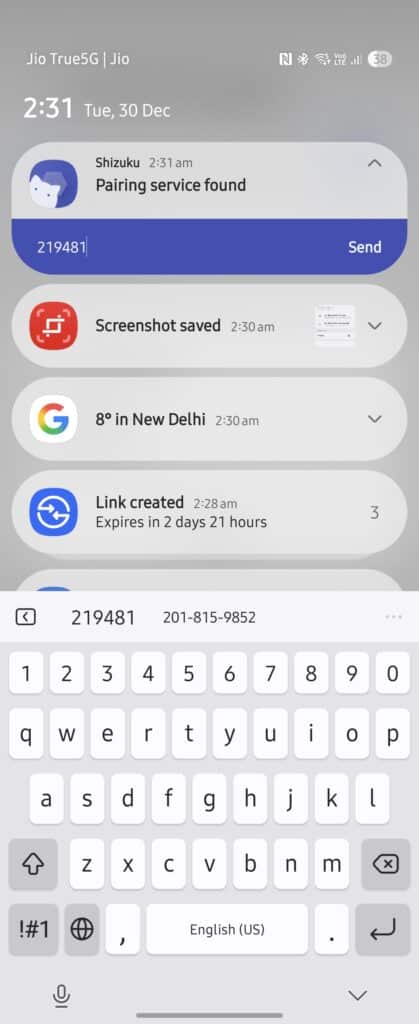
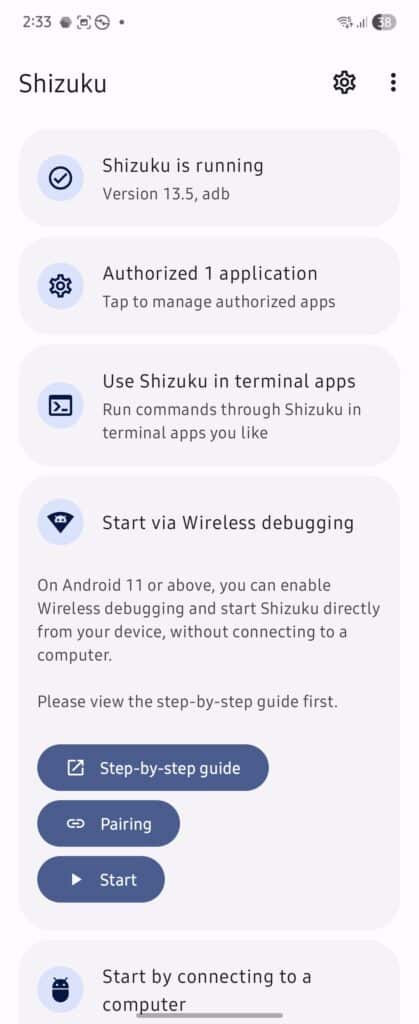
Once paired, tap Start. You should see a message saying the service has started. If this is your first time using Shizuku, Android may ask you to authorize aBattery under app management. Allow it.
Step 3: View Battery Health stats in aBattery
Open aBattery. You should now see detailed battery information, including:
- Battery type
- Battery health info
- Temperature (tap to switch between Celsius and Fahrenheit)
- Battery voltage
- Maximum capacity
- Charge cycle count
- Manufacturing date
- First use date
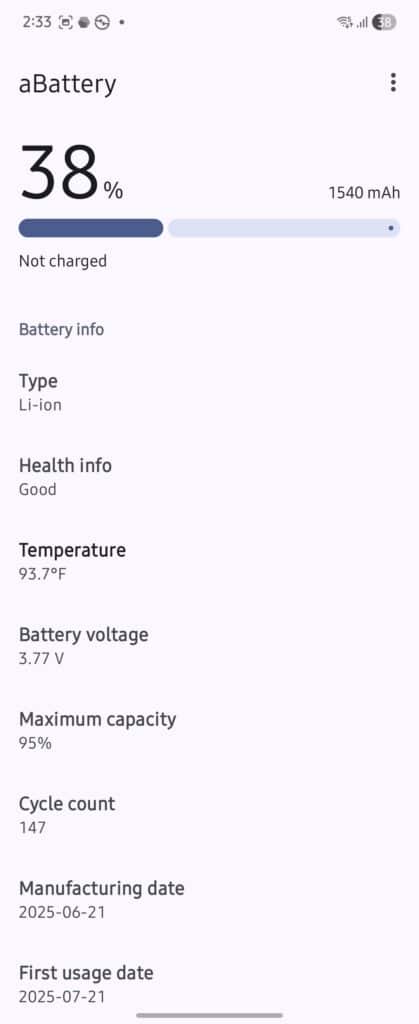
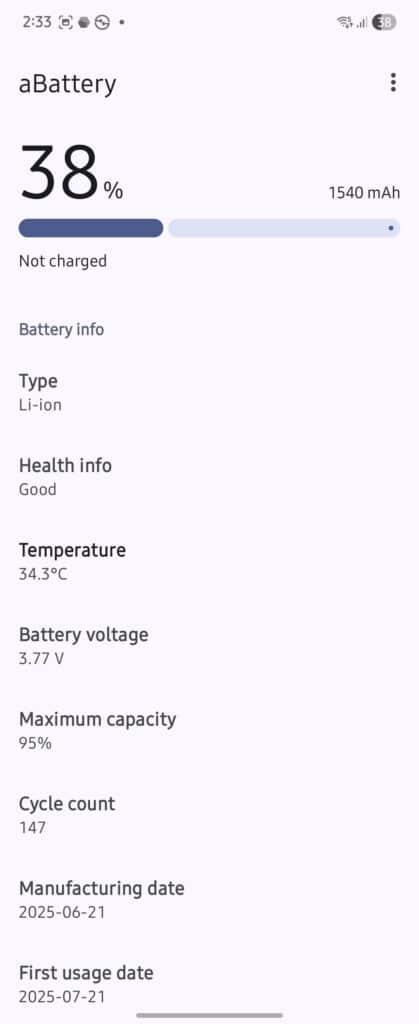
These values are pulled directly from the system and are generally accurate. For example, cycle count and maximum capacity are especially useful for tracking long-term battery wear. And you should definitely check these stats especially if you feel your phone’s battery might be out of health. Or if you’re buying a refurbished phone.
Samsung still limits battery health visibility in some regions, but this method gives you access to the same data Samsung internally tracks. Until Samsung enables full battery health reporting globally, using aBattery with Shizuku is the most practical workaround.

Written by
Abhinav AnandAbhinav Anand is the News Editor at SammyGuru and a technology journalist based in New Delhi. Before joining SammyGuru, he contributed to numerous outlets, including Android Headlines, ExtremeTech, The Mac Observer, Financial Express, Economic Times, iGeeksBlog, KnowTechie, PhonesWiki, SlashGear, and more. You can reach him at abhinav@sammyguru.com.

Follow us on Google Discover & set us as a preferred source in Google News
Share this Post
___________________________


New Blog Posts
___________________________

First Set of Pixel 11 Pro XL Renders Are Here
Pixel 11 Pro XL CAD renders show minimal design changes

Is Samsung Preparing One UI 8.5 Beta for Galaxy Z Fold 5 and Flip 5?
Samsung may launch a One UI 8.5 beta program for its 2023 foldables

Galaxy S25 One UI 8.5 Beta May Run Longer Than Expected
Galaxy S25 series’ One UI 8.5 beta may stretch to 10 rounds







