
Home Up Update 17.0.00.38 Improves Desktop Experience for Tablets
SammyGuru is reader-supported. We have affiliate and sponsored partnerships, so we may earn a commission when you buy through links on our site — at no extra cost to you. Learn more.
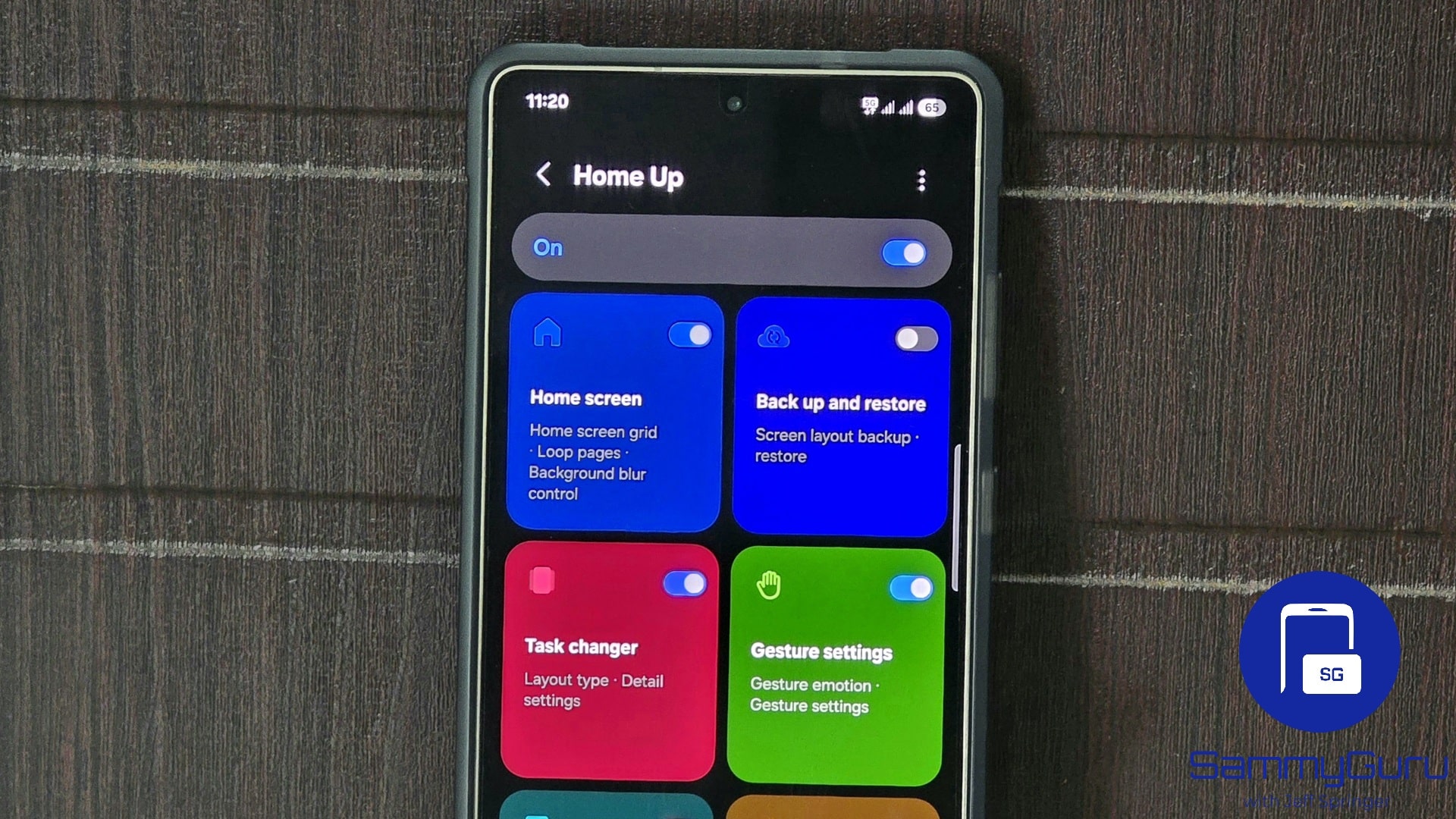
Samsung has released a new update for its Home Up module with version 17.0.00.38. The update improves the desktop workspace experience on tablets, along with bug fixes and stability improvements. It is rolling out globally and should reach all eligible Galaxy devices in the coming weeks.
What’s new in the latest Home Up module update?
Home Up, a popular module within Good Lock, offers a host of useful tools to customize home screens according to personal preferences. For example, you can create custom gesture animations, adjust layouts for apps and folders, customize popup folder styles, modify Edge panels, and more. The company continues to improve the module through regular updates for a seamless user experience.
A few weeks ago, the module gained support for Galaxy devices running Android 16-based One UI 8. The latest update now improves Task Changer layout functionality during desktop workspace use on tablets. For the uninitiated, this feature lets you arrange recent apps on your recent apps screen in different ways, such as vertical list, grid, title stack, and slim list.
Now, when you create a desktop workspace on a tablet, the Task Changer layout will follow the default type for uniform task switching across devices. Furthermore, the update fixes some previously known bugs, though the changelog did not mention those issues. Thanks to the stability improvements, we can now expect a more reliable user experience.
If you want to get all the latest improvements, you should update the Home Up module as soon as possible. The update process is quite simple — open your Good Lock app, go to the Plugins tab, and then tap the Update button next to Home Up. Note that Samsung usually does not push updates for its apps at the same time to all users, so it may take a few days before it lands on your device. Meanwhile, if you have an eligible device, you can participate in the One UI 8 beta program.

Written by
Binay KonwarBinay Konwar started his blogging journey in 2014 and has since written plenty of tech articles. At present, he is working as a News Writer at SammyGuru, covering everything about Samsung. He holds a Master's degree in Mathematics, but his real passion lies in tech and writing. In his free time, he enjoys playing chess and watching movies.

Follow us on Google Discover & set us as a preferred source in Google News
Share this Post
___________________________


New Blog Posts
___________________________

First Set of Pixel 11 Pro XL Renders Are Here
Pixel 11 Pro XL CAD renders show minimal design changes

Is Samsung Preparing One UI 8.5 Beta for Galaxy Z Fold 5 and Flip 5?
Samsung may launch a One UI 8.5 beta program for its 2023 foldables

Galaxy S25 One UI 8.5 Beta May Run Longer Than Expected
Galaxy S25 series’ One UI 8.5 beta may stretch to 10 rounds







