
Galaxy S26 Makes Fingerprint Unlocking Smarter with New Trick
SammyGuru is reader-supported. We have affiliate and sponsored partnerships, so we may earn a commission when you buy through links on our site — at no extra cost to you. Learn more.
Samsung Galaxy S26 series comes with a host of meaningful upgrades for a solid flagship experience. Among these, a key feature has recently come to light: the Improve Accuracy option for fingerprint. This feature makes unlocking your phone more reliable than ever.
Samsung offers a more accurate unlocking experience with the Galaxy S26 series
The Galaxy S26 series features an ultrasonic in-display fingerprint sensor, just like its predecessors. This scanner creates a 3D map of your fingerprint, improving accuracy. It works nicely even when your fingers are wet or dirty, helping lower the failure rate of unlock attempts. Thanks to the new Improve Accuracy feature, the Galaxy S26 can now take fingerprint recognition to the next level.
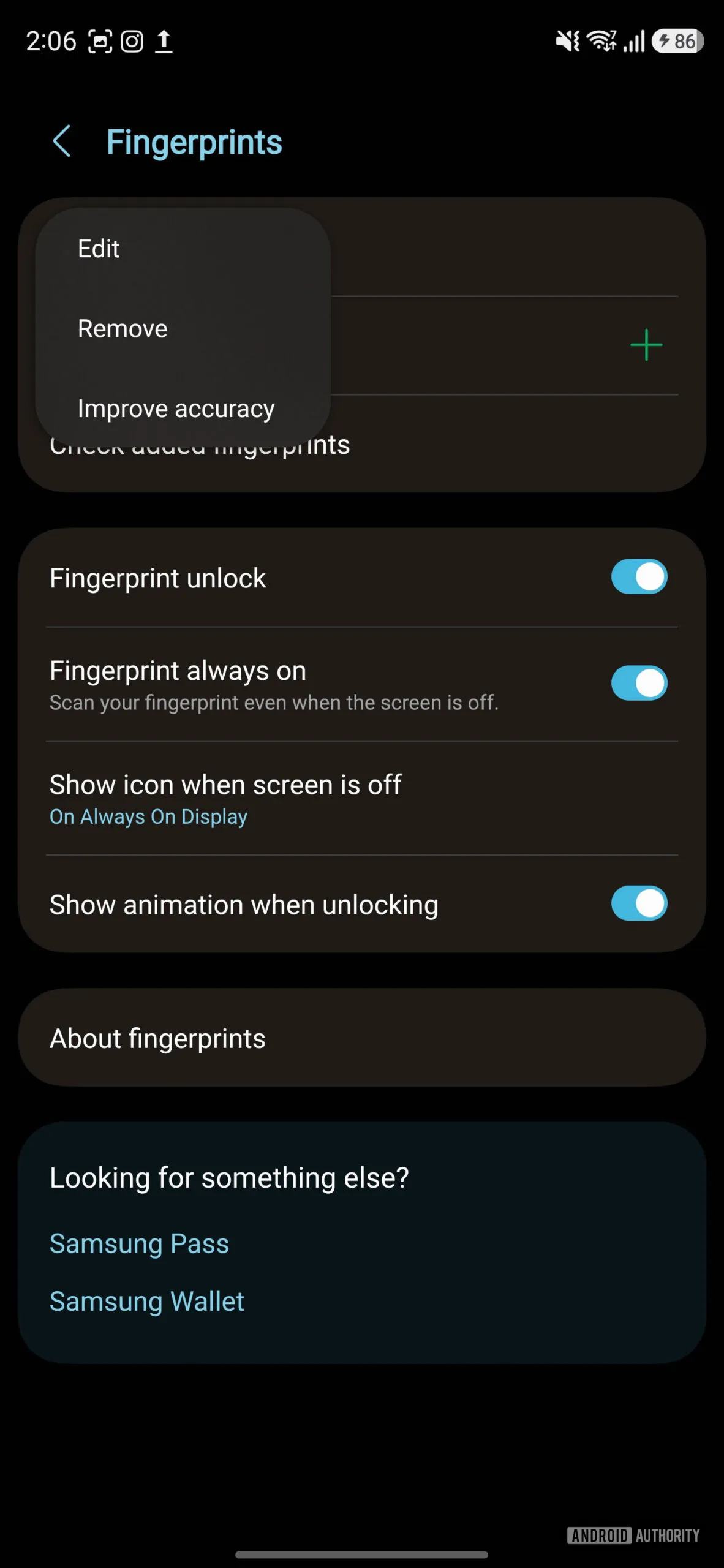
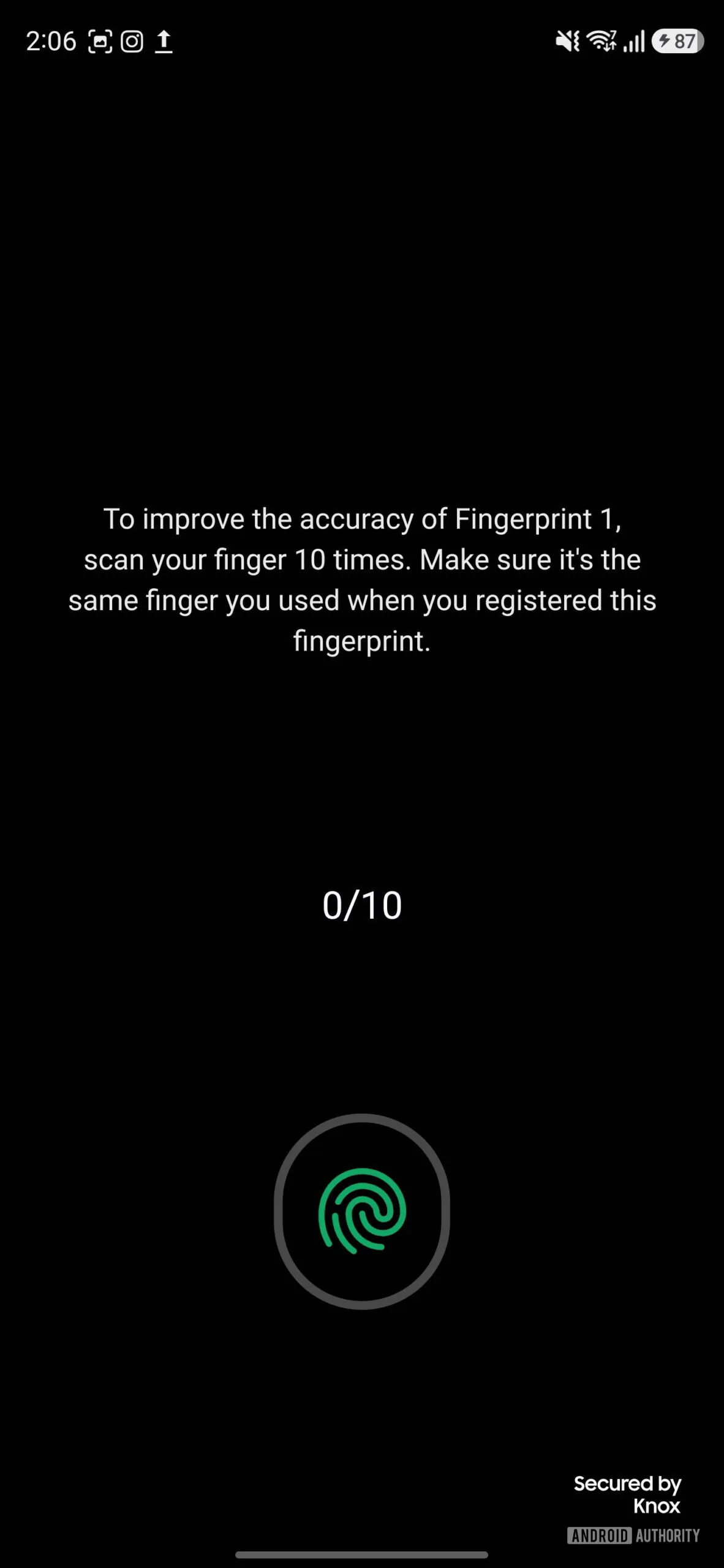
To use it, head over to Settings > Security and privacy > Screen lock and biometrics > Fingerprints. Now, select the fingerprint you want to improve, and tap Improve Accuracy. The phone will then ask you to scan the same finger 10 times. As such, you can set up a more complete fingerprint profile to improve recognition.
Previously, many users depended on a simple workaround: registering the same finger twice. The idea was to reduce unlock errors by using two separate scans of the same finger. In its new approach, Samsung probably adds more data to the original fingerprint profile instead of duplicating it.
While Improve Accuracy is part of One UI 8.5, it’s unclear whether the feature will come to older phones such as the Galaxy S25 and Galaxy S24. Things should become clear once Samsung pushes the stable update for them. Moreover, it is doubtful whether this feature is limited to ultrasonic in-display fingerprint sensors. Hopefully, the company will also bring it for other types, such as capacitive or side-mounted scanners, in the future.
If you buy a Galaxy S26 model from Best Buy or Samsung US store through our affiliate links, you’ll score free accessories (details here).

Written by
Binay KonwarBinay Konwar started his blogging journey in 2014 and has since written plenty of tech articles. At present, he is working as a News Writer at SammyGuru, covering everything about Samsung. He holds a Master's degree in Mathematics, but his real passion lies in tech and writing. In his free time, he enjoys playing chess and watching movies.

Follow us on Google Discover & set us as a preferred source in Google News
Share this Post
___________________________


New Blog Posts
___________________________

First Set of Pixel 11 Pro XL Renders Are Here
Pixel 11 Pro XL CAD renders show minimal design changes

Is Samsung Preparing One UI 8.5 Beta for Galaxy Z Fold 5 and Flip 5?
Samsung may launch a One UI 8.5 beta program for its 2023 foldables

Galaxy S25 One UI 8.5 Beta May Run Longer Than Expected
Galaxy S25 series’ One UI 8.5 beta may stretch to 10 rounds







