
Galaxy Gamers Can Now Customize Their Crosshair with Game Booster+
SammyGuru is reader-supported. We have affiliate and sponsored partnerships, so we may earn a commission when you buy through links on our site — at no extra cost to you. Learn more.
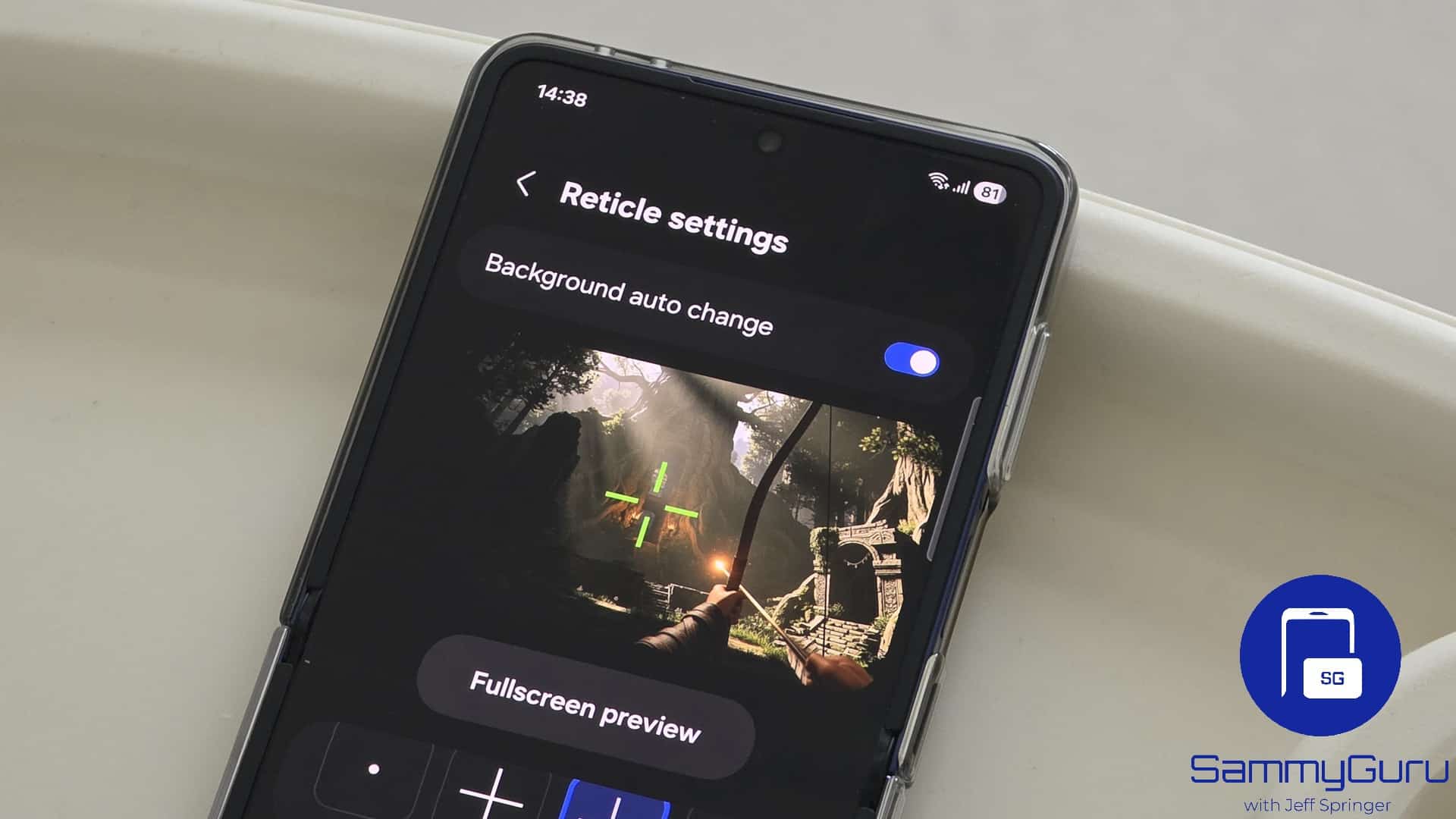
A few days ago, Samsung rolled out an update for Game Booster+, finally making the app compatible with One UI 8. The company has now followed up with another update, adding a handy new feature. You can now customize the reticle (crosshair) for enhanced aiming in shooting games.
New Game Booster+ update allows you to customize the crosshair
Samsung just released Game Booster+ version 2.0.00.13 for Galaxy users. The official release notes mention two key changes: the ability to change non-game apps to game and an Aim assist menu. However, the former function already exists in the older version, so this update likely improves it for enhanced reliability.
The latter, meanwhile, is a new addition to Game Booster+. The new Aim Assist menu lets you fully personalize the reticle (crosshair) used as your aiming point in shooting games. You can choose from nine different shapes and further tweak the size, thickness, color, and opacity to match your preferences.
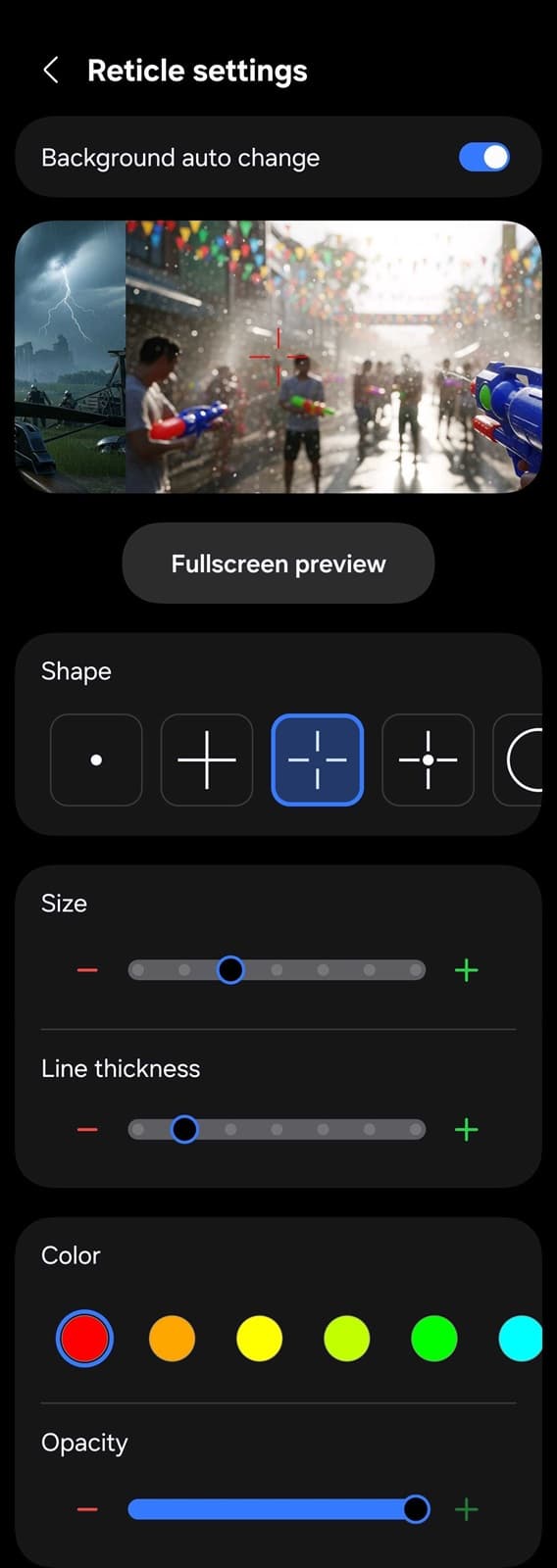
Samsung gives you the option to selectively enable your custom crosshair in specific games, so you don’t have to use it across your entire library. That’s particularly useful since non-shooting titles don’t need a reticle. However, there are a couple of limitations: you can’t assign different crosshair designs per game, and the same design applies universally.
Once enabled, your custom crosshair instantly appears at the center of the screen as soon as you launch a game — even before a match begins. Ideally, Samsung could refine this further so the overlay only activates when the game’s native crosshair appears, since the custom one simply sits on top of the default reticle, which is always centered anyway.
Nonetheless, it’s a fantastic quality-of-life upgrade for Galaxy gamers. Whether you want a bold reticle that stands out in fast-paced action or a subtle one that blends into the game, the customization options give you more control over your experience. It’s another sign that Samsung is paying attention to the finer details that matter to mobile gamers. You can update Game Booster+ from the Galaxy Store.

Written by
Sumit AdhikariSumit, a life-long Samsung user, is passionate about technology and has been professionally writing on tech since 2017. He’s a mathematics graduate by education and enjoys teaching basic mathematics tricks to school kids in his spare time. Sumit believes in artificial intelligence and dreams of a fully open, intelligent and connected world.

Follow us on Google Discover & set us as a preferred source in Google News
Share this Post
___________________________


New Blog Posts
___________________________

First Set of Pixel 11 Pro XL Renders Are Here
Pixel 11 Pro XL CAD renders show minimal design changes

Is Samsung Preparing One UI 8.5 Beta for Galaxy Z Fold 5 and Flip 5?
Samsung may launch a One UI 8.5 beta program for its 2023 foldables

Galaxy S25 One UI 8.5 Beta May Run Longer Than Expected
Galaxy S25 series’ One UI 8.5 beta may stretch to 10 rounds







