
Galaxy S26 Ultra Video Softening Is Actually a Hidden Processing Control
SammyGuru is reader-supported. We have affiliate and sponsored partnerships, so we may earn a commission when you buy through links on our site — at no extra cost to you. Learn more.
In a previous article, I explored how Samsung quietly transformed Photo Softening into something much more important on the Galaxy S26 Ultra, essentially giving users control over how aggressively the camera processes an image rather than just tweaking softness.
Now, that same idea has made its way to video, and it behaves in a very similar way. Samsung has introduced a new Video Softening control inside Camera Assistant for the Galaxy S26 series, and while it may sound like a simple toggle at first, it quickly becomes clear that it affects how the camera handles detail, noise, and light, not just softness.
Softening Off pushes sharpness, but at a cost
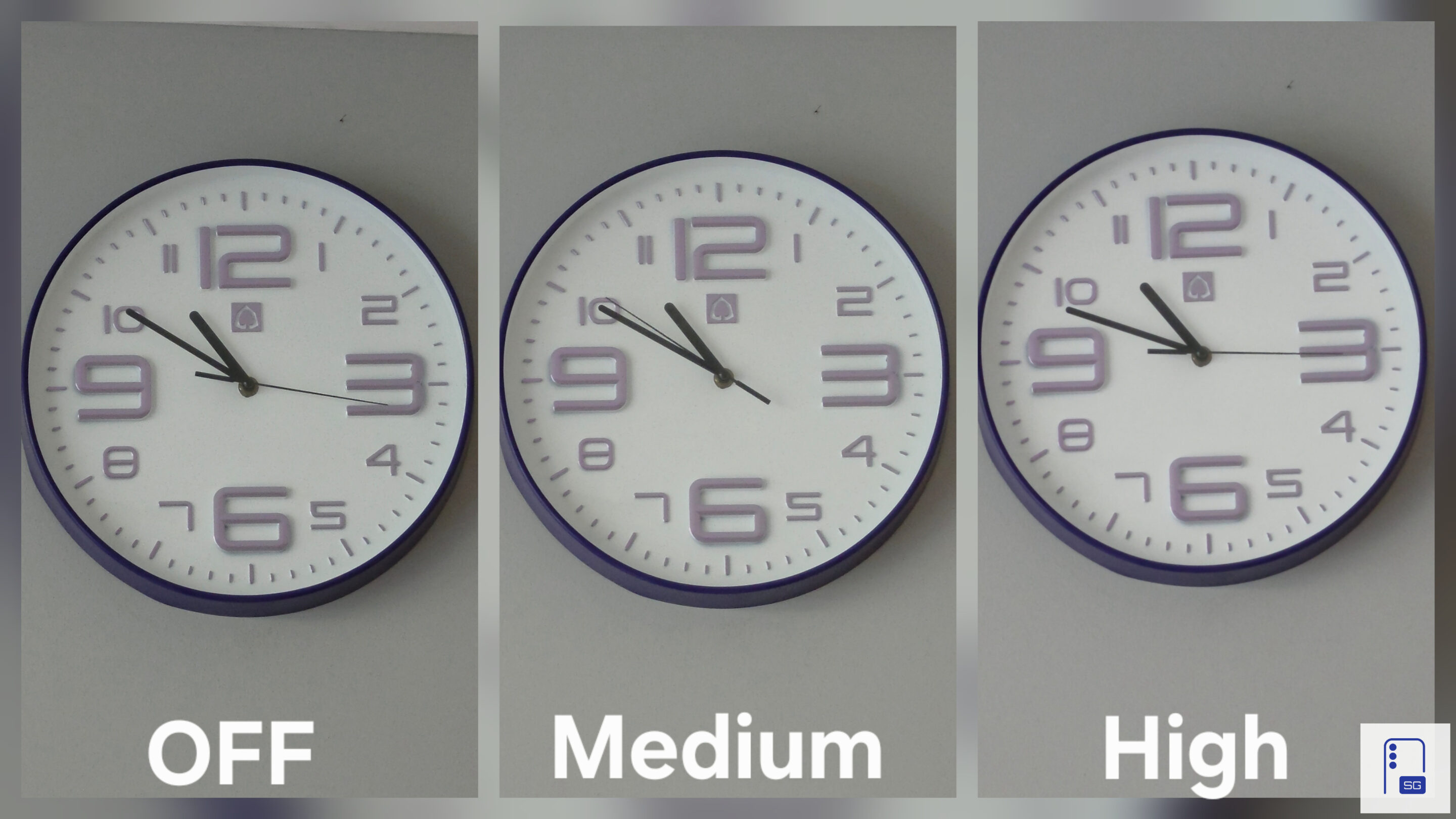
With Video Softening turned off on Galaxy S26 Ultra, the camera pushes for maximum sharpness. This can look impressive at first, with stronger details and more defined textures, but a closer look reveals the trade-off.
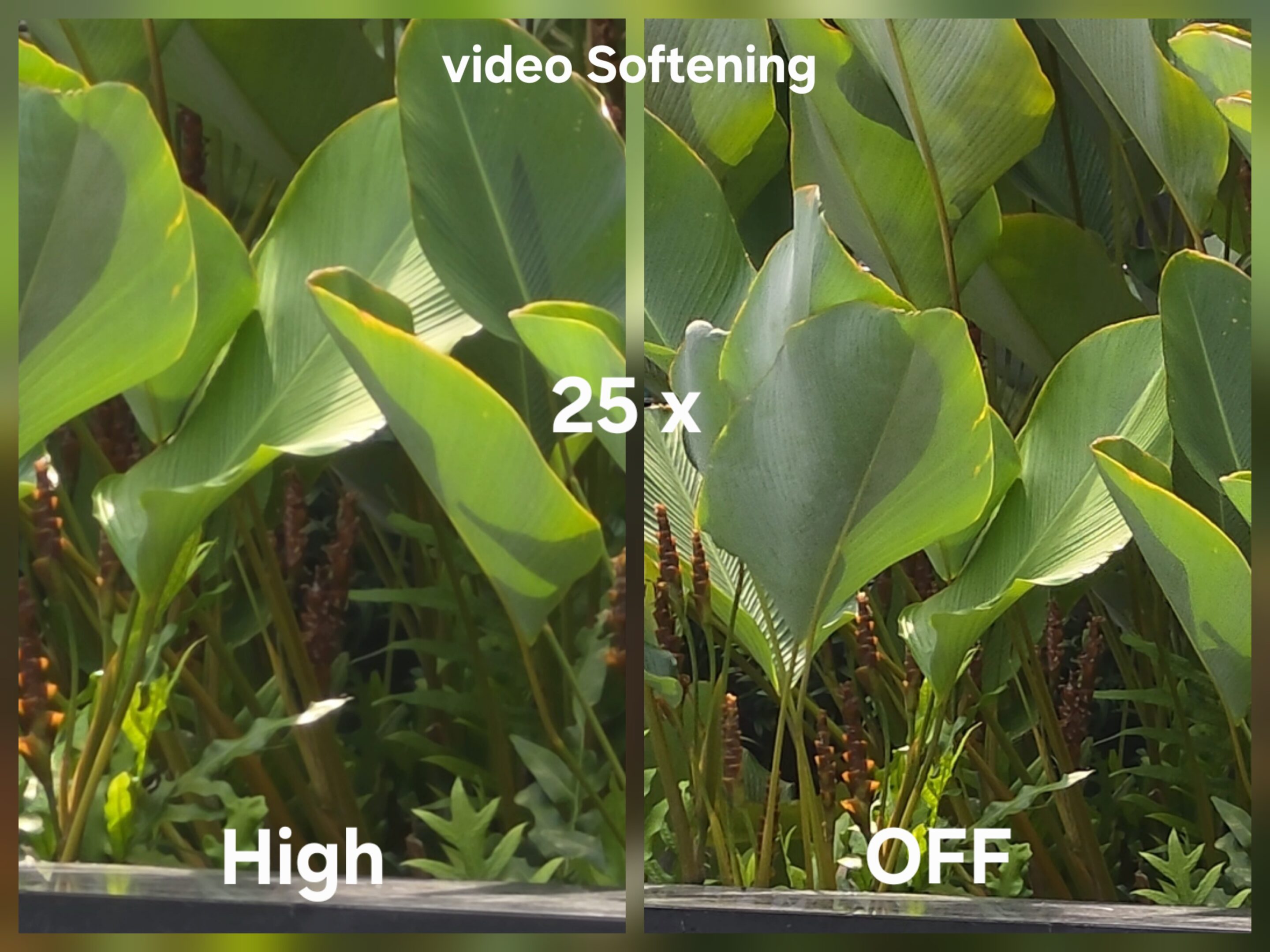
Noise starts to build and fine details begin to break into visible artifacts. The image may look sharper at first glance, but it also becomes less natural. It is the same illusion seen in photos, where added sharpness gives the impression of more detail while actually degrading it.
Medium finds the right balance for most users
Switching to Medium brings a noticeable shift in balance. The image becomes more controlled, noise is reduced, and edges appear less aggressive. As a result, the overall rendering feels more stable and consistent, making this the setting most users will likely prefer.
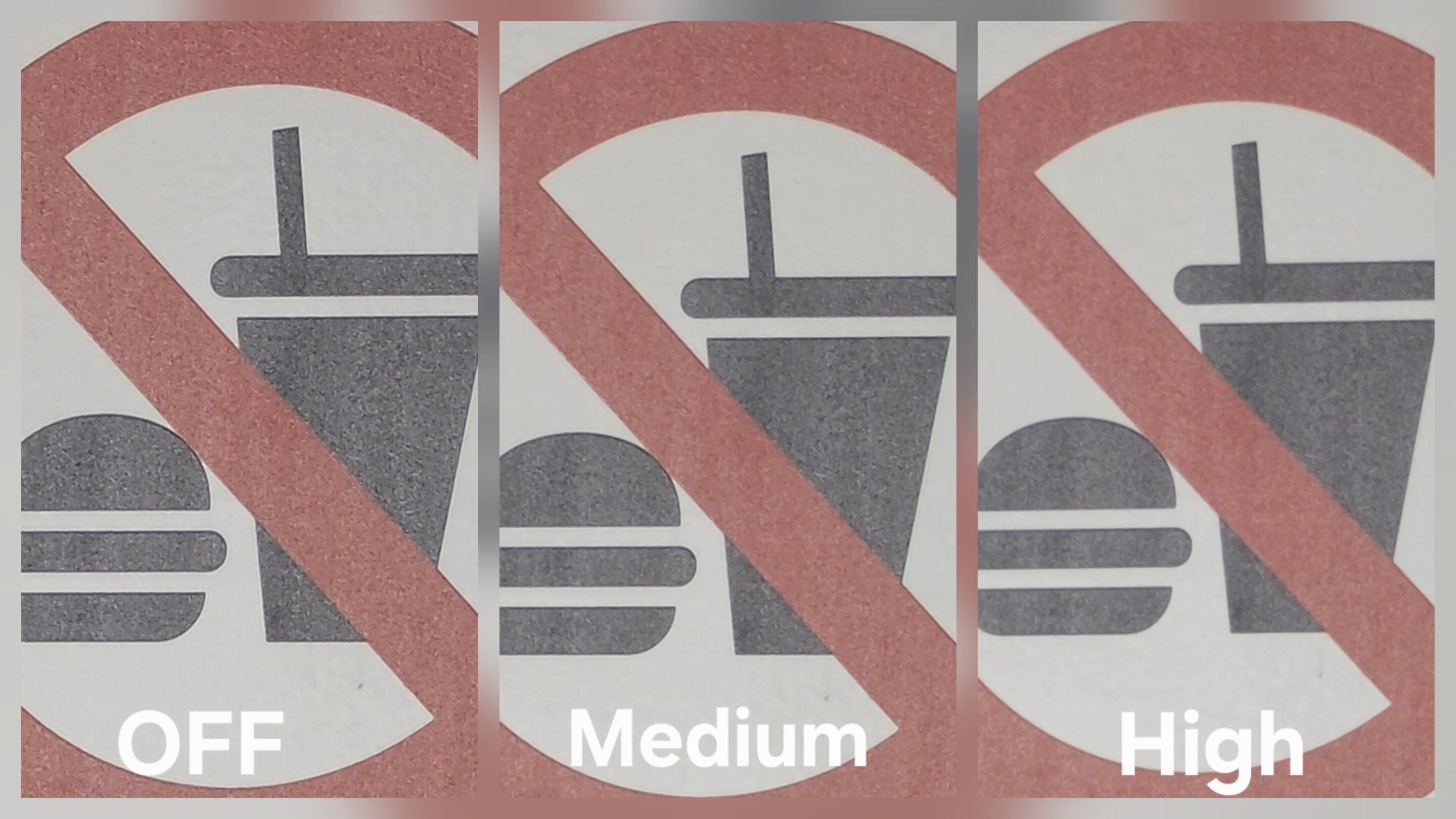
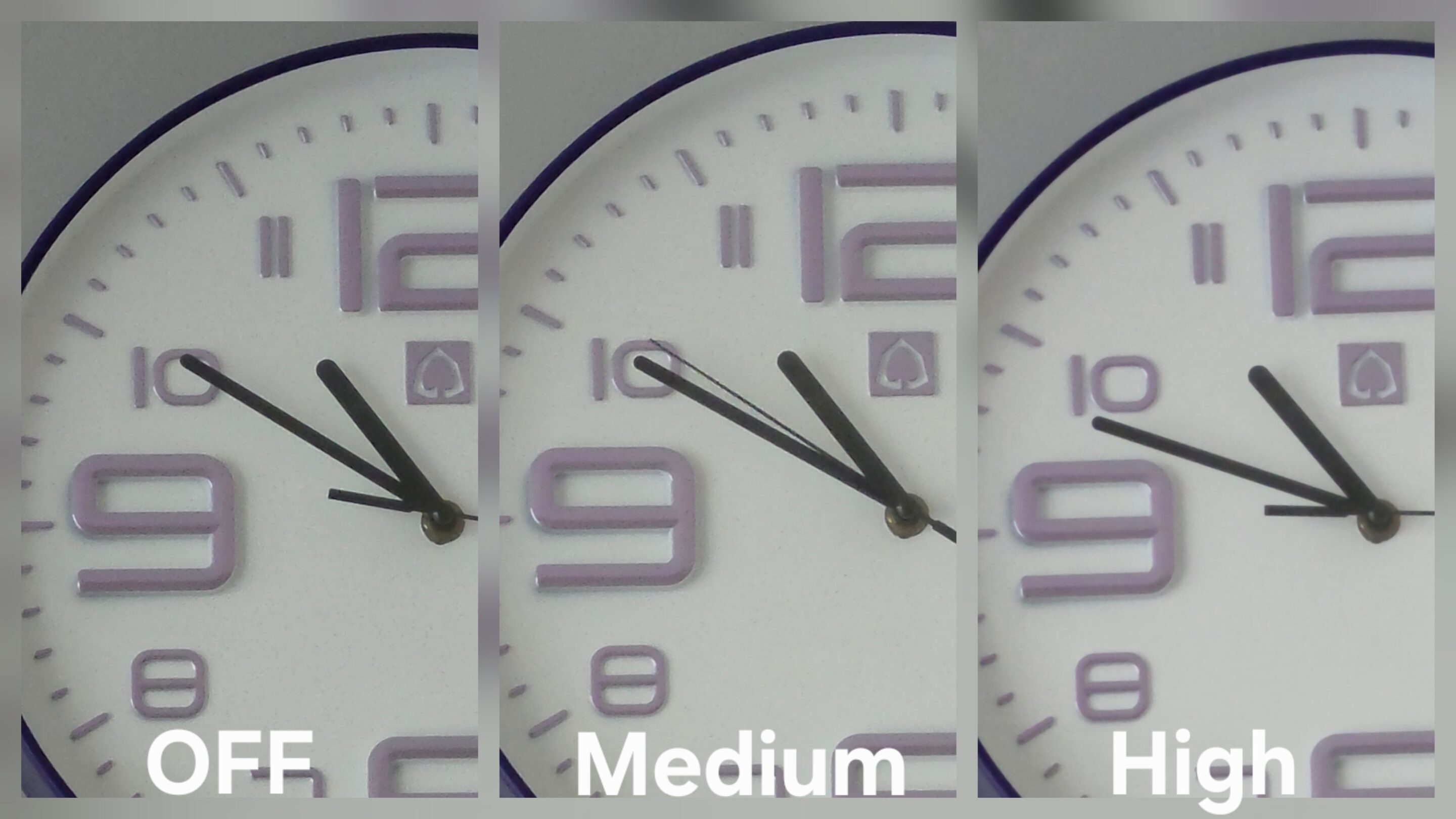
Medium keeps enough sharpness to preserve a sense of detail, while avoiding the harsh, over-processed look that comes with more aggressive sharpening. It strikes a balance between clarity and realism, making it the most practical option for everyday use and the one most people should stick with.
High shifts toward a more natural, cinematic look
High, however, is where things start to get more interesting. Instead of simply making the image look softer in a negative sense, the camera shifts toward a more natural style of rendering, dialing back processing in a way that changes the overall character of the footage.
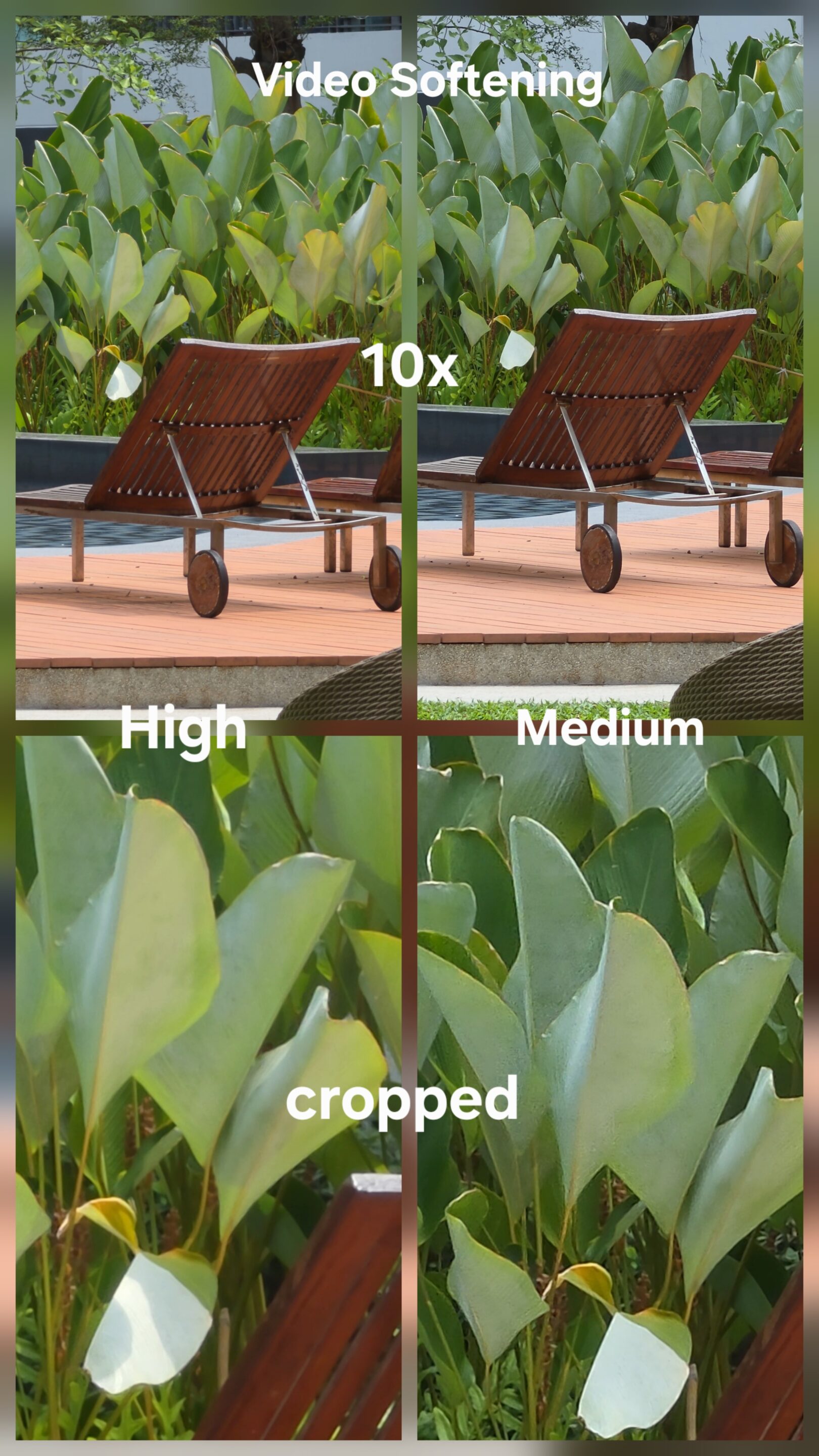
The image becomes cleaner, brighter, and noticeably smoother in motion. Noise and compression artifacts are reduced, especially in more challenging conditions like indoor or low-light scenes, where aggressive sharpening tends to fall apart.
The overall look also starts to shift. It feels less digital and more cinematic, with smoother textures, more controlled highlights, and fewer artificial edges. It is not identical, but it moves in a similar direction to what you get from APV Log workflows after processing, where the goal is a more natural and balanced image rather than maximum perceived sharpness.
One detail many users will notice is that footage can appear slightly brighter when using High, adding to that cleaner and more refined presentation.
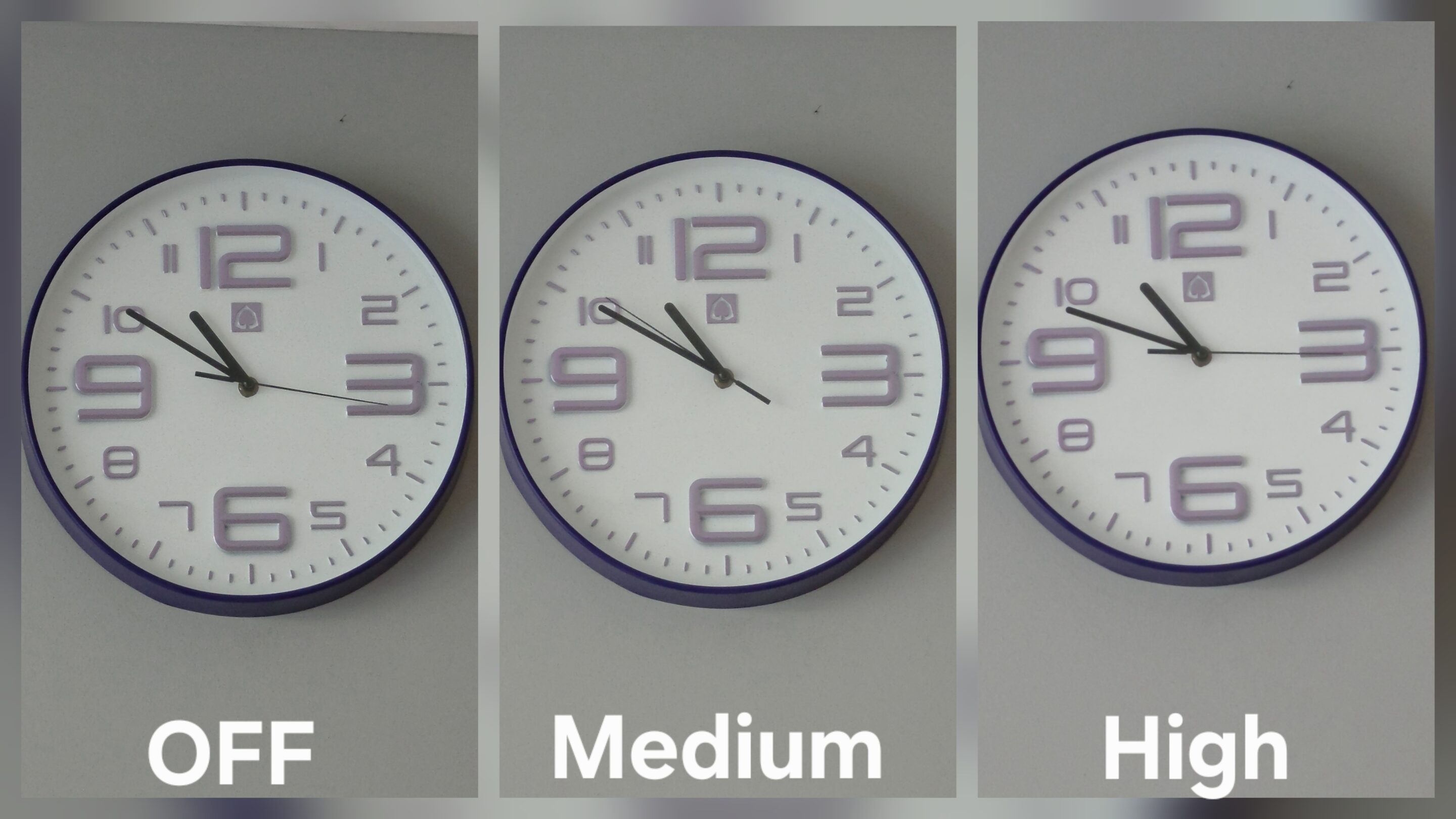
This is not just a simple exposure shift. As one might assume, the added brightness is not coming from exposure alone. It is the result of reduced micro-contrast and less aggressive edge processing, which changes how light is distributed and perceived across the frame. The image appears more balanced, with highlights that feel more controlled rather than artificially boosted.
High plus HDR is the best combination
In practical use, this makes the High setting especially effective for indoor scenes, low-light video, and HDR recording. These are situations where controlling noise and preserving natural tones matters far more than pushing artificial sharpness. From testing, the best combination is clear:
High paired with HDR delivers the most natural and cinematic result on the Galaxy S26 Ultra. Medium, on the other hand, remains the safest option for everyday use, offering a consistent balance without dramatic shifts in rendering.
What Samsung calls “Video Softening” is no longer just about softness. It is better understood as a hidden control over processing intensity, noise behavior, and detail rendering. Much like in photos, the name does not fully capture what the feature actually does. But once you understand it, the role becomes obvious. It is not about making video softer, it is about deciding how real you want it to look.


Follow us on Google Discover & set us as a preferred source in Google News
Share this Post
___________________________


New Blog Posts
___________________________

First Set of Pixel 11 Pro XL Renders Are Here
Pixel 11 Pro XL CAD renders show minimal design changes

Is Samsung Preparing One UI 8.5 Beta for Galaxy Z Fold 5 and Flip 5?
Samsung may launch a One UI 8.5 beta program for its 2023 foldables

Galaxy S25 One UI 8.5 Beta May Run Longer Than Expected
Galaxy S25 series’ One UI 8.5 beta may stretch to 10 rounds







