
One UI 8 Now Available for Galaxy M15 and F15 in India
SammyGuru is reader-supported. We have affiliate and sponsored partnerships, so we may earn a commission when you buy through links on our site — at no extra cost to you. Learn more.
The Galaxy M15 and Galaxy F15 have finally received the One UI 8 update in India. Many M and F Series devices, including some of the most budget models, had already received it earlier. However, the Galaxy M15 and F15 users were still waiting. Just yesterday, Samsung released the One UI 8 update for the Galaxy M15 in regions like Europe, Turkey, and Iraq. Now the update has officially expanded to India.
Samsung is now rolling out One UI 8 update for Galaxy M15 and Galaxy F15 in India
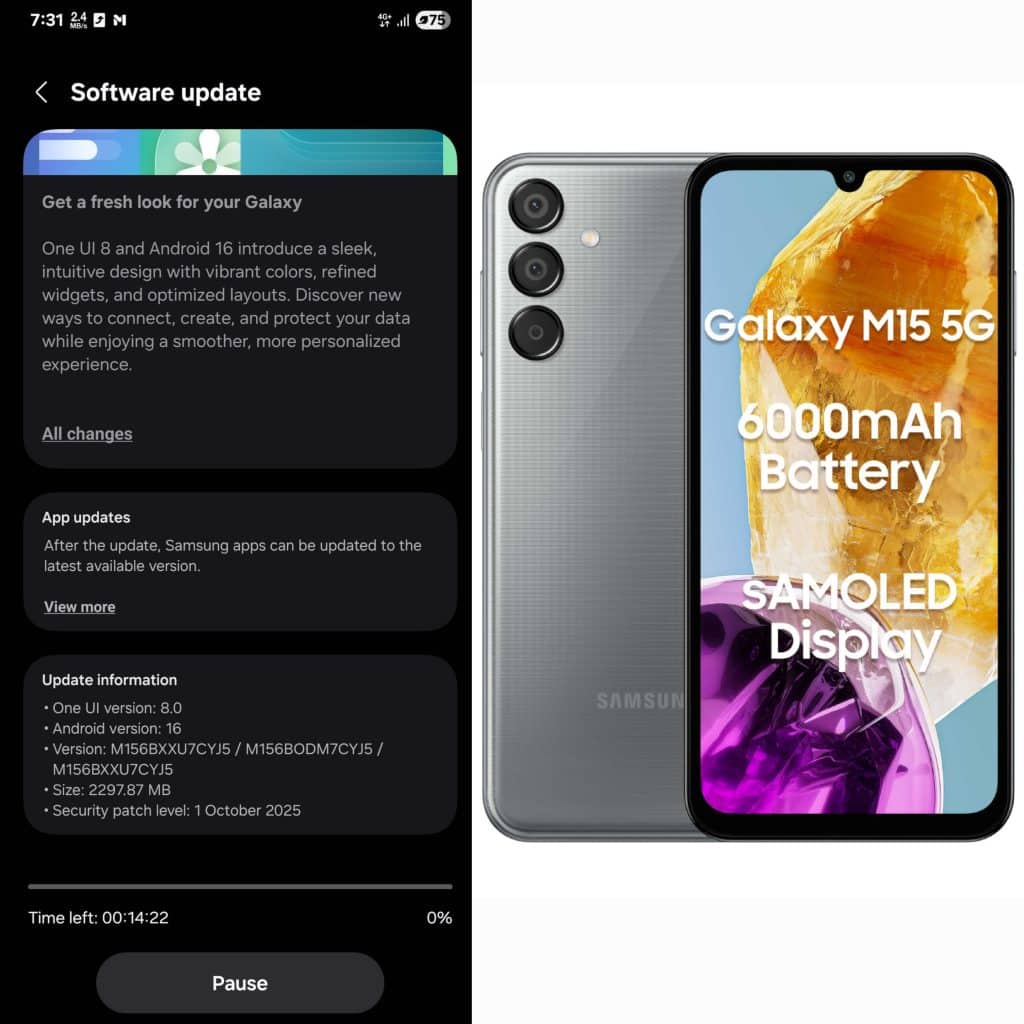
The Galaxy M15 has started receiving the Android 16-based One UI 8 update in India. The build version is M156BXXU7CYJ5. The update has a download size of around 2.3 GB and carries the October 2025 security update. It improves system stability and enhances animations. Moreover, it makes the overall UI smoother and more refined.
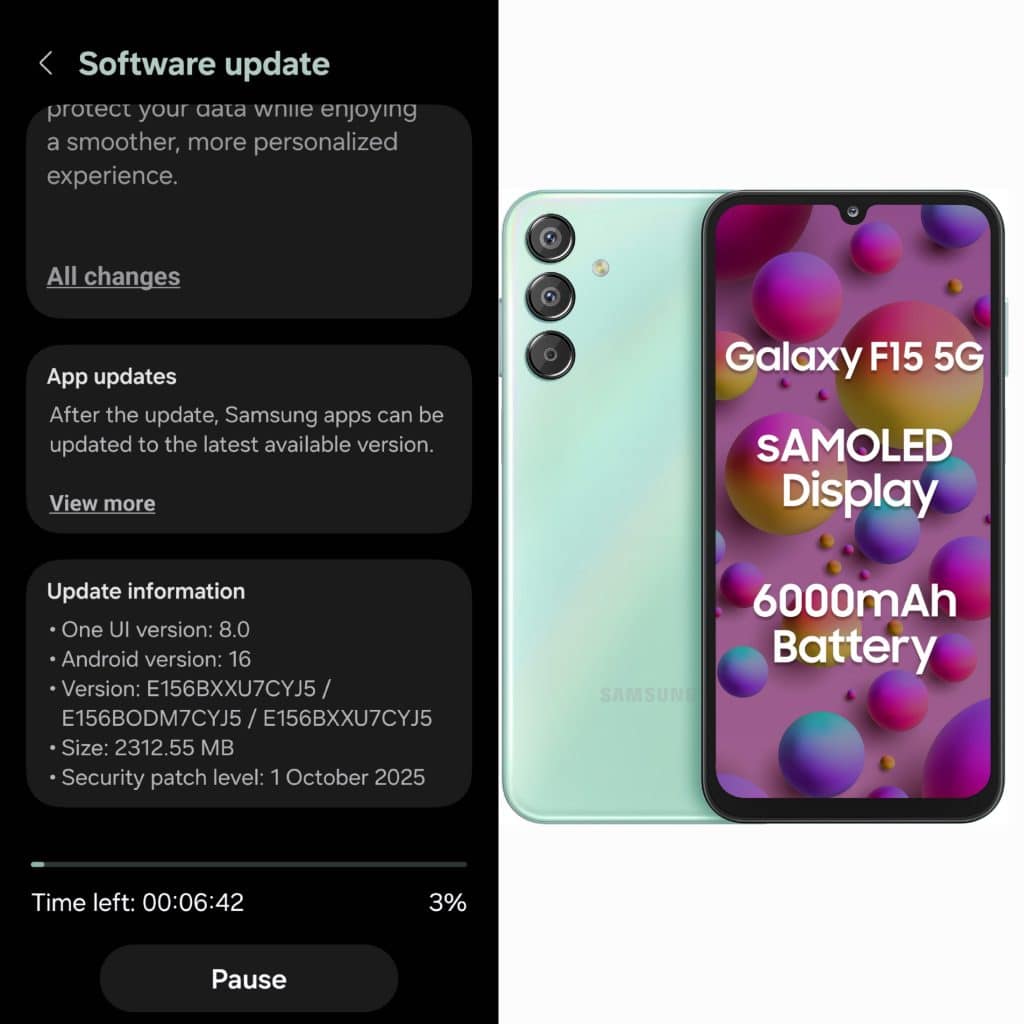
Likewise, the Galaxy F15 has also started receiving the One UI 8 stable update in India. It comes with build info E156BXXU7CYJ5. This includes the October 2025 Security Patch and has a similar download size of 2.3 GB.
The One UI 8 update brings a number of new features and design changes. The Weather app gets a complete visual refresh. Additionally, the Now Bar and Live Notifications have been improved to show more information at a glance. You also get the new 90:10 split-screen ratio and fresh clock styles. Smoother animations make multitasking feel faster and more polished.
Along with these One UI 8 features, Samsung has also added Google’s Circle to Search support with this update (h/t: Kishore Jagadale). The Galaxy M15 and F15 did not have this feature before. However, it has now been enabled with the latest software. If you own a Galaxy M15 or Galaxy F15 in India, you can check for the update by going to Settings > Software update > Download and install. Tap Install now once the download completes, and your phone will restart with the latest One UI 8.

Written by
Mohammed KhatriOne UI lover, actively tracking One UI 8.5 builds, global firmware rollouts, certifications, and Geekbench scores.

Follow us on Google Discover & set us as a preferred source in Google News
Share this Post
___________________________


New Blog Posts
___________________________

First Set of Pixel 11 Pro XL Renders Are Here
Pixel 11 Pro XL CAD renders show minimal design changes

Is Samsung Preparing One UI 8.5 Beta for Galaxy Z Fold 5 and Flip 5?
Samsung may launch a One UI 8.5 beta program for its 2023 foldables

Galaxy S25 One UI 8.5 Beta May Run Longer Than Expected
Galaxy S25 series’ One UI 8.5 beta may stretch to 10 rounds







