
Galaxy Users Can Now Try Out Conversational Editing in Google Photos
SammyGuru is reader-supported. We have affiliate and sponsored partnerships, so we may earn a commission when you buy through links on our site — at no extra cost to you. Learn more.
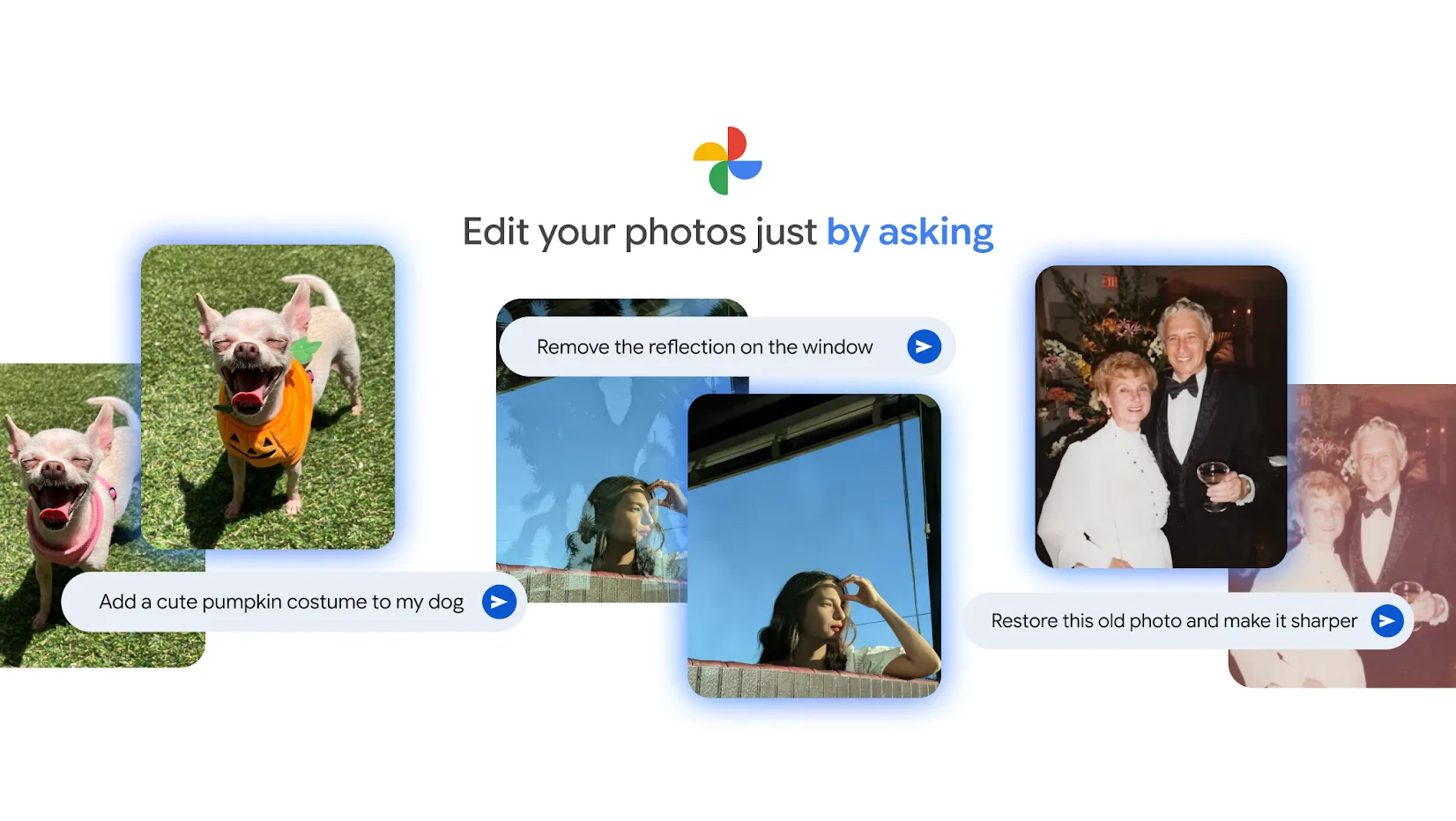
Previously only available on the Pixel 10 series, Google is now bringing its conversational editing feature in Google Photos to more Android devices. As the name suggests, you just describe the changes you want to make to an image, and Gemini takes care of the rest. Pretty cool, right.
Google Photos is now rolling out conversational editing to more users in the US
In a blog post outlining ways to ask Google Photos to edit images, Google confirms that “eligible” Android users in the US can try the conversational editing feature now. By eligible, Google means users must be at least 18. They should have their account language set to English (US), and enable both Face Groups and location estimates in settings. The Ask Photos option under Gemini features also needs to be turned on.
To try out the conversational editing tool in Google Photos, just open an image, tap the Edit button, and use the new text box at the bottom labeled Help me edit. 9to5Google confirms that the tool is already working on the OnePlus 13 and Galaxy Z Fold 7. Just make sure your app is updated to the latest version, and you’re good to go.
It’s a pretty nifty way to edit your photos if you’re not a pro at photo editing. Think of it like telling a friend what changes you want, and letting them do the heavy lifting for you. You can ask Google Photos to remove unwanted objects, expand photo backgrounds. Or make common tweaks like adjusting lighting and color balance.
You can even ask it to add things to your photos. For example, Google’s blog post notes that you could request Photos to add furniture or lighting to picture. The possibilities are endless, and these are just a few examples to get you started.

Written by
Abhinav AnandAbhinav Anand is the News Editor at SammyGuru and a technology journalist based in New Delhi. Before joining SammyGuru, he contributed to numerous outlets, including Android Headlines, ExtremeTech, The Mac Observer, Financial Express, Economic Times, iGeeksBlog, KnowTechie, PhonesWiki, SlashGear, and more. You can reach him at abhinav@sammyguru.com.

Follow us on Google Discover & set us as a preferred source in Google News
Share this Post
___________________________


New Blog Posts
___________________________

First Set of Pixel 11 Pro XL Renders Are Here
Pixel 11 Pro XL CAD renders show minimal design changes

Is Samsung Preparing One UI 8.5 Beta for Galaxy Z Fold 5 and Flip 5?
Samsung may launch a One UI 8.5 beta program for its 2023 foldables

Galaxy S25 One UI 8.5 Beta May Run Longer Than Expected
Galaxy S25 series’ One UI 8.5 beta may stretch to 10 rounds







