
Samsung Explains How Galaxy AI Protects Your Personal Data
SammyGuru is reader-supported. We have affiliate and sponsored partnerships, so we may earn a commission when you buy through links on our site — at no extra cost to you. Learn more.
Samsung Galaxy devices are becoming smarter with cutting-edge AI features that help users in daily life. However, this also raises new concerns about how the company collects, stores, and uses personal data. The Korean firm recently reassured that it puts user privacy and control at the center of its technology.
Galaxy AI comes with built-in safeguards to protect your data
Samsung says that it has designed Galaxy AI with built-in safeguards that protect your data from the start. It also uses AI to improve mobile security and privacy protections. The company makes privacy settings in Galaxy devices user-friendly so you can easily see what data AI is processing. The goal is to let users set their own rules for a personalized mobile experience while protecting privacy.
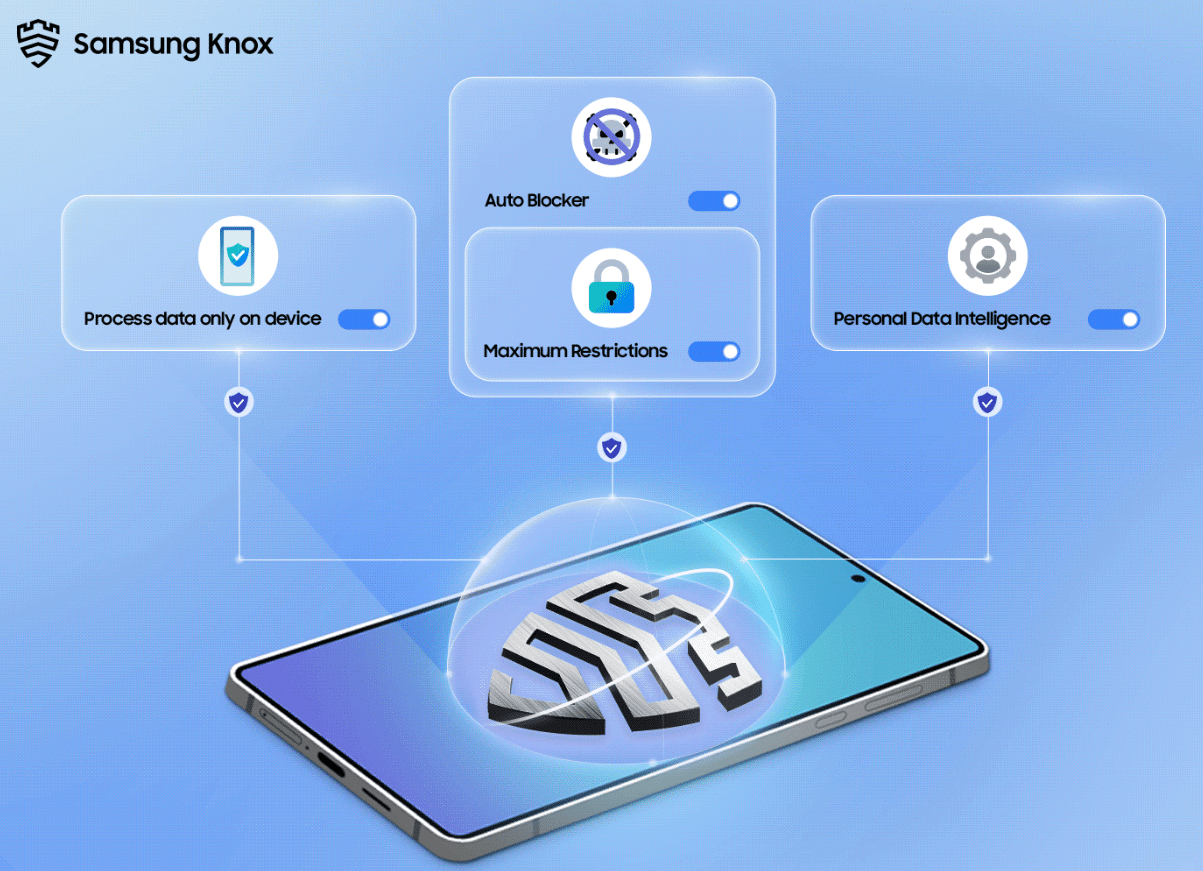
Whether you are using on-device AI tools like Live Translate, Interpreter, or Audio Eraser, inputs are kept within the confines of your phone. Thanks to Advanced Intelligence settings, you can manage your privacy as per your preference. Moreover, you also get the option to disable online processing for AI features.
In the Security and Privacy dashboard, you can see who can access your information and how it’s used. It lets you update app permissions and check which data might be at risk through an intuitive safety status icon. Likewise, the Permission Usage feature lets you track which apps have recently accessed your data.
Another useful security feature within the Galaxy privacy settings is Auto Blocker. It not only protects your device from malware and other security threats but also blocks malicious activity. For example, it prevents unauthorized apps from installing, blocks unwanted commands and updates through USB, and mitigates zero-click attacks.
If you want even stronger security against today’s cyber threats, the Maximum Restrictions feature offers an extra set of device protections. It lets you block 2G service and block data from being stolen on unsafe networks. Furthermore, it prevents your phone from automatically connecting to unsecured Wi-Fi networks.
Basically, Samsung wants to say that its Samsung Knox protection and privacy settings let you decide whether to share data or keep it only on your device. In the future, Samsung aims to further improve AI-powered security technologies to make privacy protections smarter.

Written by
Binay KonwarBinay Konwar started his blogging journey in 2014 and has since written plenty of tech articles. At present, he is working as a News Writer at SammyGuru, covering everything about Samsung. He holds a Master's degree in Mathematics, but his real passion lies in tech and writing. In his free time, he enjoys playing chess and watching movies.

Follow us on Google Discover & set us as a preferred source in Google News
Share this Post
___________________________


New Blog Posts
___________________________

First Set of Pixel 11 Pro XL Renders Are Here
Pixel 11 Pro XL CAD renders show minimal design changes

Is Samsung Preparing One UI 8.5 Beta for Galaxy Z Fold 5 and Flip 5?
Samsung may launch a One UI 8.5 beta program for its 2023 foldables

Galaxy S25 One UI 8.5 Beta May Run Longer Than Expected
Galaxy S25 series’ One UI 8.5 beta may stretch to 10 rounds







