
Google’s Calling Cards Let You Customize How You See Contacts
SammyGuru is reader-supported. We have affiliate and sponsored partnerships, so we may earn a commission when you buy through links on our site — at no extra cost to you. Learn more.
If you prefer Google’s Phone and Contacts apps over the built-in Samsung alternatives on your Galaxy device, an interesting update is on the way. Google is testing a new feature called Calling Cards, which lets you customize how you see your contact when they call you. This function is already available on the Samsung apps.
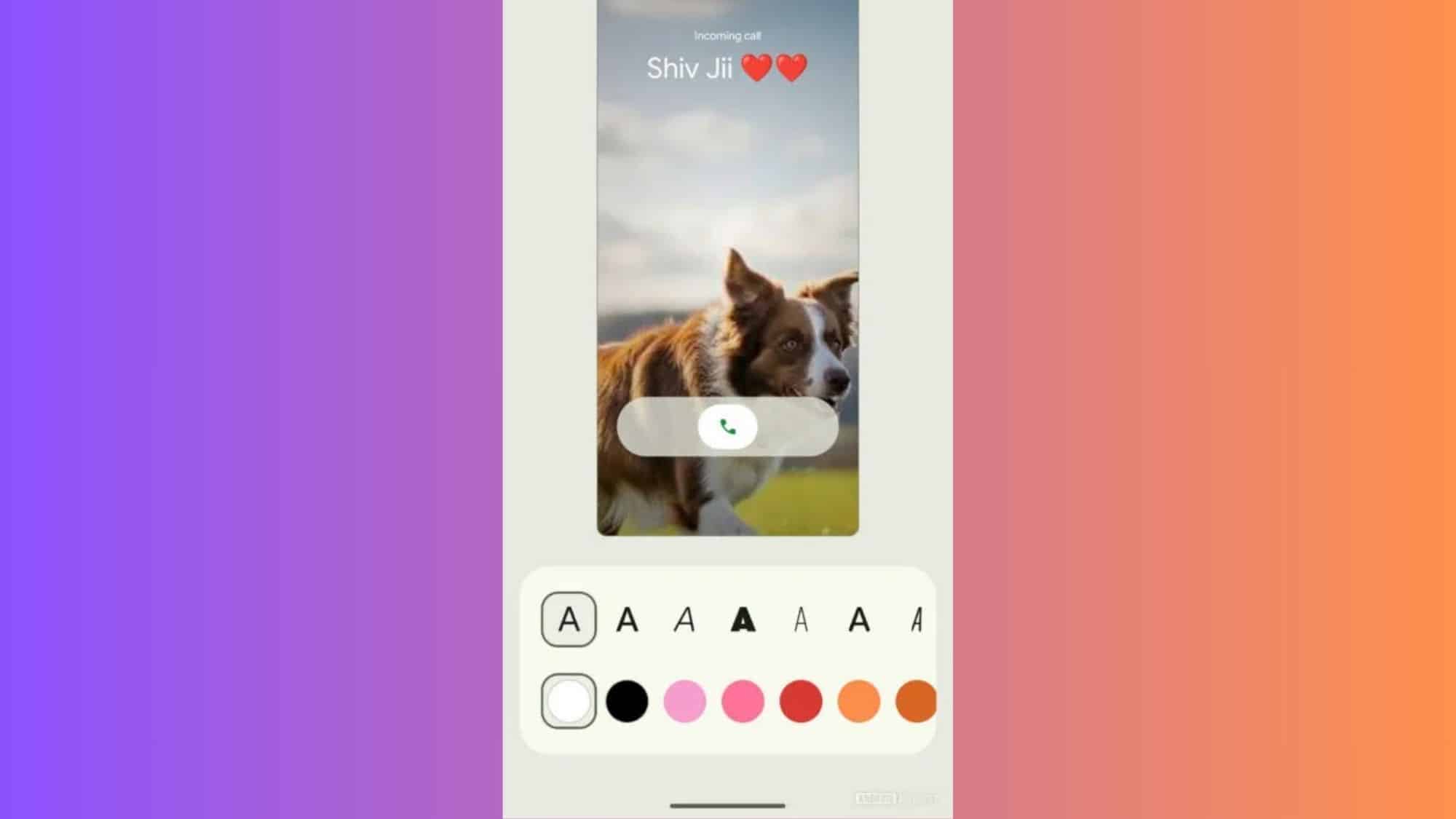
You can customize incoming calls with Google’s Calling Cards feature
According to a report from Android Authority, Google has pushed Calling Cards to the latest beta version (v4.61.28.792249534) of the Contacts app. Earlier, you could display just a contact’s profile picture in the center, but the new feature lets you put a full-screen image as the background. You can customize how contacts appear on the call during incoming calls.
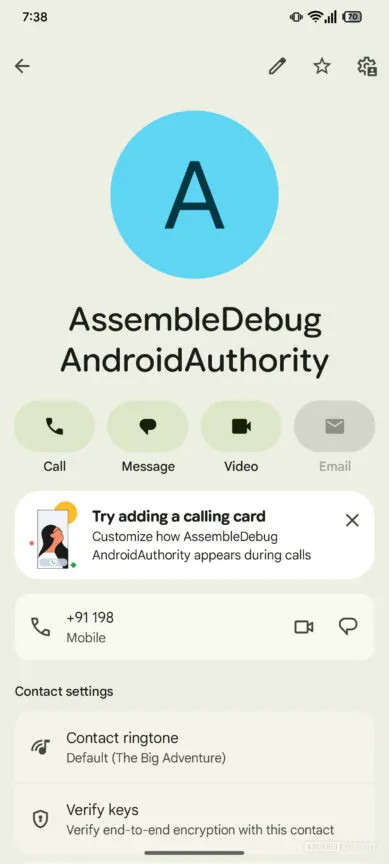
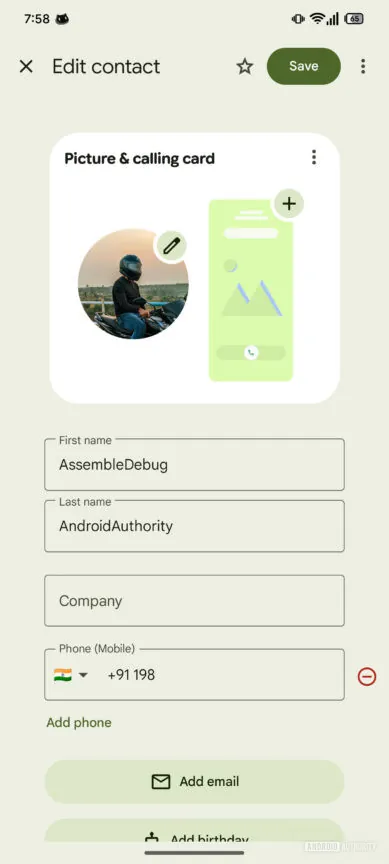
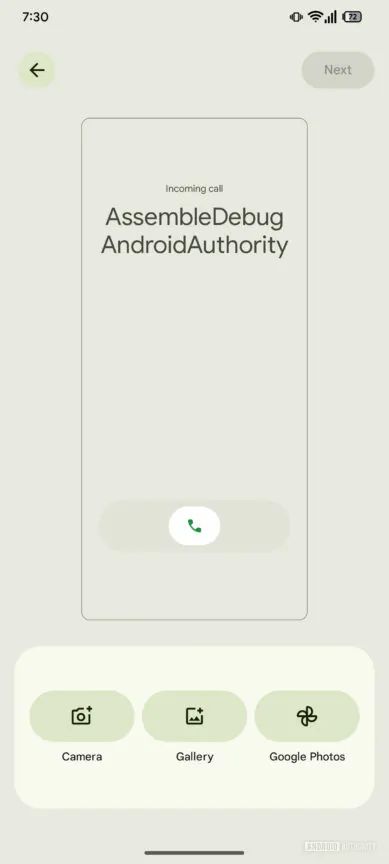
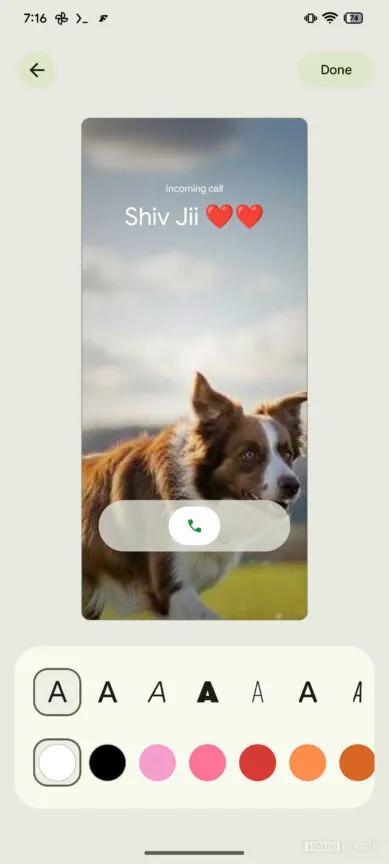
In the Google Contacts app, when you view a contact, it displays the option to create a Calling Card. The same prompt also appears when you add or edit a contact, giving you more flexibility to personalize your contacts. After adding the Calling Card for the contact, you can select an image from your camera, gallery, or Google Photos.
There are a bunch of font styles and color options available, which you can choose according to your preference. It also lets you set the same image as a contact picture. The system will sync all changes to your Google account, so the customized cards show up on other devices.
In addition to the Contacts app, the Calling Cards option appeared in the Google Phone app (version 188.0.793710089-publicbeta-pixel2024). It displays a get started prompt and also shows which contacts already have a Calling Card. As mentioned above, Samsung’s Phone and Contacts apps for Galaxy devices already offer this feature. Following this beta testing, Google may roll it out to its users in the coming weeks.

Written by
Binay KonwarBinay Konwar started his blogging journey in 2014 and has since written plenty of tech articles. At present, he is working as a News Writer at SammyGuru, covering everything about Samsung. He holds a Master's degree in Mathematics, but his real passion lies in tech and writing. In his free time, he enjoys playing chess and watching movies.

Follow us on Google Discover & set us as a preferred source in Google News
Share this Post
___________________________


New Blog Posts
___________________________

First Set of Pixel 11 Pro XL Renders Are Here
Pixel 11 Pro XL CAD renders show minimal design changes

Is Samsung Preparing One UI 8.5 Beta for Galaxy Z Fold 5 and Flip 5?
Samsung may launch a One UI 8.5 beta program for its 2023 foldables

Galaxy S25 One UI 8.5 Beta May Run Longer Than Expected
Galaxy S25 series’ One UI 8.5 beta may stretch to 10 rounds







