
Google Rolls Out Redesigned Chat Details Page in Messages App
SammyGuru is reader-supported. We have affiliate and sponsored partnerships, so we may earn a commission when you buy through links on our site — at no extra cost to you. Learn more.
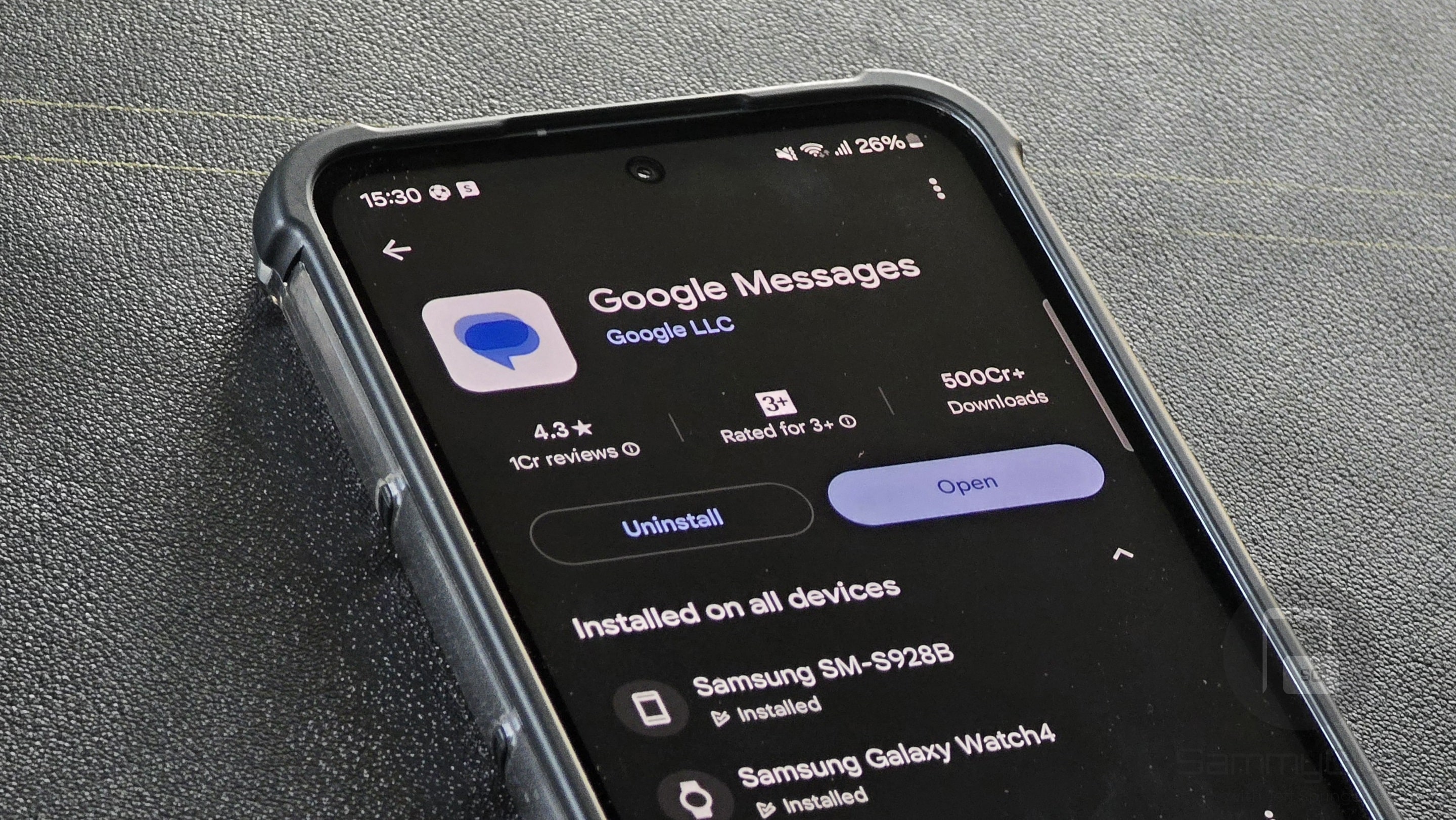
Google has rolled out an update for its Messages app with a redesigned chat details page. The new version brings the Material 3 Expressive design language to the page for an enhanced user experience. The update should arrive on all Galaxy devices globally in the coming weeks.
New Google Messages update revamps message details page
With each new update, Google aims to improve its messaging app so it can stand out in a competitive market. The revamped message details page within the app is a clear step in that direction, which offers a more intuitive interface. As 9to5Google points out, the page now appears in full screen — you can access it by long-pressing a message and tapping the three-dot overflow menu.
-
- Old
-
- New
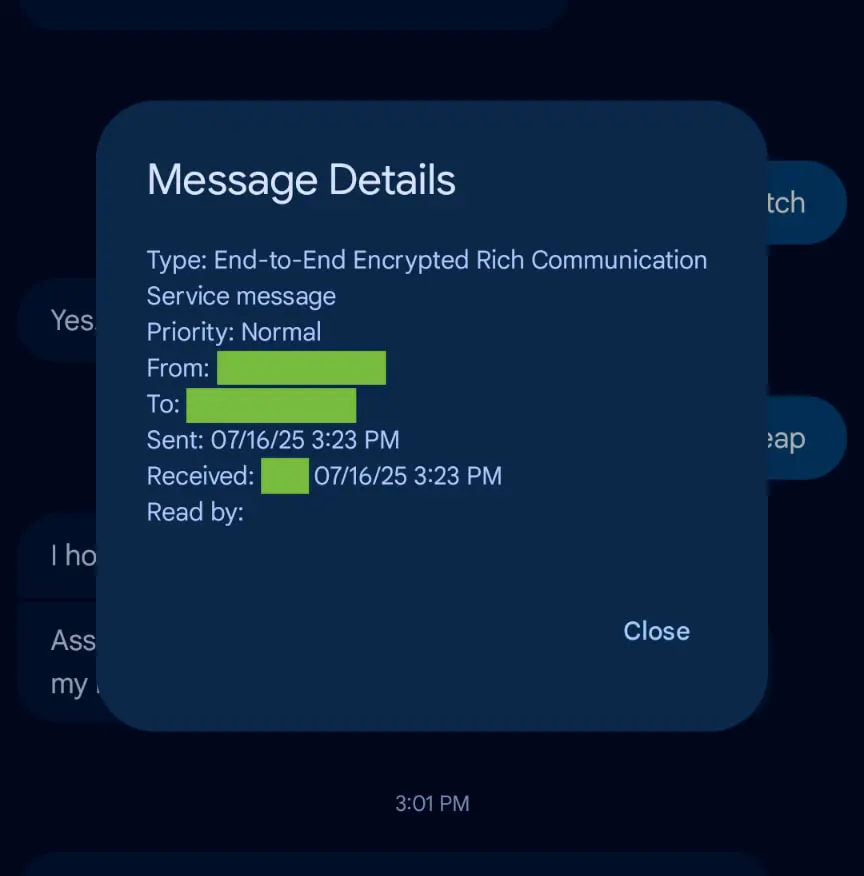
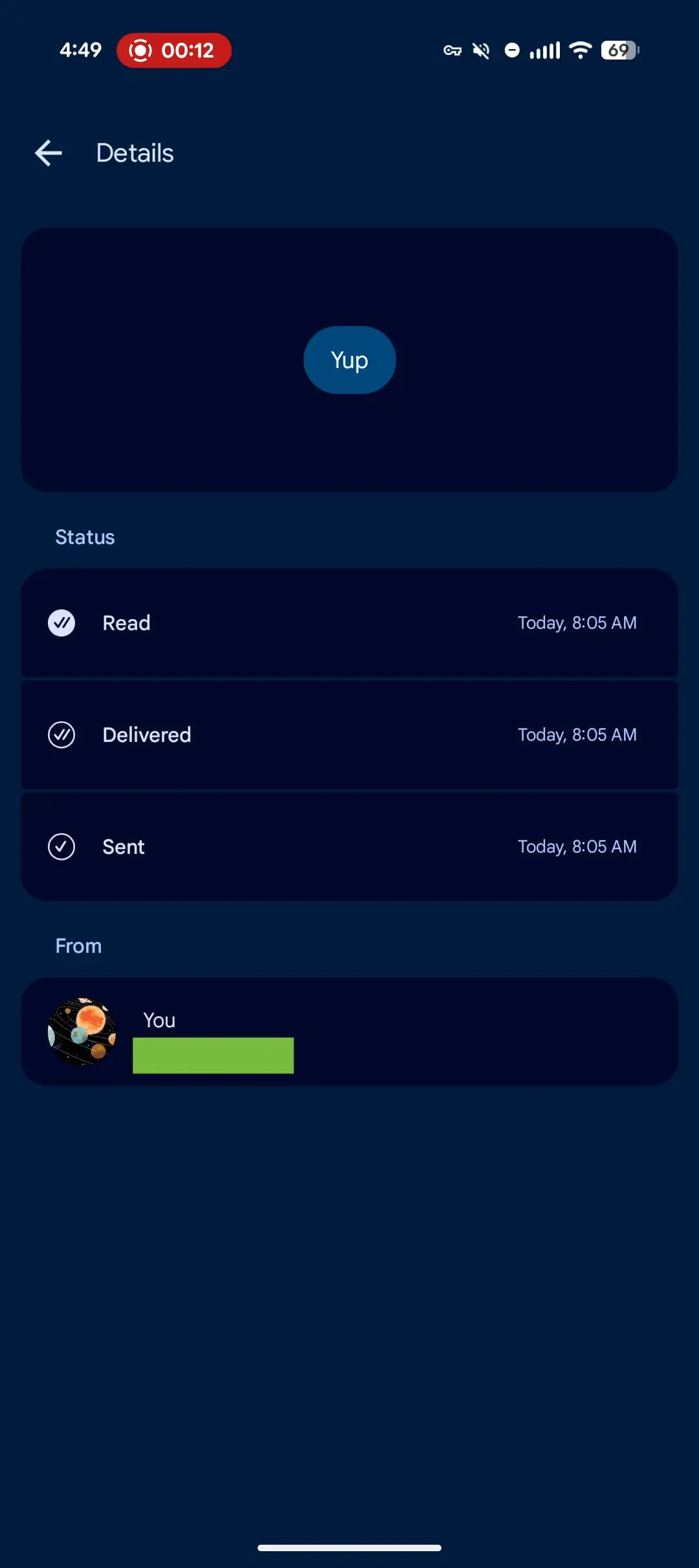
Previously, the message details appeared within a smaller dialog box that partially covered the chat. The new full-screen layout previews the message with details such as delivery status and timestamps. Now you no longer need to crop a screenshot to avoid showing unrelated parts of the conversation — the new layout presents everything you need clearly.
There is a new Status section that shows the current state of a message with visual icons. A circle with a single checkmark means the message was sent, while two checkmarks confirm the delivery. Likewise, a filled-in circle with two checkmarks indicates that the recipient has read your message.
Furthermore, the From section shows the sender’s name and phone number. However, some information, such as message Type (End-to-End Encrypted Rich Communication) and Priority level, is missing from the new page. Notably, the redesigned details page becomes the first to adopt Material 3 Expressive containers. The company may gradually bring this design to other parts of the app in future updates.
These changes appear in both the stable (20250713_01_RC04) and beta (20250725_02_RC00) versions of Google Messages. You can check for the latest update through the Play Store on your Galaxy device. If the update is available, make sure to install it to experience the new design enhancements.

Written by
Binay KonwarBinay Konwar started his blogging journey in 2014 and has since written plenty of tech articles. At present, he is working as a News Writer at SammyGuru, covering everything about Samsung. He holds a Master's degree in Mathematics, but his real passion lies in tech and writing. In his free time, he enjoys playing chess and watching movies.

Follow us on Google Discover & set us as a preferred source in Google News
Share this Post
___________________________


New Blog Posts
___________________________

First Set of Pixel 11 Pro XL Renders Are Here
Pixel 11 Pro XL CAD renders show minimal design changes

Is Samsung Preparing One UI 8.5 Beta for Galaxy Z Fold 5 and Flip 5?
Samsung may launch a One UI 8.5 beta program for its 2023 foldables

Galaxy S25 One UI 8.5 Beta May Run Longer Than Expected
Galaxy S25 series’ One UI 8.5 beta may stretch to 10 rounds







