
Here’s Your First Look at One UI 8 on Galaxy Tab S10 Ultra
SammyGuru is reader-supported. We have affiliate and sponsored partnerships, so we may earn a commission when you buy through links on our site — at no extra cost to you. Learn more.
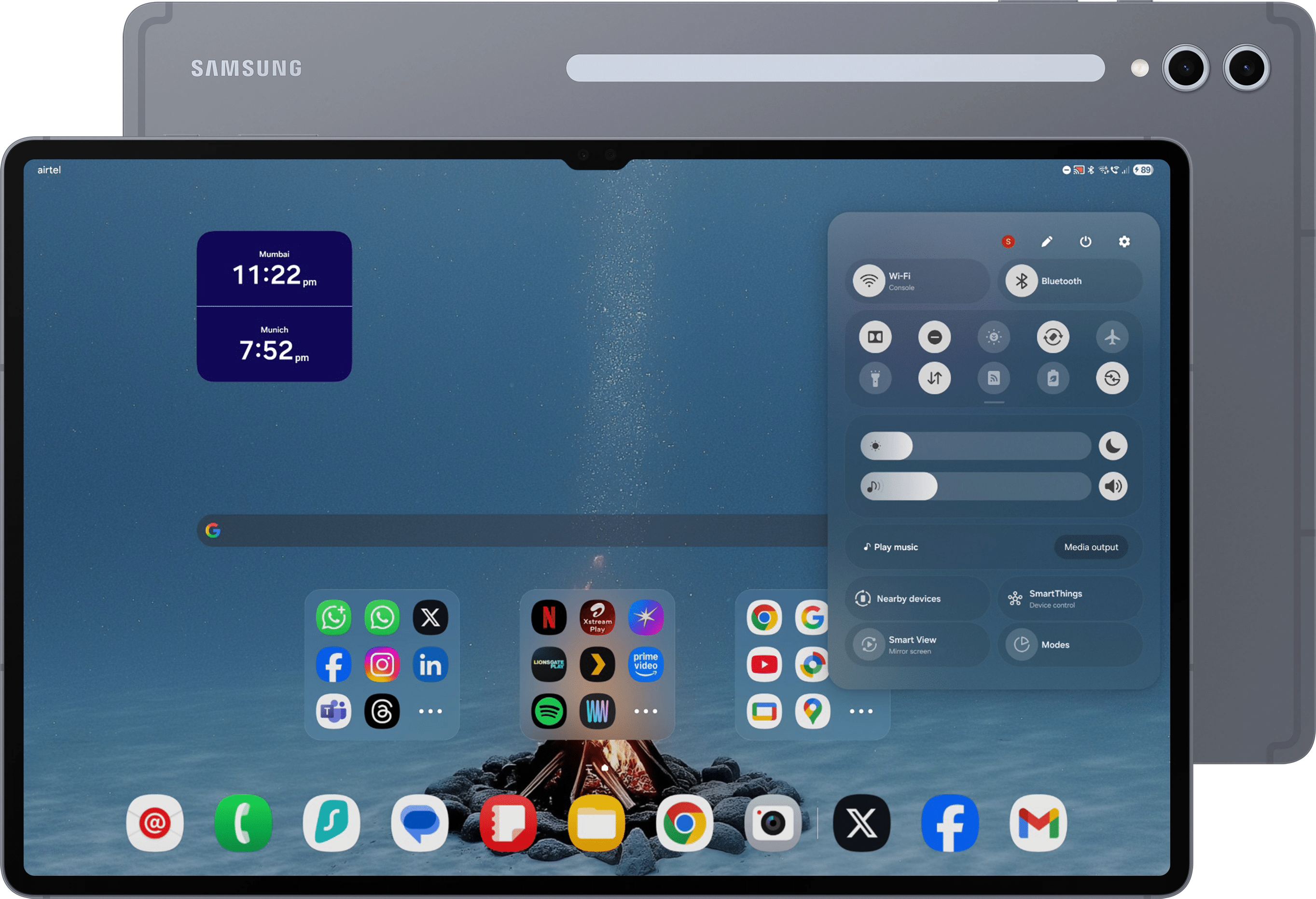
We installed the internal One UI 8 (CYF3) build on the Galaxy Tab S10 Ultra — with some help from Sandeep Adap — to get an early look. This early version of One UI 8 offers a first peek at what Samsung might be cooking up for its next-gen tablets, and there are already some intriguing changes to check out.
Sleek blur effect enhances quick panel and notifications
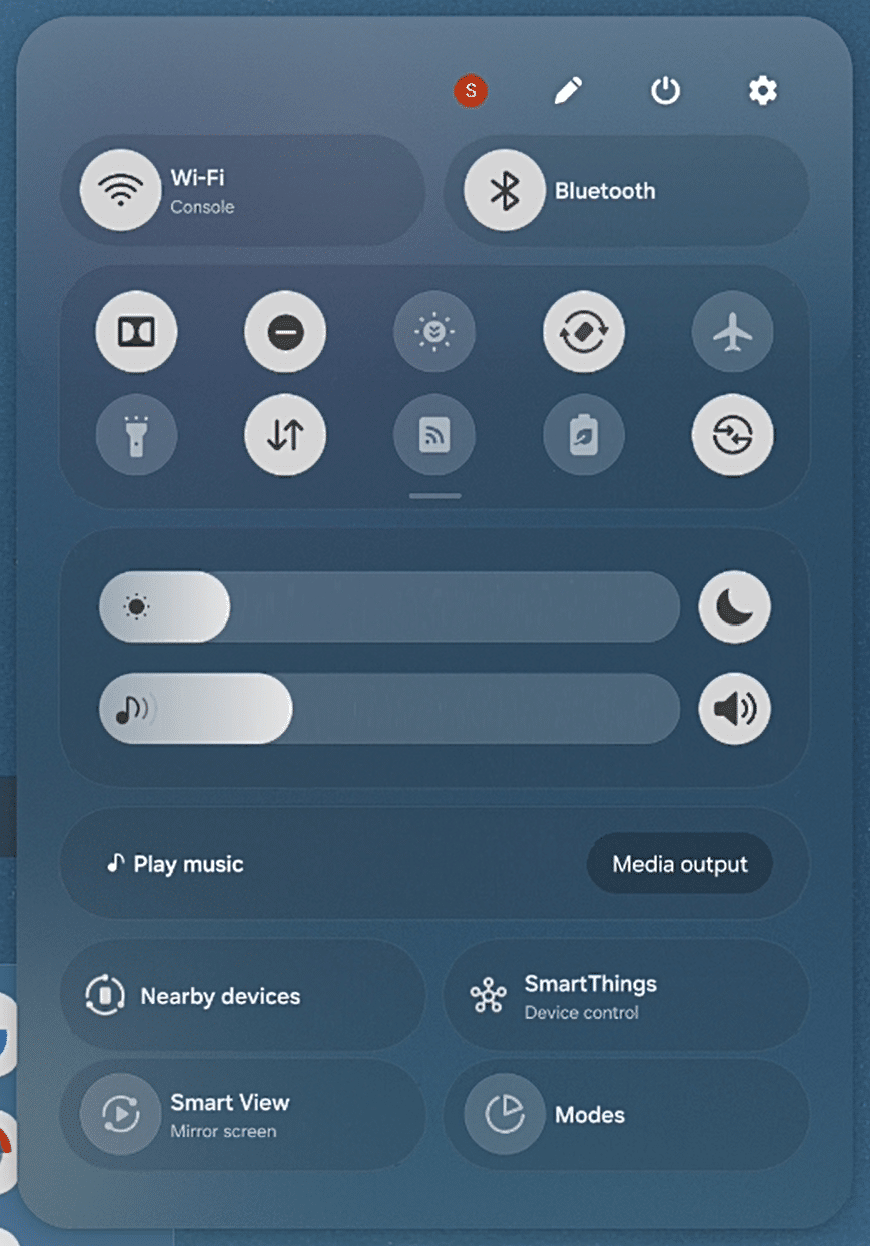
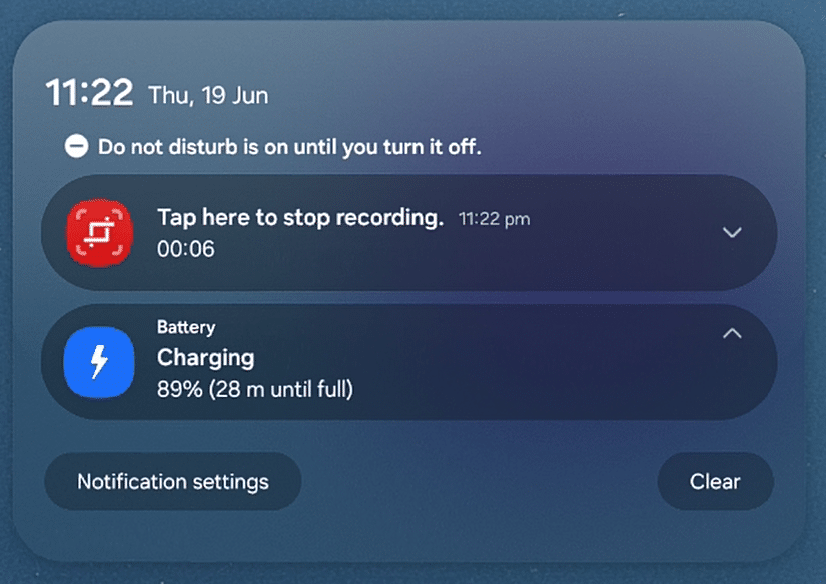
One of the first things you’ll notice is a sleek new blur effect layered onto the Quick Panel and notification shade. With this change, the content in the background remains partially visible when opening these panels. This provides a more fluid and modern user experience, allowing users to maintain context and visibility of what’s happening on their screen while interacting with notifications or quick settings.
-
- Quick Panel
-
- Notification panel
My Files gets a smart new look and structure
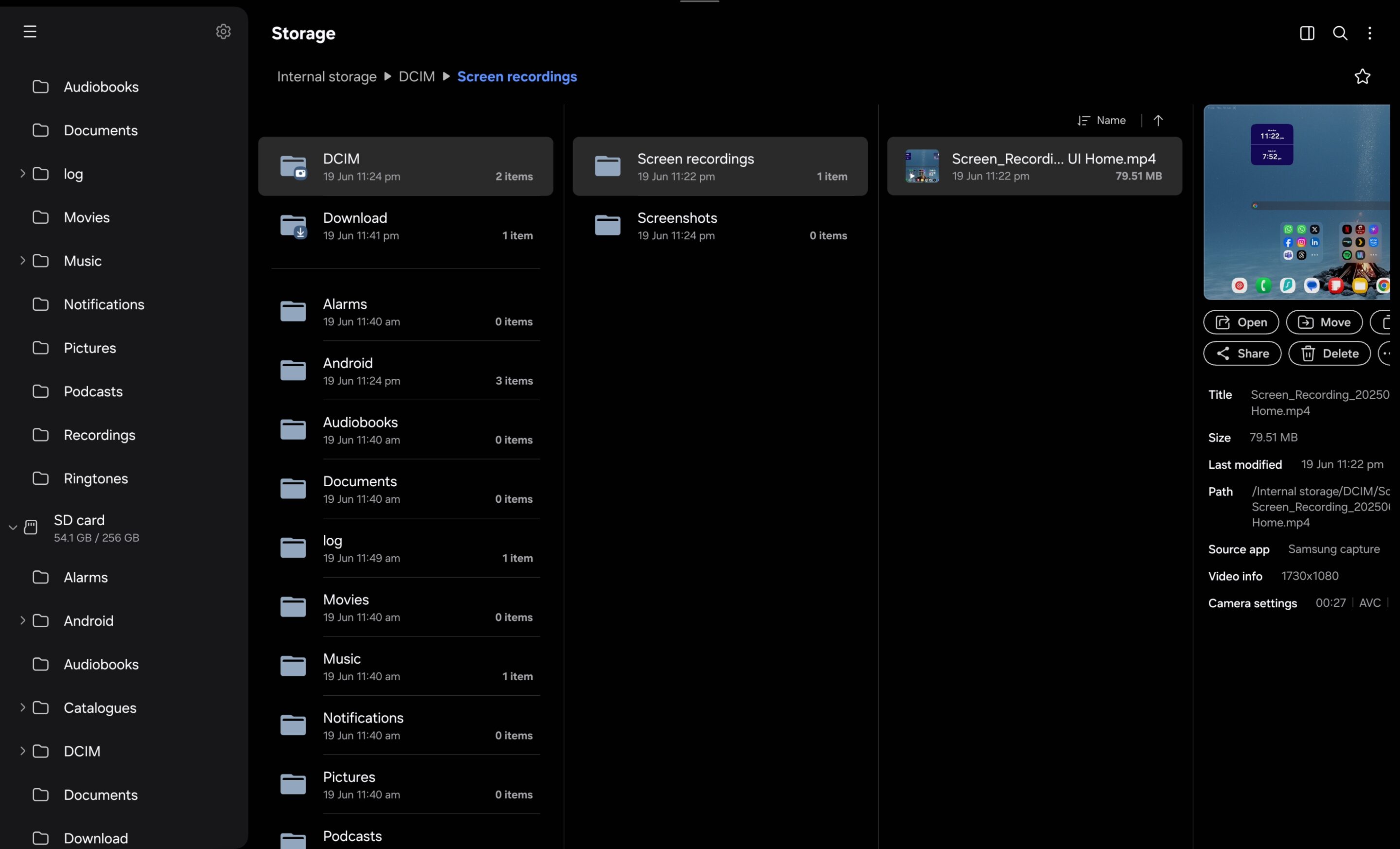
The My Files app has also undergone a makeover. The refreshed user interface feels more intuitive, with an improved folder structure. It’s now much easier to identify which subfolder a file is located in, thanks to clearer folder paths and a more logical layout. This change makes file management more efficient. It’s particularly useful on a productivity-focused device like the Galaxy Tab S10 Ultra.
My Files
We’re still early in our deep dive through this internal build, but even now, Samsung’s direction with One UI 8 on Galaxy Tabs feels pretty clear. The tweaks here mirror the refinement we’re seeing on Samsung’s smartphones running One UI 8, but scaled thoughtfully for a bigger screen.
CYF3 may be a work in progress, but the signs are promising. By which, we mean the sleeker visuals, more functional tools, and a UI that feels more cohesive. We’ll continue exploring builds further and will share more findings as they emerge. Stay tuned!


Follow us on Google Discover & set us as a preferred source in Google News
Share this Post
___________________________


New Blog Posts
___________________________

First Set of Pixel 11 Pro XL Renders Are Here
Pixel 11 Pro XL CAD renders show minimal design changes

Is Samsung Preparing One UI 8.5 Beta for Galaxy Z Fold 5 and Flip 5?
Samsung may launch a One UI 8.5 beta program for its 2023 foldables

Galaxy S25 One UI 8.5 Beta May Run Longer Than Expected
Galaxy S25 series’ One UI 8.5 beta may stretch to 10 rounds







