
Google Messages Rolls Out Snooze and Delete Features

SammyGuru is reader-supported. We have affiliate and sponsored partnerships, so we may earn a commission when you buy through links on our site — at no extra cost to you. Learn more.
Google is gradually improving its Messages app, adding the best features from competing messaging platforms. The company recently started rolling out a bunch of new features, such as Snooze notifications, Delete for everyone, and Delete for me. These features are available in the stable channel and should reach all Galaxy users in the coming days.
Google brings snooze and delete features to its Messages app
A few weeks ago, Google began testing snooze and delete features to deliver a modern messaging experience to Google Messages users. Now, the testing phase is over, and the company is officially rolling out these features to all users, according to 9to5Google.
The most notable addition is the Snooze notifications that let you control messages seamlessly. You can now mute notifications for any chat for a certain period. This is particularly helpful if you want to check the notification at a more convenient time. To access, just long-press on a chat from the main screen, and you will see the Snooze notifications panel. You can choose from four options: 1 hour, 8 hours, 24 hours, and Always.
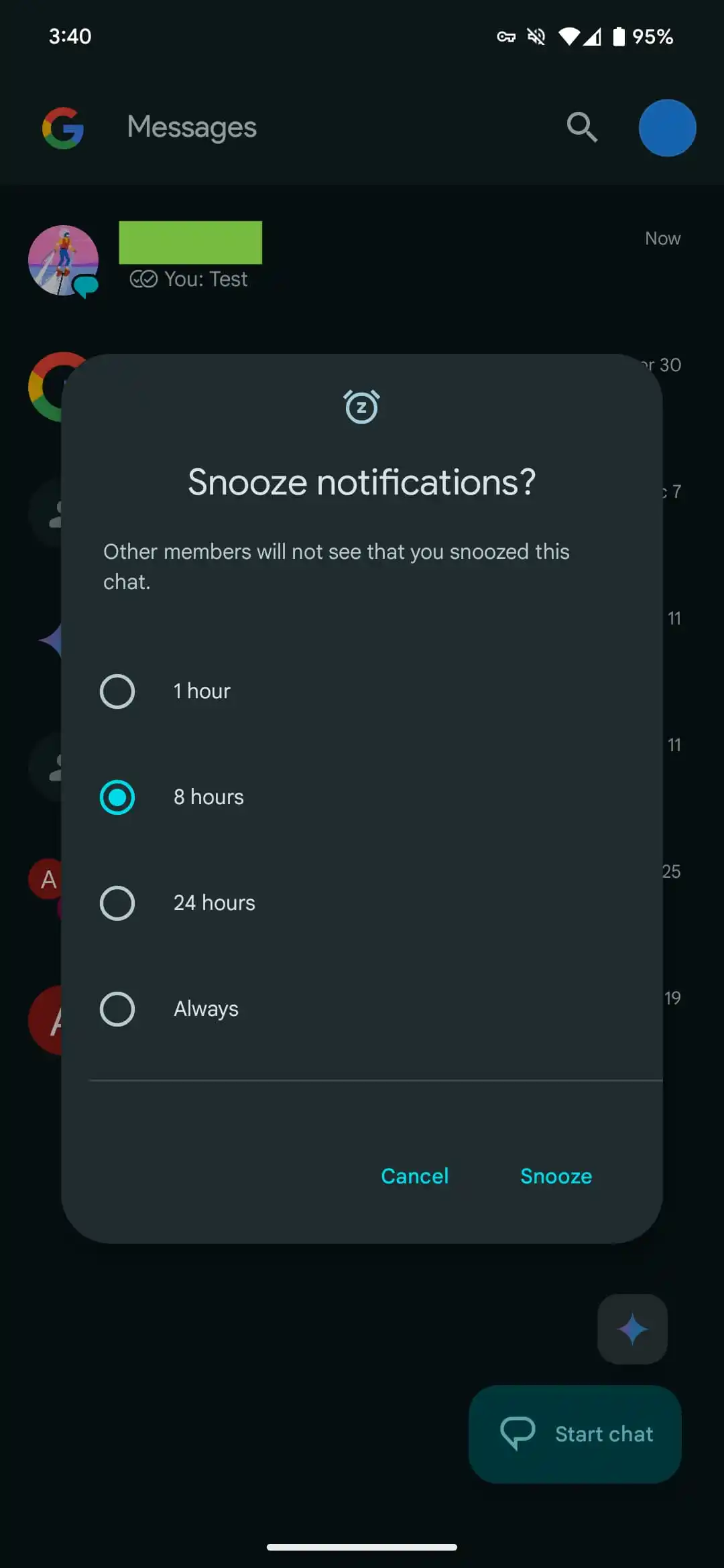
If you snooze, the chat thread will turn gray, displaying a snooze icon below the timestamp. If you change your mind, you can long-press the chat and hit the clock icon again to unsnooze. The best part is that the app does not notify the other members that you have snoozed, making it a private action.
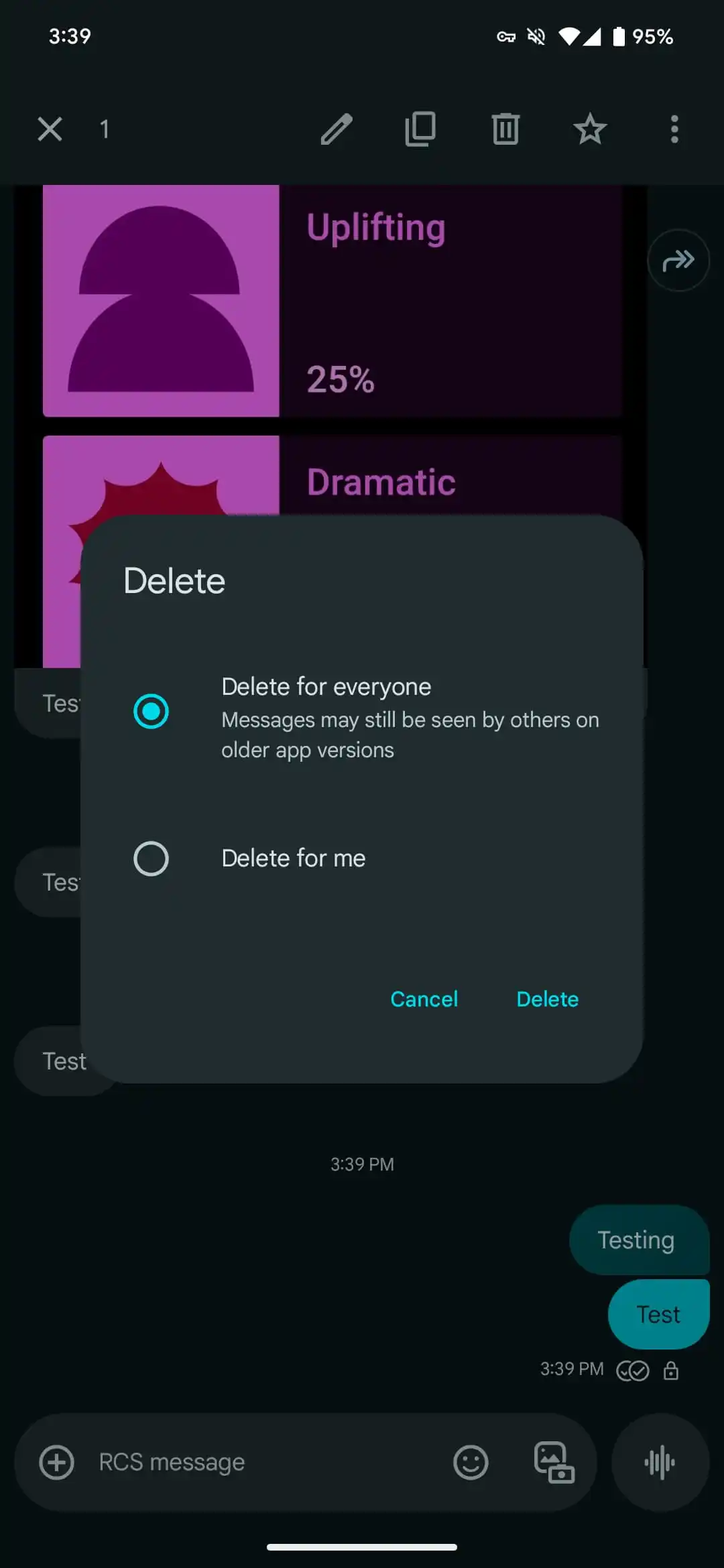
Another useful addition is the ability to delete messages from the chat threads, just like Telegram and WhatsApp. When you are in an RCS conversation, you can initiate the Delete for everyone and Delete for me options by just long-pressing a sent message. This will allow you to either delete the message from your side or retract it for the recipient. Keep an eye out for the latest Google Messages app update in the Play Store.

Written by
Binay KonwarBinay Konwar started his blogging journey in 2014 and has since written plenty of tech articles. At present, he is working as a News Writer at SammyGuru, covering everything about Samsung. He holds a Master's degree in Mathematics, but his real passion lies in tech and writing. In his free time, he enjoys playing chess and watching movies.

Follow us on Google Discover & set us as a preferred source in Google News
Share this Post
___________________________


New Blog Posts
___________________________

First Set of Pixel 11 Pro XL Renders Are Here
Pixel 11 Pro XL CAD renders show minimal design changes

Is Samsung Preparing One UI 8.5 Beta for Galaxy Z Fold 5 and Flip 5?
Samsung may launch a One UI 8.5 beta program for its 2023 foldables

Galaxy S25 One UI 8.5 Beta May Run Longer Than Expected
Galaxy S25 series’ One UI 8.5 beta may stretch to 10 rounds







