
One UI 8 Brings Huge Game Booster Update

SammyGuru is reader-supported. We have affiliate and sponsored partnerships, so we may earn a commission when you buy through links on our site — at no extra cost to you. Learn more.
Samsung’s devices are seriously good for gaming, with some solid hardware backing them. Take for example, the latest Galaxy S25 series (including S25 Edge) packs the Snapdragon 8 Elite SoC. But that is nothing without good software leading the charge. Speaking of which, One UI 8‘s gaming tool, Game Booster, is getting some new features and the bringing back some old features too.
What’s new with Game Booster on One UI 8?
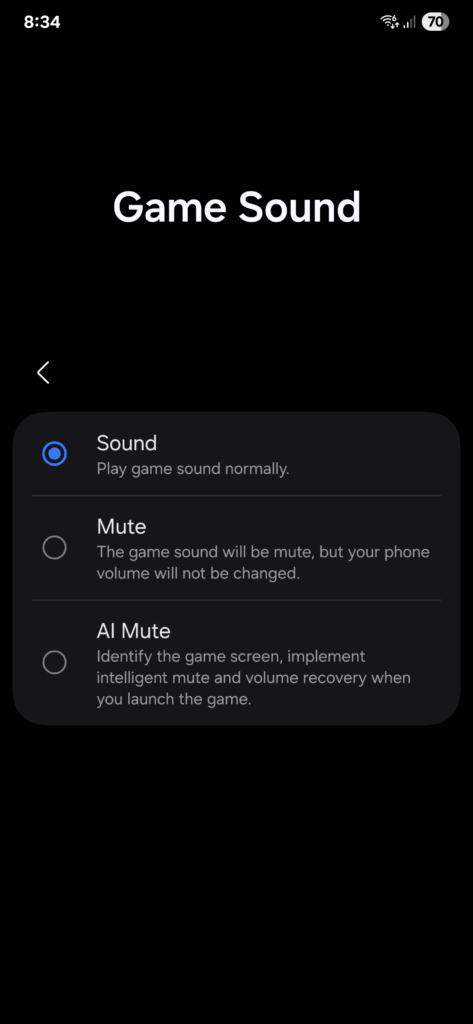
With Game Booster version 7.0.51.13, there are quite a few new additions. First, let’s look in the Game Booster settings. There, you will see two new menu options. The first one is Game Sound, which controls the sound output of the game, whilst not influencing the system sound level. There are three options here:
- Sound, which is the default behavior that plays the game sound as usual
- Mute, which mute the game sound, but leaves the system volume intact. Handy for listening to music while you play
- AI Mute, which will identify the area of your game and intelligently adjust the sound from there. An example could be the game sound disables while idle.
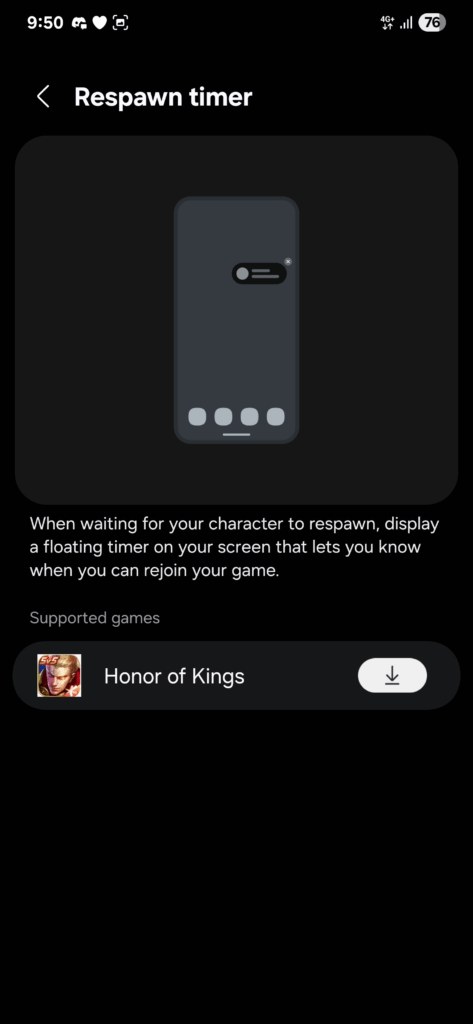
The second new feature on offer is a Respawn Timer, which will show a floating countdown to let you know when your character has respawned. The supported catalog isn’t very big just yet, but more games should be added in the future.
New pop-up menu options
The in-game pop up menu also got an update, now with many more options to choose from. Super microphone lets you use Bluetooth mics, and lets you use the mic in multiple apps at once. Dash Notifications change how notifications look whilst in-game, with adjustable speed and transparency options. Voice changer also gets added into Game Booster, which lets you apply funny effects to your voice, making you sound like a robot or alien. Indeed a funny way to trick your teammates.
-
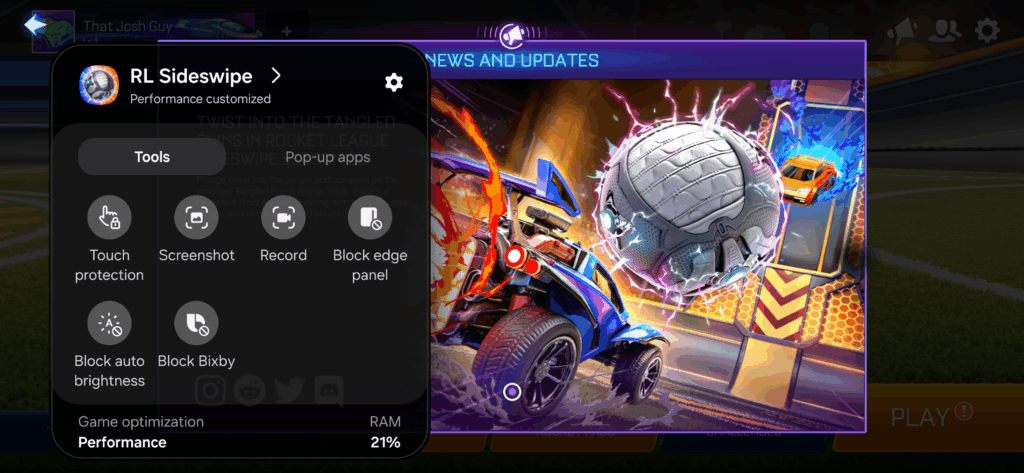
- One UI 7
-
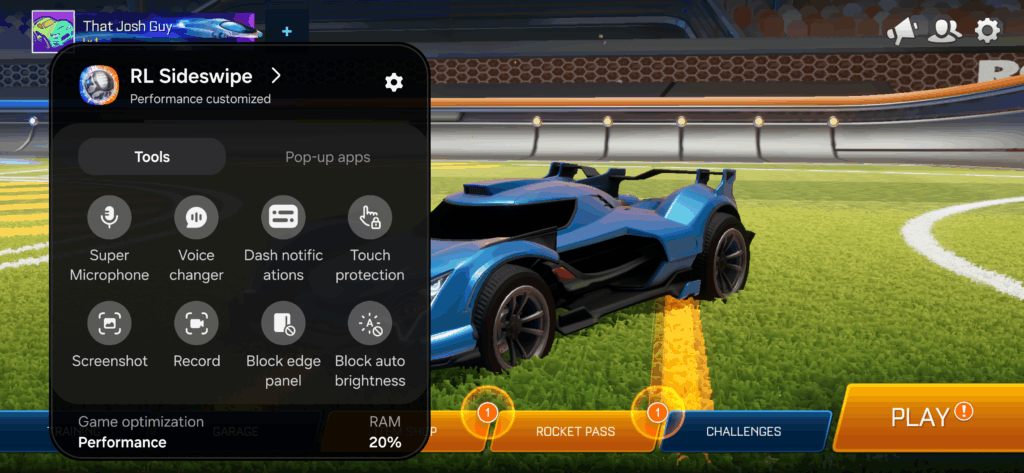
- One UI 8
The changelog on the Galaxy Store also points out features that aren’t on this current version, but are arriving imminently. 4D Vibration is among the list, but doesn’t describe what does.

Huge thanks to @GalaxyTechie over on X for sharing this with us!

Written by
Josh SkinnerJosh is a freelance writer, graphic and user interface designer, and content creator. He has a sizable following on Twitter/X, with his deep insights, extensive knowledge and design skills attracting audiences. He also loves lego, video games and tech as a whole.

Follow us on Google Discover & set us as a preferred source in Google News
Share this Post
___________________________


New Blog Posts
___________________________

First Set of Pixel 11 Pro XL Renders Are Here
Pixel 11 Pro XL CAD renders show minimal design changes

Is Samsung Preparing One UI 8.5 Beta for Galaxy Z Fold 5 and Flip 5?
Samsung may launch a One UI 8.5 beta program for its 2023 foldables

Galaxy S25 One UI 8.5 Beta May Run Longer Than Expected
Galaxy S25 series’ One UI 8.5 beta may stretch to 10 rounds







