
Should You Upgrade to Wi-Fi 7 or Stick with Wi-Fi 6/6E?
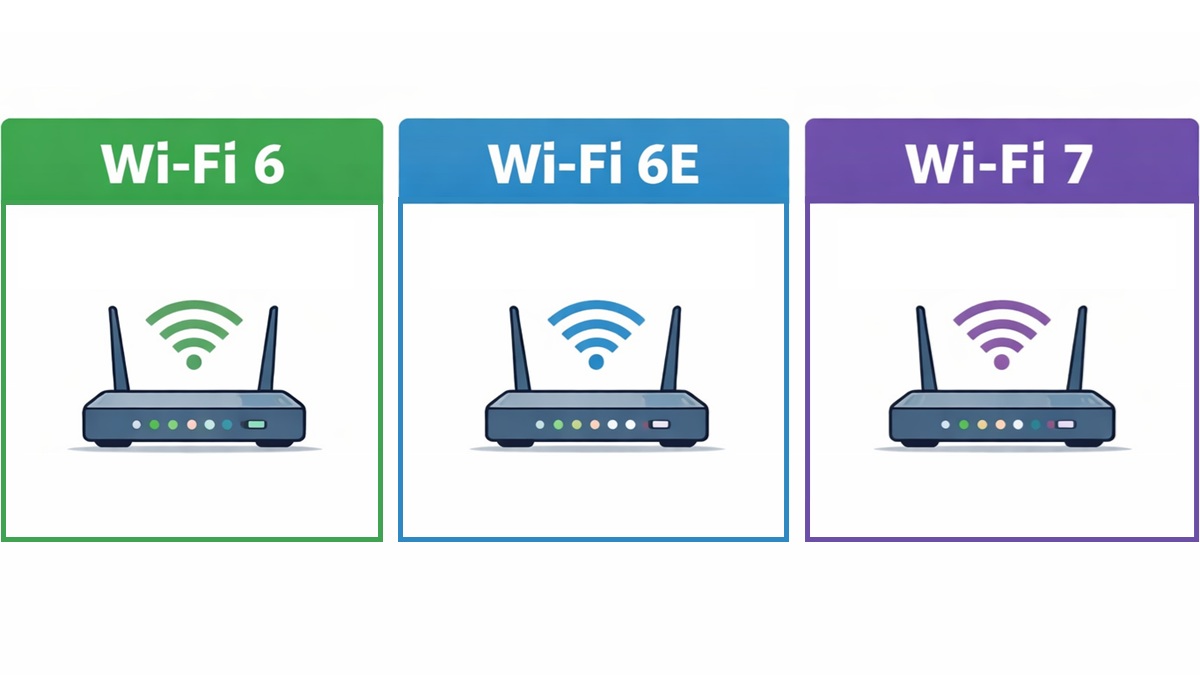
As wireless connectivity becomes ever more central to our digital lives — from streaming video to gaming, from remote work to smart-home sensors — Wi-Fi standards continue evolving to meet rising demands for speed, density, reliability, and low latency. Just when Wi-Fi 6 and 6E became more mainstream, Wi-Fi 7 arrived, promising a generational leap.
The latest standard doesn’t simply lead the way in headline speed, but also in how networks handle interference, multiple devices, latency-sensitive applications, and future-proofing. But do you really need Wi-Fi 7 today? Or will Wi-Fi 6 or 6E serve you perfectly well for the coming years? Let’s dive in.
Table of contents:
-
- Evolution of Wi-Fi standards
- Core technologies
- OFDMA
- MU-MIMO
- Channel bandwidth
- Spatial streams
- Modulation
- Multi-link operation
- AFC and FCU
- Ethernet ports and backhaul considerations
- Theoretical vs practical speed
- Latency and efficiency gains
- IoT scalability
- Security upgrades
- Real-world use cases
- Compatibility and device ecosystem
- Future outlook
Check out some deals on Wi-Fi router deals:
- Wi-Fi 7 (latest generation)
- Wi-Fi 6E (best balance for most homes)
- Wi-Fi 6 (budget-friendly upgrades)
Prices may change over time.
Evolution of Wi-Fi standards
To understand what each standard brings, it helps to see how they evolved. Each new generation builds on the previous one; they don’t simply add speed but add efficiency, more devices, and smarter spectrum use. Here’s a quick table showing major Wi-Fi generations and their breakthroughs:
| Generation | Technical Name | Key Breakthroughs |
|---|---|---|
| Wi-Fi 5 | IEEE 802.11ac | Focus on 5 GHz band, faster MU-MIMO downlink, higher throughput vs earlier standards. |
| Wi-Fi 6 | IEEE 802.11ax | Introduced OFDMA, uplink MU-MIMO, and better efficiency in congested environments. |
| Wi-Fi 6E | IEEE 802.11ax (extended into 6 GHz) | Adds the 6 GHz band — cleaner spectrum and more usable channels. |
| Wi-Fi 7 | IEEE 802.11be | 320 MHz channels, 4096-QAM, Multi-Link Operation (MLO), more spatial streams — a big generational leap. |
In short, Wi-Fi 6 was about efficiency and supporting many devices; 6E was about giving that standard a bigger playground (in 6 GHz); and Wi-Fi 7 is about radically boosting capacity, flexibility, reducing latency, and preparing for new use-cases.
One of the biggest influencing factors on Wi-Fi performance is which frequency bands the standard uses. Lower frequencies (e.g., 2.4 GHz) travel farther and penetrate obstacles better but are crowded and slower; higher frequencies (5 GHz, 6 GHz) offer more bandwidth but shorter range and more sensitivity to obstacles. Here’s how the three standards compare:
- Wi-Fi 6: Operates on 2.4 GHz and 5 GHz bands.
- Wi-Fi 6E: Uses the same standards as Wi-Fi 6 (802.11ax) but adds the 6 GHz band (i.e., 2.4GHz + 5GHz + 6GHz). The addition of a new spectrum makes it less congested.
- Wi-Fi 7: Uses 2.4GHz, 5GHz, and 6GHz as well, but critically, it takes full advantage of simultaneous use of multiple bands (via Multi-Link Operation) and larger channel widths on the 6 GHz band.
The addition of 6GHz in 6E (and used fully in 7) means many more non-overlapping channels, less interference (especially in dense apartments/urban settings), and the possibility of wider channels (such as 160 MHz or even 320 MHz in Wi-Fi 7) for higher throughput. For example, the 6 GHz band adds roughly 1,200 MHz of fresh spectrum in some jurisdictions (more on this later).
In practical terms, if you live in a busy environment with many neighbouring Wi-Fi networks (apartments, condos), the 6 GHz band (Wi-Fi 6E or 7) gives you a much cleaner spectrum to work with. If you’re farther from the router or have many walls, the 2.4GHz/5GHz spectrum of Wi-Fi 6 might still be competitive.
Core Technologies
While frequency and channel width are important, the real advancements of each generation lie in how networks share resources among many devices, especially in real‐world scenarios where many clients are connected at once. Let’s take a look at the core technologies that define the capabilities of each Wi-Fi standard.
OFDMA (Orthogonal Frequency Division Multiple Access)
Introduced in Wi-Fi 6, OFDMA splits up channels into smaller sub-units (“resource units”) so an access point can serve multiple devices simultaneously. This enhances efficiency, especially in a smart home full of many devices (phones, tablets, IoT sensors). Instead of one large “chunk” of bandwidth being used by one device at a time, OFDMA allows the AP to multiplex multiple smaller “chunks” to many devices, reducing latency and improving aggregate throughput in dense environments.
MU-MIMO (Multi-User Multiple Input Multiple Output)
Earlier Wi-Fi standards supported MU-MIMO for downlink (AP to many clients), but Wi-Fi 6 added improved uplink MU-MIMO (many clients to AP) as well. This helps when many devices are actively sending data (gaming, uploads, video conferencing). These two technologies combined form the baseline improvements of Wi-Fi 6 (and by extension, 6E). For Wi-Fi 7, these are further enhanced and supplemented by additional modes (e.g., Multi-Link Operation) and more spatial streams.
Channel bandwidth
A key way Wi-Fi standards push throughput is by increasing channel width (i.e., the “size of the road” the data can travel). A wider channel means more data per “time unit”. Here’s how the three standard stack up when it comes to channel bandwidth.
| Standard | Maximum channel width | Approx. maximum speed per stream | Notes |
|---|---|---|---|
| Wi-Fi 6 / Wi-Fi 6E | Up to 160 MHz | ~1.2 Gbps per stream (for 2×2) | Many devices still won’t use the full width due to interference, DFS restrictions, etc. |
| Wi-Fi 7 | Up to 320 MHz (in 6GHz band) | ~2.4 Gbps per stream (or more, depending on spatial streams) | Doubles the “width of the road” and enables much higher throughput. |
For example, Wi-Fi 7 can theoretically reach speeds of 46 Gbps, while Wi-Fi 6 maxes out around 9.6 Gbps. In practical terms, if your client device supports wide channels and you are in a favourable environment (close to the router, minimal walls/interference, good antenna configuration), you could see substantial speed gains. However, many real-world constraints limit full use of these widths (e.g., DFS channels, channel availability, client support).
Spatial streams
Spatial streams refer to how many discrete data “paths” (using multiple antennas) you can have simultaneously. The more streams, the more parallel data you can send/receive. This boosts throughput, especially in high-end hardware. Wi-Fi 5 supported up to about 4 spatial streams in many devices, while Wi-Fi 6 / 6E doubles that to 8 spatial streams in theory. Wi-Fi 7 supports up to 16 spatial streams in theory.
However, most consumer devices (smartphones, tablets, laptops) still ship with 2×2 or perhaps 4×4 antenna configurations. So, whereas the access point may support 16 streams, your device might not. The value in high-stream count becomes more apparent in enterprise, high-density, or mesh/large installation scenarios.
Modulation: QAM levels
Modulation schemes determine how many bits can be encoded per radio signal. Higher QAM (Quadrature Amplitude Modulation) levels allow more bits, but require better signal conditions (less noise, better SNR). Wi-Fi 5 supports 256-QAM, while Wi-Fi 6/6E quadruples that to 1024-QAM. This means four times more data per symbol than Wi-Fi 5. Wi-Fi 7 takes things to another level with 4096-QAM, offering up to 12 bits per symbol rather than 10.
If your signal is excellent (close to the router, minimal interference), then higher QAM levels help push more data. But if the signal is weaker, the modem will fall back to lower modulation schemes anyway, so the advertised “4096-QAM” doesn’t always translate into real-world benefit unless conditions are ideal. However, Wi-FI 7 is well-equipped to bring a real boost in ideal conditions.
Multi-Link Operation (MLO)
Multi-Link Operation (MLO) is another headline feature of Wi-Fi 7. In fact, this is arguably one of the most significant distinctions between Wi-Fi 7 and prior generations. In previous Wi-Fi standards, when a device connected to a router, it used a single band/channel path (for example: 5 GHz or 6 GHz). With MLO, Wi-Fi 7 devices can use multiple bands concurrently (2.4GHz, 5GHz, 6GHz) and multiple channels in parallel to aggregate throughput, balance load, avoid interference, and improve latency.
MLO is a game-changer, especially for dense/multi-device environments, mesh systems, and high-throughput applications. A device can use 6GHz + 5GHz simultaneously and thus combine speeds. And if one band suffers interference or a blocked path, traffic can shift to another link seamlessly. However, it requires both router and client device support, and the environment must allow multiple usable bands/channels.
AFC and FCU
With the addition of the 6 GHz band (especially in Wi-Fi 7) and wider channels, there’s also a need for smarter coordination of spectrum and interference mitigation. Two related technologies help: AFC and FCU.
- Automatic Frequency Coordination (AFC): Especially for the 6 GHz band, some portions are shared with legacy services (e.g., fixed microwave links, satellite ground stations). To avoid interference, Wi-Fi routers may consult a real-time database (in certain jurisdictions) to select frequencies and power levels safely. This enables higher power operation on 6 GHz, extending coverage.
- Flexible Channel Utilization (FCU): Older Wi-Fi standards deactivated an entire channel if interference was detected. Wi-Fi 7 introduces finer-grain partitioning, slicing channels into 20 MHz sub-units. During interference, only the impacted segments are muted, while the rest carry on transmitting. This improves throughput in interference-prone environments.
These enhancements are especially relevant in dense urban settings, multi-dwelling units, campuses, or where many overlapping networks exist.
Multi-gig Ethernet ports and backhaul considerations
Another less-frequently-discussed but practical implication is: Your router’s wired backhaul must keep up if you want to realize the full benefit of Wi-Fi 7’s wireless speed potential. For example, Wi-Fi 7 supports extremely high wireless throughput (well beyond 1 Gbps). However, if your router’s wired LAN port is only 1 Gbps, that becomes a bottleneck. Many Wi-Fi 7 routers now feature 2.5 GbE, 5 GbE, or 10 GbE ports to match the wireless side.
For mesh systems or large homes with wired backhaul between nodes, using multi-gig switches or uplinks will matter more if you are to benefit from Wi-Fi 7. In contrast, Wi-Fi 6/6E environments often suffice with standard 1 GbE.
Theoretical vs practical speed
It’s important to differentiate between theoretical peak speeds touted in marketing and what you’ll see in real-world deployment. Real-world performance depends on many factors: client device capability, distance from router, obstacles/walls, interference, channel width available, number of simultaneous users, etc. Here’s a rough comparison:
| Standard | Theoretical Top Speed (marketing) | Typical Real Speed (2×2 client) |
|---|---|---|
| Wi-Fi 6 / 6E | Up to ~9.6 Gbps | ~1.5–3 Gbps depending on interference, channel width, and environment. |
| Wi-Fi 7 | “40+ Gbps” (up to ~46 Gbps in some specs) | ~5–10 Gbps in favourable conditions — strongly depends on client support. |
While Wi-Fi 7 has a much higher throughput ceiling than Wi-Fi 6, it’s still highly dependent on the client device and access point. So, don’t assume you’ll immediately get 40 Gbps speeds when you upgrade to Wi-Fi 7. Real-world benefits will vary.
Latency and efficiency gains
Beyond raw speed, one of the major benefits of newer Wi-Fi standards is lower latency, increased efficiency, and better performance under heavier loads. If you are gaming, using VR/AR, doing cloud gaming, real-time collaboration, or streaming 8K video while many other devices in your home are active, those latency and efficiency gains matter. Some key points to remember:
- Multi-Link Operation helps reduce latency by choosing the best bands/links dynamically.
- Wider channels + more spatial streams + higher modulation mean more aggressive data transmission where conditions allow, which again helps reduce queuing/delay.
IoT scalability
As homes become smarter and full of not just phones and laptops but smart lights, sensors, cameras, appliances, etc., Wi-Fi standards have to support many devices while consuming low power. Wi-Fi 6 introduced features like Target Wake Time (TWT), which allows devices to negotiate when they wake up and transmit, rather than always staying “on.” This extends battery life in IoT devices.
Wi-Fi 7 further enhances this with efficient multi-user scheduling, improved resource units (via OFDMA), flexible channel usage, and improved band coordination. This allows multiple devices to co-exist without severely degrading performance or exhausting power budgets. For a smart-home environment with dozens of connected devices, newer Wi-Fi standards help maintain performance, stability, and battery life.
Security upgrades: WPA3 and beyond
Security is increasingly a concern, especially as more devices join our networks. Wi-Fi 6/6E mandates support for WPA3 (Wi-Fi Protected Access 3), which improves on WPA2 with stronger handshake protocols, improved encryption, and better resistance to brute-force attacks.
With Wi-Fi 7, although certification and roll-out are still in progress, many sources expect support for or integration of WPA4 (or next-gen security enhancements) as part of the future network ecosystem, although final availability depends on ratification and device support. For most users, ensuring your router supports WPA3 (if not WPA4) and that devices are kept up to date is a crucial part of network security. Upgrading to a newer standard may bring better security by default.
Real-world use cases
While newer Wi-Fi standards bring several advantages, not everyone needs to upgrade their setups right away. Let’s break down how each standard may be positioned in actual usage.
For many households today, Wi-Fi 6 is absolutely adequate. If you’re streaming 4K/8K content, have a few devices, and are gaming, Wi-Fi 6 offers robust performance and is widely supported by current devices. But if you have many devices contending for bandwidth, upgrading to Wi-Fi 6E reduces interference. This means more reliable performance under load, and potential for higher throughput if your devices support it.
However, if you have a very high-end home network with many simultaneous streams (4K/8K for multiple users), VR/AR streaming, cloud-gaming, and many smart-home sensors, Wi-Fi 7 is where you’ll benefit most. The low latency, huge throughput ceiling, and multi-band aggregation make it ideal for demanding use cases.
Compatibility and device ecosystem
One of the most important practical factors when choosing to upgrade is whether your devices support the standard and whether your router/access point ecosystem is ready. Here are a few things to remember:
- Wi-Fi standards are backward compatible. For example, if you buy a Wi-Fi 7 router, older devices (say Wi-Fi 6 or Wi-Fi 5) will still connect, but won’t gain the full benefits of the router’s new features.
- As of 2026, most flagship smartphones support Wi-Fi 7, but a vast majority of devices still remain on Wi-Fi 6 or 6E. Until Wi-Fi 7 becomes ubiquitous, the benefits … are minimal.
Therefore, before upgrading, check if your client devices (phones, laptops, tablets, smart-home devices) support the new standard. If most of your devices are still Wi-Fi 5 or Wi-Fi 6, you’ll benefit only partially from a new (Wi-Fi 7) router.
Future outlook: Toward Wi-Fi 8 and beyond
While Wi-Fi 7 may feel cutting-edge today, the evolution doesn’t stop. Already, work is underway on Wi‑Fi 8 (IEEE 802.11bn) and other enhancements in the Wi-Fi Alliance/IEEE ecosystem. Some key themes for the future:
- Even greater reliability (not just higher speed) in challenging RF environments.
- More use of AI/ML for self-optimising networks, beam-forming, and dynamic spectrum reuse.
- Better support for ultra-dense IoT networks, industrial automation, and critical infrastructure.
- Continued integration of Wi-Fi with other wireless technologies (5G/6G, private networks).
Wi-Fi 7 represents more than just an incremental upgrade. It introduces a shift in how wireless networks operate: multi-band simultaneous links, vastly larger channel widths, higher modulation, more spatial streams, and smarter spectrum use. If you’re engaged in high-bandwidth, low-latency activities or want to future-proof your network for the next 5–10 years, Wi-Fi 7 is compelling.
However, for the majority of households in 2026, Wi-Fi 6E offers a very attractive balance of performance, availability, cost, and future-proofing. If you live in a dense environment or are pushing many devices, the 6 GHz band advantage is substantial. And if your budget is tighter and your usage more modest, Wi-Fi 6 remains fully capable and will serve you well for years.

Follow us on Google Discover & set us as a preferred source in Google News
Share this Post
___________________________


New Blog Posts
___________________________

First Set of Pixel 11 Pro XL Renders Are Here
Pixel 11 Pro XL CAD renders show minimal design changes

Is Samsung Preparing One UI 8.5 Beta for Galaxy Z Fold 5 and Flip 5?
Samsung may launch a One UI 8.5 beta program for its 2023 foldables

Galaxy S25 One UI 8.5 Beta May Run Longer Than Expected
Galaxy S25 series’ One UI 8.5 beta may stretch to 10 rounds


