
This Open-Source App Lets You Control Galaxy Buds From Almost Any Device
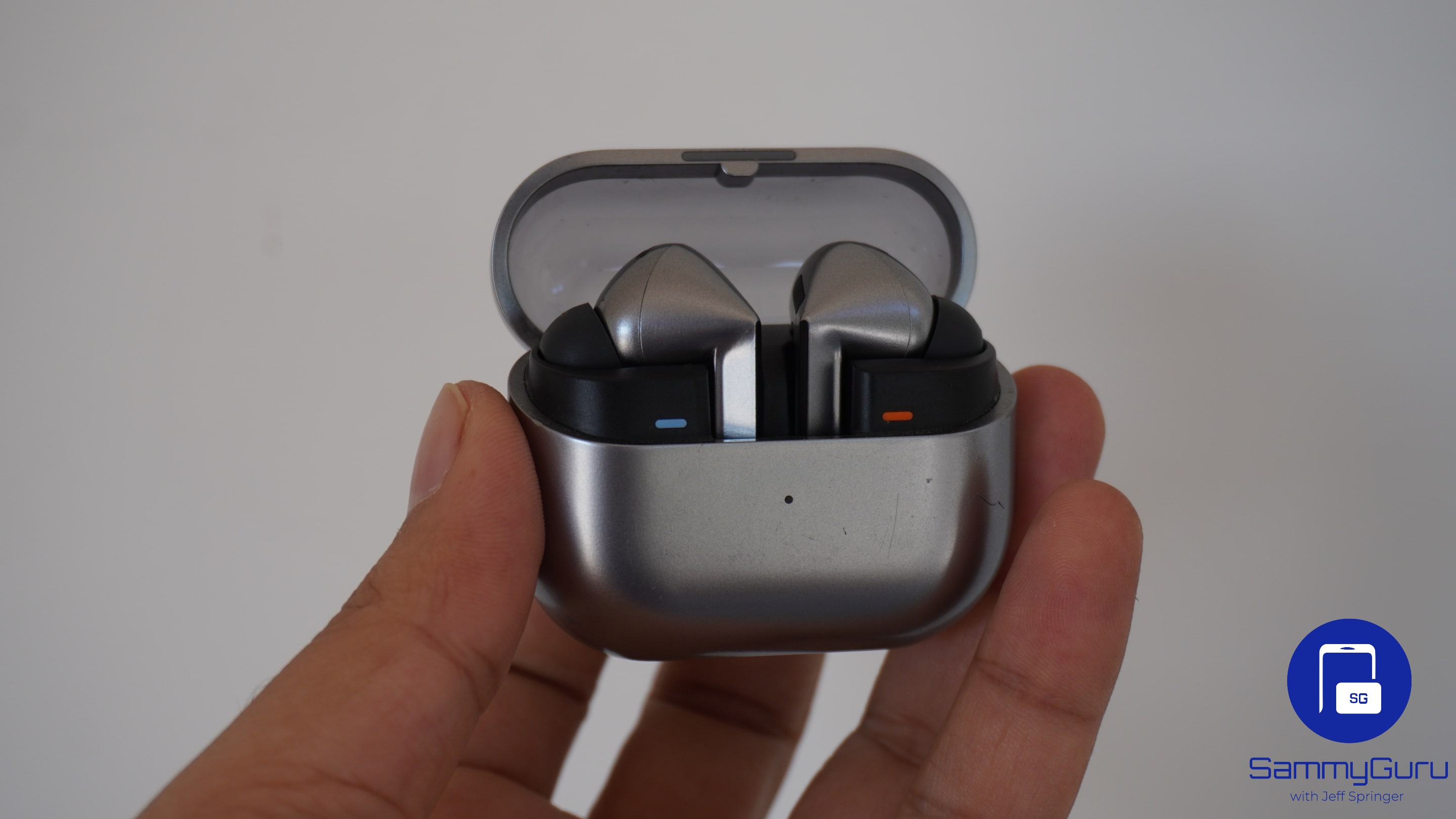
Samsung’s Galaxy Buds can be a popular addition to anyone’s device ecosystem. You can control many aspects of your listening experience from your Galaxy device. But what if you want to connect them to another device, and jump in to change the EQ or ANC? Well, there’s actually an app that lets you control them from almost any device.
Galaxy Buds Client is a must have app
This comes in the form of an open source, cross platform app called Galaxy Buds Client. It brings along all the controls you would have in your Galaxy phone’s settings, but onto more devices. It has support for Windows, macOS, Linux, and even Android. It has support for every Galaxy Buds model, from the very first ones released in 2019 all the way up to the newest Galaxy Buds 3 Pro. How cool!
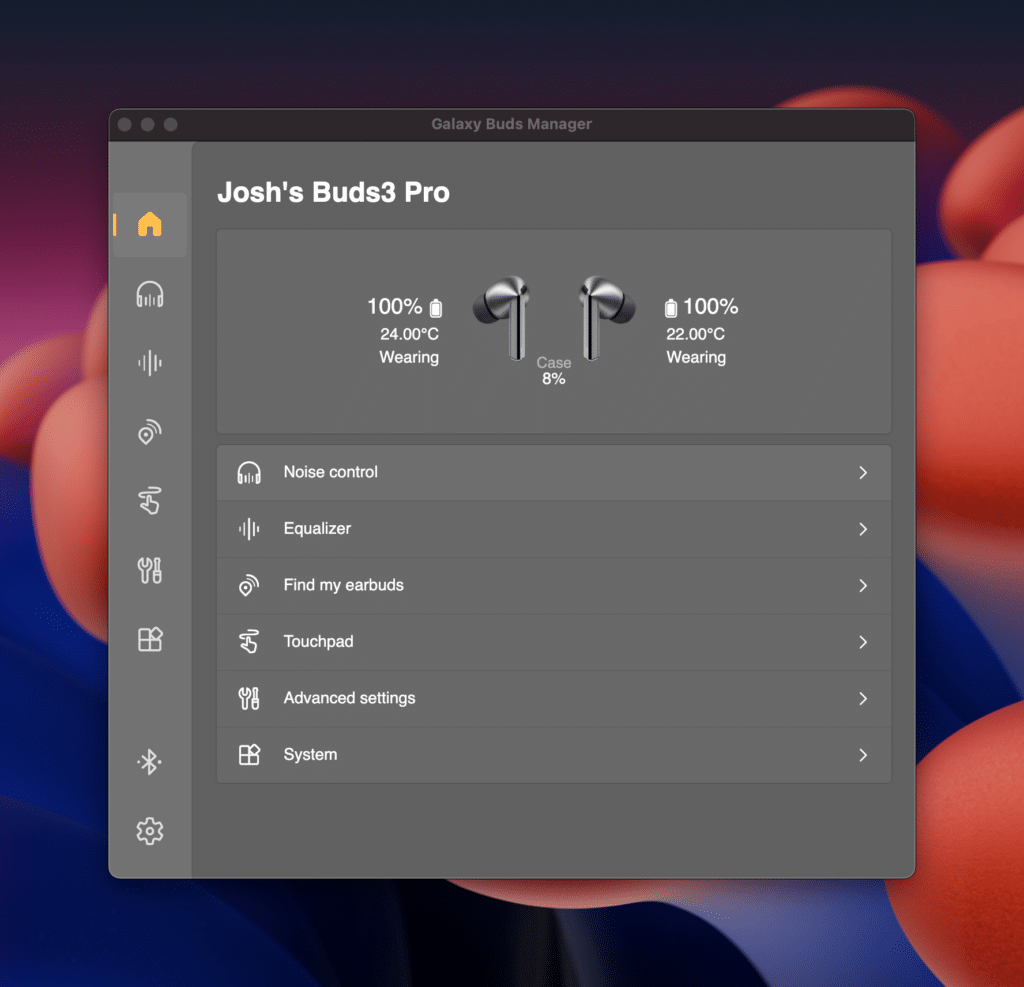
It’s super simple to get your buds set up, and once they’re connected you’re ready to go. You can change ANC modes, play with the EQ, find your buds if you’ve misplaced them, customize the touch controls, and much more from right within this app. You can also view the battery status for your buds and its case, and even the reported temperature of each bud.
You can set keyboard shortcuts
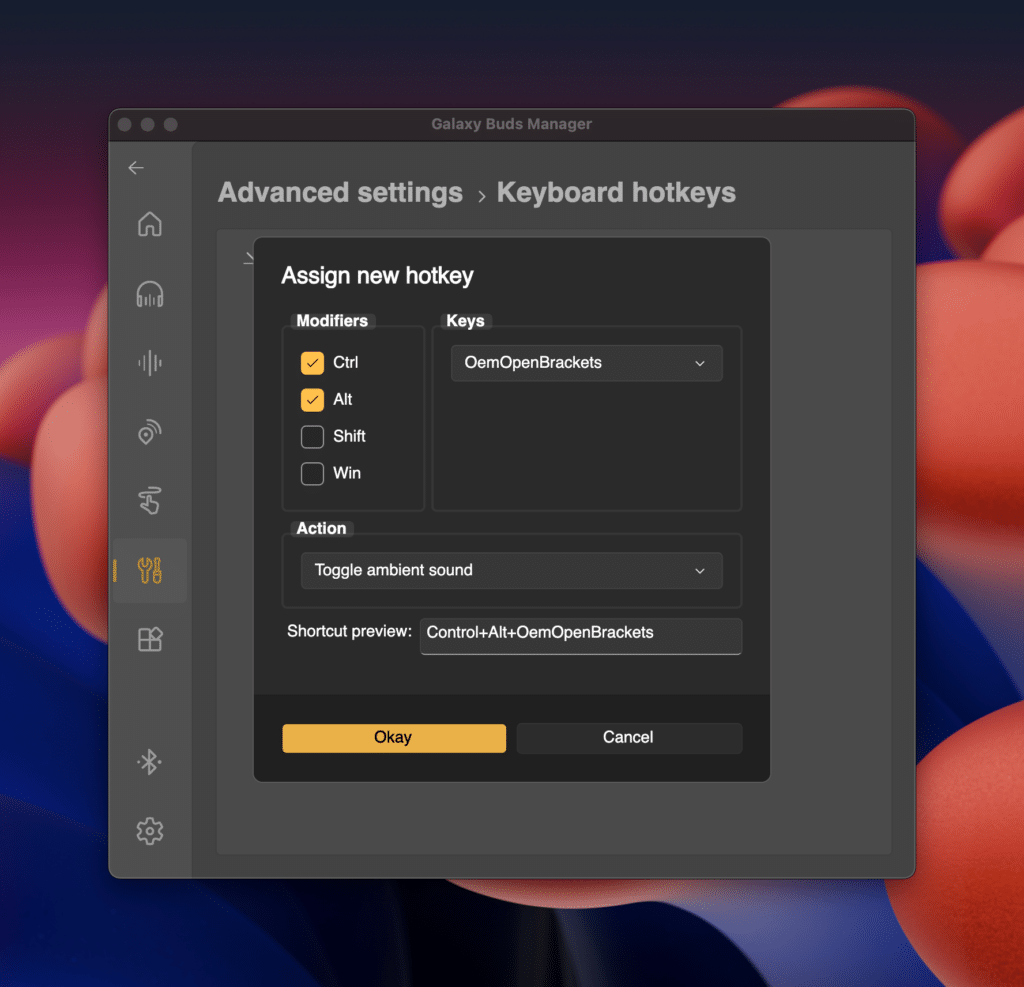
If you enter the Advanced settings, and find Keyboard Hotkeys, you can create custom macros that can control your buds. For example, I’ve made Control + Option + [ to toggle transparency mode, and Control + Option + ] to toggle noise cancelling. Perfect for power users.
Control your Galaxy Buds from a Steam Deck
For you fellow gamers out there, you’ll like this. There is a tool called MagicPods, which lets you control your buds right within the SteamOS interface. It’s not as expansive as Galaxy Buds Client, but adds support for AirPods and Beats devices as well. This works on any device running SteamOS, like my Legion Go S pictured below.
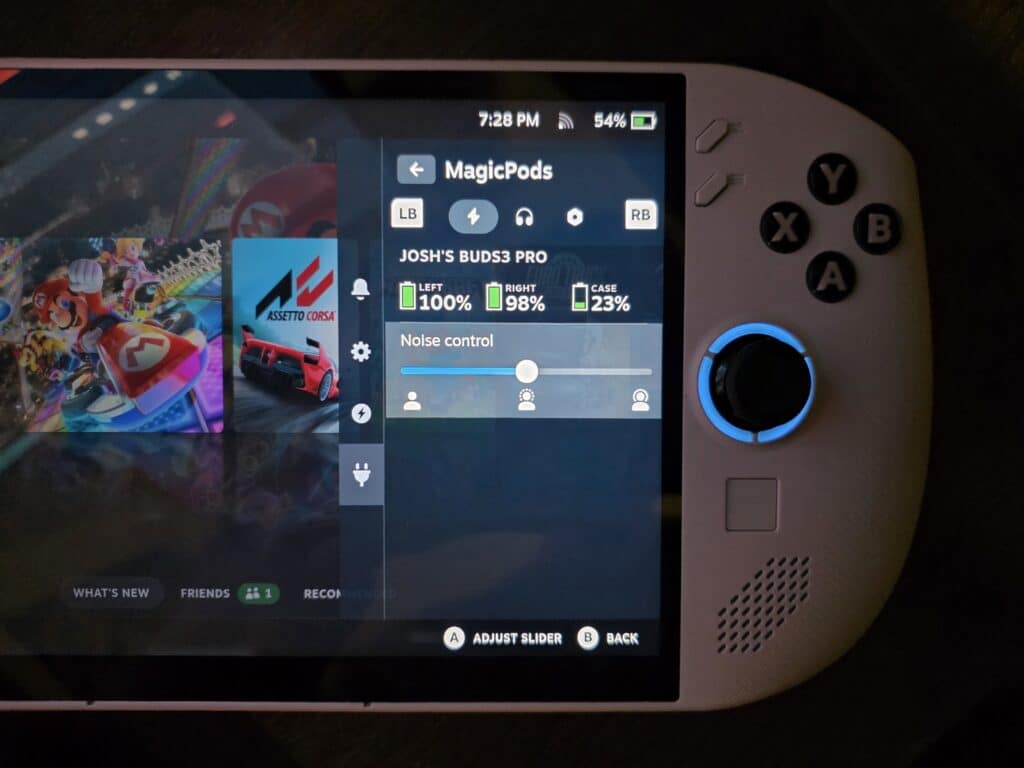
Both Galaxy Buds Client and MagicPods are valuable open source additions to your Galaxy Buds. They let you leave your phone in your pocket, and control your listening experience with ease. Speaking of buds, take a look at the Galaxy Buds 4 Pro, and its new colors.

Follow us on Google Discover & set us as a preferred source in Google News
Share this Post
___________________________


New Blog Posts
___________________________

First Set of Pixel 11 Pro XL Renders Are Here
Pixel 11 Pro XL CAD renders show minimal design changes

Is Samsung Preparing One UI 8.5 Beta for Galaxy Z Fold 5 and Flip 5?
Samsung may launch a One UI 8.5 beta program for its 2023 foldables

Galaxy S25 One UI 8.5 Beta May Run Longer Than Expected
Galaxy S25 series’ One UI 8.5 beta may stretch to 10 rounds


