
SmartThings Update Brings Better TV and Soundbar Integration
SammyGuru is reader-supported. We have affiliate and sponsored partnerships, so we may earn a commission when you buy through links on our site — at no extra cost to you. Learn more.
Last week, Samsung rolled out an update to its SmartThings app, organizing Routines widgets and enhancing other functions. After a limited initial release, the new version is now available widely. We recently received this update on our Galaxy devices, and it turns out there’s more to the story. SmartThings version 1.8.29.24 introduces better integration with Samsung soundbars and TVs for an enhanced connected home experience.
SmartThings update lets you get more out of your Samsung TVs and soundbars
Samsung offers SmartThings for all Android devices beyond the Galaxy family. Besides the aforementioned organization of Routines home screen widgets, the latest update for Samsung’s connected home platform introduces four key improvements. Firstly, you can now send voice messages or typed text broadcasts to Samsung soundbars and speakers, including Music Frame and grouped audio devices.
If you watch Samsung TV Plus, a free video streaming service for Galaxy users, you can automate channel selection using SmartThings Routines, making it easier to jump to your favorite content at specific times. Samsung also lets you set specific times to receive SmartThings notifications, reducing unnecessary alerts.
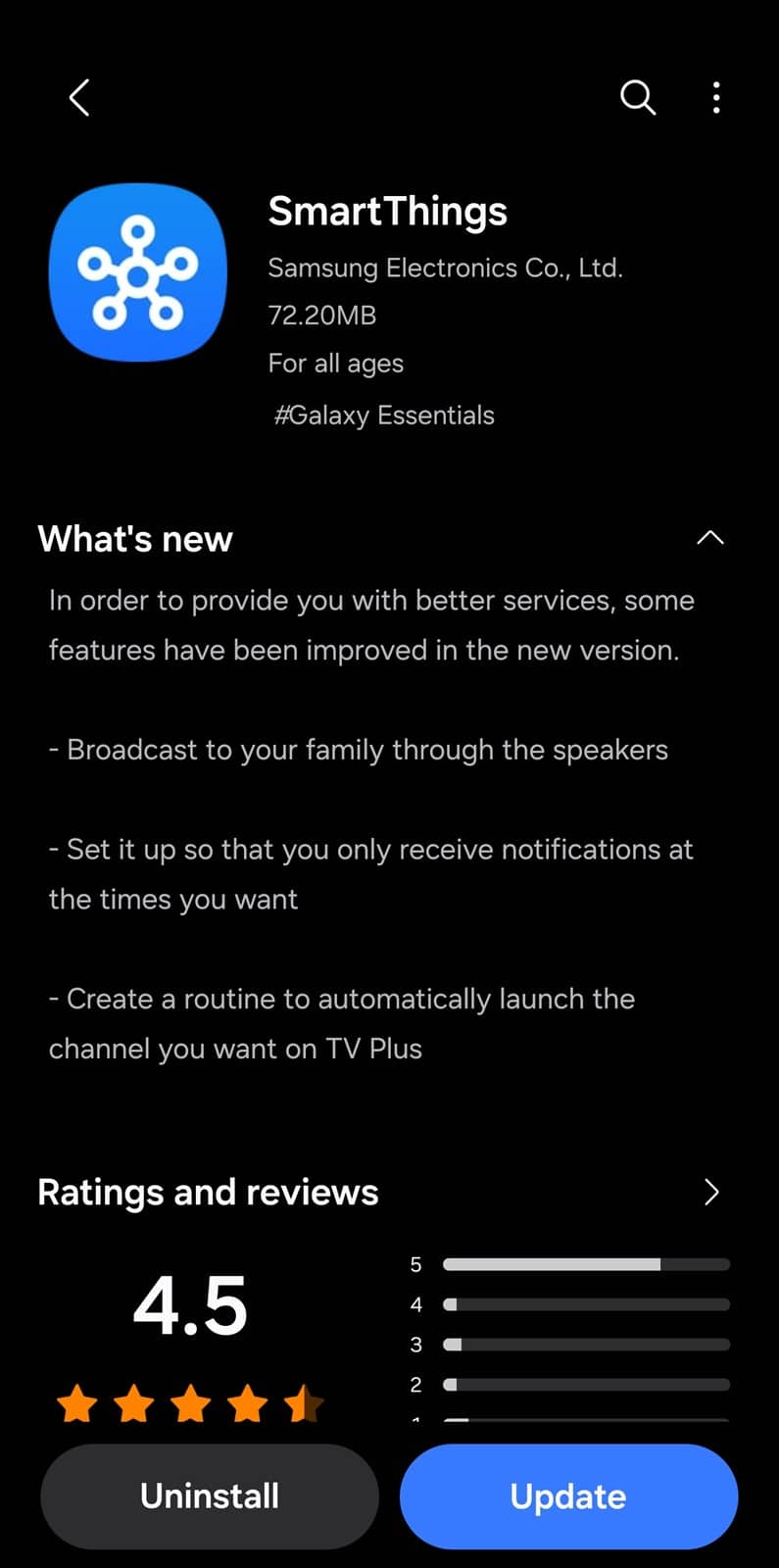
Finally, SmartThings can now trigger home automation routines based on your sleep and wake-up patterns, ensuring a more personalized smart home experience. All of these updates are aimed at improving your smart home experience. The new version of SmartThings is available via the Galaxy Store and Google Play Store for Android users worldwide.
Alongside home automation and related stuff, SmartThings offers a “find my device” service for Galaxy users. You can locate your lost or misplaced phone, watch, and buds, remotely ring them, lock them, and drop a custom message on the lock screen. SmartThings Find also lets you detect unknown smart trackers that might be following you. We have put together a SmartThings Find guide to help you get familiar with this service.

Written by
Sumit AdhikariSumit, a life-long Samsung user, is passionate about technology and has been professionally writing on tech since 2017. He’s a mathematics graduate by education and enjoys teaching basic mathematics tricks to school kids in his spare time. Sumit believes in artificial intelligence and dreams of a fully open, intelligent and connected world.

Follow us on Google Discover & set us as a preferred source in Google News
Share this Post
___________________________


New Blog Posts
___________________________

First Set of Pixel 11 Pro XL Renders Are Here
Pixel 11 Pro XL CAD renders show minimal design changes

Is Samsung Preparing One UI 8.5 Beta for Galaxy Z Fold 5 and Flip 5?
Samsung may launch a One UI 8.5 beta program for its 2023 foldables

Galaxy S25 One UI 8.5 Beta May Run Longer Than Expected
Galaxy S25 series’ One UI 8.5 beta may stretch to 10 rounds







