
Samsung Wallet’s Tap to Transfer Finally Rolls Out in the US
SammyGuru is reader-supported. We have affiliate and sponsored partnerships, so we may earn a commission when you buy through links on our site — at no extra cost to you. Learn more.
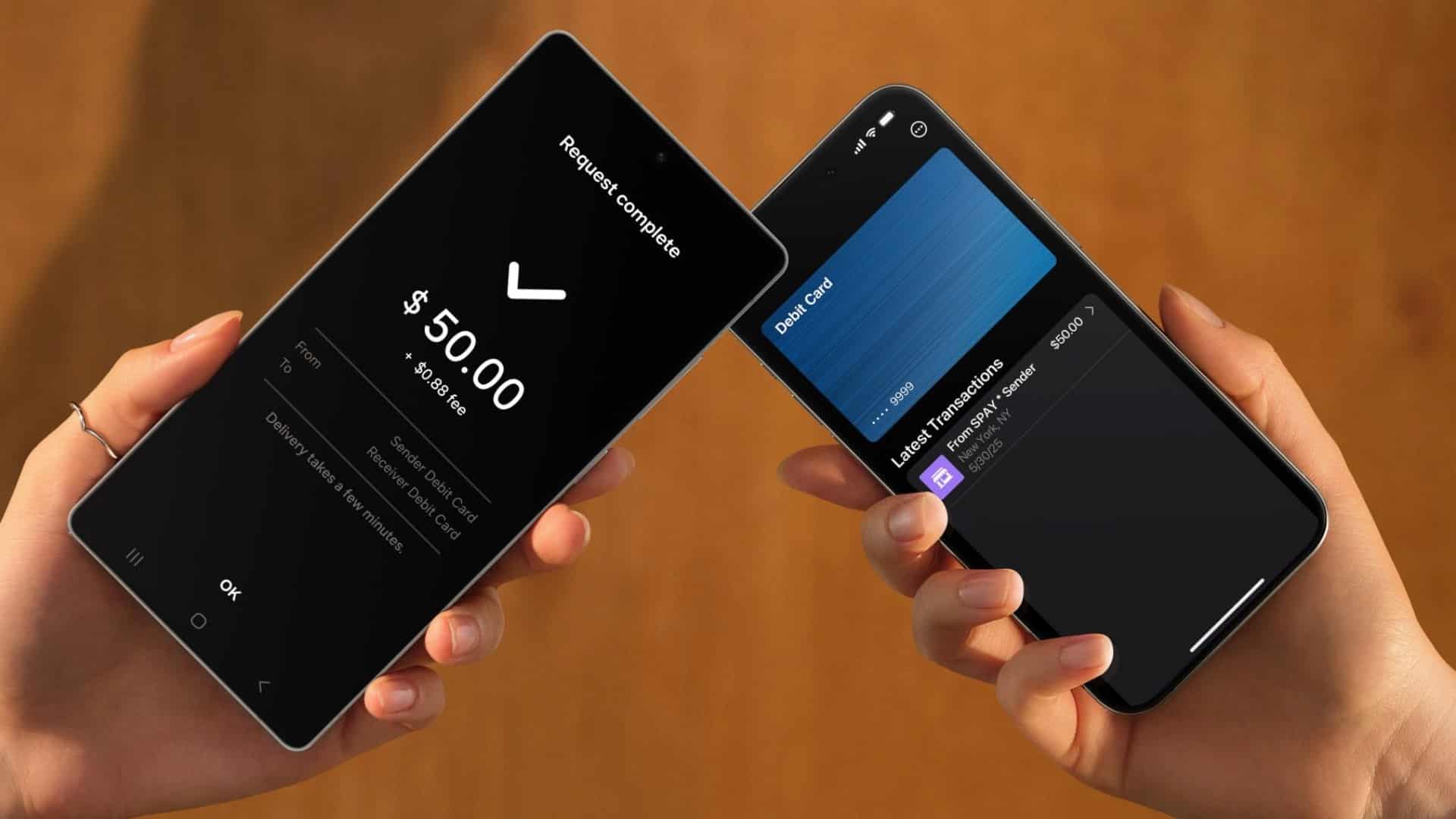
Samsung Wallet’s Tap to transfer is finally rolling out to everyone in the US. This means you can now send money by holding your device next to another Galaxy phone. The transfer happens instantly, and the money will appear in the recipient’s bank account within minutes, unless bank is in another mood.
Samsung Wallet’s Tap to transfer functionality is now rolling out
Following launch in South Korea last year, Samsung has now expanded Tap to transfer to Wallet users in the US, starting today. One of the best things about this feature is that it works even if the person you’re sending money to doesn’t have a Galaxy phone or Samsung Wallet. If they’ve Visa or Mastercard debit card from a supported bank, you can just tap your phone to their contactless card, and the payment will go through.
Samsung also made it possible to send money remotely. If you cannot meet in person, you can search for someone’s phone number in the Samsung Wallet app and send money that way. Of course, there are some limits. Not every bank or debit card will work right away, and some banks might charge fees or set limits on transfers.
How can you send money using Samsung Wallet’s Tap to transfer?
Make sure your Samsung Wallet app is updated and you’ve added a MasterCard or Visa debit card. Then, follow these steps to send money.
- Open Samsung Wallet, go to Quick access, find your debit card, and Tap to transfer.
- Enter the amount and tap Done.
- If the recipient has a physical card, place their card on the back of your phone.
- If the recipient uses a phone, have them open their digital wallet, select their debit card, and tap the back of their phone to your phone. For Samsung phones, tap backs together. For iPhones or Pixels, tap the top of their phone to the back of your phone.
- When the Confirm button appears, check the details and verify with your fingerprint or PIN.

Written by
Abhinav AnandAbhinav Anand is the News Editor at SammyGuru and a technology journalist based in New Delhi. Before joining SammyGuru, he contributed to numerous outlets, including Android Headlines, ExtremeTech, The Mac Observer, Financial Express, Economic Times, iGeeksBlog, KnowTechie, PhonesWiki, SlashGear, and more. You can reach him at abhinav@sammyguru.com.

Follow us on Google Discover & set us as a preferred source in Google News
Share this Post
___________________________


New Blog Posts
___________________________

First Set of Pixel 11 Pro XL Renders Are Here
Pixel 11 Pro XL CAD renders show minimal design changes

Is Samsung Preparing One UI 8.5 Beta for Galaxy Z Fold 5 and Flip 5?
Samsung may launch a One UI 8.5 beta program for its 2023 foldables

Galaxy S25 One UI 8.5 Beta May Run Longer Than Expected
Galaxy S25 series’ One UI 8.5 beta may stretch to 10 rounds







