
Samsung One UI 8.5 Simplifies Power Saving Menu
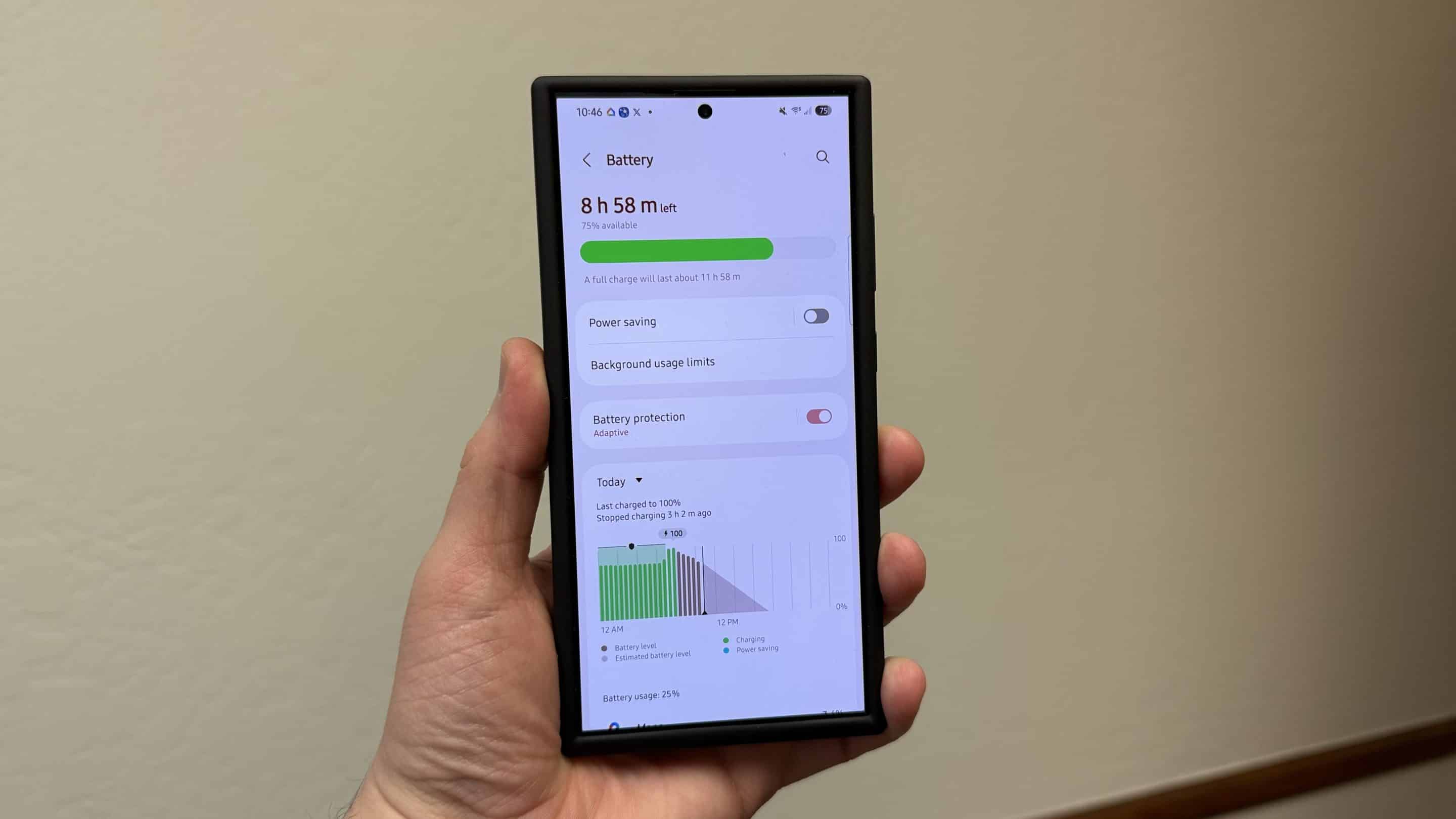
Samsung’s One UI 8.5 is shaping up to be a pretty feature-rich update. For the past few days, we have seen a bunch of new features and visual changes that are part of this upcoming software. Thanks to a fresh early leak build, we now know that the company has redesigned the Power Saving interface, making battery management much simpler.
Samsung makes its Power Saving easier to use in One UI 8.5
It looks like One UI 8.5 is not just about introducing new features, but also about refining the user experience. While exploring the upcoming software on our Galaxy smartphone using an early internal build, we noticed the new UI on the Power Saving page. The new look feels cleaner and more intuitive compared to what we saw in previous One UI versions.
Earlier, Power Saving could feel a little confusing as there were too many options on a single screen. With One UI 8.5, Samsung has made the experience much easier by introducing two modes: Standard and Maximum. The former comes in handy when you just need a little extra battery life, while the latter is for drastic situations. As you can see in the screenshots below, both modes display how much battery life (estimated time) you can expect.
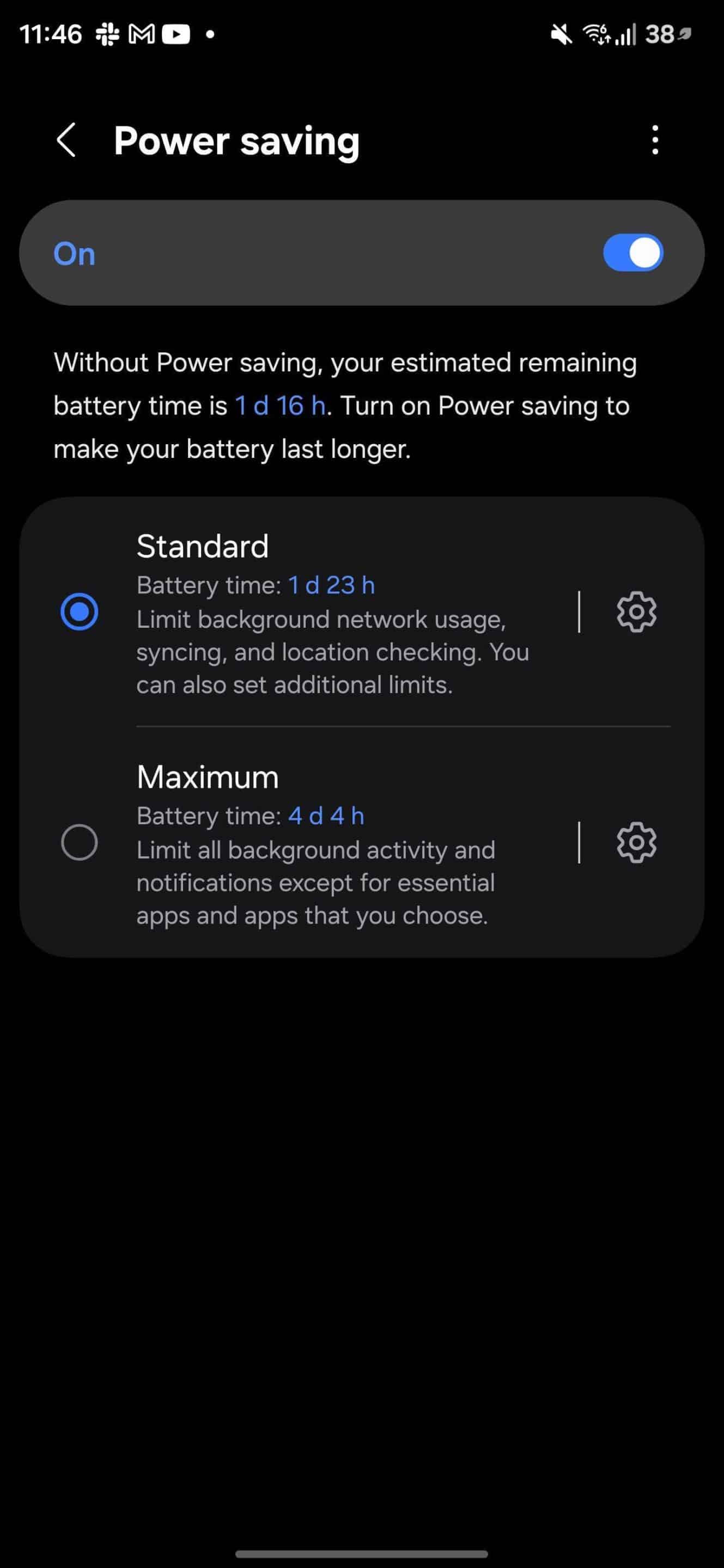
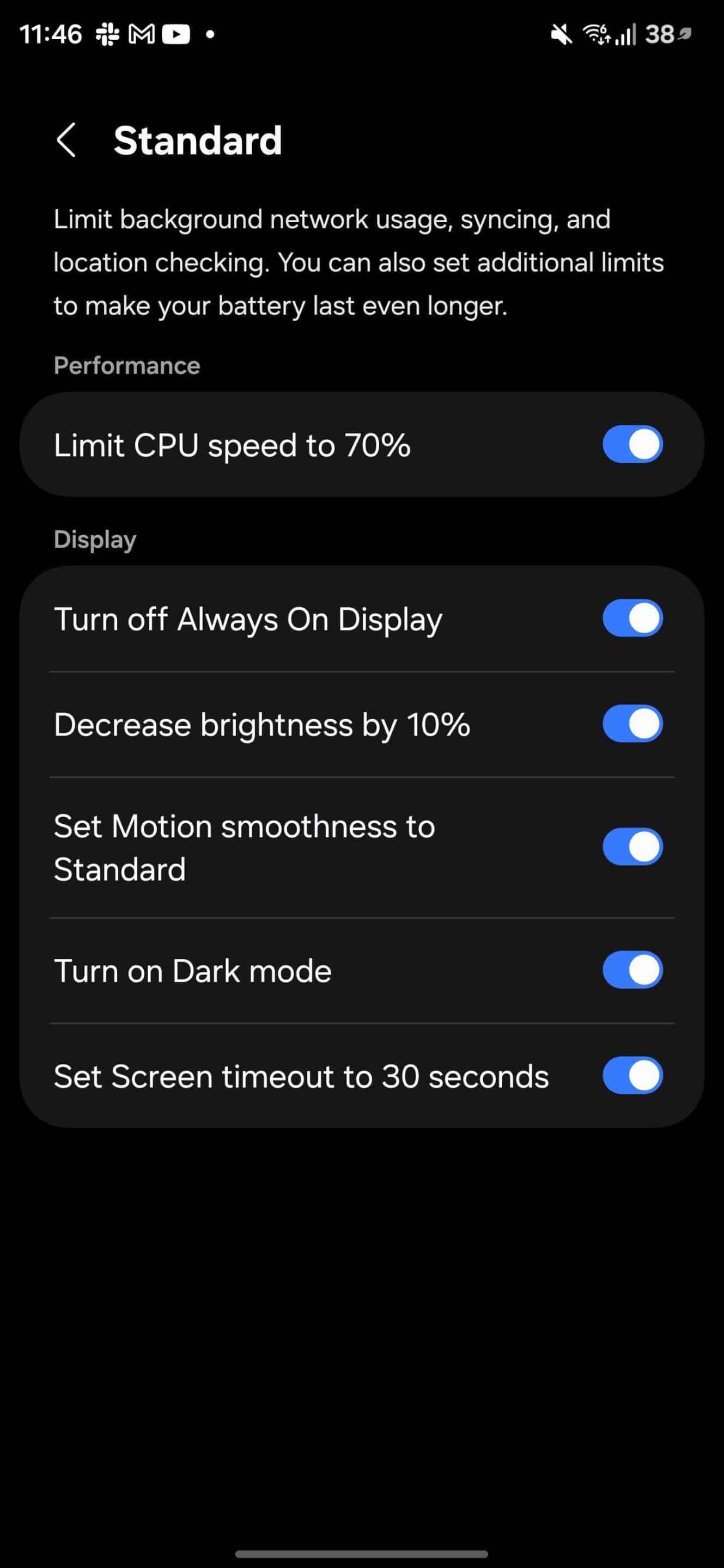
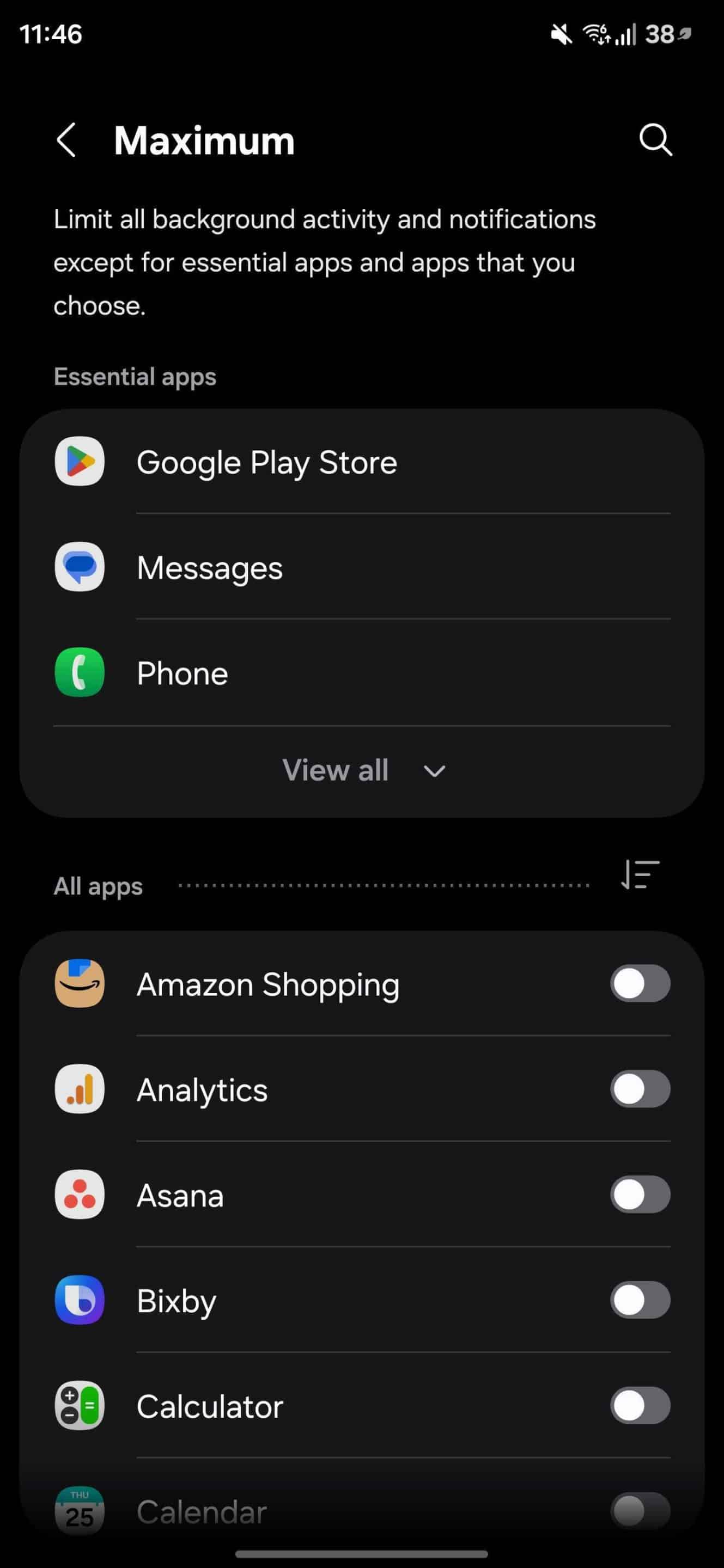
Of course, Samsung retains the same core features for Power Saving as in One UI 8, but in a more organized way. For example, within Standard mode, you get the ability to limit CPU speed, decrease brightness, set motion smoothness, and more. On the other hand, the Maximum mode limits all background activity and notifications except for essential apps and apps that you choose.
Overall, we can say it is one of the most practical improvements in One UI 8.5. As development progresses, we will learn more about what Samsung is cooking up with its subsequent Android 16-based update. Meanwhile, you can check out our coverage on One UI 8.5 here.

Follow us on Google Discover & set us as a preferred source in Google News
Share this Post
___________________________


New Blog Posts
___________________________

First Set of Pixel 11 Pro XL Renders Are Here
Pixel 11 Pro XL CAD renders show minimal design changes

Is Samsung Preparing One UI 8.5 Beta for Galaxy Z Fold 5 and Flip 5?
Samsung may launch a One UI 8.5 beta program for its 2023 foldables

Galaxy S25 One UI 8.5 Beta May Run Longer Than Expected
Galaxy S25 series’ One UI 8.5 beta may stretch to 10 rounds


