
RAM Plus Explained: What Samsung Doesn’t Tell You
You are probably familiar with the RAM Plus feature on Samsung Galaxy devices, but do you know how it actually works? Many people think that the tool uses a portion of internal storage to act as virtual RAM. However, that’s a common misunderstanding. In this article, we will explain how RAM Plus functions and clear up the misconceptions around it.
How RAM Plus really works on your Samsung Galaxy device?
Introduced in 2021, RAM Plus is now available on almost all of the latest Galaxy smartphones. The feature description reads, “RAM Plus uses your phone’s storage space to provide virtual memory. Choose more virtual memory to allow more apps to stay open in the background. Choose less virtual memory to keep more storage space free”.
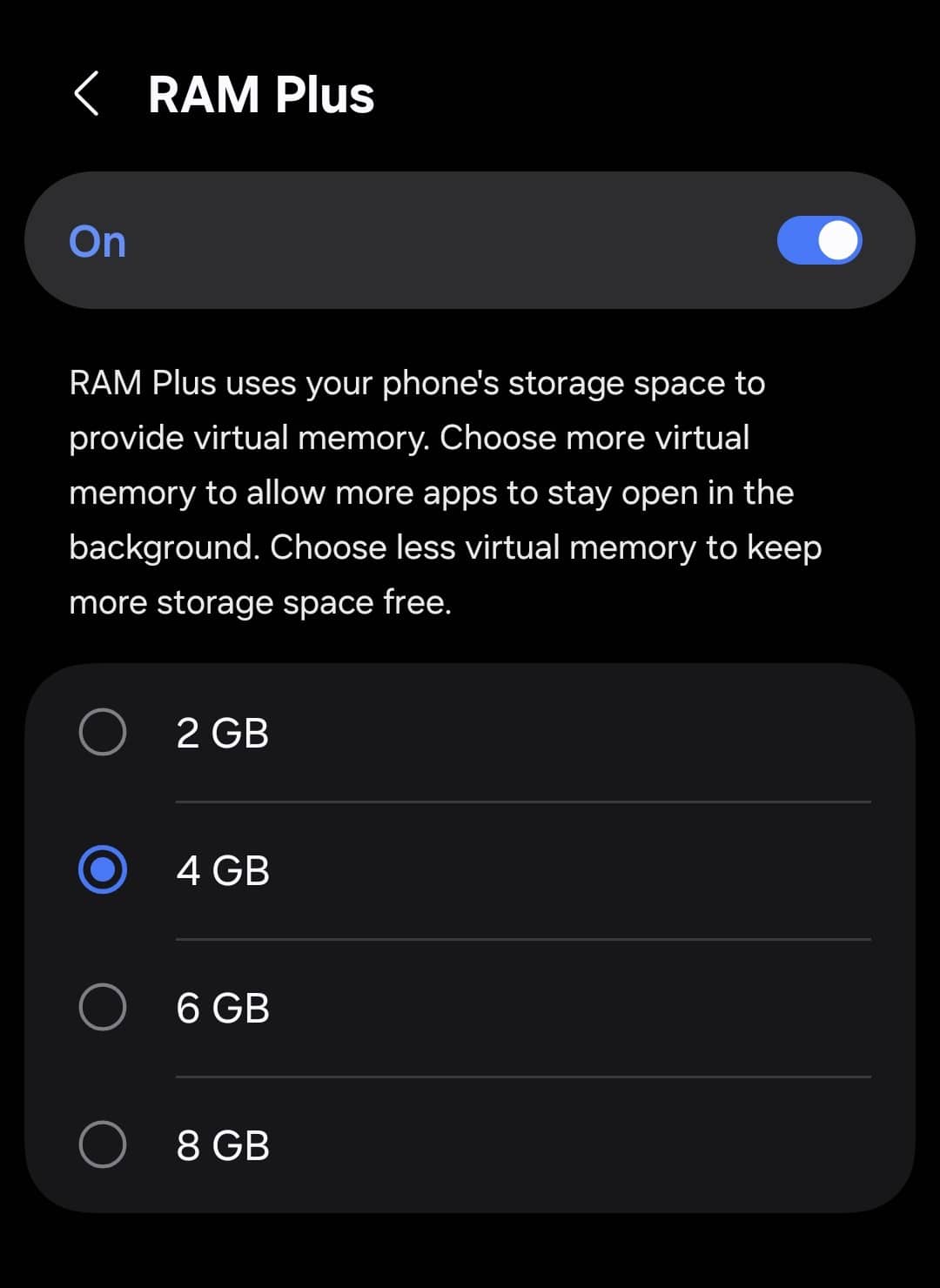
Basically, Samsung says the system uses internal storage to act as virtual memory, helping to boost app performance. However, that’s not the full story and appears to be more of a simplified explanation. Thanks to Reddit user PurelyOxified, we now have a clearer understanding of what’s actually happening under the hood.
RAM Plus uses Linux technology called zRAM, which does not use internal storage at all. zRAM asks the system to create a small space of your phone’s RAM to store apps and data in a compressed form at around a 2:1 ratio. For example, if your app uses 50MB of RAM, zRAM may compress it to around 25MB. This means your phone can run more background processes — it gives you more virtual space (more RAM).
On desktop hardware, a similar concept exists, but the technology works differently. This technology is called zSwap, and it uses your internal storage. But RAM Plus does not read from or write to your phone’s internal storage. So, there’s no need to worry about RAM Plus damaging your internal memory over time.
While RAM Plus helps keep more apps in memory, it does use a small amount of CPU power to compress and decompress data. If you want to turn off the feature, head over to Settings > Device care > Memory > RAM Plus. For those who want to keep it active, it’s recommended to set RAM Plus to half of your physical RAM — for example, 4GB RAM Plus on an 8GB device.

Follow us on Google Discover & set us as a preferred source in Google News
Share this Post
___________________________


New Blog Posts
___________________________

First Set of Pixel 11 Pro XL Renders Are Here
Pixel 11 Pro XL CAD renders show minimal design changes

Is Samsung Preparing One UI 8.5 Beta for Galaxy Z Fold 5 and Flip 5?
Samsung may launch a One UI 8.5 beta program for its 2023 foldables

Galaxy S25 One UI 8.5 Beta May Run Longer Than Expected
Galaxy S25 series’ One UI 8.5 beta may stretch to 10 rounds


