
Samsung Calendar Widget Text Turns White After One UI 7 Update — Here’s the Fix
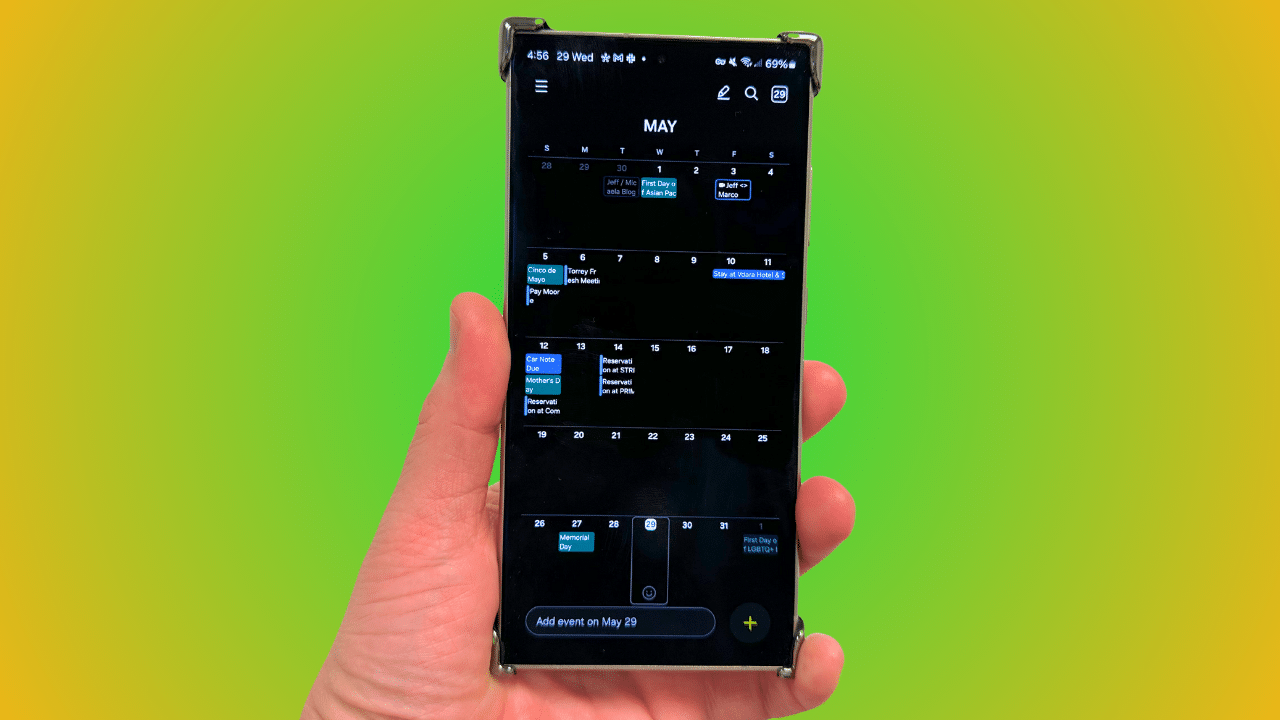
It looks like a strange bug within the calendar widget is affecting some Galaxy users running One UI 7. The bug causes the text in the calendar widget to appear white, making it impossible to read. The good news is that Samsung is aware of the issue and has provided a quick solution.
Samsung confirms calendar widget issue in One UI 7, fix available now
Samsung’s calendar widget lets Galaxy users create events and tasks effortlessly. With One UI 7, the company has further enhanced its functionality for a seamless user experience. For example, you now have more control over which calendars show up on your calendar widgets. However, the latest software also brings a weird bug that’s affecting the visibility of text within the widget.
Specifically, some users have noticed that the calendar text turns white after updating to One UI 7. This has frustrated many users who rely on the widget to view their daily schedules. Acknowledging the issue, a Samsung community moderator recently said, “We have confirmed that settings are not reflected properly due to differences in widget properties in the latest Galaxy software, One UI 7.0.”
The moderator also shared a temporary solution that can help right away. You just need to delete the calendar widget and then add it back to the home screen. This will refresh the widget settings and should set the correct text color. So, to get things back to normal, simply tap and hold the calendar widget and hit the Remove option. You can then add it back to your home screen from the widgets menu.
While this is just a temporary fix, Samsung has promised to roll out a permanent fix through a software update. The fix will arrive with the upcoming Calendar app update, so keep an eye out for the latest version through the Galaxy Store. Once available, update to the latest build to restore proper widget behavior.

Follow us on Google Discover & set us as a preferred source in Google News
Share this Post
___________________________


New Blog Posts
___________________________

First Set of Pixel 11 Pro XL Renders Are Here
Pixel 11 Pro XL CAD renders show minimal design changes

Is Samsung Preparing One UI 8.5 Beta for Galaxy Z Fold 5 and Flip 5?
Samsung may launch a One UI 8.5 beta program for its 2023 foldables

Galaxy S25 One UI 8.5 Beta May Run Longer Than Expected
Galaxy S25 series’ One UI 8.5 beta may stretch to 10 rounds


