
One UI 8’s Adaptive Lock Screen Clock Is Buggy, But This Trick Gets It Working
SammyGuru is reader-supported. We have affiliate and sponsored partnerships, so we may earn a commission when you buy through links on our site — at no extra cost to you. Learn more.
UPDATE (July 17, 2025): This feature is now also available on the Galaxy S24 Ultra’s latest internal One UI 8 build (CYG5). Moreover, Samsung appears to have somewhat improved the performance of the adaptive lock screen clock. We had less trouble getting it to work on the S24 Ultra than the S25 Ultra. Hopefully, Samsung will address all the bugs before the stable One UI 8 rollout.
The original article published on July 16 follows…
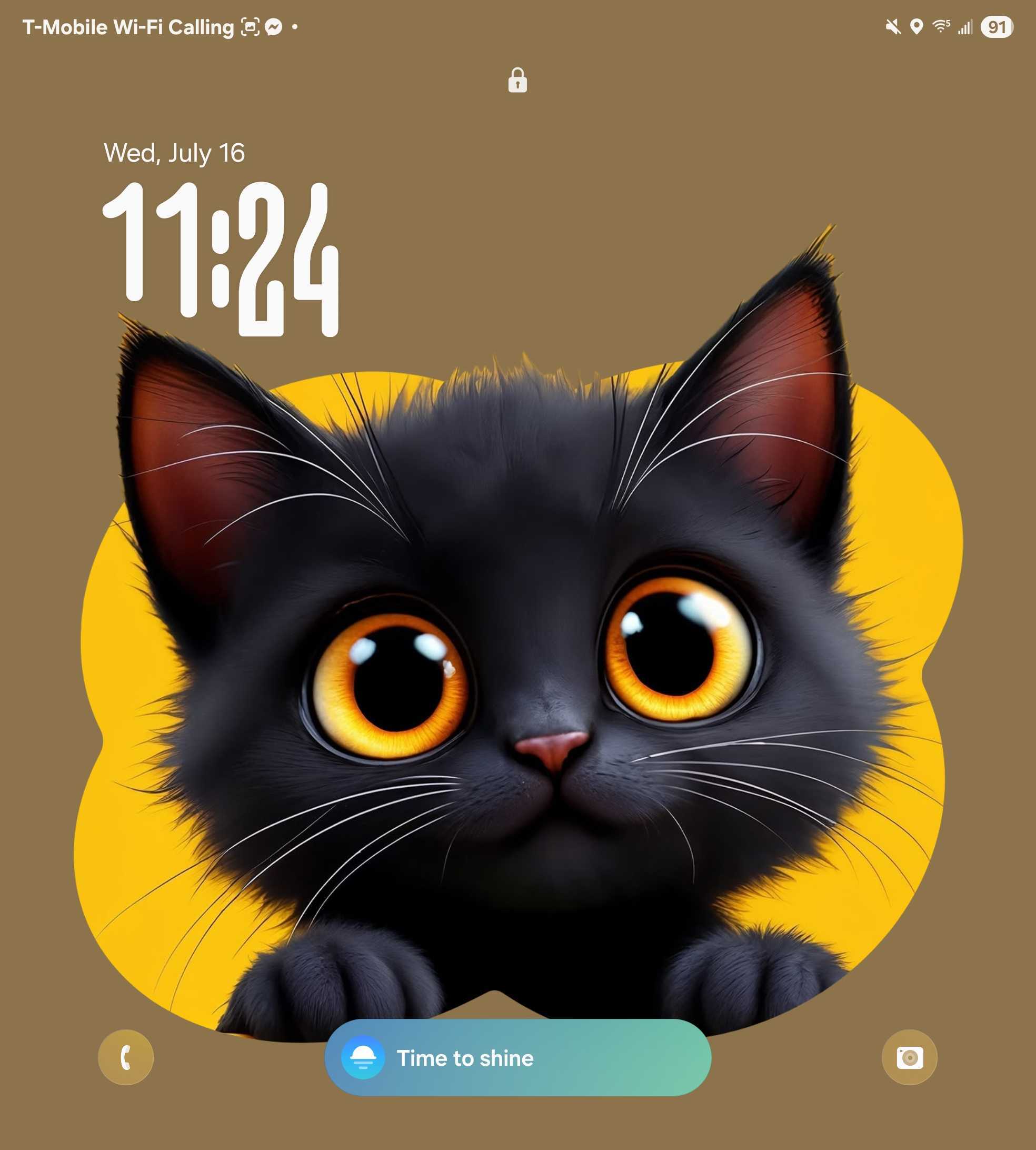
One UI 8 brings a new adaptive lock screen clock that dynamically adjusts around people or pets in your wallpaper. Simply put, it automatically wraps the numerals around subjects and allows you to reposition the widget, with the text flow adjusting accordingly. However, at the moment, the feature is a bit hit or miss.
One UI 8’s adaptive lock screen clock needs work, but here’s a workaround
We have both the One UI 8 latest leaked beta build (on Galaxy S25 Ultra) and the One UI 8 stable build (on Galaxy Z Fold 7) installed. And this behavior appears on both. The feature still struggles to consistently detect subjects, even in photos where the person or animal is clearly separated from the background. Sometimes, it works beautifully and delivers that sleek, magazine-style layout Samsung is going for. Other times, the adaptive clock doesn’t appear at all, or it gets stuck in a default position.
But there’s a trick. If you go into the lock screen editor and apply one of Samsung’s decorative frames around your subject, the adaptive clock almost always kicks in. And here’s the fun part. Once you do that, you can switch back to the original wallpaper (without the frame), and the adaptive clock effect stays in place. As if it had been detected naturally, which is what needs to be fixed.
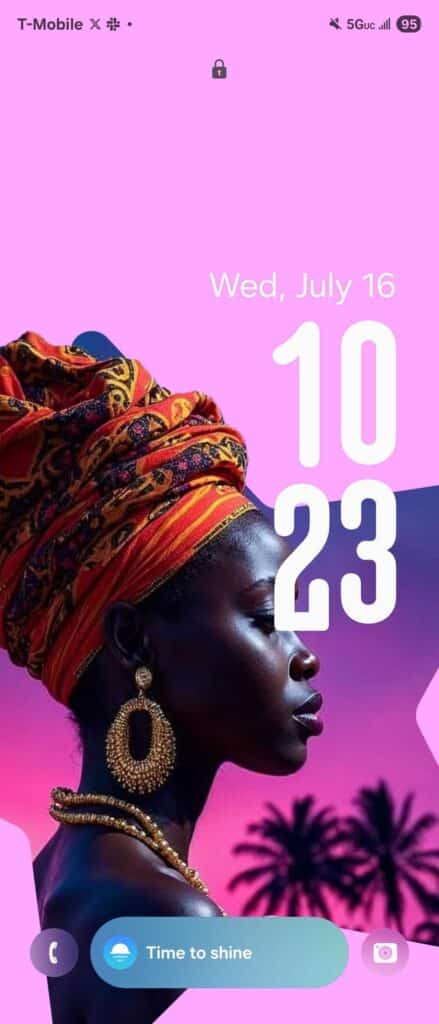
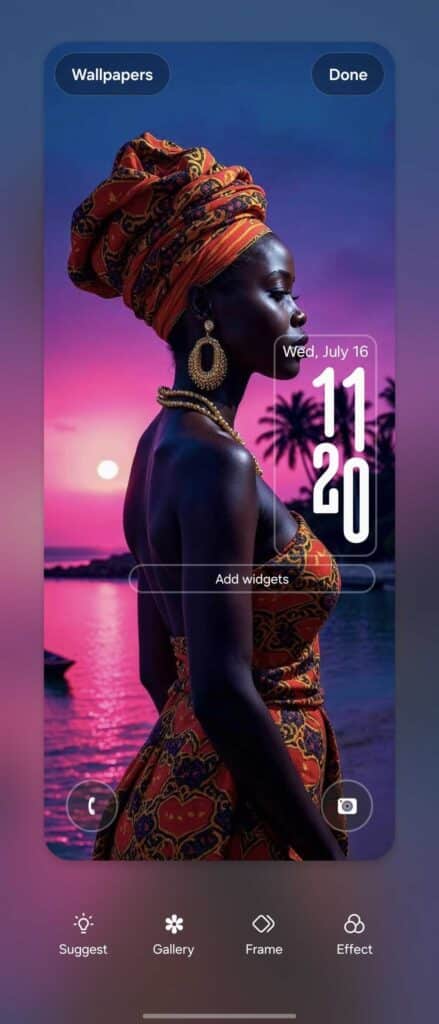
It’s a bit of a hack, but it works reliably across both devices in our testing. The results can look really polished if you’re willing to tweak the settings a little. Check out these before-and-after screenshots where the feature works like a charm.
This workaround doesn’t fix the underlying inconsistency. And it’s clear the feature still needs more refinement before One UI 8 rolls out to more devices. But for those who might want a clean, adaptive lock screen look now, it’s a handy trick to keep in your back pocket, especially if you’re picking up a new foldable in the next week or so.

Written by
Abhinav AnandAbhinav Anand is the News Editor at SammyGuru and a technology journalist based in New Delhi. Before joining SammyGuru, he contributed to numerous outlets, including Android Headlines, ExtremeTech, The Mac Observer, Financial Express, Economic Times, iGeeksBlog, KnowTechie, PhonesWiki, SlashGear, and more. You can reach him at abhinav@sammyguru.com.

Follow us on Google Discover & set us as a preferred source in Google News
Share this Post
___________________________


New Blog Posts
___________________________

First Set of Pixel 11 Pro XL Renders Are Here
Pixel 11 Pro XL CAD renders show minimal design changes

Is Samsung Preparing One UI 8.5 Beta for Galaxy Z Fold 5 and Flip 5?
Samsung may launch a One UI 8.5 beta program for its 2023 foldables

Galaxy S25 One UI 8.5 Beta May Run Longer Than Expected
Galaxy S25 series’ One UI 8.5 beta may stretch to 10 rounds







