
One UI 8.5 Makes Pro Mode Feel Like Expert RAW, but There’s More to Do
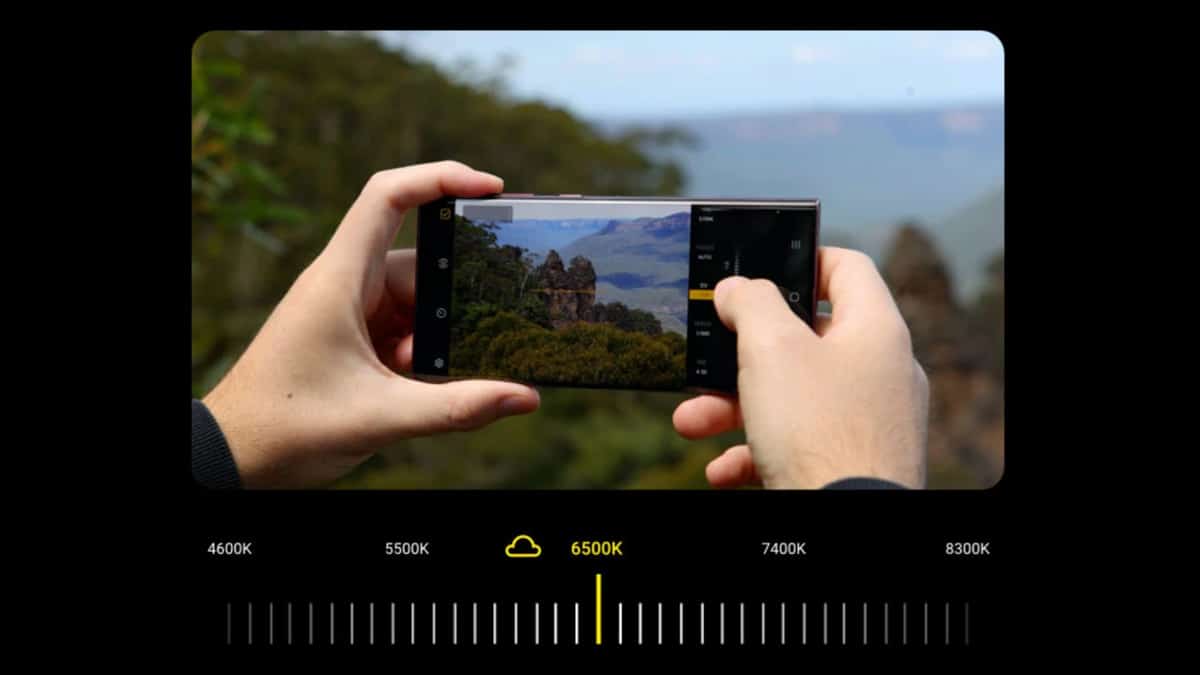
Samsung has rolled out the second round of the One UI 8.5 beta for the Galaxy S25 series in select regions. With this update, the company takes a notable step forward in mobile photography. Camera Assistant now effectively turns Pro mode into a mini version of Expert RAW.
Pro mode now feels like mini Expert RAW
With One UI 8.5 beta 2, Samsung has introduced several new tools in Pro mode that clearly borrow from Expert RAW’s feature set. These additions significantly expand manual control and bring Pro mode closer to a professional shooting experience.
- Zebra pattern and false color for precise exposure control
- AF and AE indicators, along with customizable manual focus peaking colors
- Advanced white balance control
- Preset support for faster shooting workflows
- An option to toggle OIS on or off
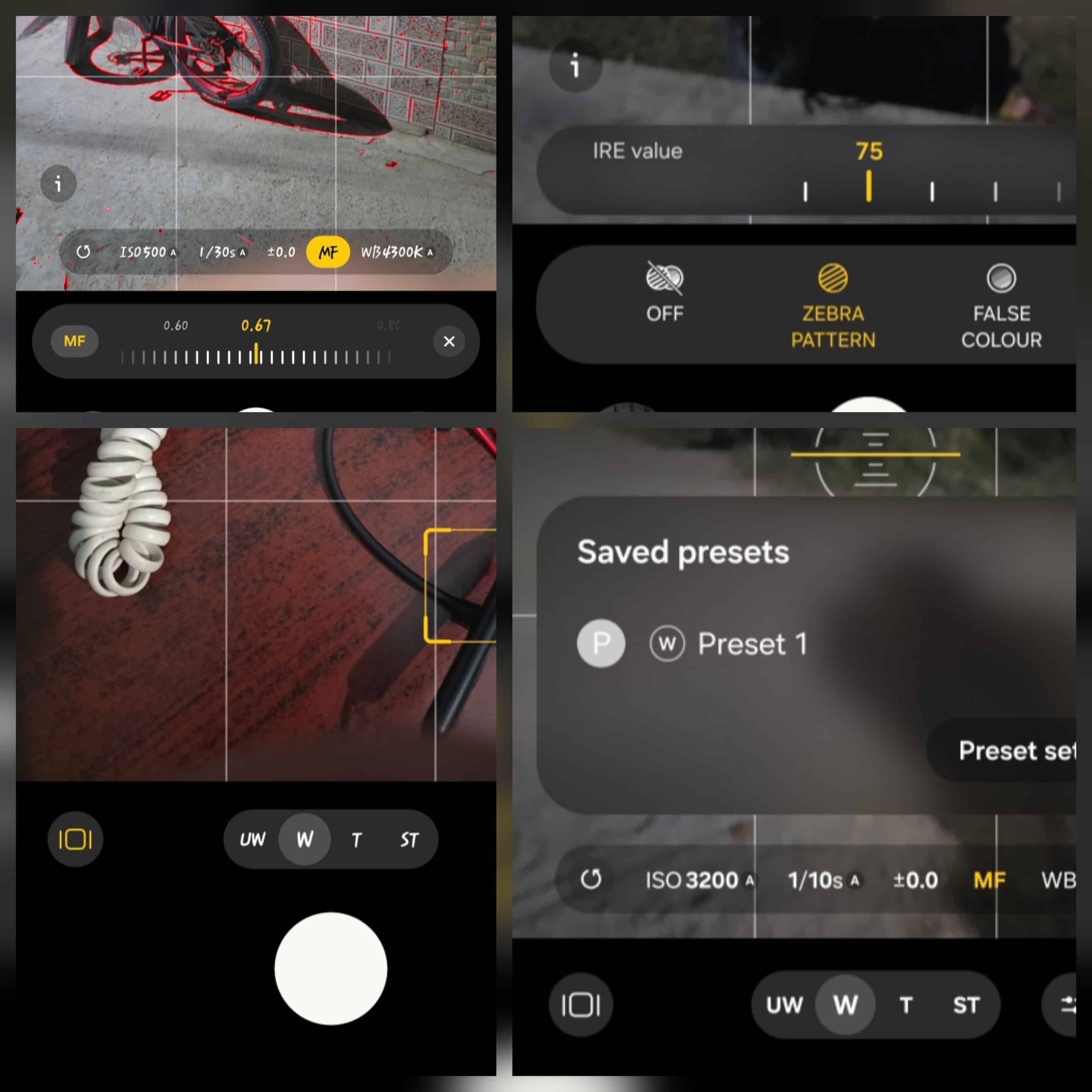
All of the features significantly change how capable Pro mode feels in daily use. This update suggests Samsung is paying attention to user feedback. Rather than keeping Expert RAW siloed as a separate app, it’s gradually integrating its core tools into the stock camera.
A full merger is likely still some way off. Major algorithm or image processing changes are also unlikely before a stable release, and probably not before the Galaxy S26 series. Even so, this is a clear signal of where the future might take us.
The unique role of Pro Mode
So what should Samsung do next? Pro mode already occupies a unique position among Samsung’s advanced camera options. Unlike Expert RAW, which produces computational RAW files, Pro mode offers:
- Standard single-frame RAW (DNG)
- A JPEG output with every shot
That standard RAW output is valuable. It gives photographers full control in post-processing, closer to a traditional camera workflow. On iPhones, achieving the same result often requires third-party apps like Halide. Samsung offers it natively, which remains a clear advantage. However, there is a weak point.
The weak link: Pro mode JPEG processing
While Pro mode’s RAW output is clean and unprocessed, as it should be, its JPEG output is already processed. The problem is that the results are often noticeably worse than Samsung’s standard Photo mode or Expert RAW.
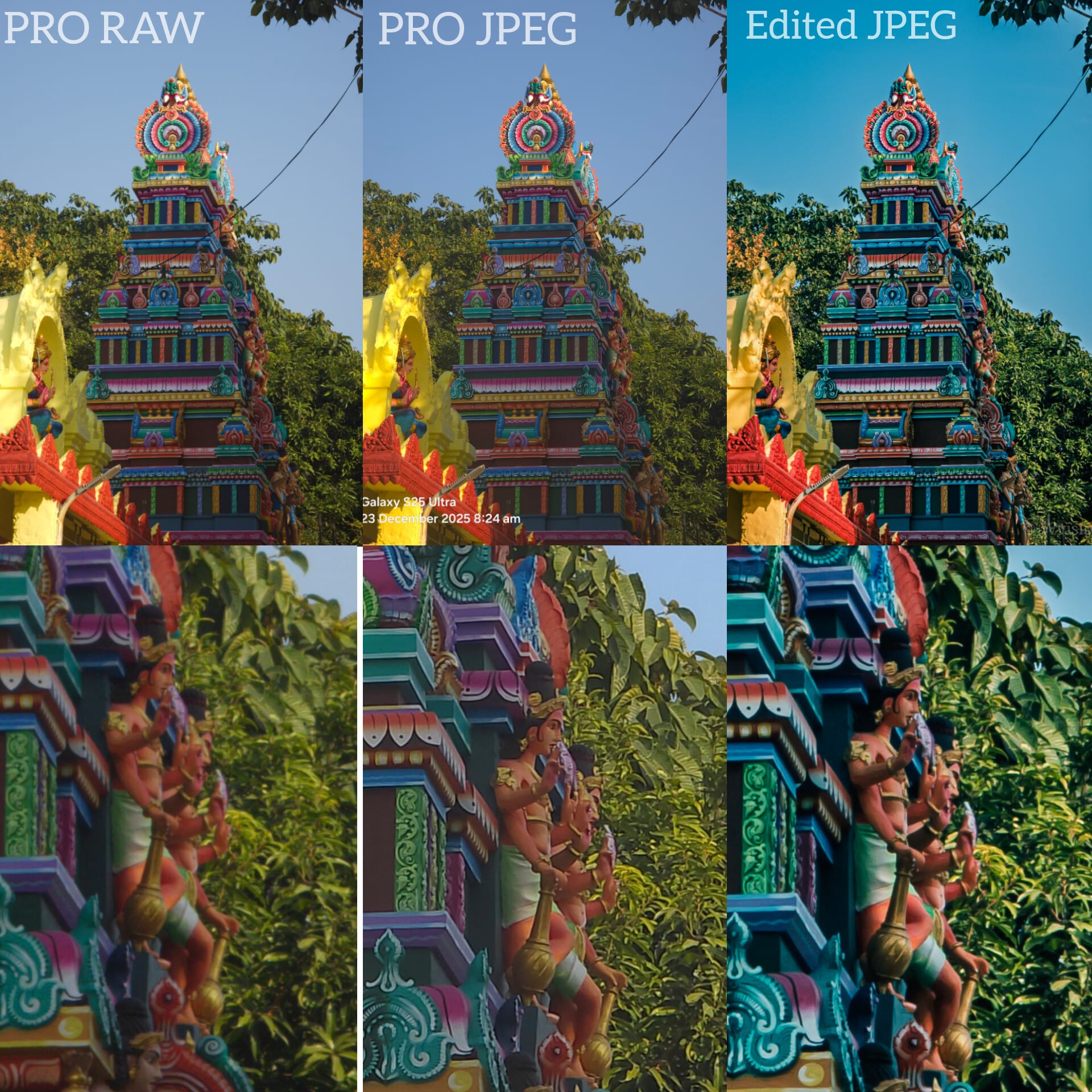
If Pro mode is already generating a processed JPEG, then why not:
- Apply stronger and more consistent algorithms
- Use parts of its Smart imaging pipeline, such as deep-learning demosaicing, for JPEG output only
- Improve color rendering, HDR performance, and noise handling
Importantly, this could be done without touching the RAW pipeline. The DNG output should remain fully unprocessed. That combination would elevate Pro mode significantly: a high-quality single-frame JPEG for quick sharing, paired with a pure RAW file for serious editing. Few smartphone cameras currently offer that balance.
Here’s what Samsung should do next with One UI 8.5 Pro mode
Samsung is clearly experimenting. But the next steps are fairly obvious:
- Keep merging Expert RAW tools into stock camera modes
- Improve JPEG processing in Pro mode
- Preserve standard, unprocessed RAW output
- Gradually move toward a more unified advanced camera experience
It is also worth noting that Expert RAW’s full processing stack cannot be directly applied to Pro mode. Expert RAW relies on multi-frame computational photography, while Pro mode captures a single frame. Still, Samsung can improve Pro mode’s JPEG output without compromising its RAW purity.
What else
One more thing that would make sense down the line is HEIC support in Pro mode. It would improve storage efficiency and modernize file handling, but that’s something I’d explore in a separate article. For now, direction is what matters. Samsung is testing, iterating, and moving forward. Turning Pro mode into a mini Expert RAW experience in One UI 8.5 is not the end goal, but it is a strong foundation.
Author note: It’s an honor to join the SammyGuru team. I’m excited to dive deep into camera analysis, run real-world tests, and share honest insights with the community.

Follow us on Google Discover & set us as a preferred source in Google News
Share this Post
___________________________


New Blog Posts
___________________________

First Set of Pixel 11 Pro XL Renders Are Here
Pixel 11 Pro XL CAD renders show minimal design changes

Is Samsung Preparing One UI 8.5 Beta for Galaxy Z Fold 5 and Flip 5?
Samsung may launch a One UI 8.5 beta program for its 2023 foldables

Galaxy S25 One UI 8.5 Beta May Run Longer Than Expected
Galaxy S25 series’ One UI 8.5 beta may stretch to 10 rounds


