
One UI 8.5 Makes Managing Incoming Calls Easy with Direct Voicemail
SammyGuru is reader-supported. We have affiliate and sponsored partnerships, so we may earn a commission when you buy through links on our site — at no extra cost to you. Learn more.
Samsung’s One UI 8.5 is shaping up to be a major update, focusing on user experience, design, and functionality. One of the standout new features is Direct Voicemail, which lets callers leave a voicemail when you are unable to answer. We recently took a closer look at this feature designed to give Galaxy users more control over incoming calls.
One UI 8.5 introduces Direct Voicemail with AI features
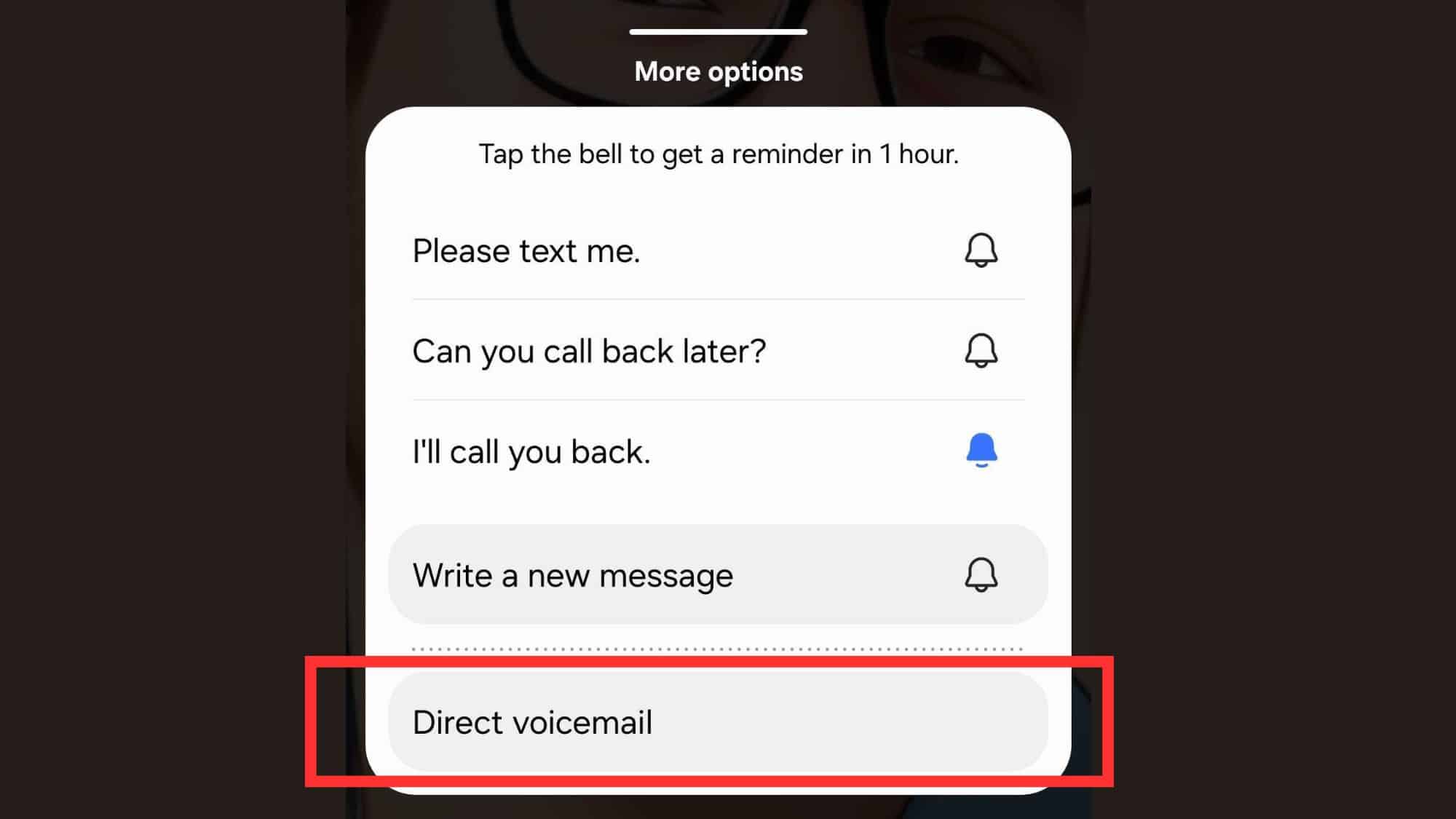
Direct Voicemail is a built-in feature with Samsung’s Phone app in One UI 8.5. When enabled, callers can leave a voicemail depending on the settings you choose. For example, you have the flexibility to set calls to go to voicemail after your approval or only after a select period, like 5, 10, or 20 seconds.
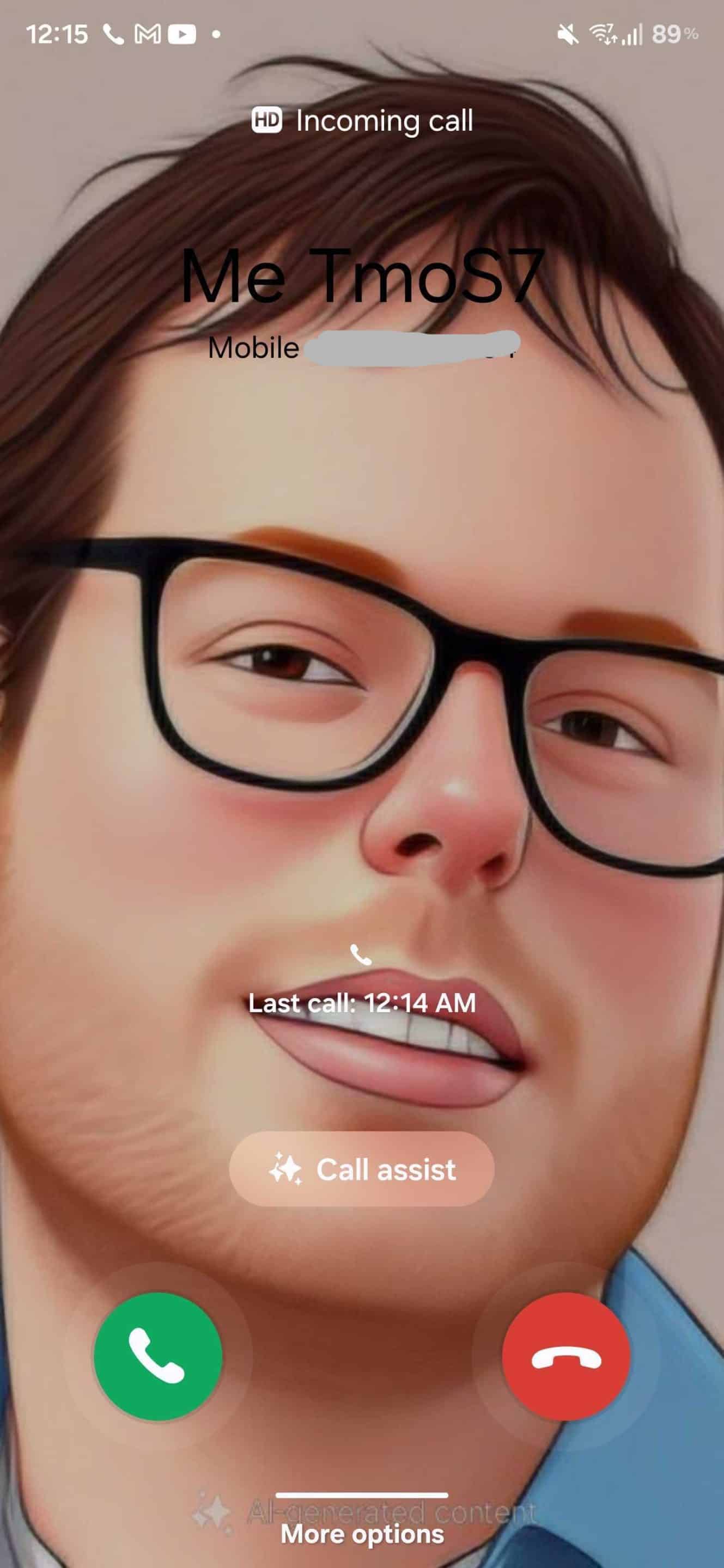
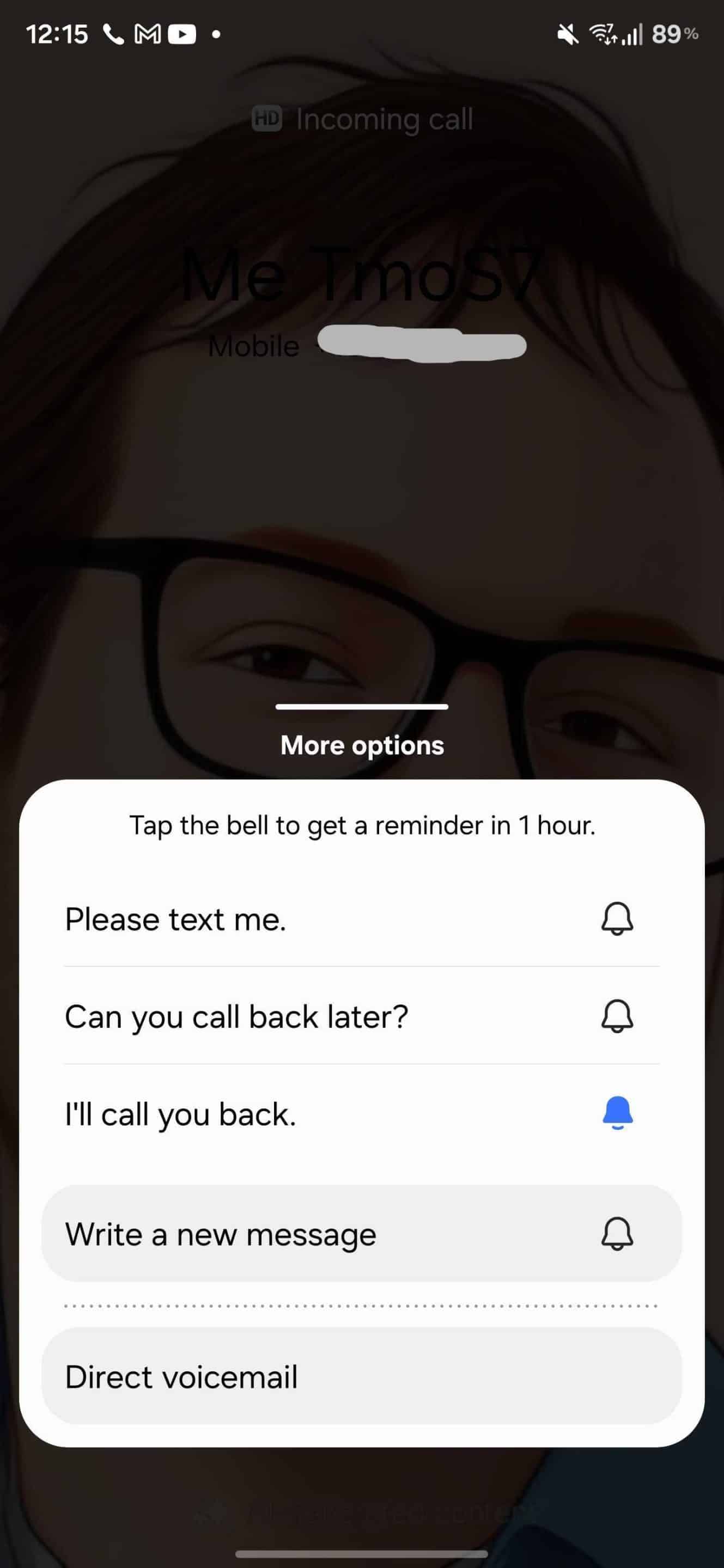
As you can see in the screenshots below, during incoming calls, you get a new Direct Voicemail feature with More options. It sits alongside a bunch of other call management tools. If you choose the voicemail tool, the person on the other end will hear a prompt to leave their message.
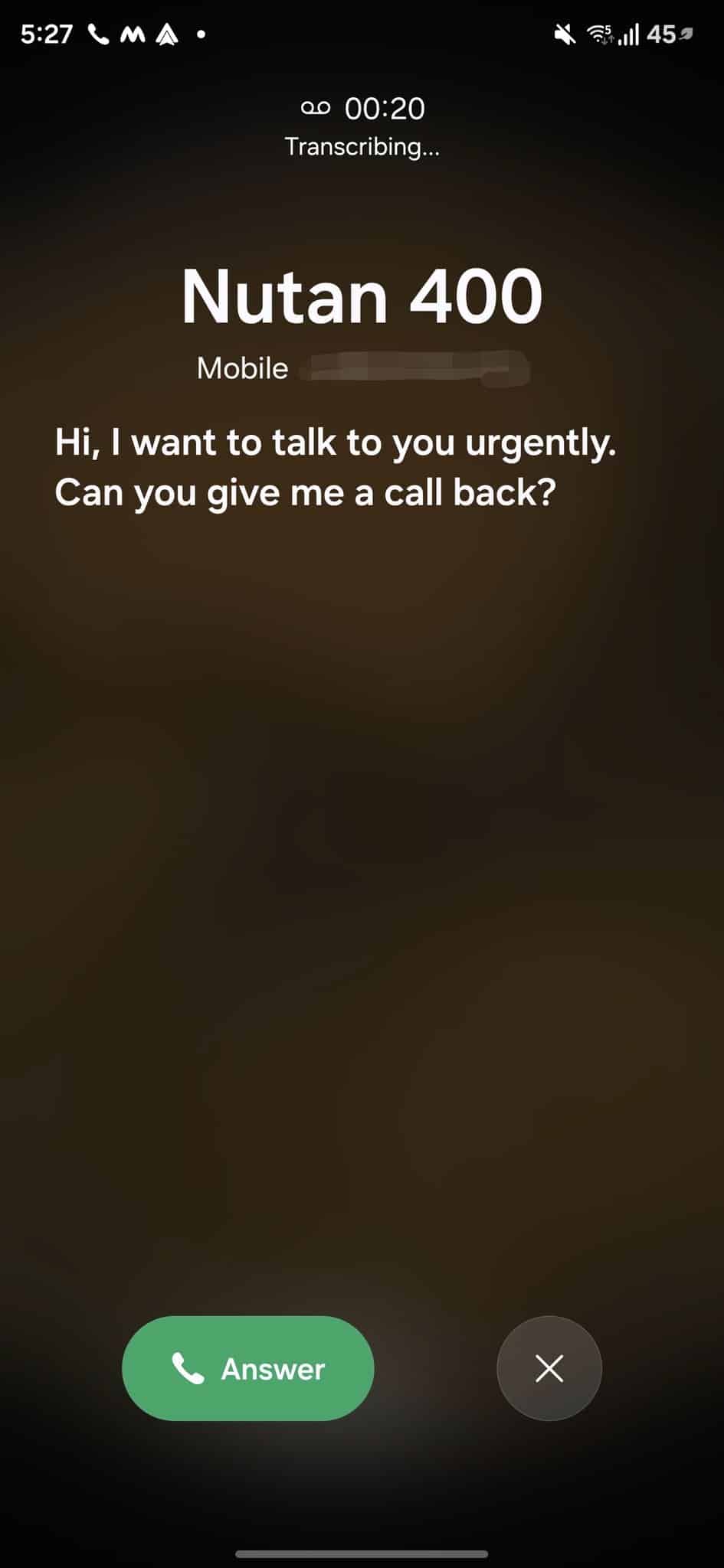
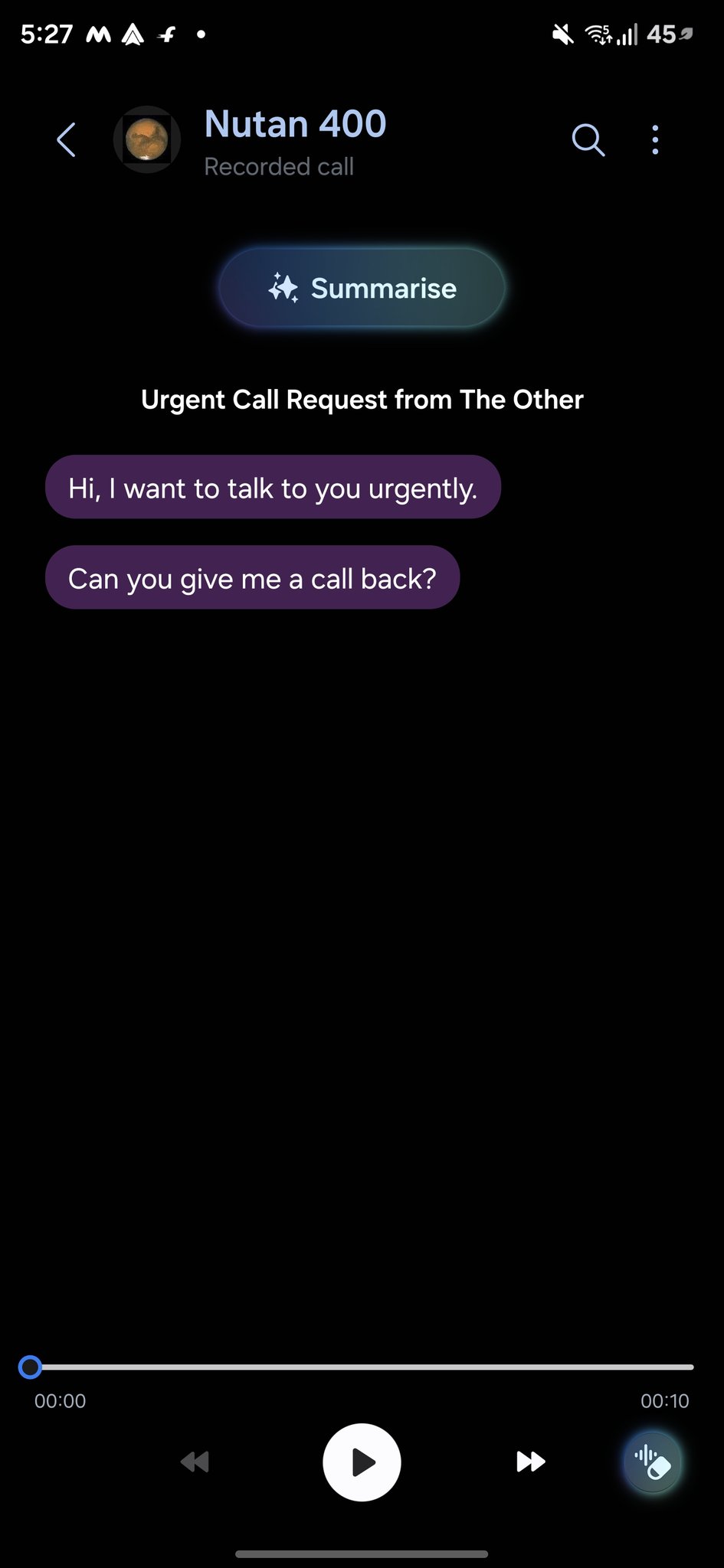
As soon as the caller begins recording their message, the same will also be transcribed in real time on your screen. This means you don’t have to wait until the voicemail ends to know what the caller is saying. If you find the message seems important, you can pick up the call midway by tapping the Answer button and then continuing the conversation. The app stores the voicemail on-device, which you can access through the recent calls list.
In the list, you will see a small voicemail icon next to the contact. Tapping on it will let you explore the voicemail page, where you can listen to the audio recording and read the transcribed text. Samsung has also added a host of AI features that make managing voicemail more convenient. For example, you can summarize a voicemail into a short note and remove the background noise. While the feature seems exciting, the company won’t release it until early 2026. Stay tuned for more details.

Written by
Binay KonwarBinay Konwar started his blogging journey in 2014 and has since written plenty of tech articles. At present, he is working as a News Writer at SammyGuru, covering everything about Samsung. He holds a Master's degree in Mathematics, but his real passion lies in tech and writing. In his free time, he enjoys playing chess and watching movies.

Follow us on Google Discover & set us as a preferred source in Google News
Share this Post
___________________________


New Blog Posts
___________________________

First Set of Pixel 11 Pro XL Renders Are Here
Pixel 11 Pro XL CAD renders show minimal design changes

Is Samsung Preparing One UI 8.5 Beta for Galaxy Z Fold 5 and Flip 5?
Samsung may launch a One UI 8.5 beta program for its 2023 foldables

Galaxy S25 One UI 8.5 Beta May Run Longer Than Expected
Galaxy S25 series’ One UI 8.5 beta may stretch to 10 rounds







