
One UI 8.5 Makes Managing Driving Mode More Intuitive
Well, it’s One UI 8.5 time, even though the One UI 8 update hasn’t yet reached many eligible devices. Sure, the One UI 8 rollout is picking up speed and steadily expanding, but it’s still going to take some time. And the timing couldn’t be better, with the One UI 8.5 build already revealing the upcoming changes.
Here’s how Samsung plans Driving Mode overhaul in One UI 8.5
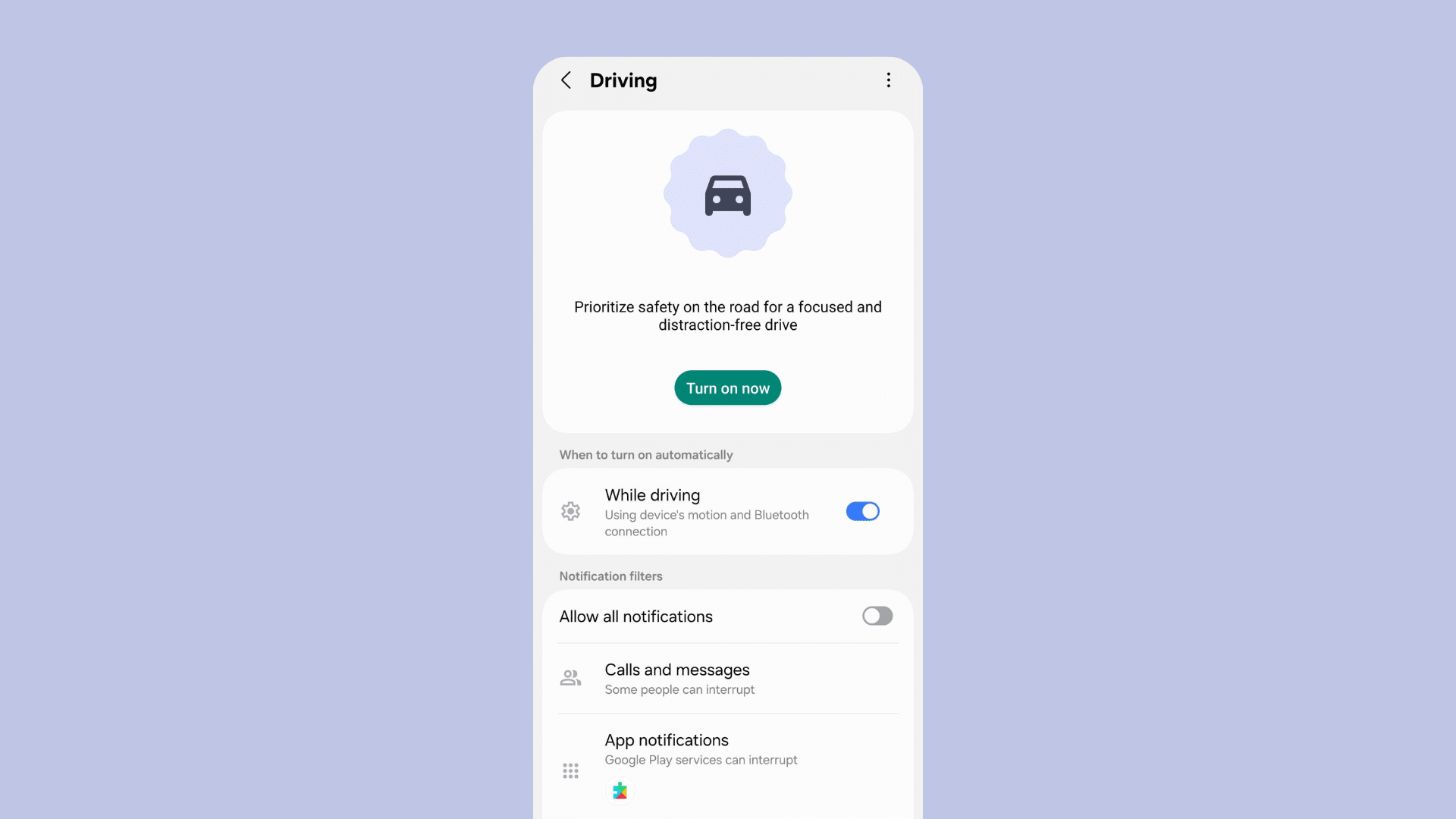
One of the updates appears in Driving Mode. Compared to the version in One UI 8, the upcoming Driving Mode in One UI 8.5 introduces more options and a refreshed interface. Users will immediately notice subtle touches of the Material 3 Expressive design. The header text has been moved to the top-left corner, and the overall layout feels more user-friendly. The back arrow, however, doesn’t check out yet.
-
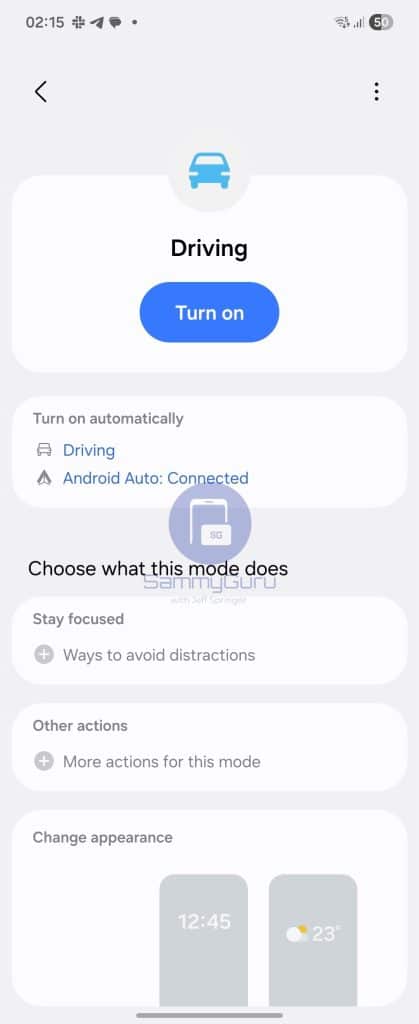
- One UI 8
-
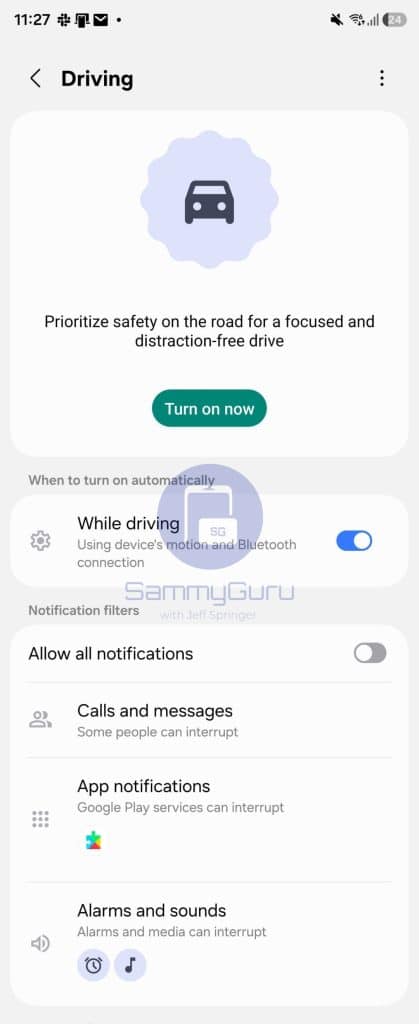
- One UI 8.5
Notification options are now displayed upfront, making it easier for users to allow all notifications while driving. Currently, users have to navigate through the Stay Focused menu and select from suggested options. This update streamlines the setup process, especially for users who are less familiar with the feature. Calls, messages, and app notifications are now immediately accessible, simplifying management while on the road.
Leaks also reveal updates across other apps, including Phone, Modes and Routines, redesigned My Files app, and Quick Panel customization options. Collectively, these changes give the clearest picture yet of what Samsung is planning for One UI 8.5.
Having said that, the One UI 8.5 update won’t be available until the Galaxy S26 series. This leads us to assume that it will arrive early next year with the upcoming flagship lineup. As for other devices, it will take some more time, most likely a few weeks. We’ll be sure to keep you updated on any further developments, so stay tuned.
Gerwin and KeepUPwithOneUI contributed to this article!

Follow us on Google Discover & set us as a preferred source in Google News
Share this Post
___________________________


New Blog Posts
___________________________

First Set of Pixel 11 Pro XL Renders Are Here
Pixel 11 Pro XL CAD renders show minimal design changes

Is Samsung Preparing One UI 8.5 Beta for Galaxy Z Fold 5 and Flip 5?
Samsung may launch a One UI 8.5 beta program for its 2023 foldables

Galaxy S25 One UI 8.5 Beta May Run Longer Than Expected
Galaxy S25 series’ One UI 8.5 beta may stretch to 10 rounds


