
One UI 8.5 Brings New Wi-Fi Options for Better Connectivity

SammyGuru is reader-supported. We have affiliate and sponsored partnerships, so we may earn a commission when you buy through links on our site — at no extra cost to you. Learn more.
Samsung’s upcoming One UI 8.5 update is making a lot of headlines this week thanks to early leaks. We have already revealed what the company is planning with the point update, and it looks like a major overhaul. The firm has also made several tweaks to Wi-Fi settings to make network connections more reliable.
Samsung introduces new Wi-Fi options in One UI 8.5
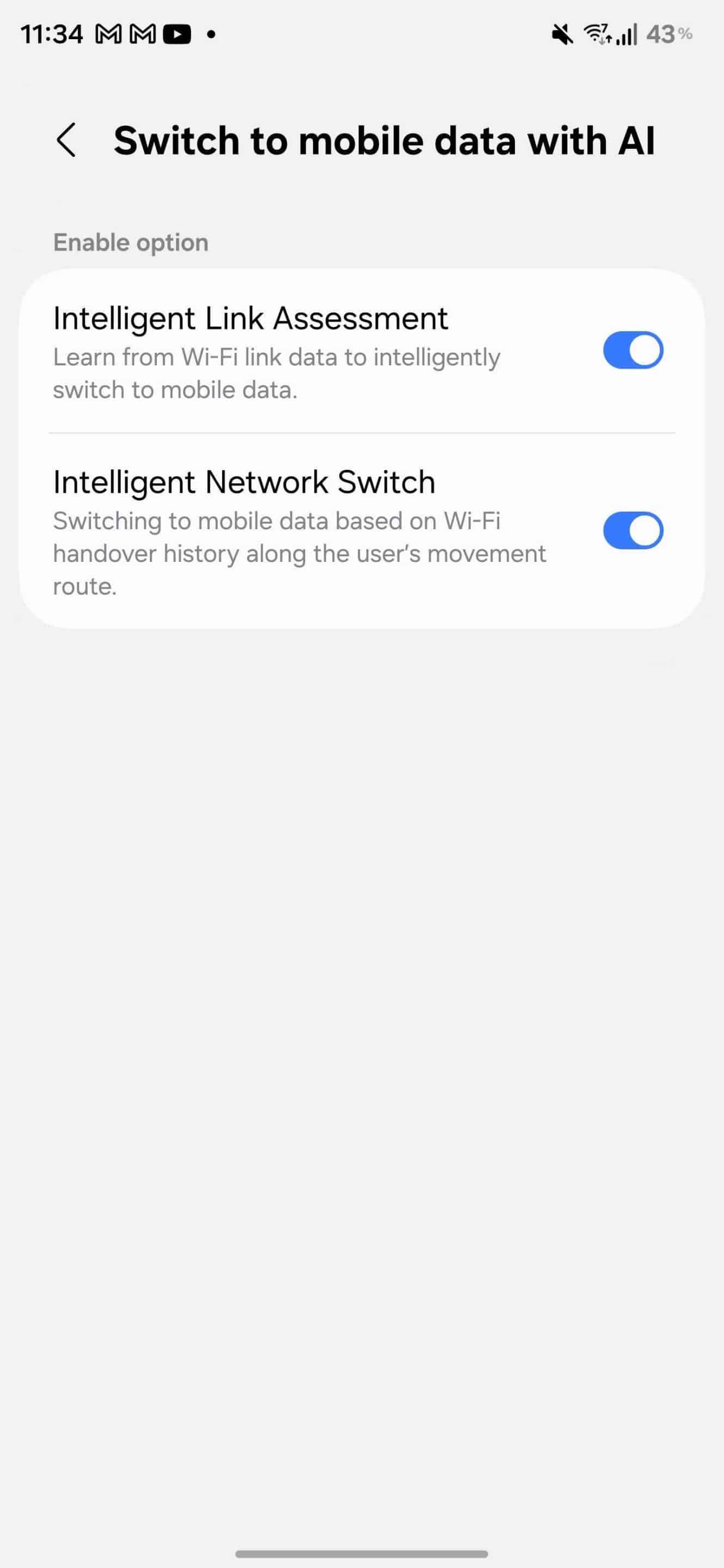
Samsung has added Realtime Data Priority Mode within Wi-Fi settings. This feature gives priority to video calling and real-time gaming over background data usage. That means some background tasks like app updates will be set to lower priority, so real-time apps run smoothly without lag. If this sounds familiar, it’s because One UI 8 had a similar feature called Prioritize real-time data. Hopefully, it’s more than just a name change, offering refined functionality as well.
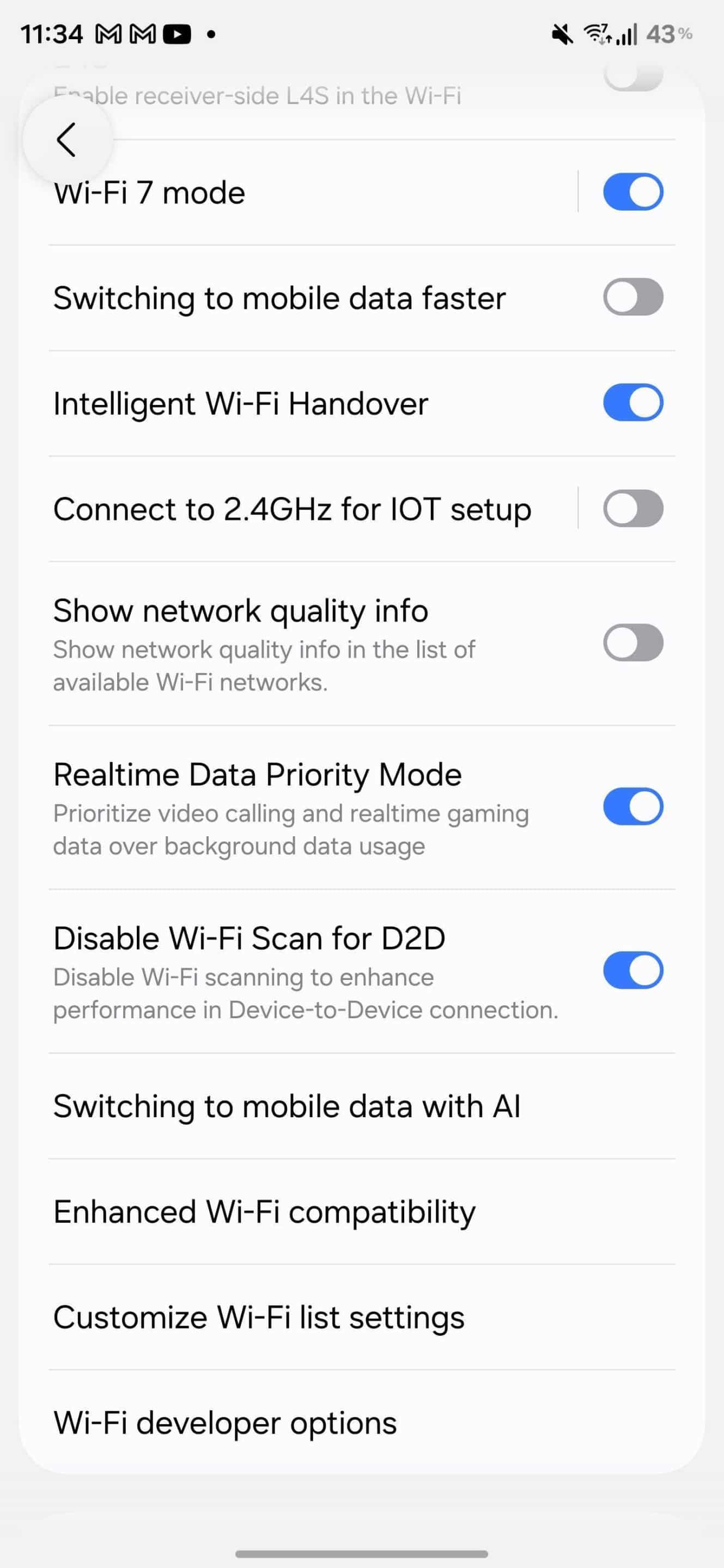
One UI 8.5 will also focus on how your phone decides when to switch from Wi-Fi to mobile data. The company has introduced two new AI-based options: Intelligent Link Assessment and Intelligent Network Switch. The former learn from Wi-Fi link data to intelligently switch to mobile data, while the latter switches based on Wi-Fi handover history along the user’s movement route. These are quality-of-life improvements that make your device much smarter in managing connectivity.
Interestingly, Samsung removed the Secure Wi-Fi feature from the One UI 8.5. This feature lets you browse the internet safely on unsecured, public Wi-Fi networks. It encrypts internet traffic and blocks apps tracking to enhance protection. While the feature is missing in this test build, the company is probably working to bring it back in a future version.
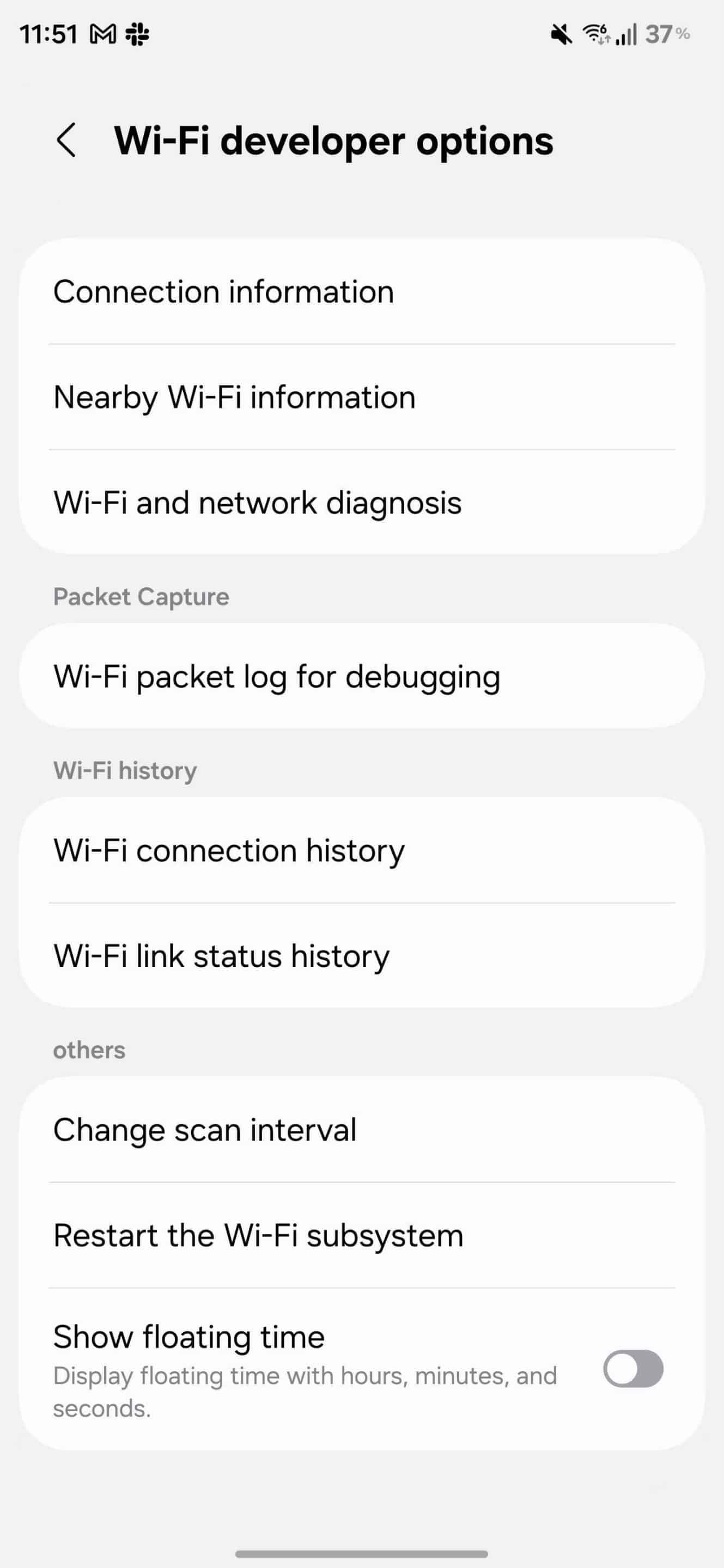
Furthermore, One UI 8.5 has added a new option called Show Floating Time within the Wi-Fi developer page. This feature displays the floating time of your Wi-Fi connection, including hours, minutes, and seconds. As we dig into the early One UI 8.5 builds, more changes and improvements may come to light. We will be sure to keep you updated.

Written by
Binay KonwarBinay Konwar started his blogging journey in 2014 and has since written plenty of tech articles. At present, he is working as a News Writer at SammyGuru, covering everything about Samsung. He holds a Master's degree in Mathematics, but his real passion lies in tech and writing. In his free time, he enjoys playing chess and watching movies.

Follow us on Google Discover & set us as a preferred source in Google News
Share this Post
___________________________


New Blog Posts
___________________________

First Set of Pixel 11 Pro XL Renders Are Here
Pixel 11 Pro XL CAD renders show minimal design changes

Is Samsung Preparing One UI 8.5 Beta for Galaxy Z Fold 5 and Flip 5?
Samsung may launch a One UI 8.5 beta program for its 2023 foldables

Galaxy S25 One UI 8.5 Beta May Run Longer Than Expected
Galaxy S25 series’ One UI 8.5 beta may stretch to 10 rounds







