
As One UI 8.5 Beta Rolls Out for Galaxy S25, Here Are the Highlight Features
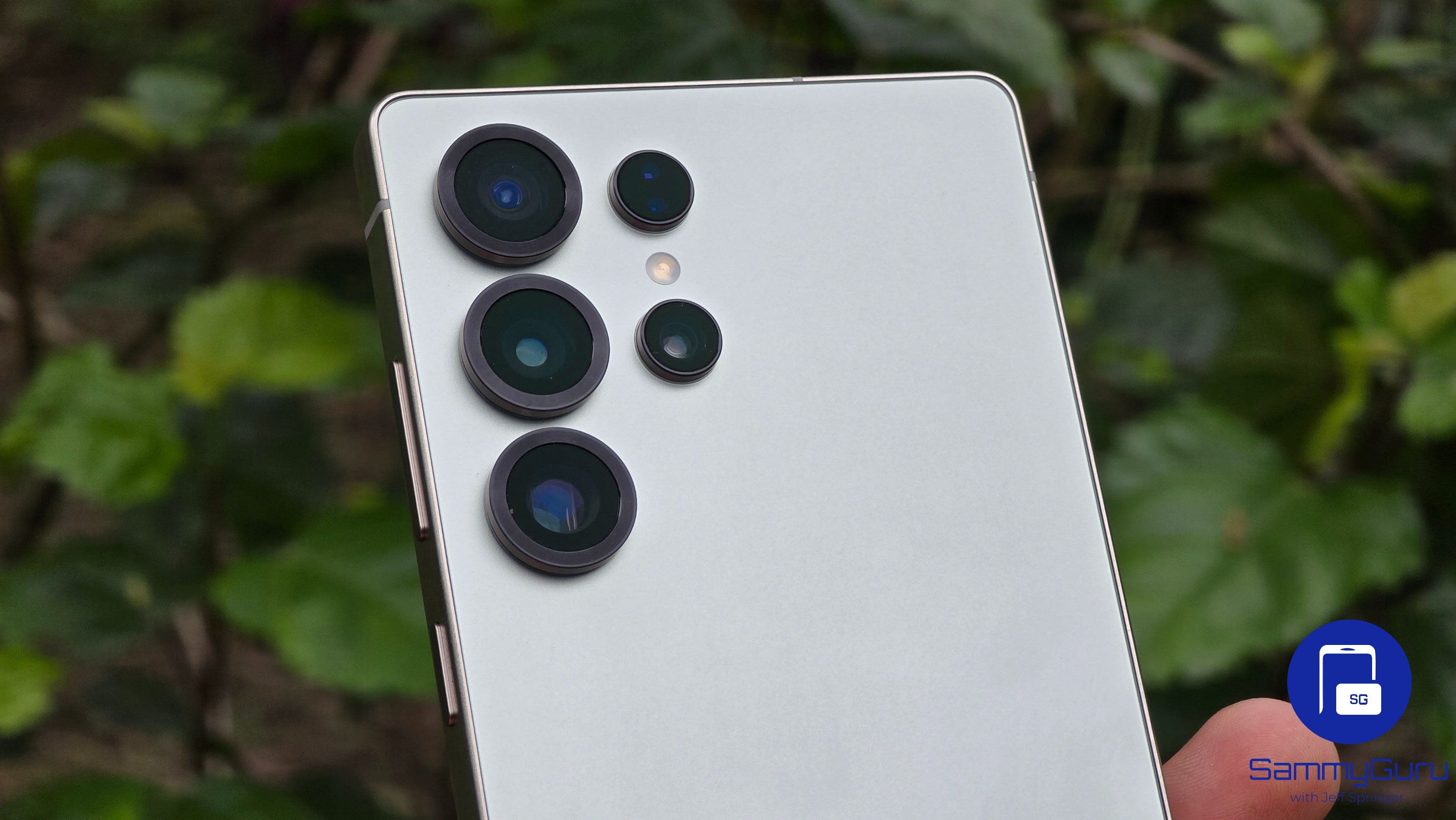
The moment is finally here for everyone who has been waiting, including those who tried their hand at securing leaked builds. Samsung has officially begun rolling out the One UI 8.5 beta for the Galaxy S25 trio. This means users in select regions can now try the beta software.
As leaks had long suggested, and as we have seen in some internal builds, the One UI 8.5 update is far more substantial than One UI 8. This is because it is based on Android 16 QPR2, which, when combined with new Galaxy AI smarts, makes the update worthwhile. We’ll likely see even more features arrive with the stable release, but for now, here is what’s new in the One UI 8.5 beta, as outlined by Samsung.
Samsung outlines what’s new in the One UI 8.5 beta
1. Upgraded Photo Assist
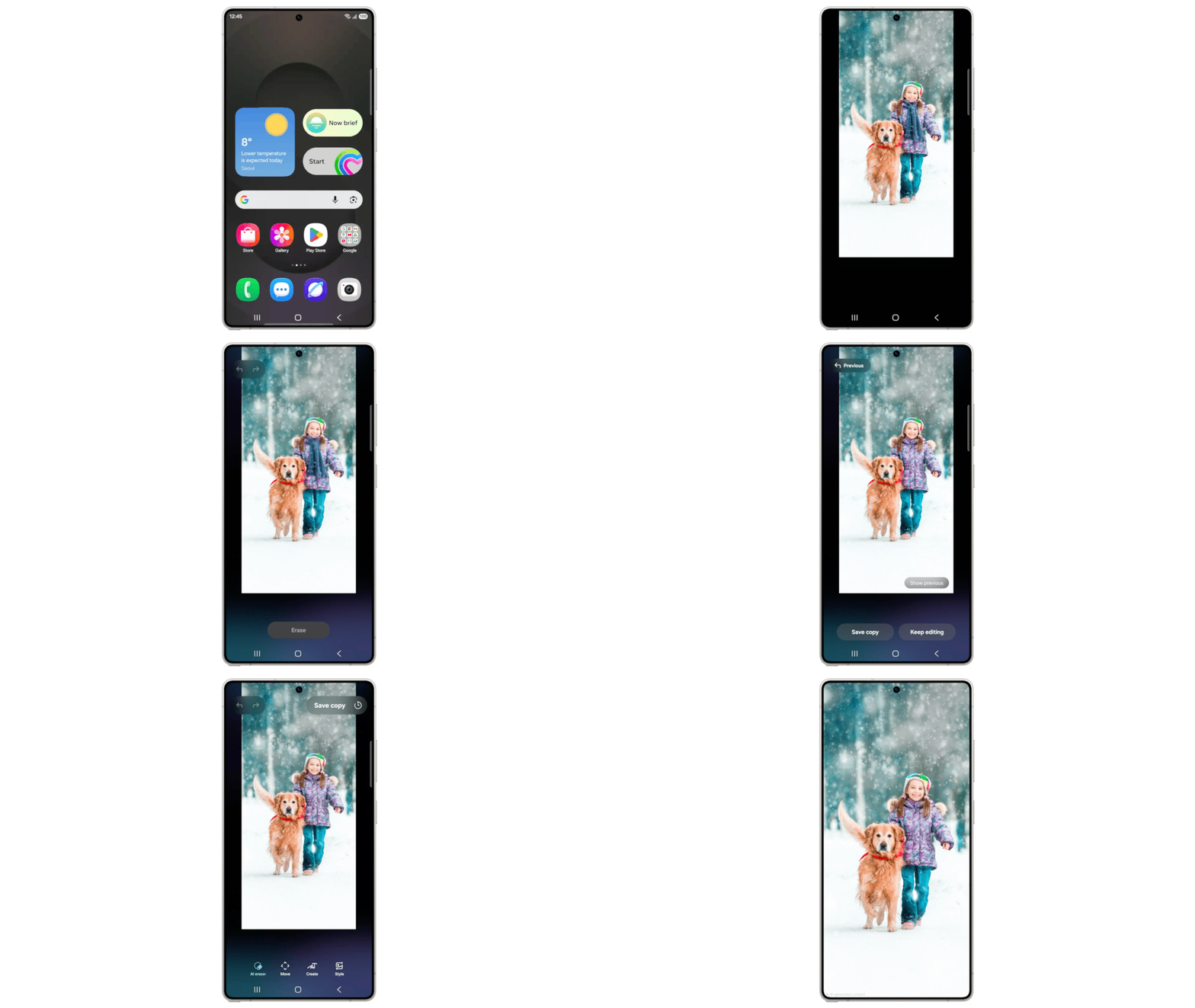
One UI 8.5 beta comes with upgraded Photo Assist feature. So you can now continue editing an image with AI tools without being forced to save a new copy after every change. This means you can erase objects, move elements around, or apply styles continuously. Then review your full edit history later and keep only what you like.
2. Smarter Quick Share with face recognition
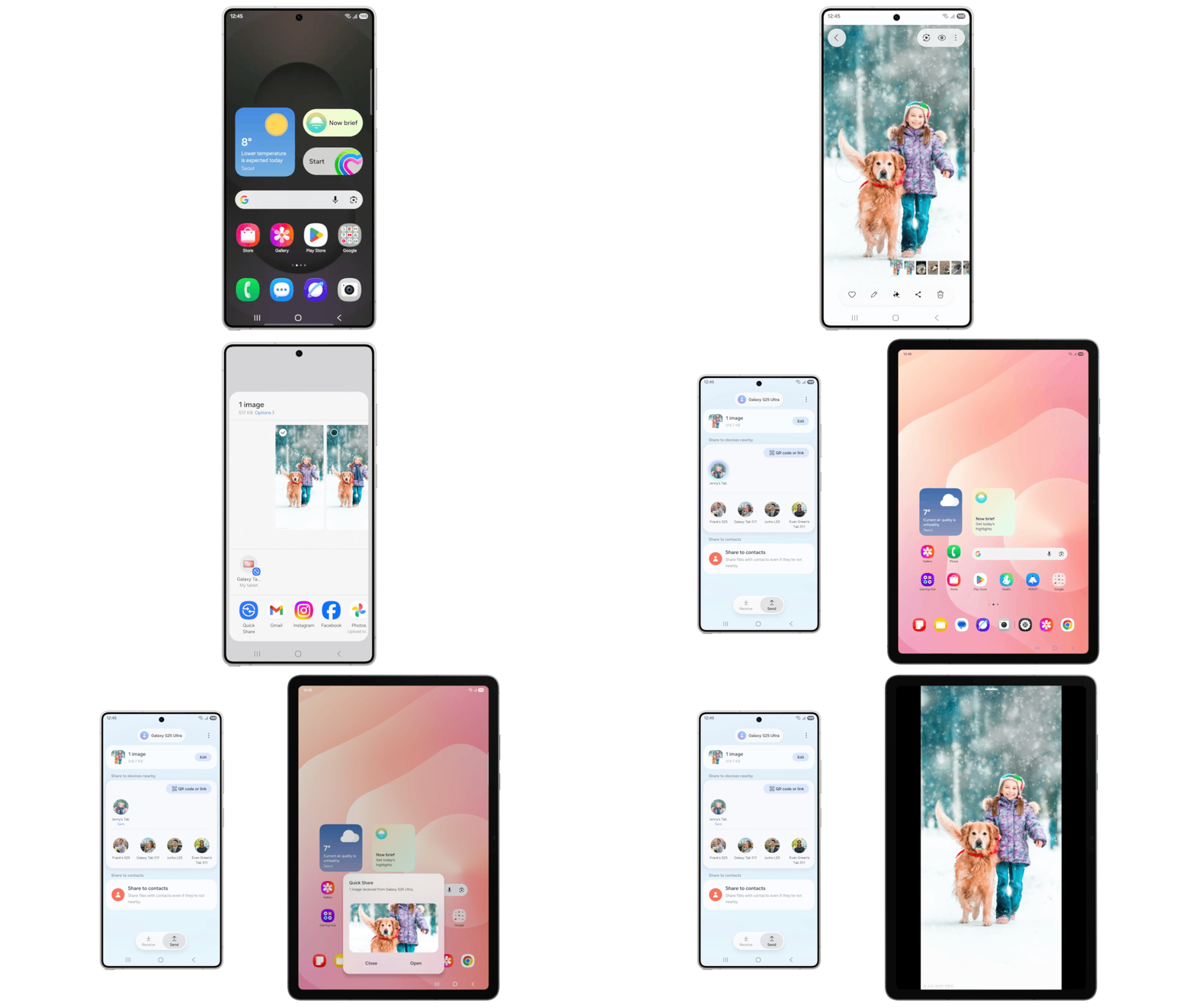
Quick Share can now recognize people in your photos and suggest sharing the image directly with those contacts. The feature is powered by Google and Samsung’s shared Quick Share system, which means it should work smoothly and reliably across supported Galaxy devices. This makes sending photos faster and more context-aware, especially after capturing group shots or shared moments.
3. Storage Share for cross-device file access
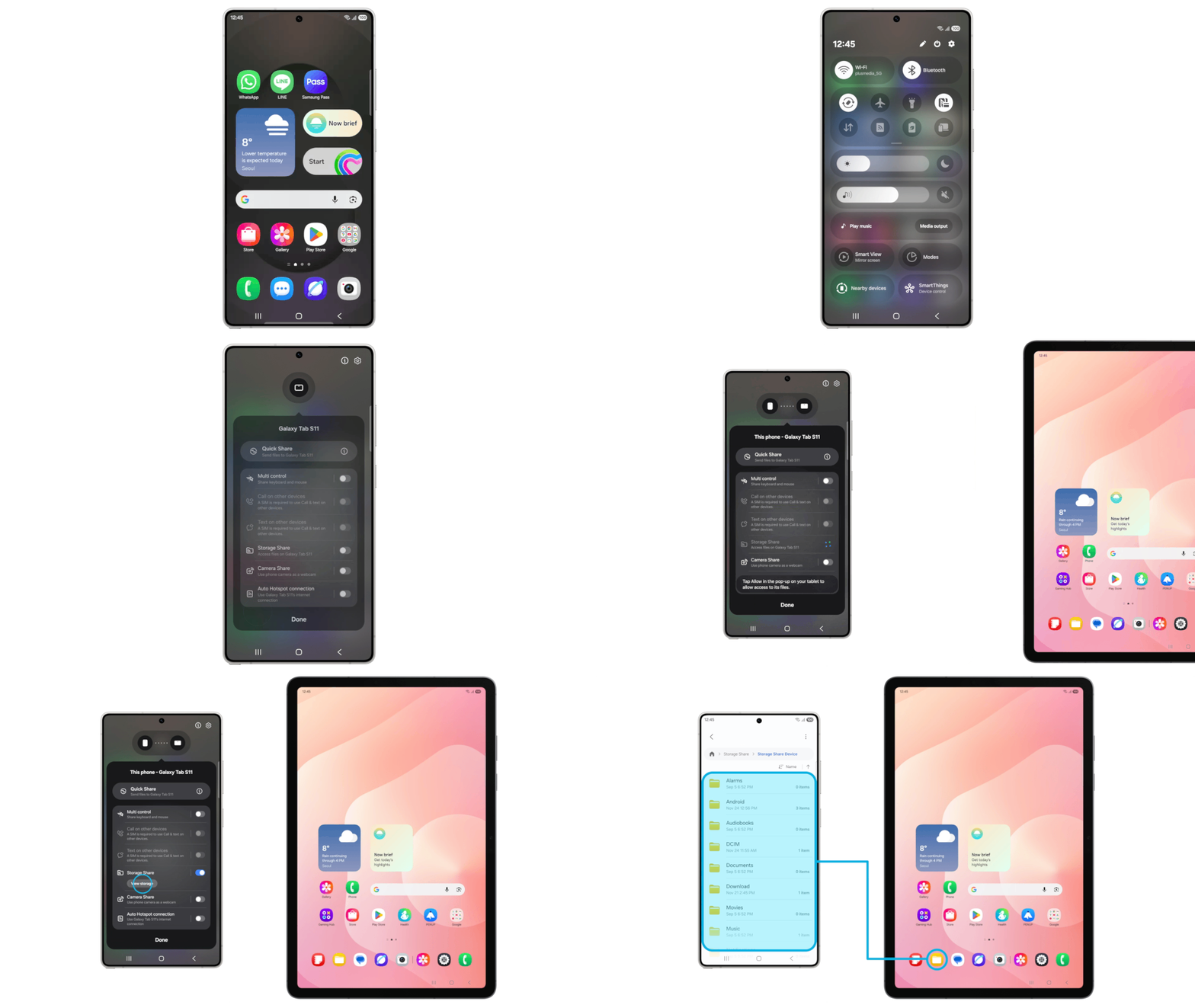
Storage Share lets you access your phone’s files from other Samsung devices, including tablets and TVs, while also allowing you to view files from other Galaxy devices directly inside the My Files app. You can browse these files freely, but you still cannot save them locally or share them through Quick Share. Even with those limits, the feature is useful for users with multiple Samsung devices. It removes the need to move files manually or rely on cloud uploads.
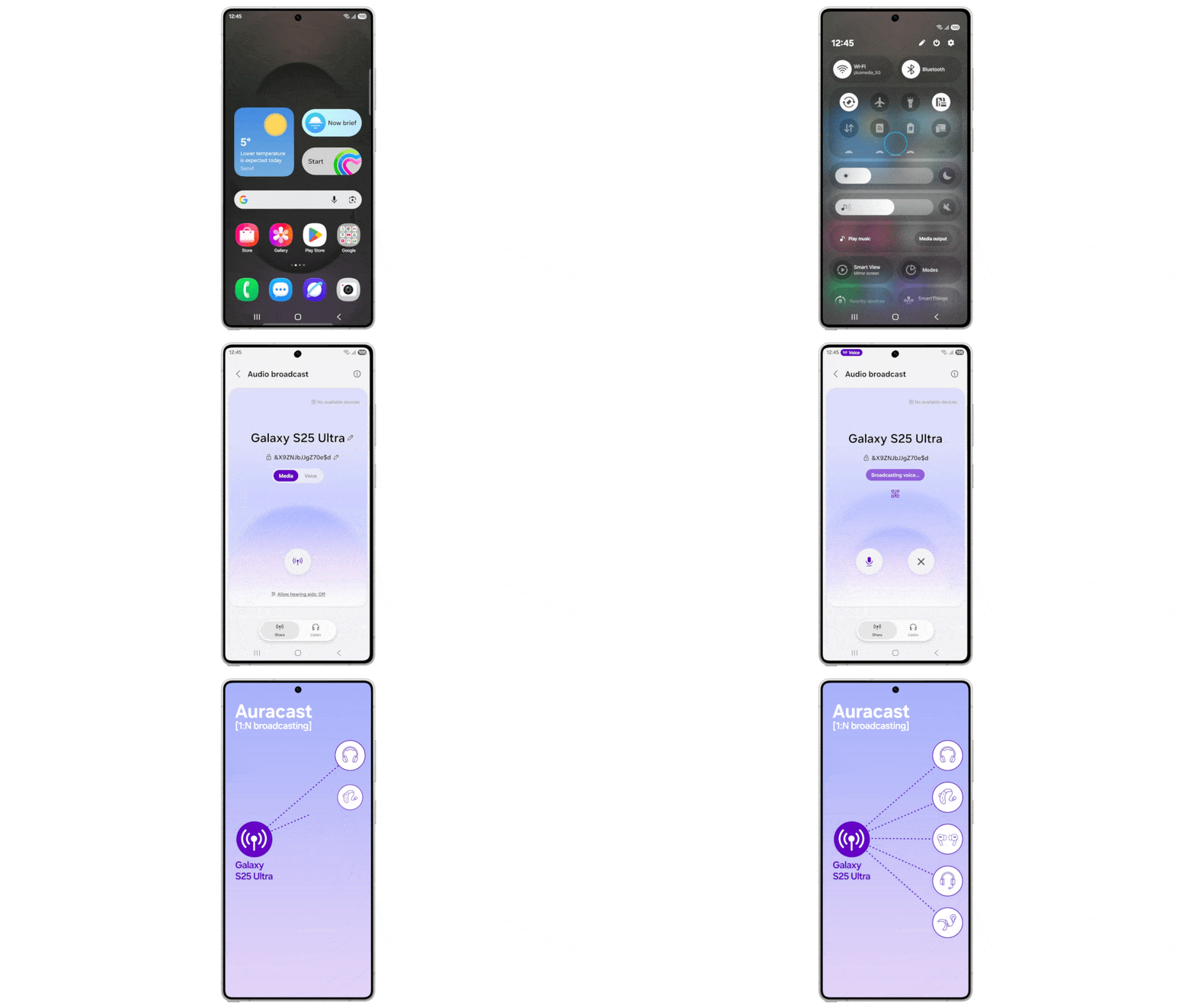
4. Phone as a microphone with audio broadcast
Samsung is expanding its Auracast-based Audio Broadcast feature, which now allows your Galaxy phone to function as a microphone. Your voice can be streamed to nearby Bluetooth LE audio devices such as earbuds or headphones. Samsung says this can be useful for guided tours, group events, classrooms, or other situations where audio needs to be shared clearly with multiple listeners at once.
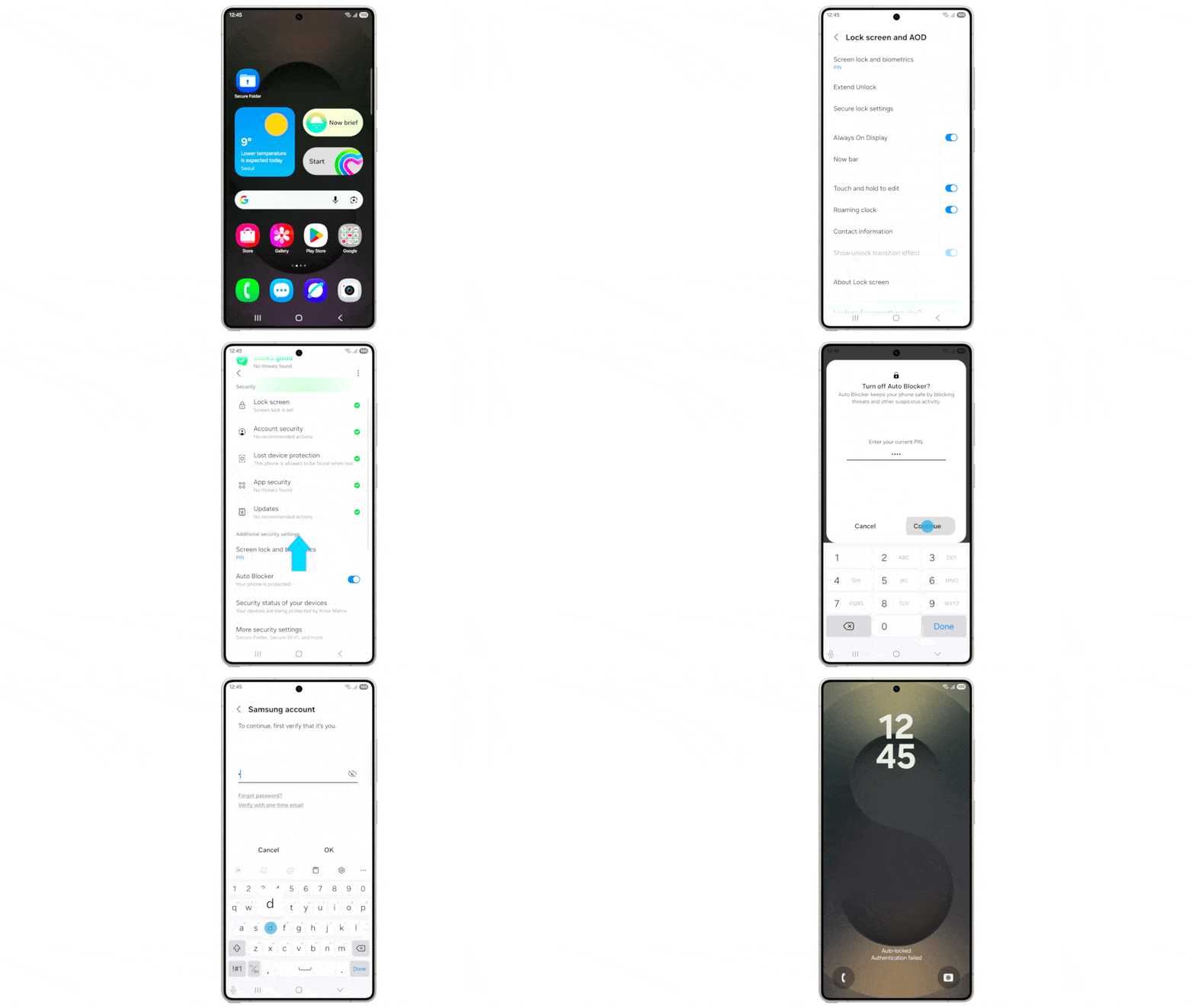
5. Failed authentication lock for better theft protection
A new Failed Authentication Lock automatically locks your phone if someone repeatedly fails to access secure apps using a PIN, fingerprint, or password. This is clearly aimed at theft scenarios where a phone is snatched while unlocked. Samsung is also expanding identity check protections to cover more system settings.
These are just some of the features you’ll see with the One UI 8.5 beta, and we have already detailed all the changes separately. With more beta rounds and until the stable launch, we’ll see many more features coming our way. But for now, you can enjoy these as well as the redesigned and now customizable Quick Share, along with many additional tweaks.

Follow us on Google Discover & set us as a preferred source in Google News
Share this Post
___________________________


New Blog Posts
___________________________

First Set of Pixel 11 Pro XL Renders Are Here
Pixel 11 Pro XL CAD renders show minimal design changes

Is Samsung Preparing One UI 8.5 Beta for Galaxy Z Fold 5 and Flip 5?
Samsung may launch a One UI 8.5 beta program for its 2023 foldables

Galaxy S25 One UI 8.5 Beta May Run Longer Than Expected
Galaxy S25 series’ One UI 8.5 beta may stretch to 10 rounds


