
Google Testing AI Summaries and Bookmarking in Discover Feed
SammyGuru is reader-supported. We have affiliate and sponsored partnerships, so we may earn a commission when you buy through links on our site — at no extra cost to you. Learn more.
In recent years, Google has heavily focused on integrating AI technology into its search engine. The company is now testing AI-generated story summaries in its Discover feed on both Android and iOS apps. Additionally, it is working to make bookmarking articles more convenient on the Discover card.
Google is working to improve the Discover feed
Google aims to help users find information quickly by displaying summarized answers from multiple sources. For example, based on a user’s search query, AI Overview displays brief summaries of search results above the traditional organic results. Its AI Mode activates an AI-powered search engine that provides comprehensive responses to your questions with relevant web links.
The search giant has now begun testing AI-generated summaries in the Discover feed, according to 9to5Google. For the uninitiated, Google Discover analyzes your interests and activity to display a personalized feed of content, without the need for a search query. With the implementation of AI, Google now aims to enhance content discovery by presenting informative previews of the story at a glance. This will help users decide whether to click on a web link to explore the full content or if the summary already gives the required information.



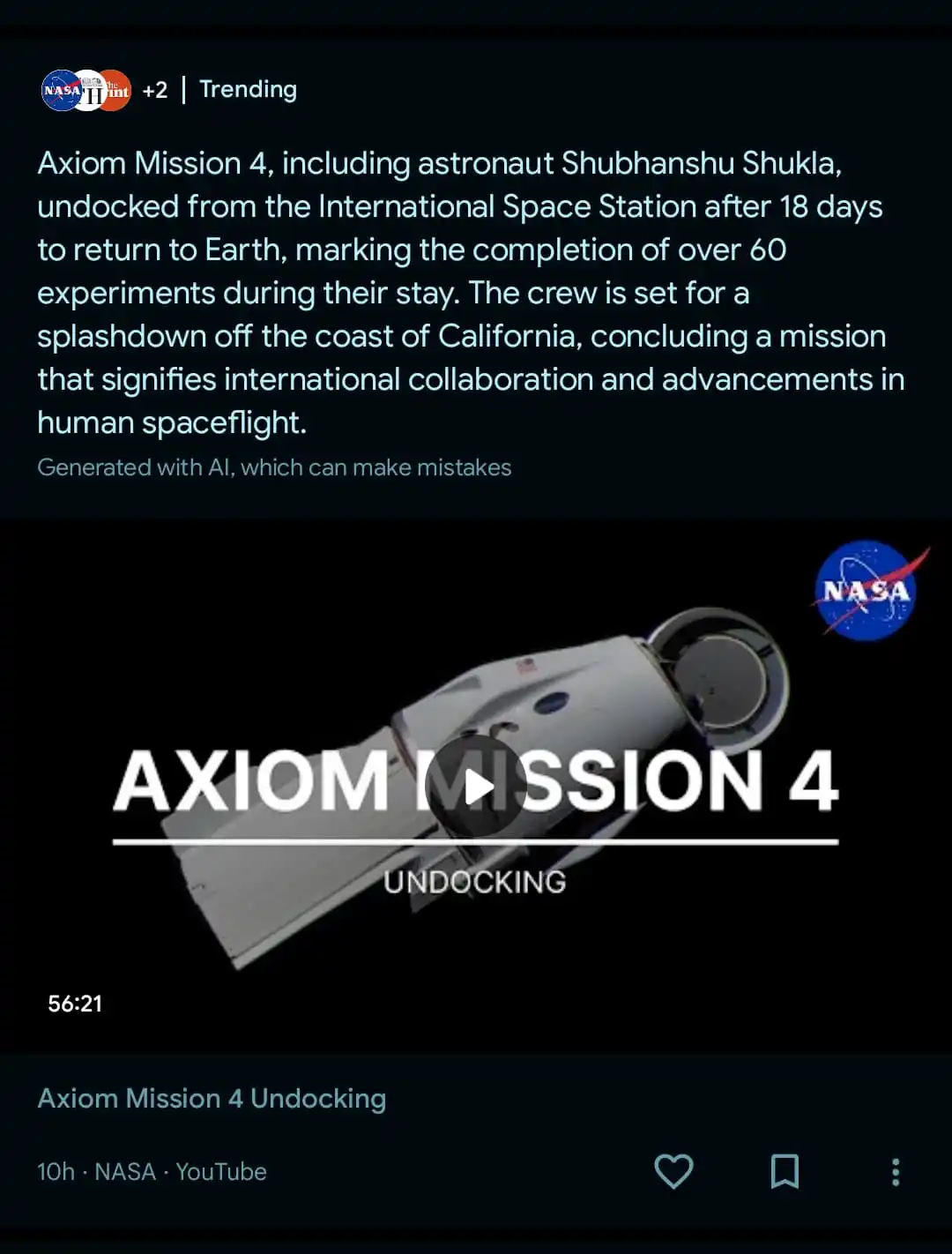
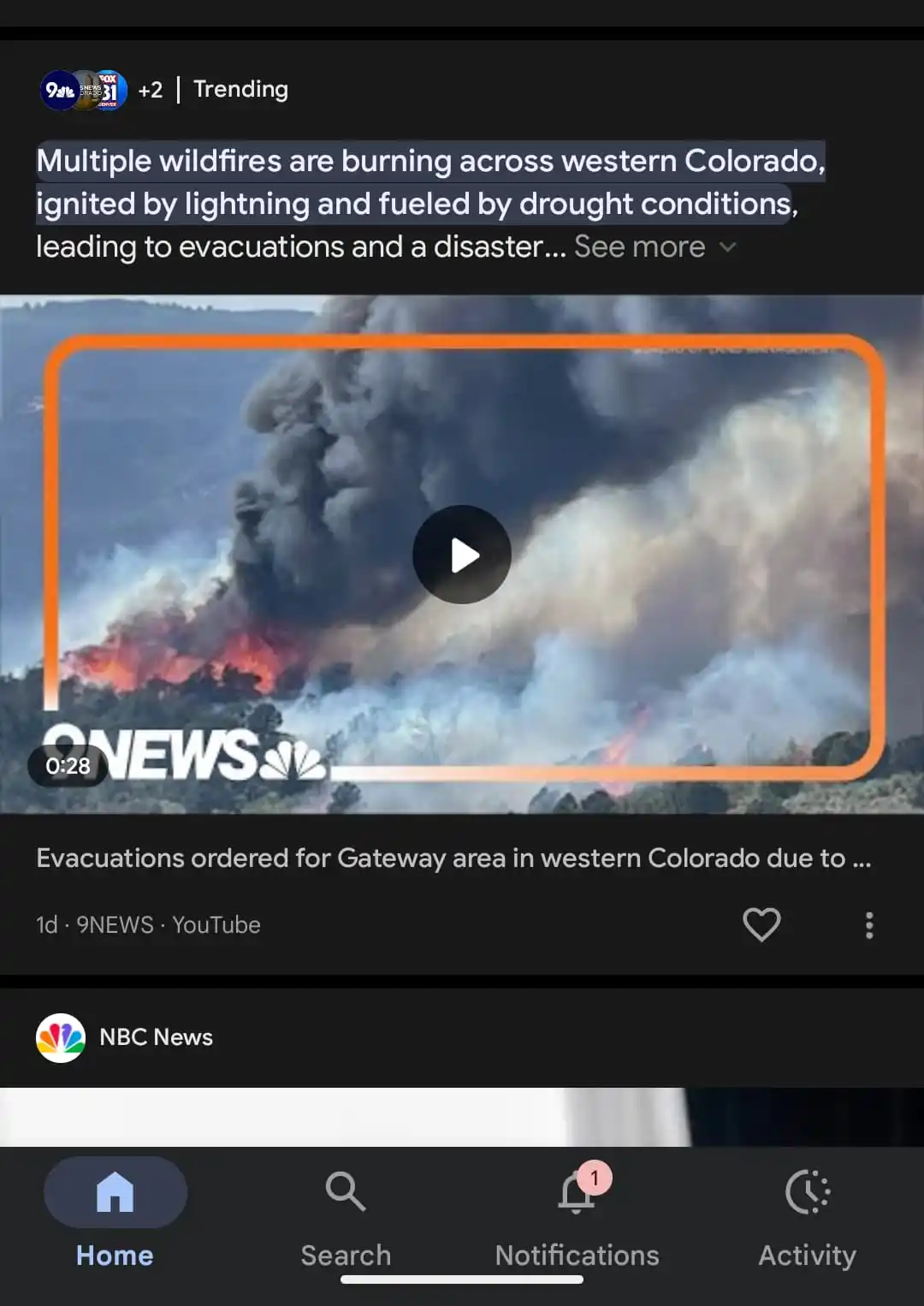
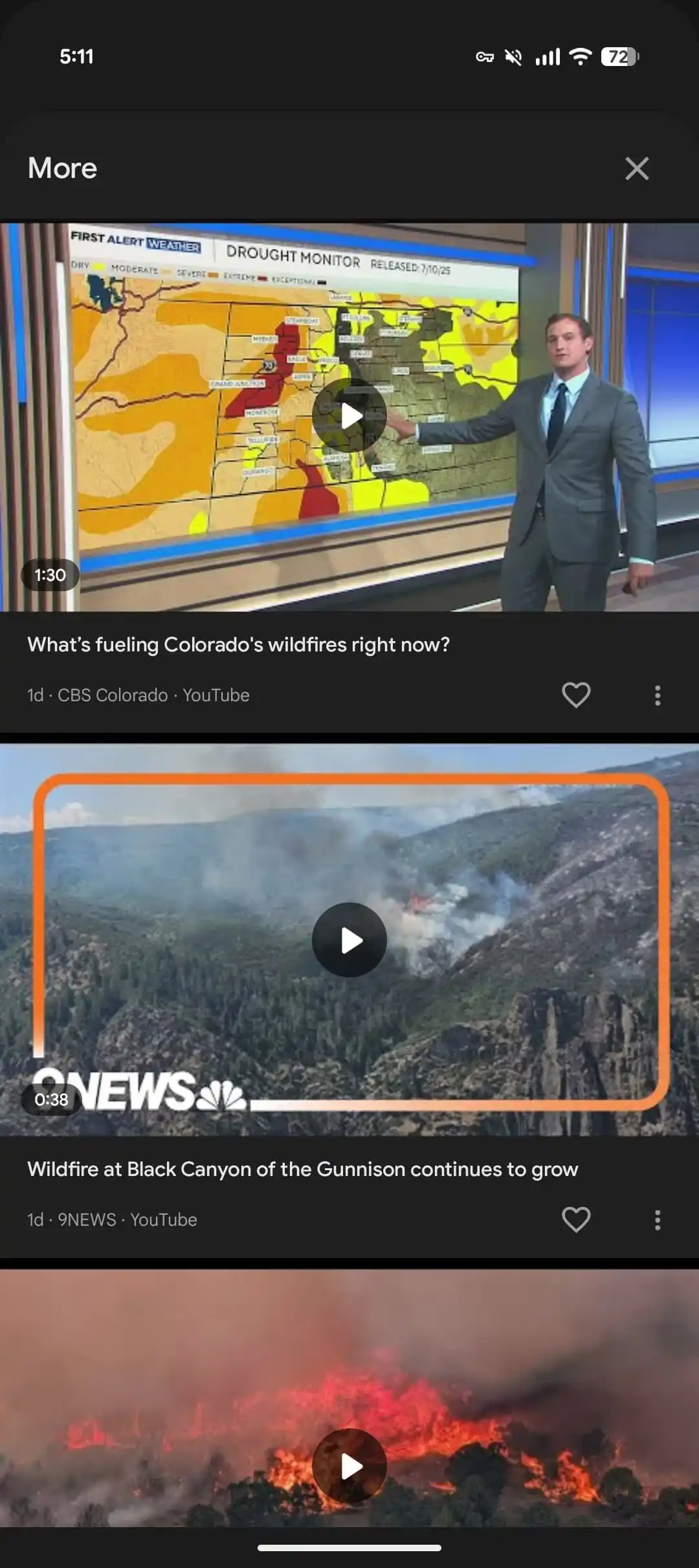
AI-powered preview compiled from multiple sources
The new Discover interface shows several overlapping publication logos in the top-left corner, instead of just one. If you tap on them, you will see all the articles in the More panel, allowing you to visit each source separately. Based on these sources, an AI-generated summary preview is displayed, with a “See more” option. Tapping on it shows more information from the summary. At the end of the summary, you will see a note that reads: “Generated with AI, which can make mistakes.”
Furthermore, you will now see a Save icon on each Discover card between the heart and the overflow menu. Tapping the bookmark button lets you save the content — you can check it later under the Activity tab in the Google app.
While this is a meaningful improvement from a user’s point of view, it may disappoint publishers, as it could lead to fewer clicks to the original sources. It will be interesting to see how Google plans to balance the needs of both publishers and users.

Written by
Binay KonwarBinay Konwar started his blogging journey in 2014 and has since written plenty of tech articles. At present, he is working as a News Writer at SammyGuru, covering everything about Samsung. He holds a Master's degree in Mathematics, but his real passion lies in tech and writing. In his free time, he enjoys playing chess and watching movies.

Follow us on Google Discover & set us as a preferred source in Google News
Share this Post
___________________________


New Blog Posts
___________________________

First Set of Pixel 11 Pro XL Renders Are Here
Pixel 11 Pro XL CAD renders show minimal design changes

Is Samsung Preparing One UI 8.5 Beta for Galaxy Z Fold 5 and Flip 5?
Samsung may launch a One UI 8.5 beta program for its 2023 foldables

Galaxy S25 One UI 8.5 Beta May Run Longer Than Expected
Galaxy S25 series’ One UI 8.5 beta may stretch to 10 rounds







