
Google Messages Update Brings a Trash Folder, Finally

Both Samsung Messages and Google Messages support RCS on Galaxy phones, but the latter is the more popular option. Lately, Google developers have been adding a couple of new features. Now, one more feature is finally coming to Google Messages that has been available on Samsung Messages and Apple Messages for a while.
Google Messages finally adds a Trash folder
Google Messages is now rolling out a simple Trash folder, starting with beta version 20260306_02_RC00. As spotted by the folks at 9to5Google, you can move chats to Trash. And they’ll be automatically deleted after 30 days. At the moment, if you delete a chat from the app, it goes straight to deletion with no recovery option. So this is a small but useful update.
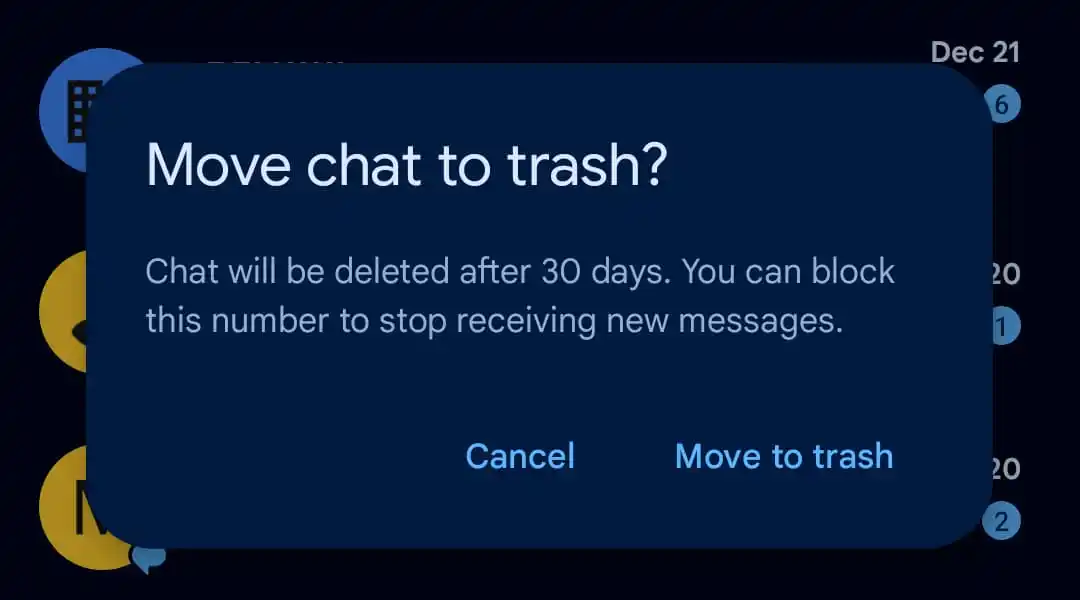
You can open this folder by tapping the profile icon in the top right corner of the app and selecting the Trash option. At the top of the folder, you’ll find options to Restore All or Delete All, which let you recover or permanently remove every message at once. Alternatively, you can restore or delete messages individually.
Once this update reaches the stable release, messages will no longer be removed permanently right away. Instead, they’ll be sent to a Trash folder first. If you’re sure a message is no longer useful, you can delete it from Trash to remove it permanently.

Follow us on Google Discover & set us as a preferred source in Google News
Share this Post
___________________________


New Blog Posts
___________________________

First Set of Pixel 11 Pro XL Renders Are Here
Pixel 11 Pro XL CAD renders show minimal design changes

Is Samsung Preparing One UI 8.5 Beta for Galaxy Z Fold 5 and Flip 5?
Samsung may launch a One UI 8.5 beta program for its 2023 foldables

Galaxy S25 One UI 8.5 Beta May Run Longer Than Expected
Galaxy S25 series’ One UI 8.5 beta may stretch to 10 rounds


