
Google Brings Redesigned UI to Quick Share on Windows
SammyGuru is reader-supported. We have affiliate and sponsored partnerships, so we may earn a commission when you buy through links on our site — at no extra cost to you. Learn more.
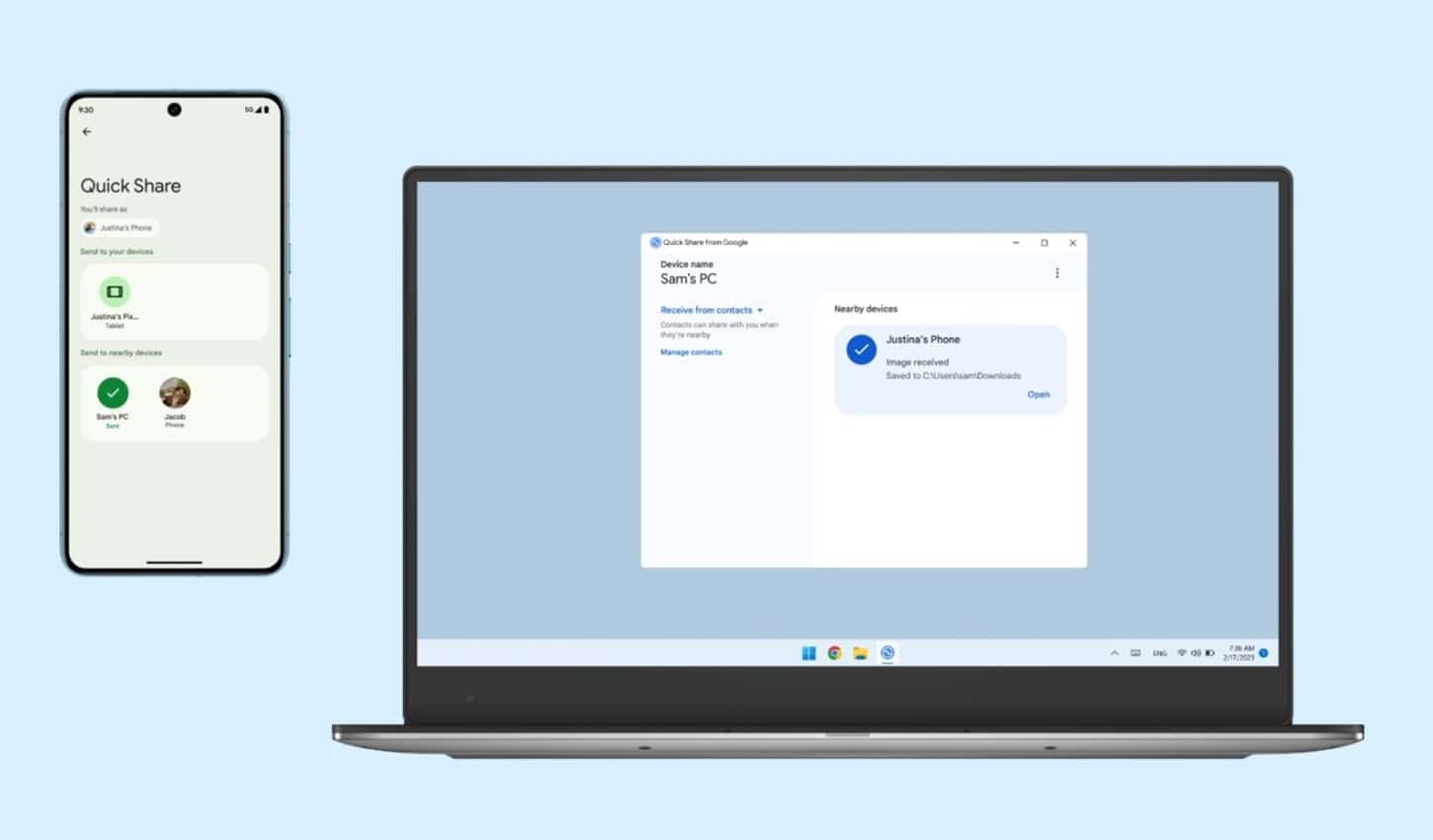
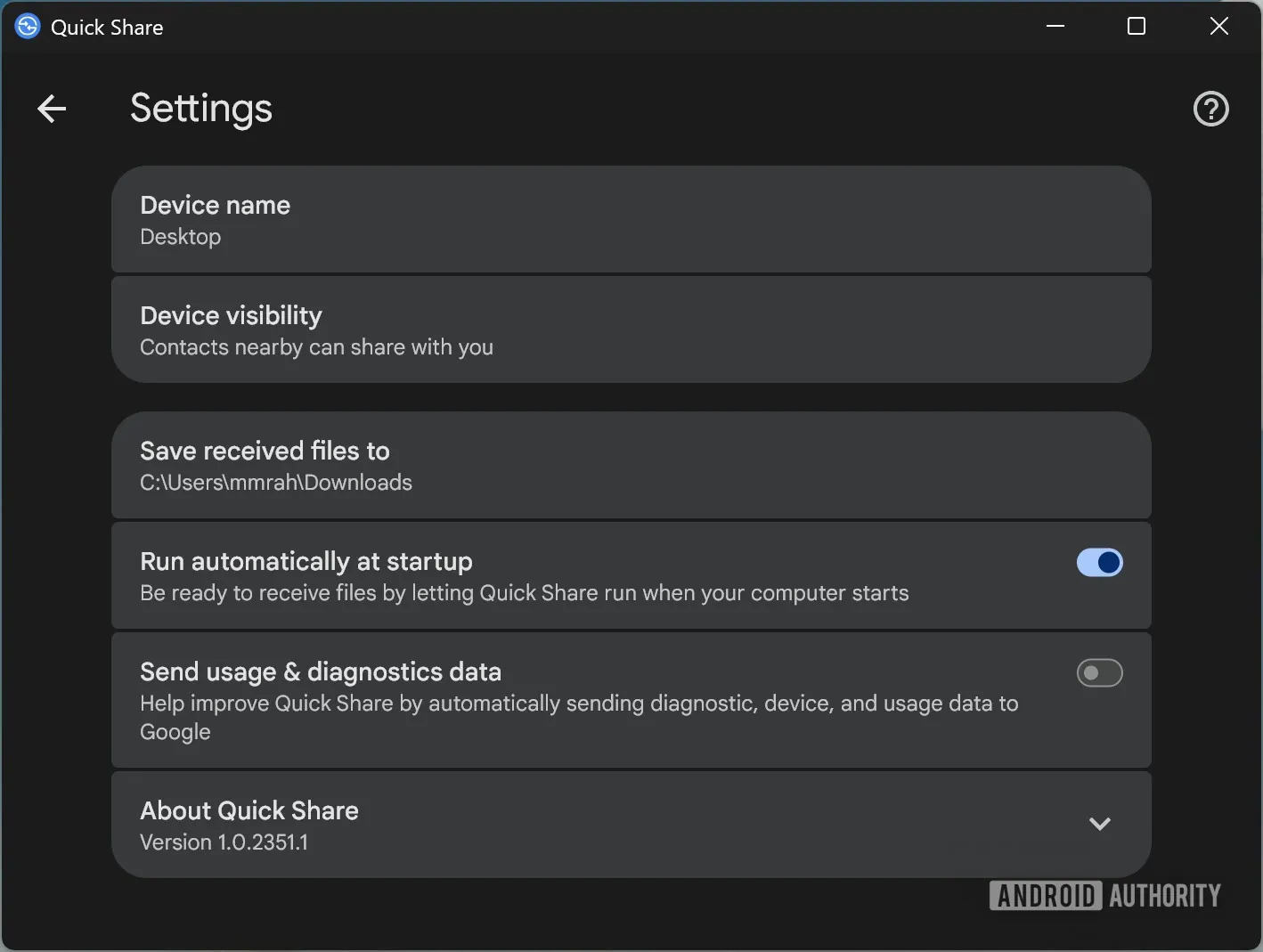
Google has made some tweaks to its Quick Share app for Windows with version 1.0.2351.1. The update makes the interface more organized and cleaner, providing a seamless file-sharing experience across devices. The company is gradually pushing the improvements around the world, so expect them to hit your device in the coming weeks if not right away.
Windows users get a fresh Quick Share interface in the latest update
For the uninitiated, Quick Share lets you send and receive files between Android devices and Windows computers. For example, you can share photos, videos, documents, and more with nearby devices quickly. When someone sends you a file, you get a prompt to approve it. The good thing is that the service encrypts all transfers, keeping your files private and secure.
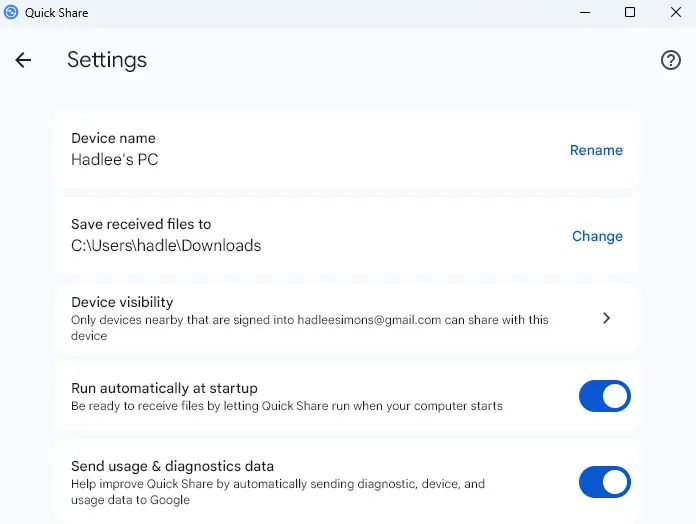
The new Quick Share desktop interface features (via Android Authority) an expressive style settings menu. For example, related options, such as device name and device visibility, are grouped in boxes, with each entry separated by lines.
-
- Old
-
- New
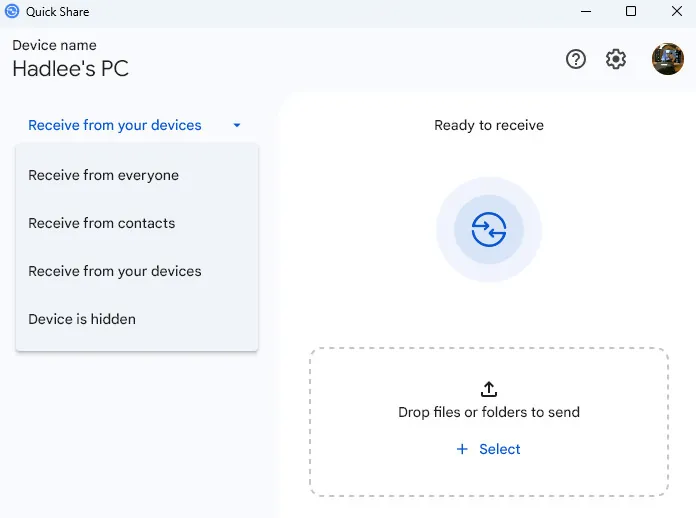
On the main screen, the sharing section now includes a clear header that asks, “Who can share with you?” You can choose between Contacts, No one, Your devices, or Everyone. There is also an option to allow sharing with Everyone for 10 minutes.
-
- Old
-
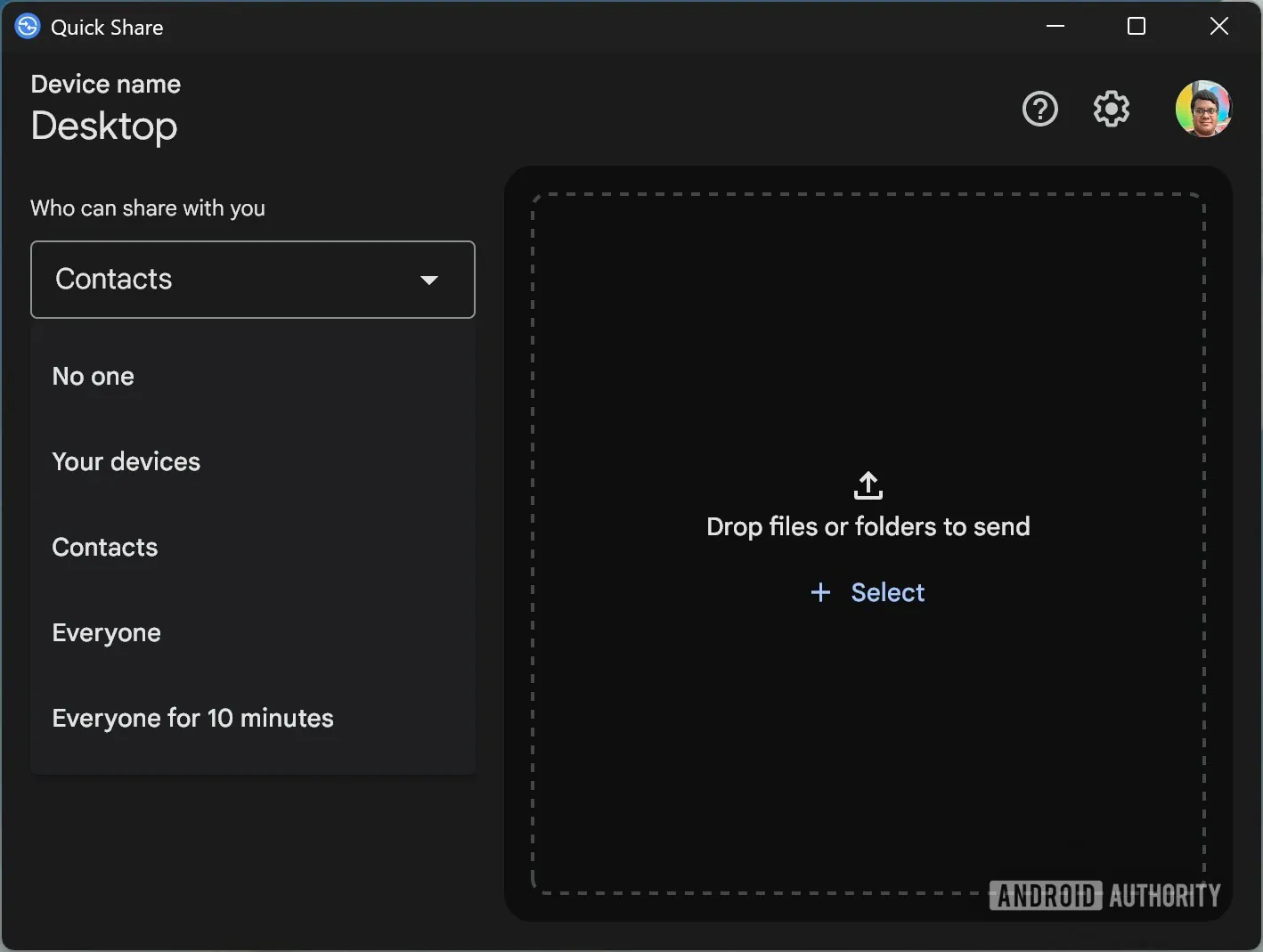
- New
Unlike the Android version of Quick Share, which features separate sending and receiving tabs, the Windows app manages both functions on a single screen. Because the interface is large, this approach makes it easy to manage all file transfers without switching pages.
The latest version of the Quick Share app for Windows should install automatically. If you want to confirm the build, open the app and click on the Settings icon. At the bottom of the page, you will see the version number. If your device hasn’t received the update yet, wait for a few days. Note that even though you see the latest version, you may not get the taste of the redesigned interface right away. The company appears to be rolling out these changes server-side in the new version.

Written by
Binay KonwarBinay Konwar started his blogging journey in 2014 and has since written plenty of tech articles. At present, he is working as a News Writer at SammyGuru, covering everything about Samsung. He holds a Master's degree in Mathematics, but his real passion lies in tech and writing. In his free time, he enjoys playing chess and watching movies.

Follow us on Google Discover & set us as a preferred source in Google News
Share this Post
___________________________


New Blog Posts
___________________________

First Set of Pixel 11 Pro XL Renders Are Here
Pixel 11 Pro XL CAD renders show minimal design changes

Is Samsung Preparing One UI 8.5 Beta for Galaxy Z Fold 5 and Flip 5?
Samsung may launch a One UI 8.5 beta program for its 2023 foldables

Galaxy S25 One UI 8.5 Beta May Run Longer Than Expected
Galaxy S25 series’ One UI 8.5 beta may stretch to 10 rounds







