
Gemini Brings Memory and Chat History Import Tools
Are you planning to move from another AI chatbot to Gemini, but worried about losing your past chats and personal preferences? Well, now you don’t have to. Google has introduced new memory and chat history import tools that make switching to Gemini more seamless.
You can now move to Gemini without losing your personal context
Over time, most AI chatbots learn about your habits and important details through conversations. However, when it comes to moving to a new assistant, you lose that context. Thanks to Google, you no longer have to start from scratch. In a blog post, the company wrote, “We’re introducing new, easy-to-use switching tools for all consumer accounts — allowing you to easily bring your memories, context and chat history from other AI apps directly into Gemini.”
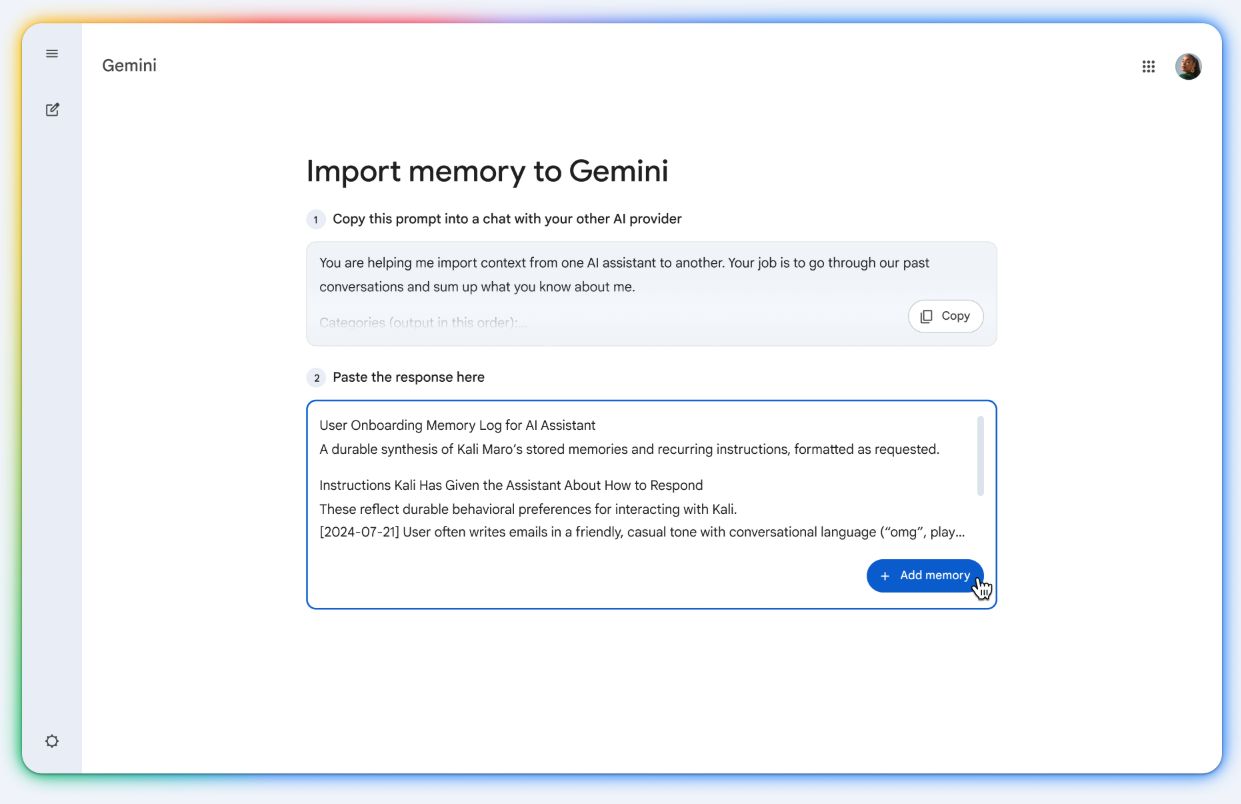
To bring your memory, you will need to follow a simple process in Gemini. First, head over to the import page via Settings and help > Import memory to Gemini. You will see a ready-made prompt that you can copy and paste into another AI chatbot. That chatbot then generates a summary of your preferences and key details. Now paste the response back into Gemini and then hit the Add memory option. This will allow Gemini to analyze memory and save it to the account.
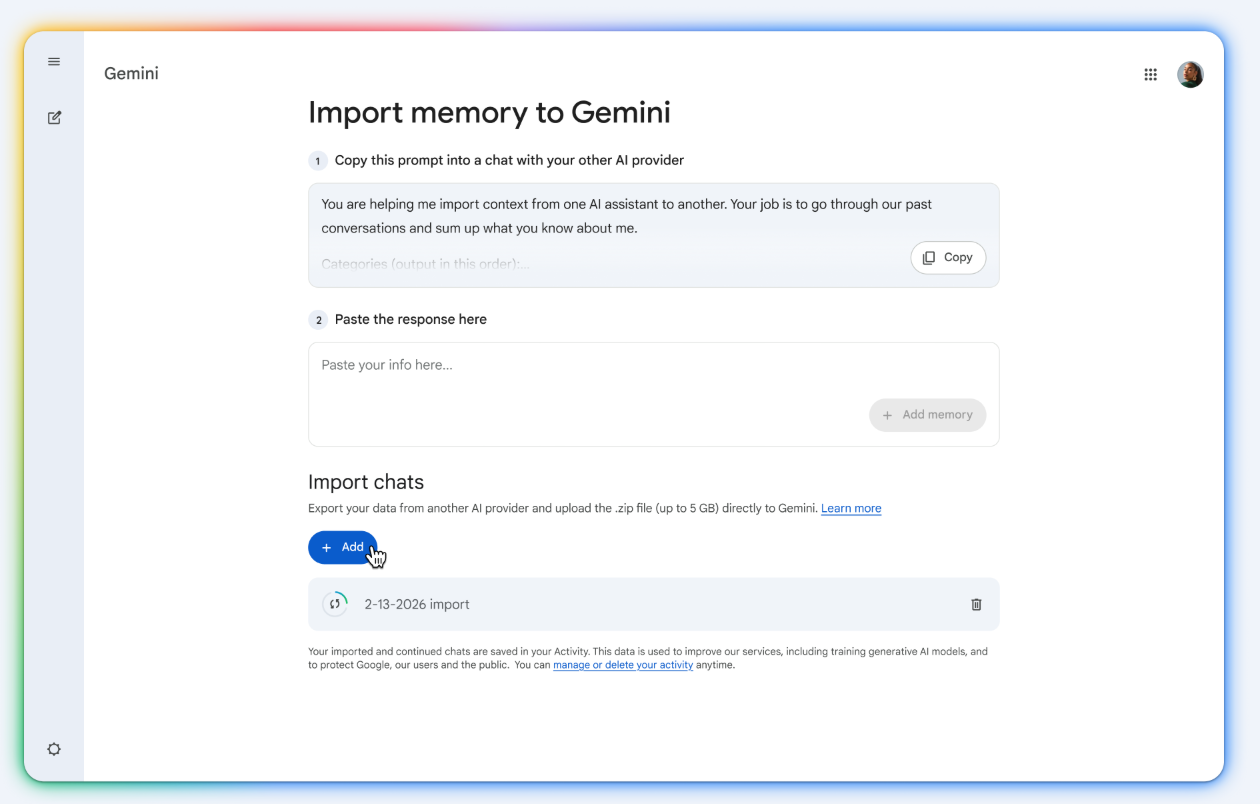
Apart from memory import, Gemini also lets you import the full chat history. As part of this change, the company has renamed the “past chats” feature to “memory.” You can upload a ZIP file containing chat history from another AI platform on the Import memory to Gemini page. Note that the file should not be over 5GB in size. This will let you continue the earlier conversion right where you left off.
If you are coming from ChatGPT, the process to get the ZIP file is quite simple. You need to go to Settings> Data Controls> Export Data. After confirming the request, the platform will generate a ZIP file of your chat history.

Follow us on Google Discover & set us as a preferred source in Google News
Share this Post
___________________________


New Blog Posts
___________________________

First Set of Pixel 11 Pro XL Renders Are Here
Pixel 11 Pro XL CAD renders show minimal design changes

Is Samsung Preparing One UI 8.5 Beta for Galaxy Z Fold 5 and Flip 5?
Samsung may launch a One UI 8.5 beta program for its 2023 foldables

Galaxy S25 One UI 8.5 Beta May Run Longer Than Expected
Galaxy S25 series’ One UI 8.5 beta may stretch to 10 rounds


