
Galaxy Z Fold 7 Review: I Ditched My Slab Phone… and Things Got Interesting
SammyGuru is reader-supported. We have affiliate and sponsored partnerships, so we may earn a commission when you buy through links on our site — at no extra cost to you. Learn more.
In this article
- Table of Contents
- Galaxy Z Fold 7 review: Form factor and Design
- How well does One UI 8 hold up?
- Galaxy Z Fold 7 review: Displays
- Galaxy Z Fold 7 review: Performance and Thermals
- Galaxy Z Fold 7 review: Battery endurance
- Galaxy Z Fold 7 review: Cameras
- Is the price for Galaxy Z Fold 7 justified?
- Should you buy the Galaxy Z Fold 7?
- Galaxy Z Fold 7
The Galaxy Z Fold 7 is a phenomenal device. It turns heads the second someone notices it. It looks and feels unreal. It’s both a phone and a tablet, and neither part feels compromised. For the first time, I’m convinced foldables really are the future of mobile tech. And yes, this happens to be my first foldable. So I wanted to talk about a real scenario many buyers will face: moving from years of using slab phones to a foldable.
Disclaimer: Samsung had no involvement in creation of this Galaxy Z Fold 7 review nor has the company seen it before publication.
Table of Contents
Galaxy Z Fold 7 review: Form factor and Design
Let’s talk about what you immediately notice about this device, the design. At just 4.2mm thick when opened, the Galaxy Z Fold 7 feels like nothing. It looks clean, with a minimal camera island forgoing the fragile rings we see on the Galaxy S25 series. Its sharp corners pay homage to the Note devices of yesteryear, keeping consistency across all corners of the device.
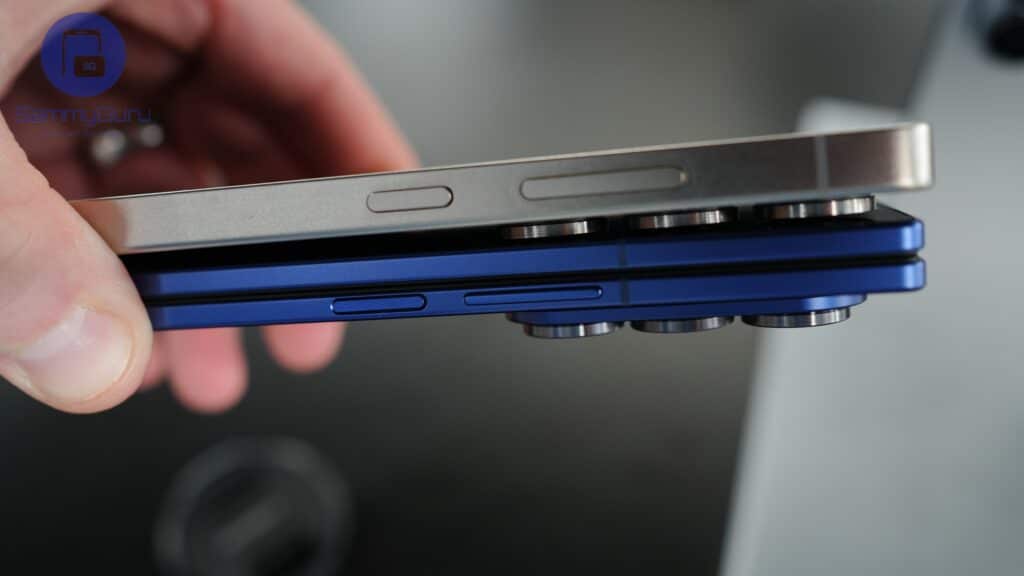
Galaxy S25 Ultra and Galaxy Z Fold 7
The thinness has one drawback, however. It actually makes the phone harder to open because your thumbs simply have less grip to pry the edges outwards. I often rely on the protruding volume buttons to get a better grip. A case helps, of course, but this phone is almost too good-locking to cover up. So much so that it feels like a crime to get those thick cases.
How well does One UI 8 hold up?
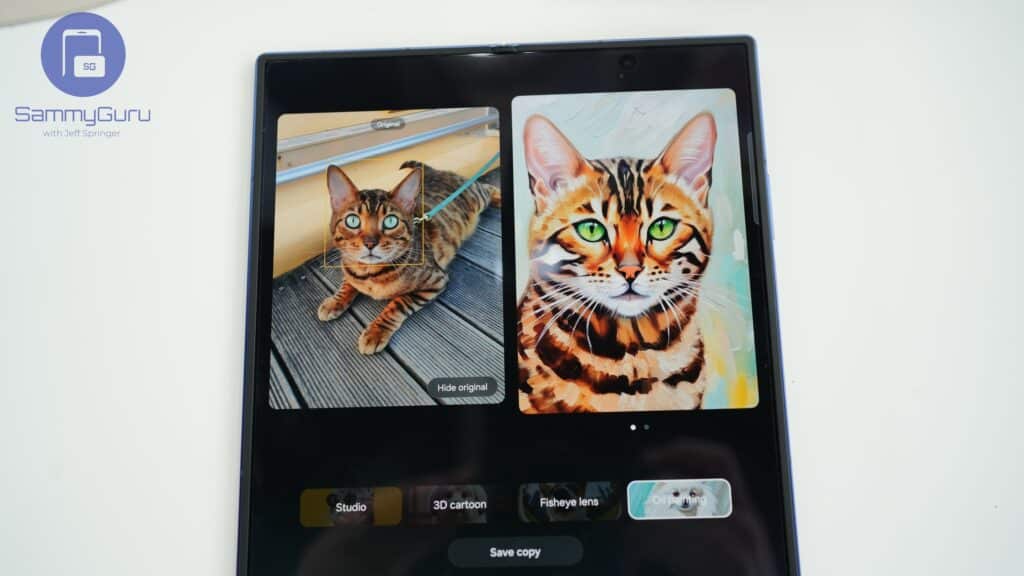
Once you finally stop marvelling at the Galaxy Z Fold 7 and switch it on, the software is the first thing that stands out. One UI 8 runs flawlessly, with no stutters or hiccups at all. You get all the bells and whistles from the Galaxy S25 series, like Now Brief and Audio Eraser, but the extra screen space gives you even more room to play with. Galaxy AI windows can pop out and sit along the sides in apps like Samsung Internet. In Gallery, AI edits let you preview the before and after side by side.
Getting productive is one of the best use cases for this phone. Split screen lets you run two full phone-sized apps at once, with enough space to use both comfortably. You can even throw in a third app or open a few more in floating windows. Add the updated DeX mode in One UI 8, and you get a solid setup for basic work. In fact, parts of this review were written on the Galaxy Z Fold 7 with an external keyboard and mouse.
Galaxy Z Fold 7 review: Displays
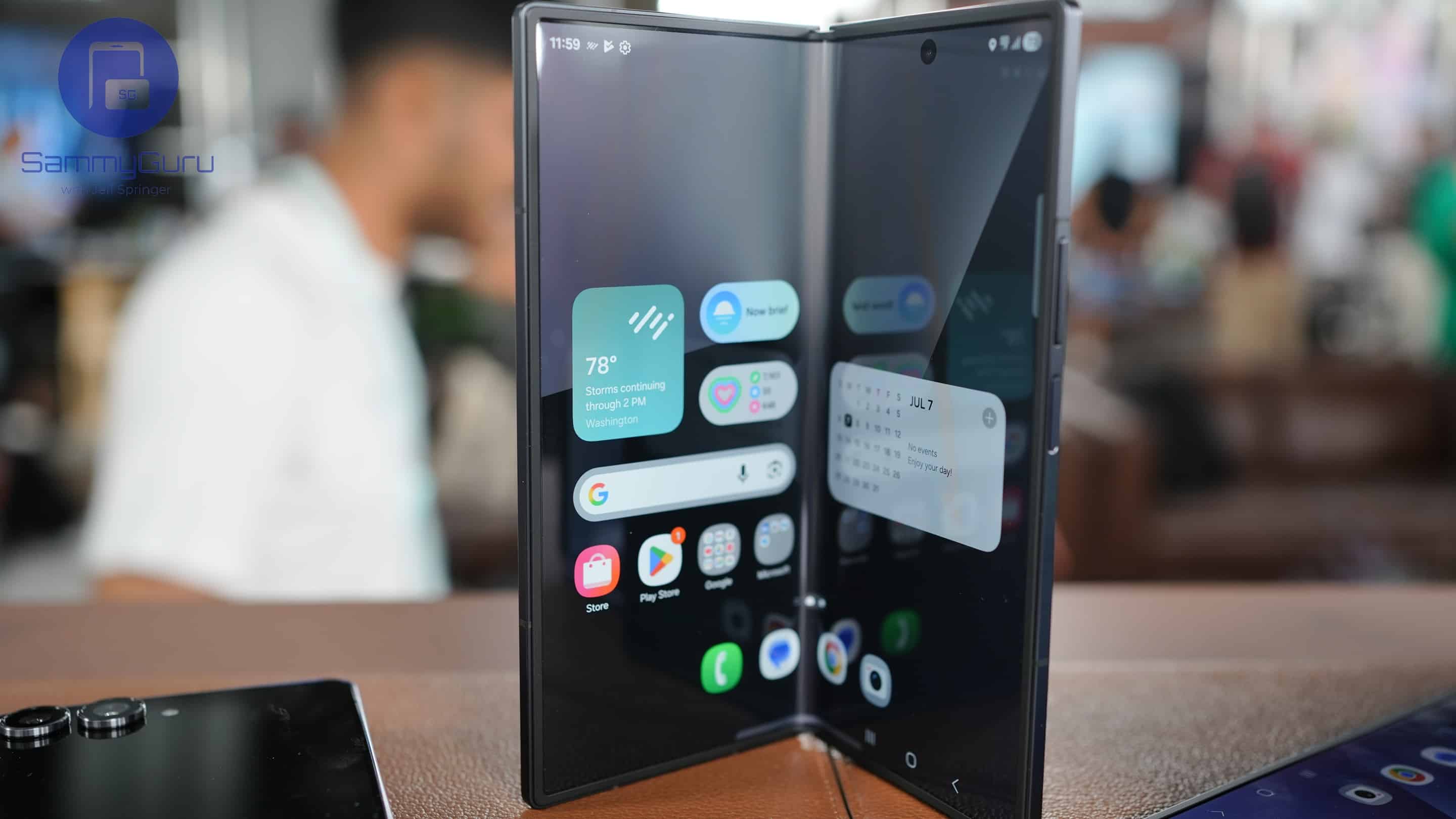
My absolute favorite use case for this device is watching videos. I just fold the phone to a 90-degree angle and place it on a table, a windowsill, wherever. folding it 90° and setting it down on a table, on a window side, anywhere. It turns into a built-in stand you never have to carry. A lot of apps adjust to this mode too, so watching YouTube over breakfast or Apple TV on the go feels effortless. The square aspect ratio isn’t perfect for 16:9 content, but anything in 4:3 looks fantastic. It’s the perfect excuse to dive back into some old favourites.
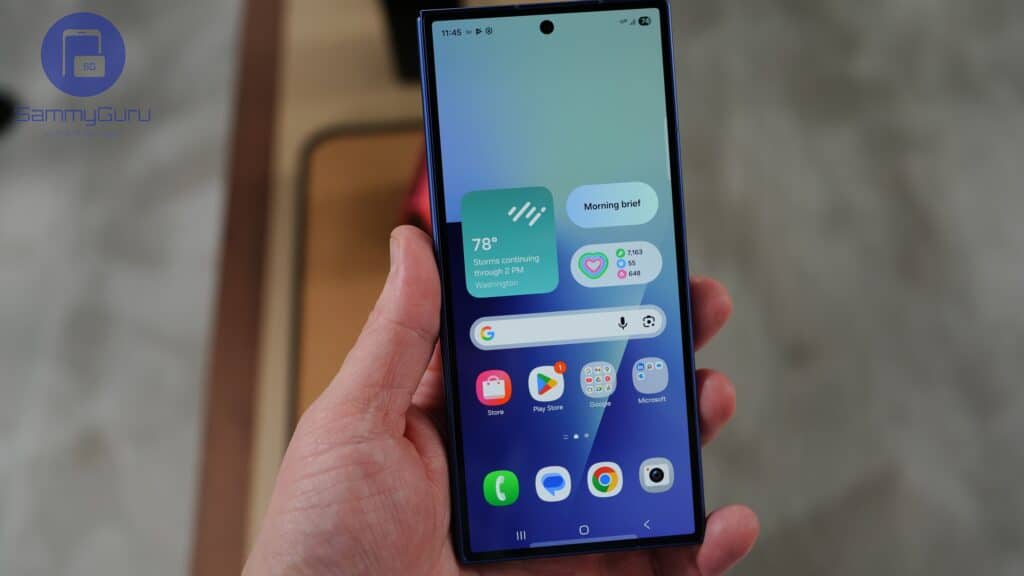
The more exciting change, coming from a slab device, is the cover screen. It’s now much wider than the old TV-remote-like 22.1:9 aspect ratio and sits at a more manageable 21:9. It’s still shorter than a regular phone, but at least apps and content don’t look odd anymore. Combined with the thin profile and lower weight, using the device closed finally feels like using a normal slab phone.
Galaxy Z Fold 7 review: Performance and Thermals
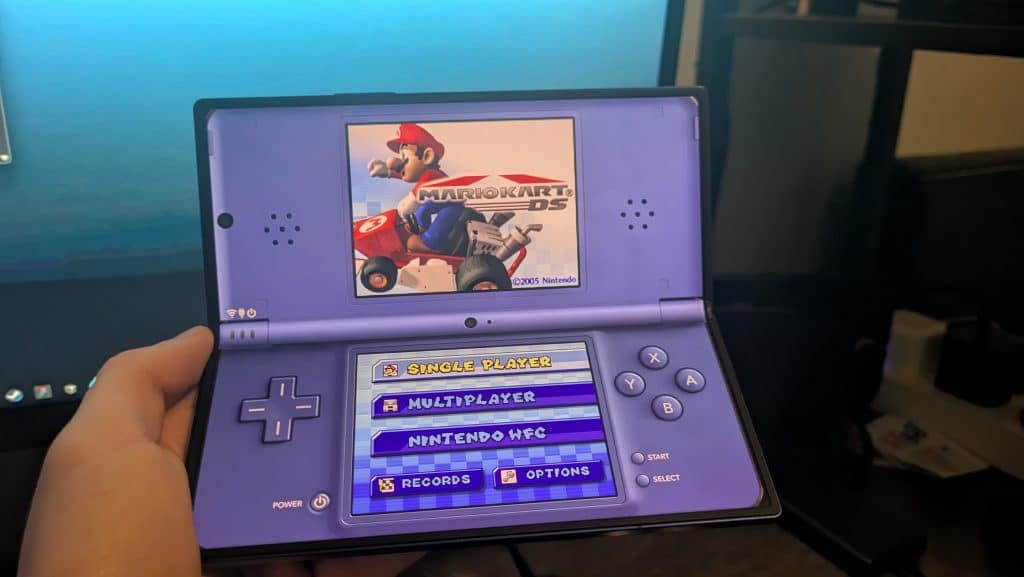
Samsung checked all the boxes when it comes to speccing the Z Fold 7. Snapdragon 8 Elite? Check. Twelve gigs of RAM, or sixteen on the 1TB model? Also check. And it shows when you push the phone hard. Want to fire up a game? No problem. It’s also great for emulation, letting you replay old favourites from a certain Japanese company well past your bedtime.
Galaxy Z Fold 7 review: Battery endurance
Battery life is where the dream starts to slip. Endurance isn’t great. I’ve been averaging around six hours of screen-on time with light to medium use on both displays. Charging isn’t much better. It tops out at 25W when plugged in and around 15W wirelessly.
The Galaxy Z Fold 7 is Qi2 Ready, but it has no built-in magnets, so you will need a third-party case for that. Looking ahead, I’d love to see improvements in both battery capacity and charging speeds. Ideally, Samsung should aim for at least 5,000mAh and bring wired charging up to around 45W.
Galaxy Z Fold 7 review: Cameras
The camera setup on the Z Fold 7 is solid, but a little disappointing. It uses the same 200MP main sensor as the Galaxy S25 Edge, along with a 12MP ultrawide and a 10MP 3x telephoto. It’s not the strongest package on paper, but what it lacks in raw specs it makes up for in flexibility (pun intended).
You can use the rear cameras to take high-quality selfies or fit more people into the frame. You can fold the phone 90 degrees to join a group photo or grab angles you couldn’t get before. It’s basically a tripod you always have with you. The versatility is great, and it gives you a level of flexibility that slab phones just can’t match.
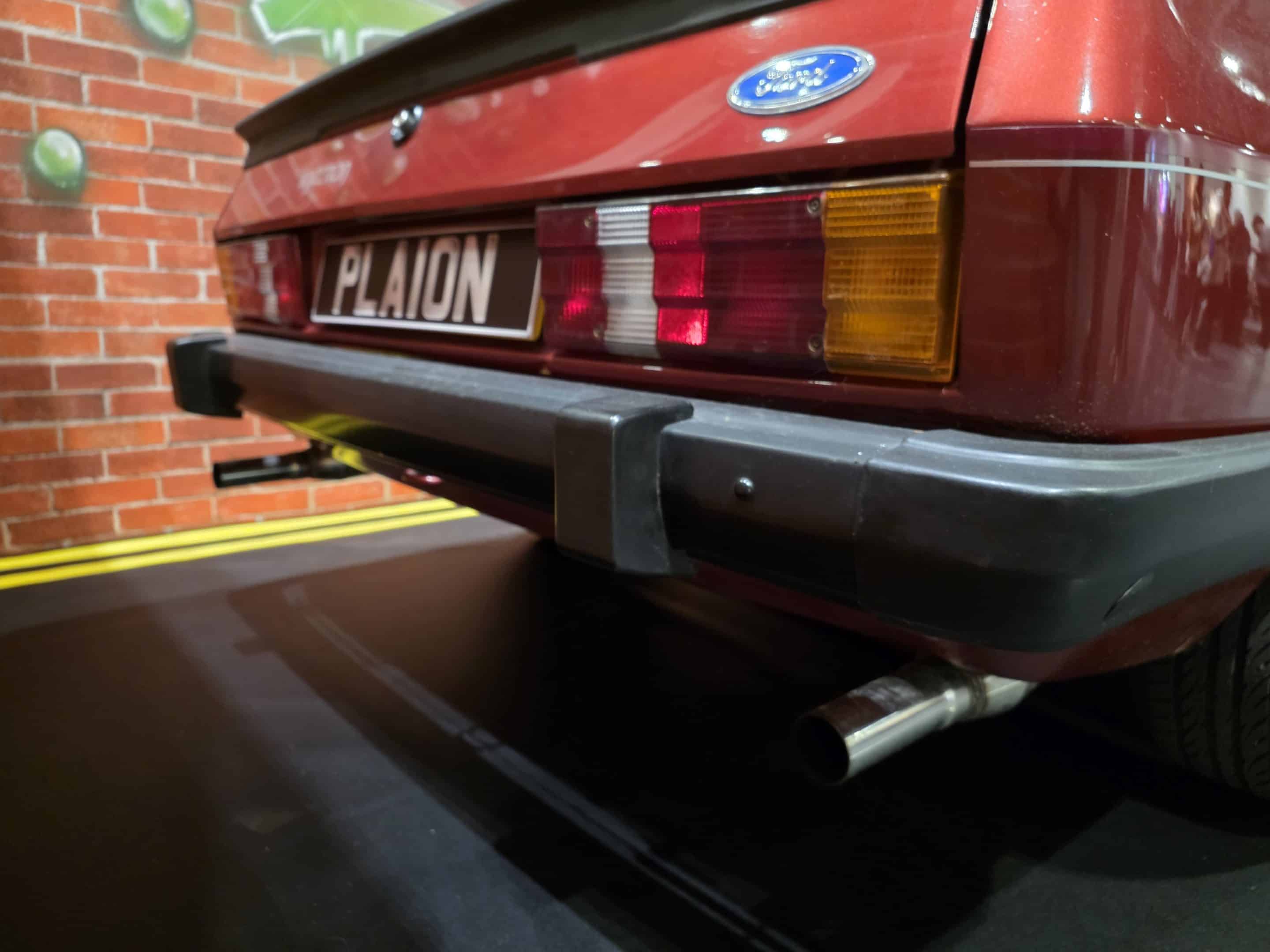
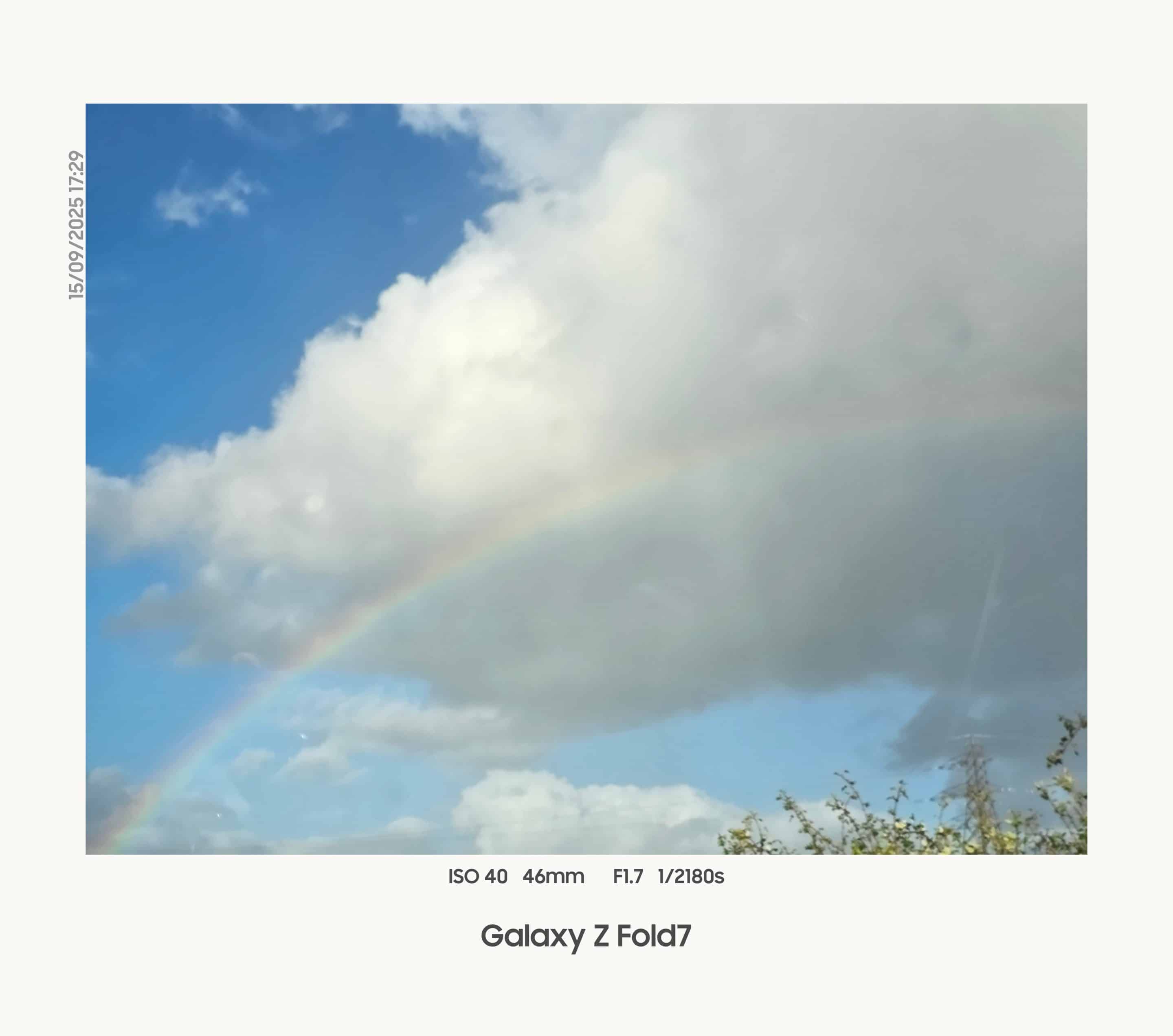
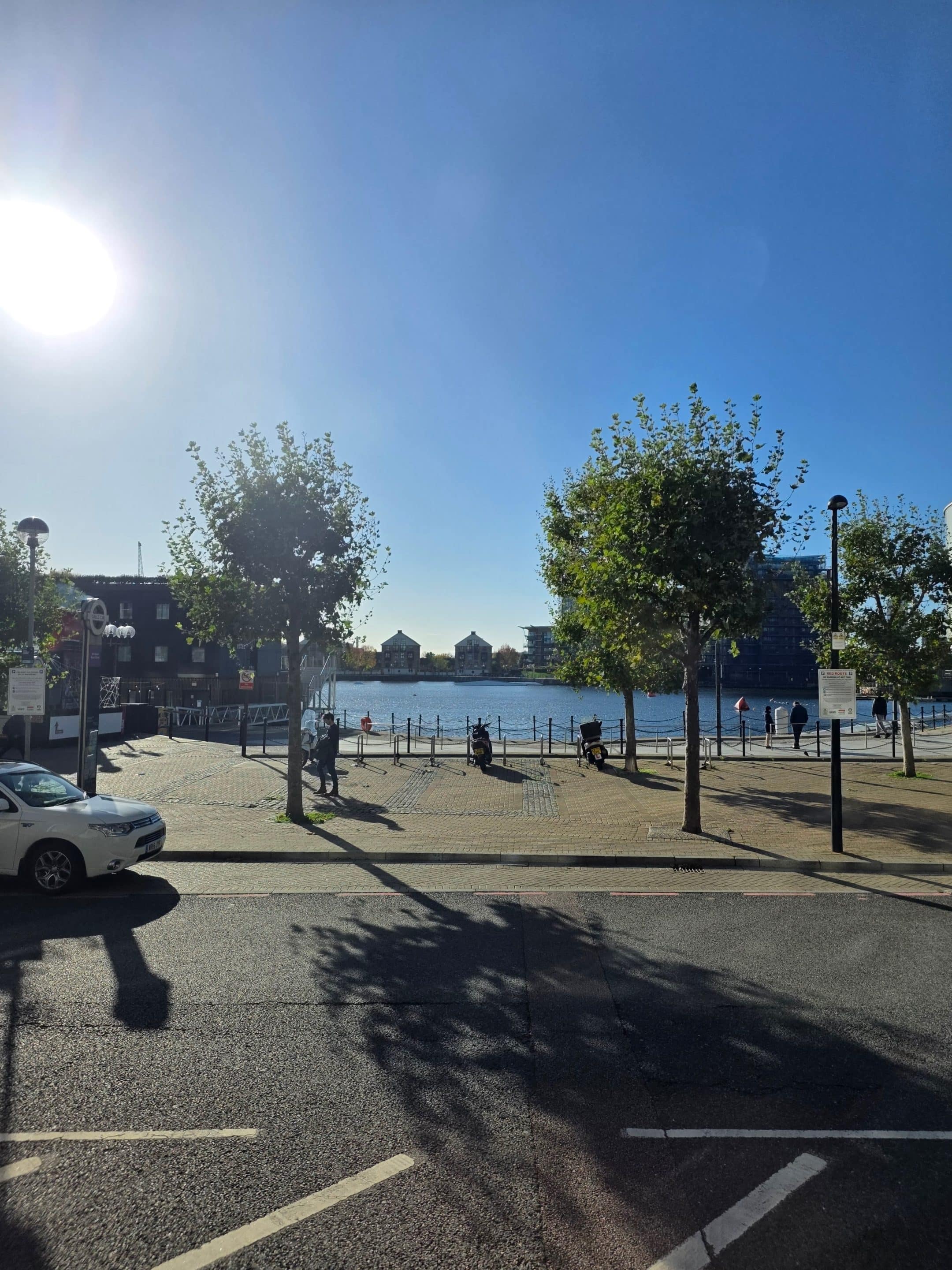
Here are some samples, shot from a mix of different angles.

Is the price for Galaxy Z Fold 7 justified?
The biggest barrier to entry is the price. At a whopping $2,000 (or £1,800 for my fellow Brits), it’s a tough pill to swallow. Sales, trade-ins and carrier subsidies can soften the hit, but the cost still makes you think twice before committing to the foldable lifestyle.
Thankfully, Samsung is currently selling the Galaxy Z Fold 7 for $1,399 with a free storage upgrade. You’re basically saving more than $720 off the list price, which solves one of the biggest caveats of going foldable. And if you want something beefier, the 1TB model is going for $1,819.99 without any trade-ins.
Should you buy the Galaxy Z Fold 7?
Enough waffle, let’s get to the big question. Is the Galaxy Z Fold 7 worth picking up? The answer depends on how much you’re willing to spend and how much you value that extra screen. Can you live with weaker cameras and battery life in exchange for more screen space and a gorgeous form factor?
At two thousand dollars, it’s a harder sell. But if you catch it on sale (like the ongoing bargain) or stack some trade-in offers, I’d absolutely go for it. If you’re a slab phone user like I was and you’ve been thinking about trying a foldable, this is the perfect device to start with. And comes with no regrets.

Galaxy Z Fold 7
The Galaxy Z Fold 7 looks great, runs smoothly, and makes everyday tasks easier with its big screen and smart software. It’s fun to use, flexible, and perfect for trying foldables.


Written by
Josh SkinnerJosh is a freelance writer, graphic and user interface designer, and content creator. He has a sizable following on Twitter/X, with his deep insights, extensive knowledge and design skills attracting audiences. He also loves lego, video games and tech as a whole.

Follow us on Google Discover & set us as a preferred source in Google News
Share this Post
___________________________


New Blog Posts
___________________________

First Set of Pixel 11 Pro XL Renders Are Here
Pixel 11 Pro XL CAD renders show minimal design changes

Is Samsung Preparing One UI 8.5 Beta for Galaxy Z Fold 5 and Flip 5?
Samsung may launch a One UI 8.5 beta program for its 2023 foldables

Galaxy S25 One UI 8.5 Beta May Run Longer Than Expected
Galaxy S25 series’ One UI 8.5 beta may stretch to 10 rounds







