
Galaxy Z Flip 7 Review: A Stylish Foldable That Just Might Convert You
SammyGuru is reader-supported. We have affiliate and sponsored partnerships, so we may earn a commission when you buy through links on our site — at no extra cost to you. Learn more.
In this article
- Table of contents
- Galaxy Z Flip 7 Review: Hardware and Design
- Subtle but meaningful design refinements with durability upgrades
- First-time Flip users may struggle to locate the power button
- Galaxy Z Flip 7 Review: Displays
- The crease is still there, but fading away fast
- The cover screen steals the spotlight this year
- Galaxy Z Flip 7 Review: Cameras
- No zoom camera, but 2x shots are fine
- Low-light images are okay-ish, nothing extraordinary
- Selfie shooter doesn’t impress much, but I won’t complain
- It’s a similar story with videos
- Galaxy Z Flip 7 Review: Performance
- Benchmarks
- Galaxy Z Flip 7 Review: Software
- Samsung needs to allow more apps on the cover screen by default
- Galaxy Z Flip 7 Review: Galaxy AI
- Galaxy Z Flip 7 Review: Battery Life and Charging
- Samsung needs to go beyond 25W charging
- Galaxy Z Flip 7 Review: Verdict
Samsung’s Galaxy Z Flip 7 marks a pivotal moment in the evolution of clamshell foldables. Built on years of continuous innovation, the latest model brings a more refined design, bigger screens, slimmer bezels, and many other meaningful upgrades — all wrapped in a package that feels both premium and familiar. It’s the most polished Flip Samsung has delivered yet, clearly aimed at solidifying foldables as a mainstream choice rather than a niche luxury.
But beneath the surface-level elegance, the Flip 7 also introduces a potentially polarizing change: it’s powered by Samsung’s in-house Exynos 2500 chipset. This marks a break from the consistent use of Qualcomm’s Snapdragon chips in prior foldables. While the new Exynos promises cutting-edge efficiency thanks to Samsung’s advanced 3nm process and integrated AI enhancements, questions remain around sustained performance, thermal behavior, and optimization, especially in comparison to the well-established Snapdragon 8 Elite.
In this review, I’ll take a close look at what the Galaxy Z Flip 7 gets right, and whether its bold bet on Exynos might give some power users pause. But first, here’s a quick summary of what I like and what I don’t.
What I like:
– Sleek and stylish body
– Improved battery life
– Big and bright displays
– Solid all-round performance
– Well-optimized One UI experience
What I don’t like:
– Cover screen limitations
– 25W charging is below par
– Cameras could have been better
– Exynos 2500 gets a bit warm during heavy load
Table of contents
- Hardware and Design
- Displays
- Cameras
- Performance
- Software
- Galaxy AI
- Battery Life and Charging
- Verdict
Disclaimer: I used the Galaxy Z Flip 7 (12GB+512GB model) as a daily driver for a month before writing this review. Samsung had no involvement in the creation of this review and did not see the review before it went live on this site. My findings and opinions are entirely independent.
Galaxy Z Flip 7 Review: Hardware and Design
The Galaxy Z Flip 7 may not radically reinvent clamshell foldables, but it does deliver a refined design that pushes the series into sleeker, smarter territory. With a noticeably larger cover screen, thinner frame, and subtle build improvements, Samsung’s latest Flip feels more futuristic than ever, without sacrificing the charm that made the line so popular to begin with.
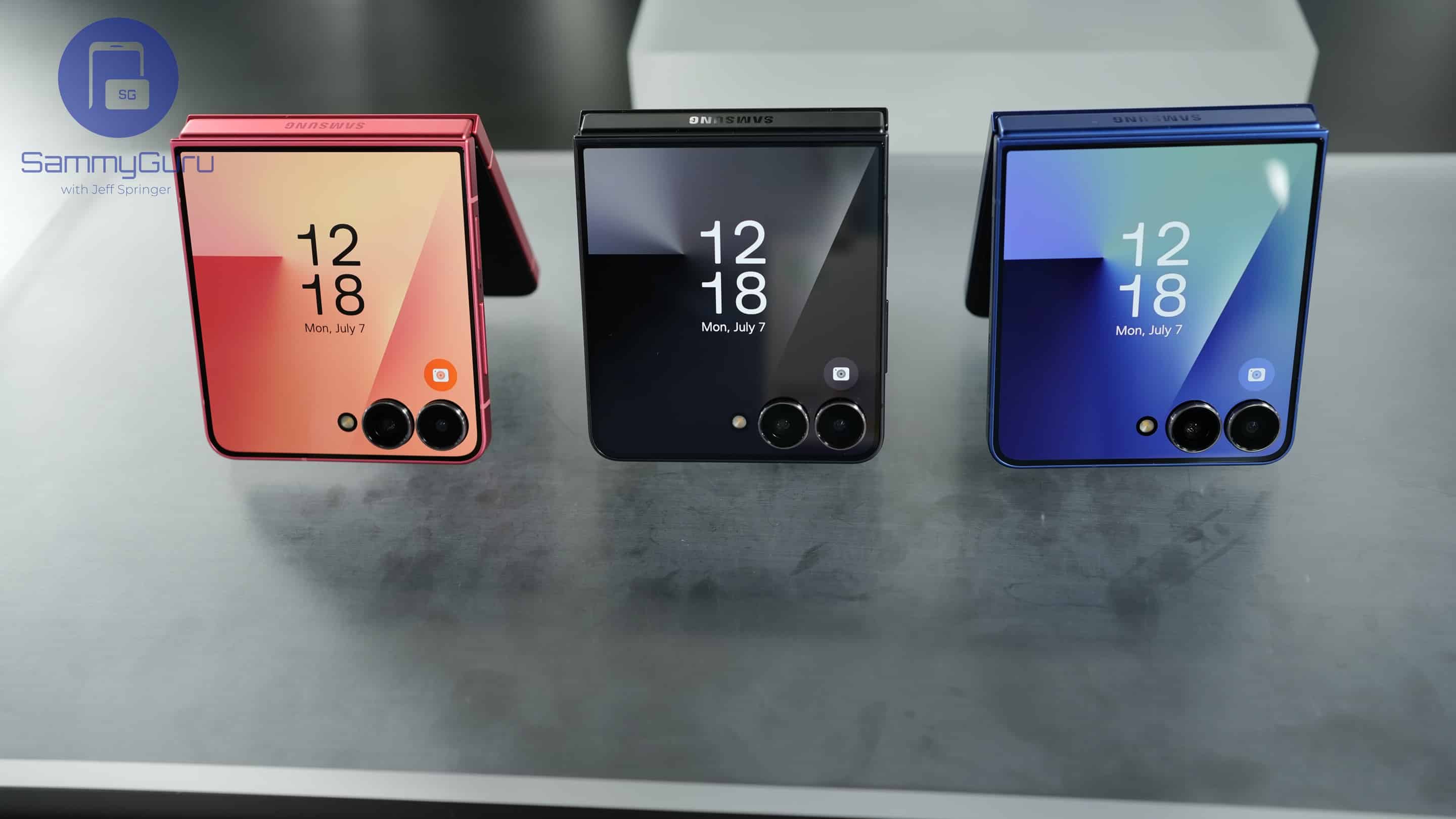
The Flip 7’s most striking design upgrade is front and center—literally. The all-new 4.1-inch edge-to-edge cover display stretches across the top half of the phone with ultra-thin bezels, finally making full use of the front real estate. It looks bold, modern, and far more cohesive than the tucked-in displays of past generations. Samsung calls it the thinnest bezel on any Galaxy phone, and it shows.
This expanded cover screen doesn’t just look good, but it also makes the Flip more usable when closed. You can check notifications, use full widgets, launch apps, and take selfies with far more context than ever before. It’s a design change that feels both overdue and instantly indispensable.
Subtle but meaningful design refinements with durability upgrades
While the Galaxy Z Flip 7 doesn’t deviate too far from its predecessor in overall shape, there are several under-the-hood improvements. It’s thinner than the Flip 6, measuring just 6.5mm when unfolded and 13.7mm when closed (down from 6.9mm and 14.9mm, respectively). It’s also slightly wider and taller, shifting to a 21:9 aspect ratio on the main screen, bringing it closer to a traditional slab-phone feel when open.
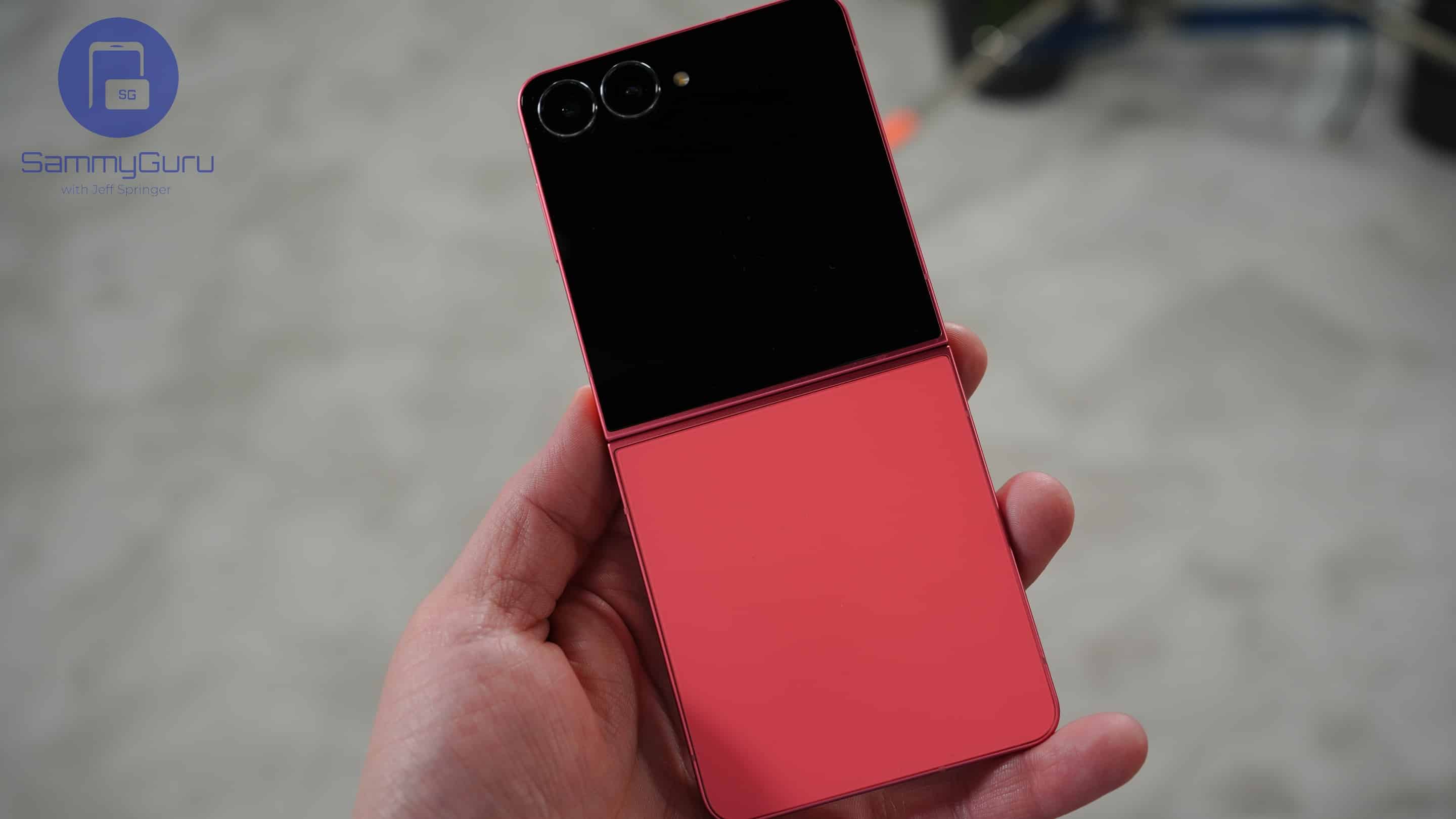
In daily use, this change gives the phone better ergonomics without feeling bulky. The added width helps content breathe more naturally, while still maintaining the Flip’s ultra-portable form factor. The two rear-facing cameras also add to the overall look.
As with previous models, Flex Mode remains a core part of the Flip identity. You can prop the phone up at various angles for hands-free selfies, video calls, or tripod-style content creation. Samsung’s updated Armor Flex Hinge promises better long-term durability, with the company claiming that the new Flip can withstand up to 500,000 folds at room temperature, up from the Flip 6’s 200,000-fold rating.
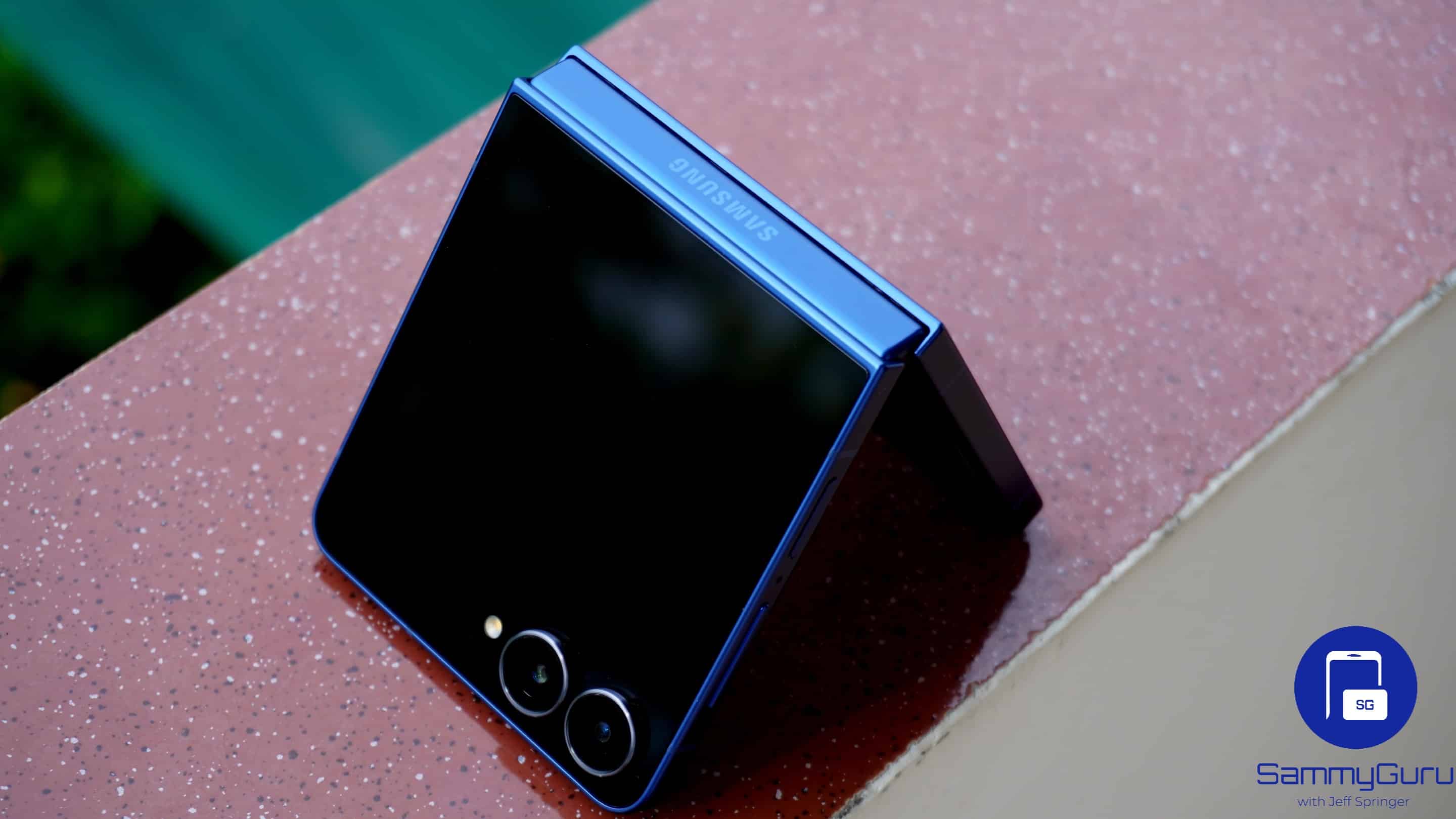
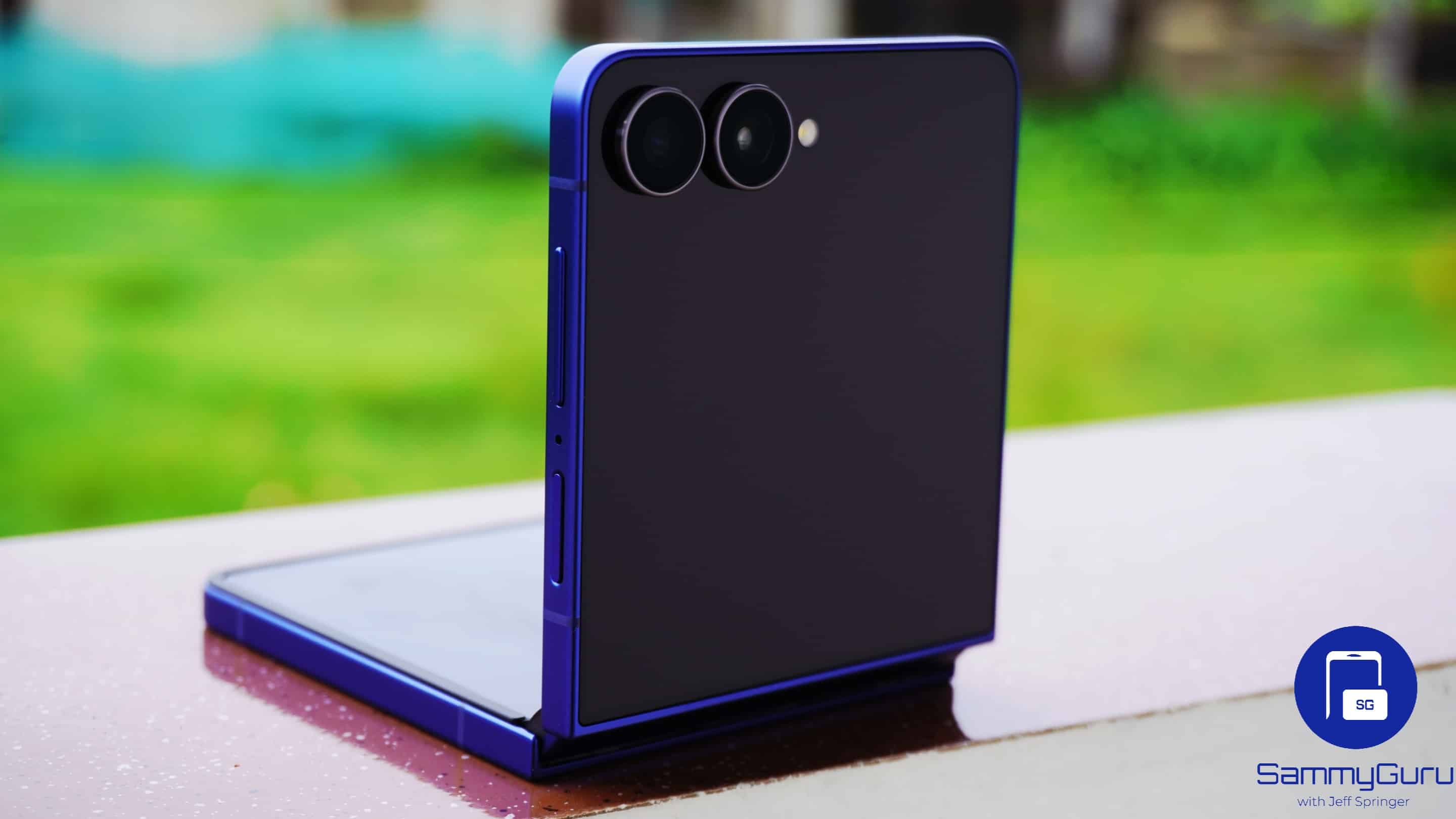
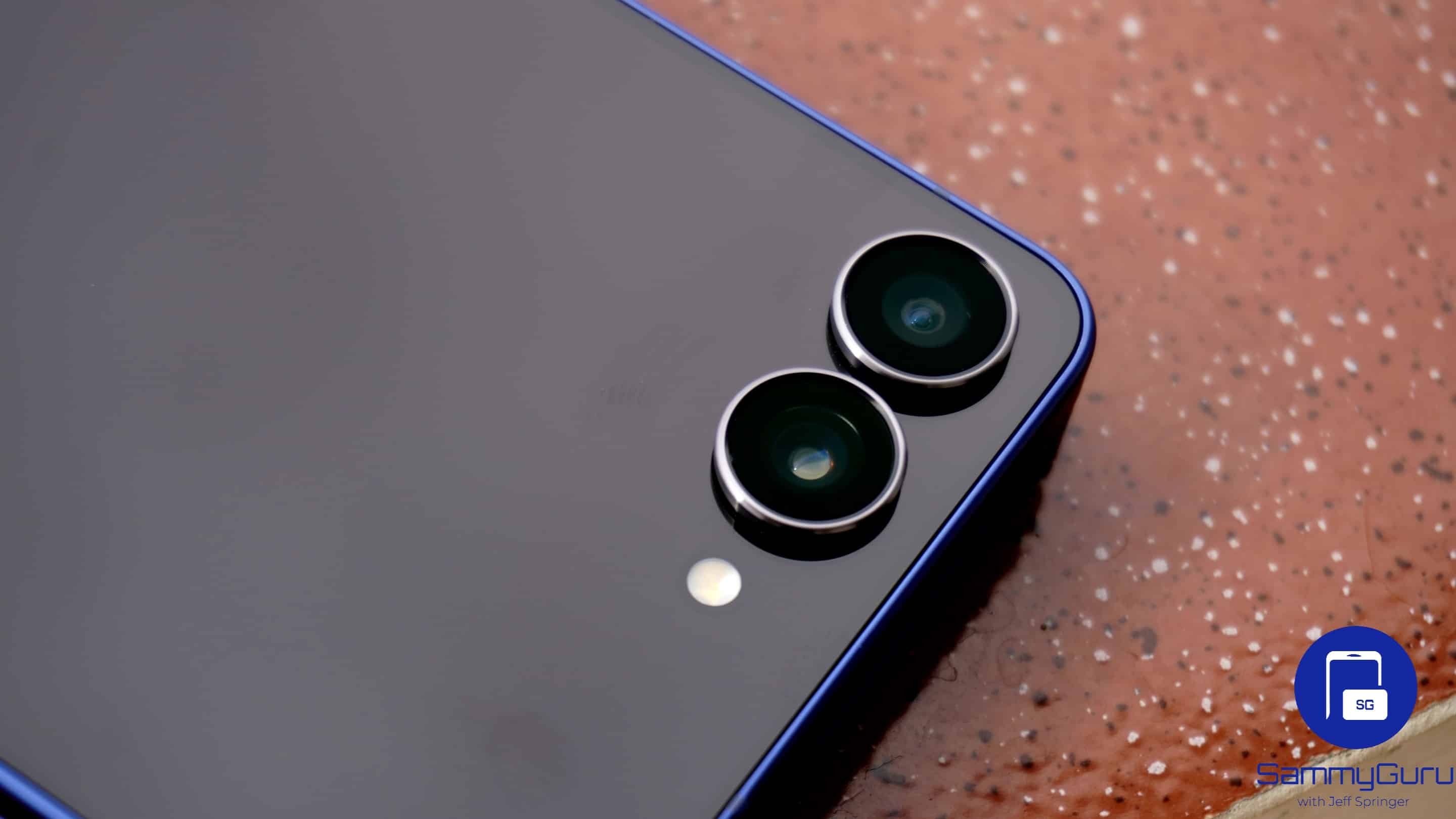
The Flip 7 also carries an IP48 rating for dust and water resistance, meaning it’s protected against submersion in water and solid particles over 1mm. However, the visible gap when folded remains, which could allow debris like pocket lint or fine sand to sneak in. It’s not a dealbreaker, but still something to be mindful of, especially if you tend to be careless. Speaking of which, the Flip 7 slips easily into tight jeans or small handbags for enhanced portability.
Samsung also promises smoother unfolding, though it doesn’t feel any different. You still can’t unfold the device with one hand, as there’s noticeable stiffness on the hinge by design. The firmer resistance helps with stability when using Flex Mode. Closing the phone still offers that satisfying snap.
First-time Flip users may struggle to locate the power button
The Galaxy Z Flip 7 is a tall phone that folds in half. Its design doesn’t allow Samsung to place the power and volume buttons at the same height as its regular, non-folding phones. If you are a first-time Flip user, it may take a few days to get used to this. A recessed power button to accommodate the fingerprint scanner makes it worse. You may end up pressing the wrong place.
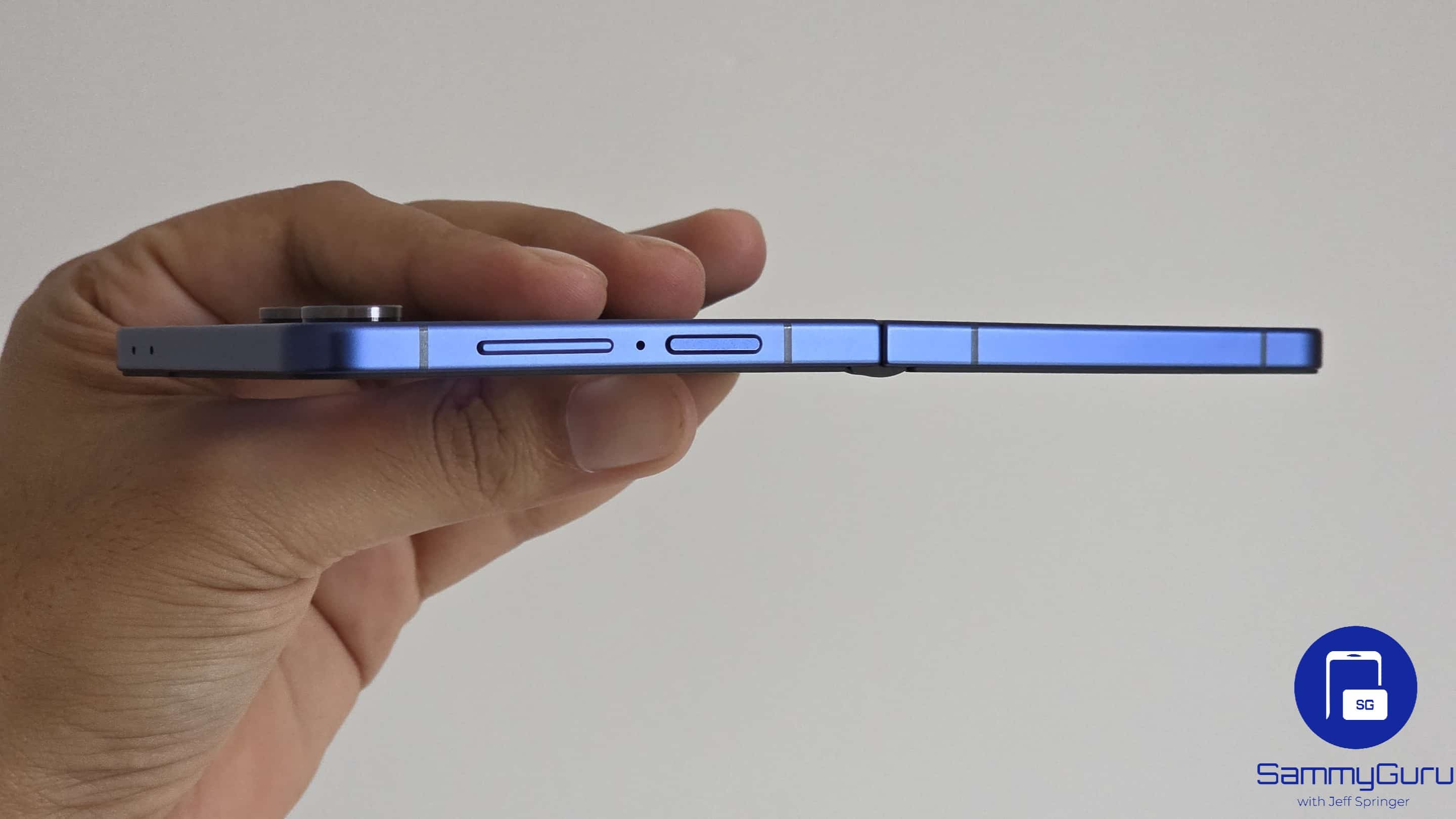
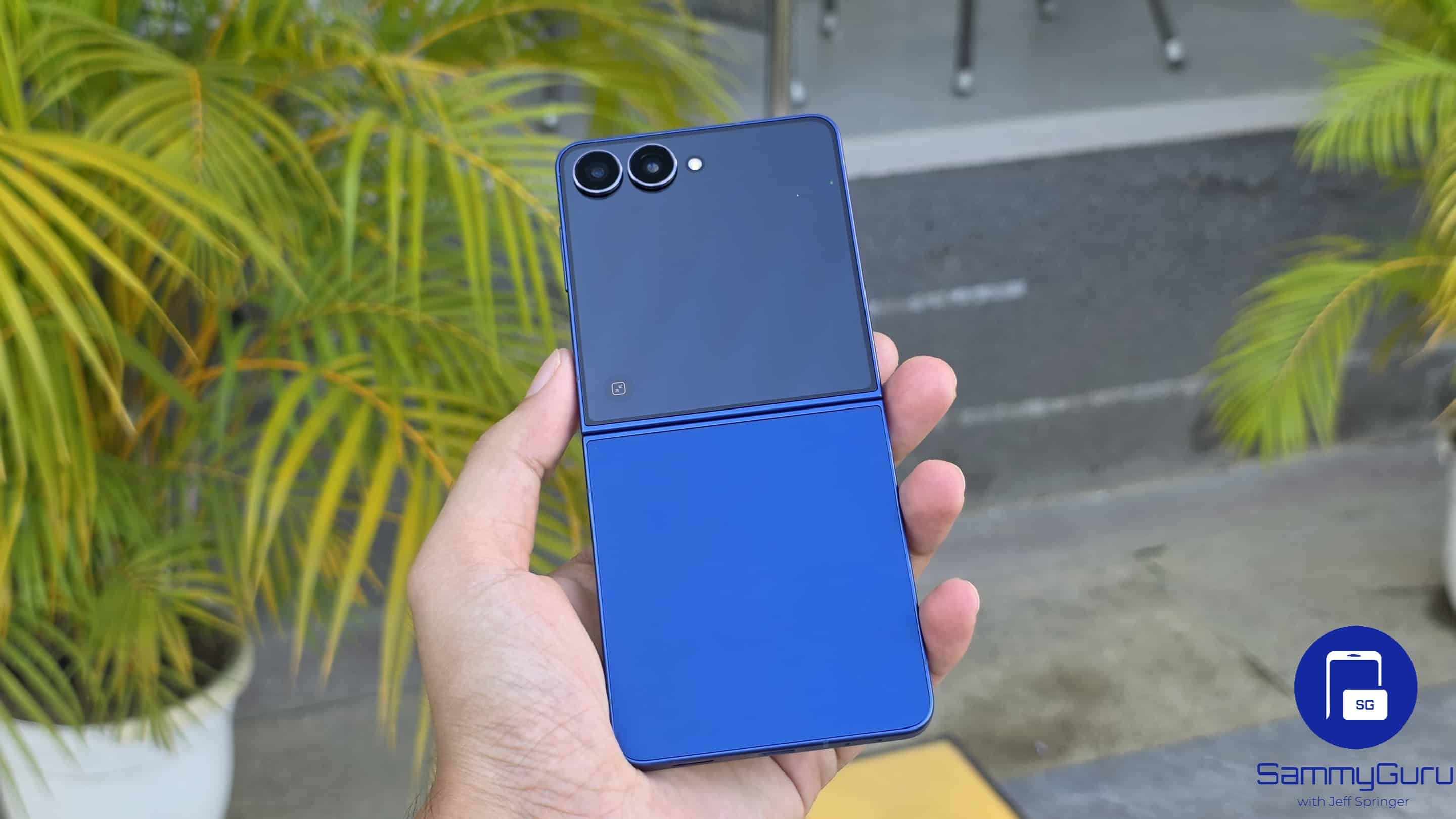
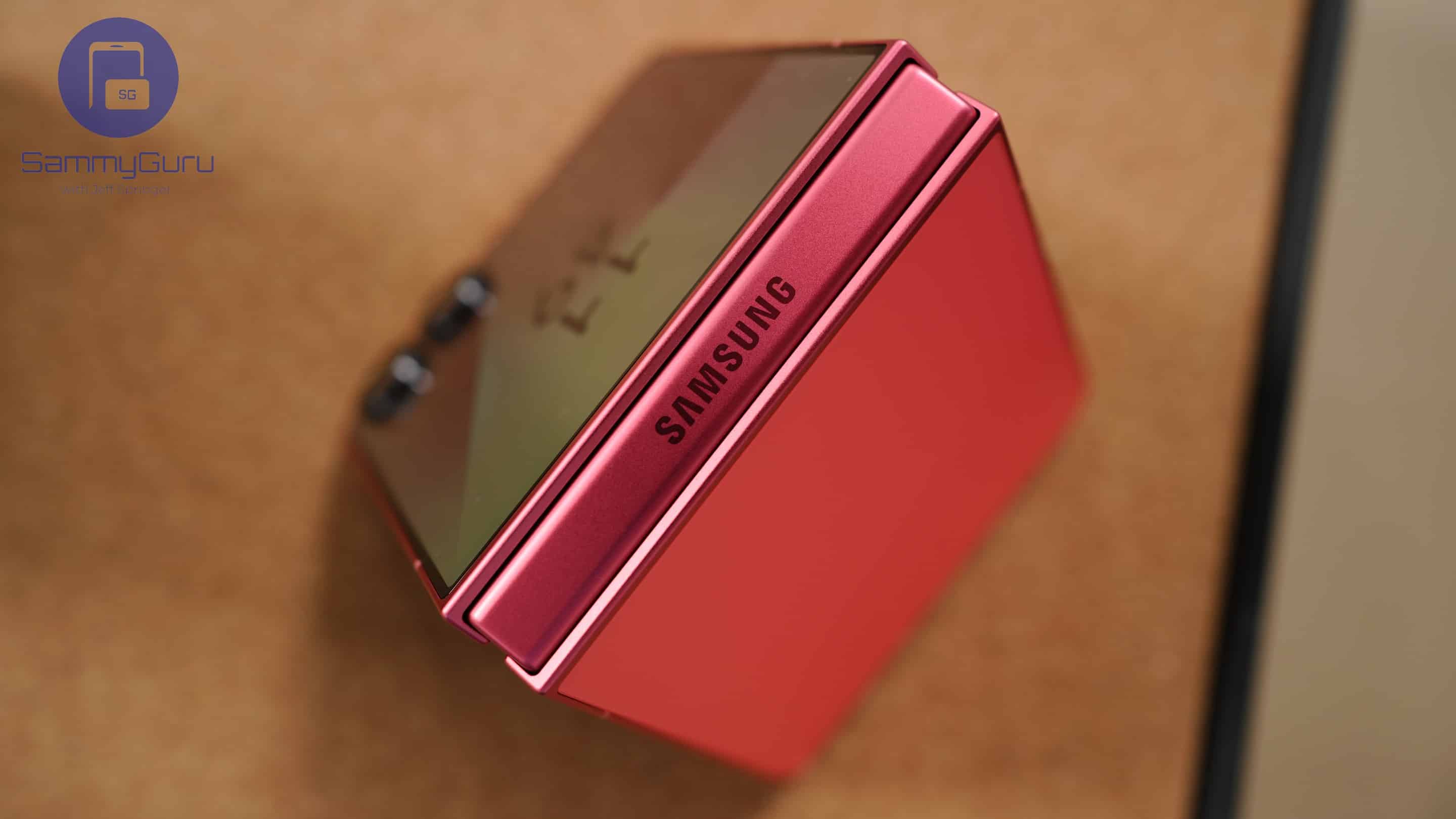
But the overall design is solid, despite the lack of a titanium finish. The phone’s Armor Aluminum frame and Gorilla Glass Victus 2 back may not scream “ultra-premium,” but it feels robust and classy. I have the Blue Shadow colorway, and it’s beautiful. Other color options include Jet Black, Coral Red, and an online-exclusive Mint, giving buyers a bit of personality to pick from. You should also invest in a good quality case for the phone.
Galaxy Z Flip 7 Review: Displays
Samsung continues to refine its foldable formula, and with the Galaxy Z Flip 7, the display experience reaches a new high — literally and figuratively. The inner 6.9-inch AMOLED screen is larger, wider, and noticeably more immersive than its predecessors. Thanks to a slightly shorter 21:9 aspect ratio and an expanded display area, it feels like a standard smartphone screen when unfolded.
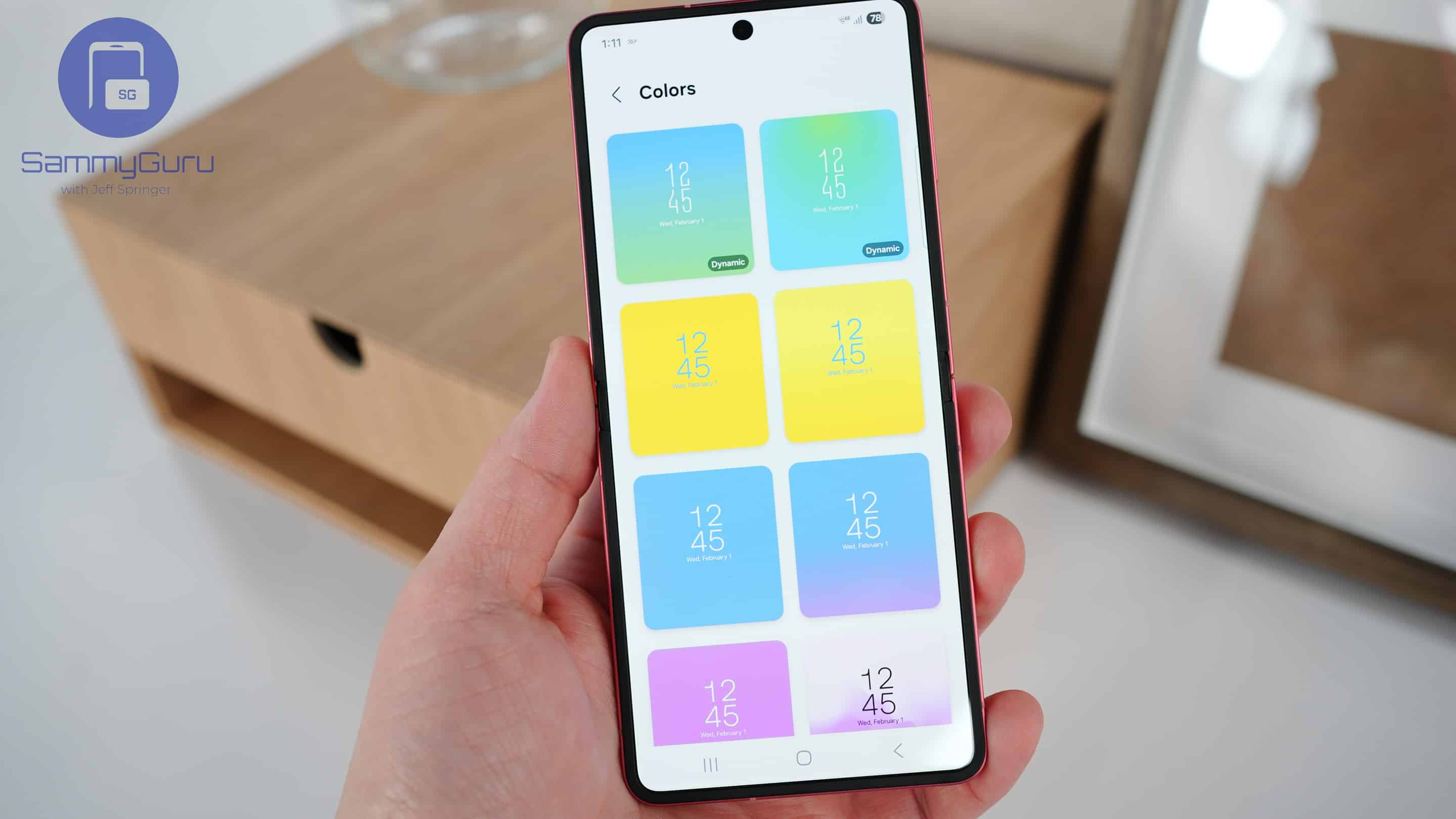
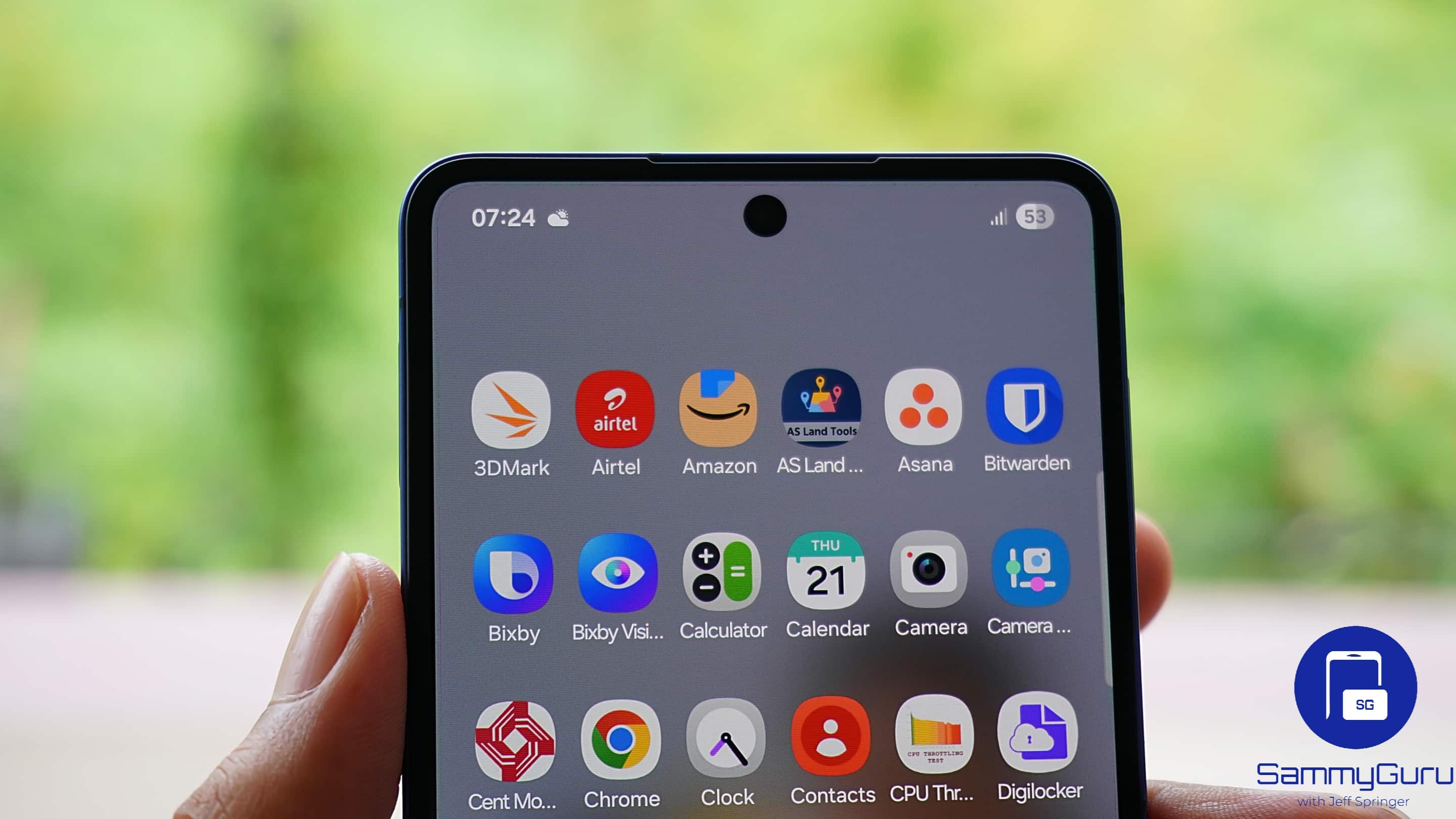
This is a Dynamic LTPO AMOLED 2X display with a 120Hz refresh rate and HDR10+ support, ensuring buttery-smooth scrolling and vivid colors, whether you’re watching YouTube, playing games, or flipping through photos. Brightness is no issue either, as this panel boasts 2,600 nits peak brightness, making it readable even under direct sunlight. In my test, I could drive the brightness up to 1,800 nits in Auto mode (measured externally), which is pretty bright.
The crease is still there, but fading away fast
Display crease is one of the major concerns with folding phones. Let me make it clear: the Galaxy Z Flip 7 still has a crease. Of course, there’s no mark on the screen when you unbox the device. But as soon as you fold and unfold it for the first time, you’ll notice a crease. The more you fold the device, the more noticeable the crease gets. You’ll feel it if you’re swiping across the middle, and it occasionally catches the light.
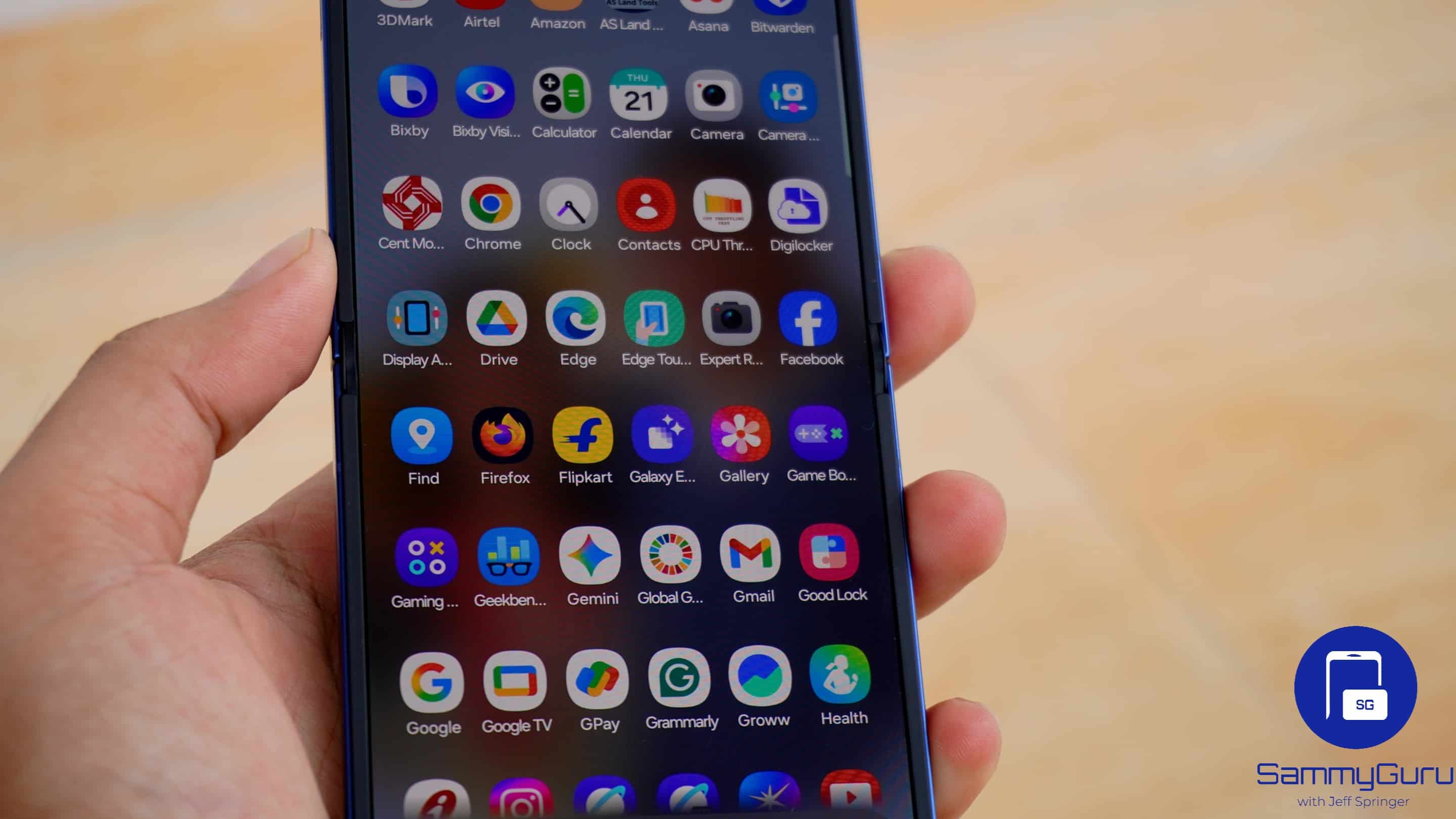
In everyday use, the crease often fades into the background, but it’s not entirely invisible. It doesn’t interfere with touch response or gesture navigation, but it’s still there. You’ll occasionally notice it, especially under direct light. Interestingly, the crease becomes slightly less pronounced if you keep the phone unfolded for extended periods. That said, the screen never fully returns to its original, uncreased state, no matter how long it stays open.
The cover screen steals the spotlight this year
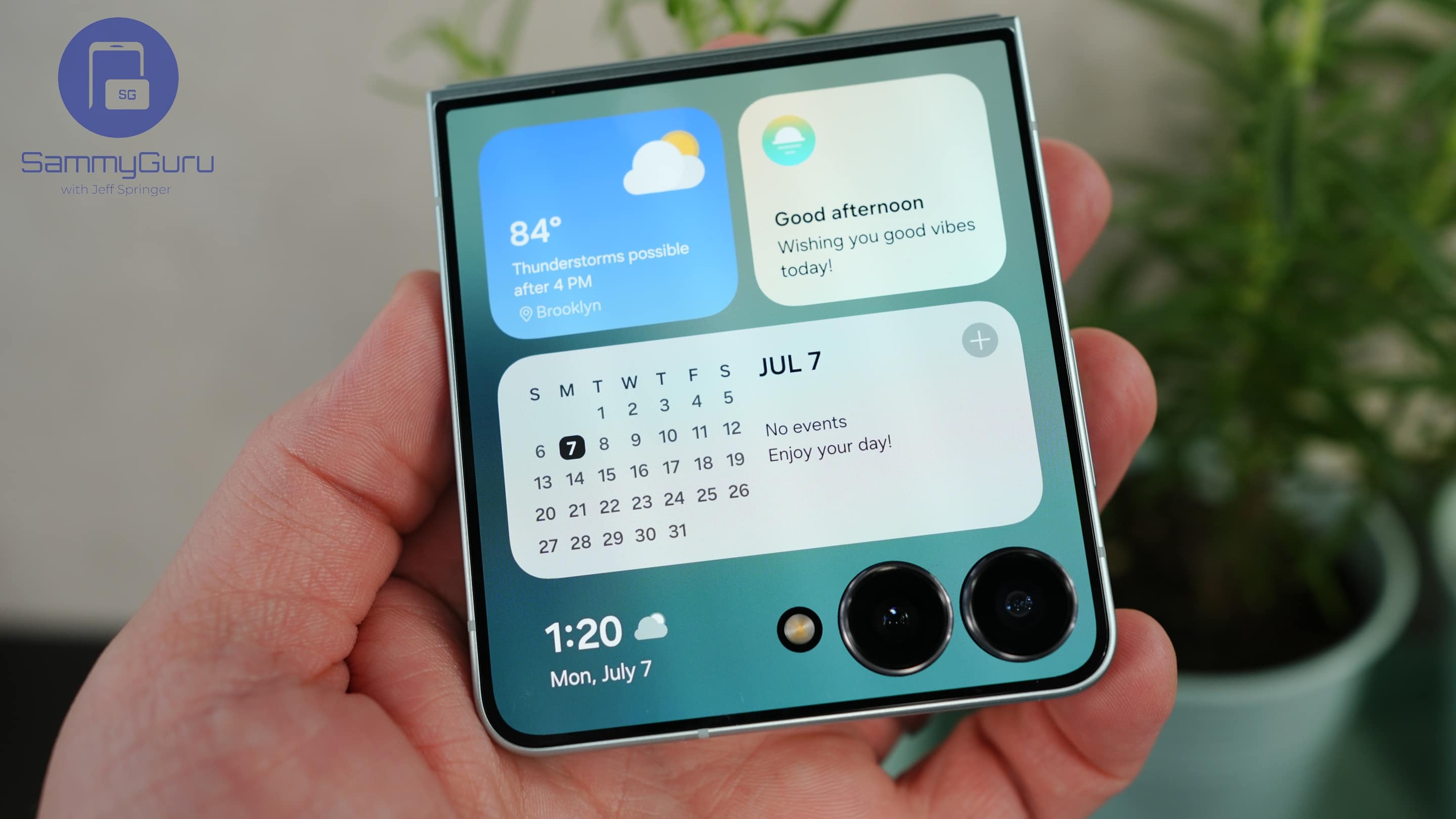
Jumping to a 4.1-inch 120Hz OLED, the outer screen is not just larger, it’s significantly more functional. With ultra-thin bezels and a crisp 948×1048 resolution, it offers enough space to comfortably interact with widgets, notifications, and even full apps (with a little help from Good Lock). The boost to 120Hz makes a huge difference in responsiveness and finally puts the cover screen on par with the inner display in terms of smoothness.
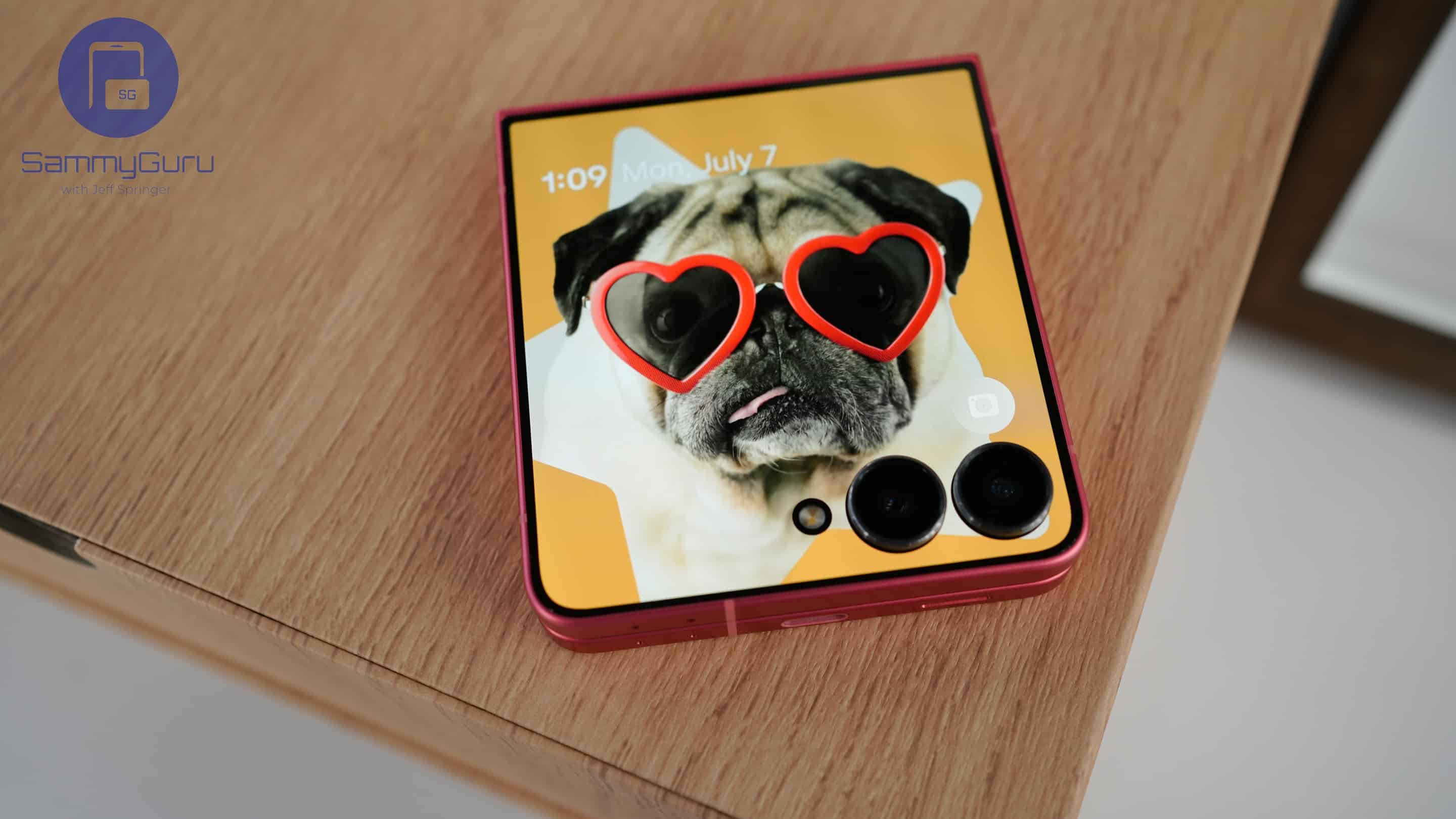
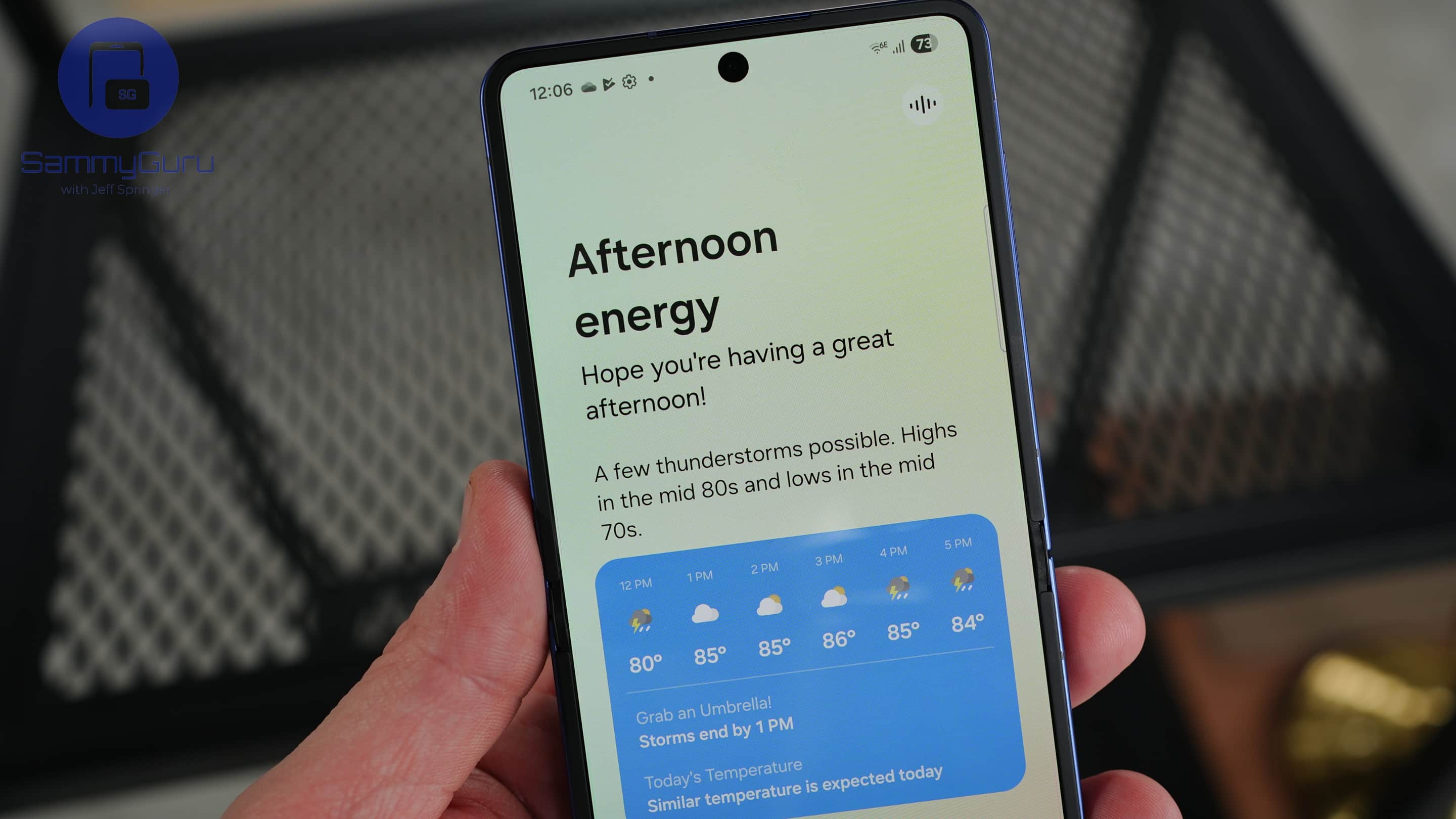
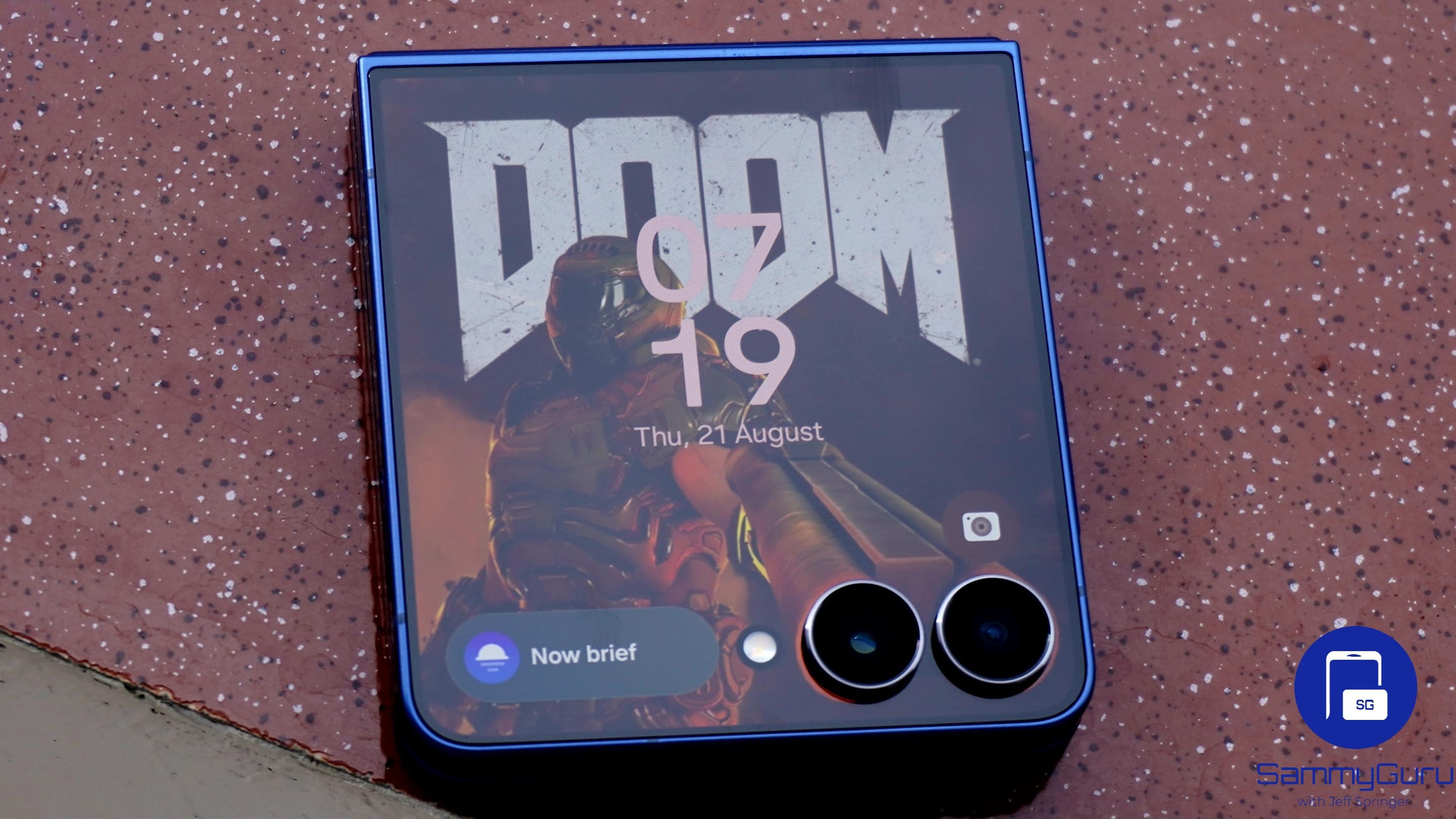
Typing is easier too, as wider spacing between keys results in fewer errors. Sure, you’re stuck with Samsung Keyboard on the outer display, but it’s surprisingly capable. Samsung’s Now Brief AI widget adds more to love, delivering personalized updates on your schedule, commute, weather, and more, right from the cover screen. Google Gemini integration lets you talk to the assistant or even use Live Mode, all without unfolding the device.
The Galaxy Z Flip 7 also cleverly uses the cover screen next to the camera cutout for recording indicators and timer countdowns. And if you run unsupported apps, Samsung provides smart scaling options to shift UI elements away from the cameras. The new Flip brings practical improvements to the cover screen, addressing many major pain points at once.
Galaxy Z Flip 7 Review: Cameras
The Galaxy Z Flip 7 carries over the same camera setup as last year’s Flip 6, which itself received a significant leap in the form of a 50MP main camera. Below are the full camera specs:
- Main: 50MP Samsung ISOCELL GN3, f/1.8, 23mm, OIS, Dual Pixel PDAF
- Ultrawide: 12MP Samsung ISOCELL 3LU, f/2.2, 13mm, fixed focus
- Front (internal): 10MP Samsung ISOCELL 3J1, f/2.2, 23mm, fixed focus
- Video: 4K at up to 60fps on all cameras, HDR10+, Log recording support
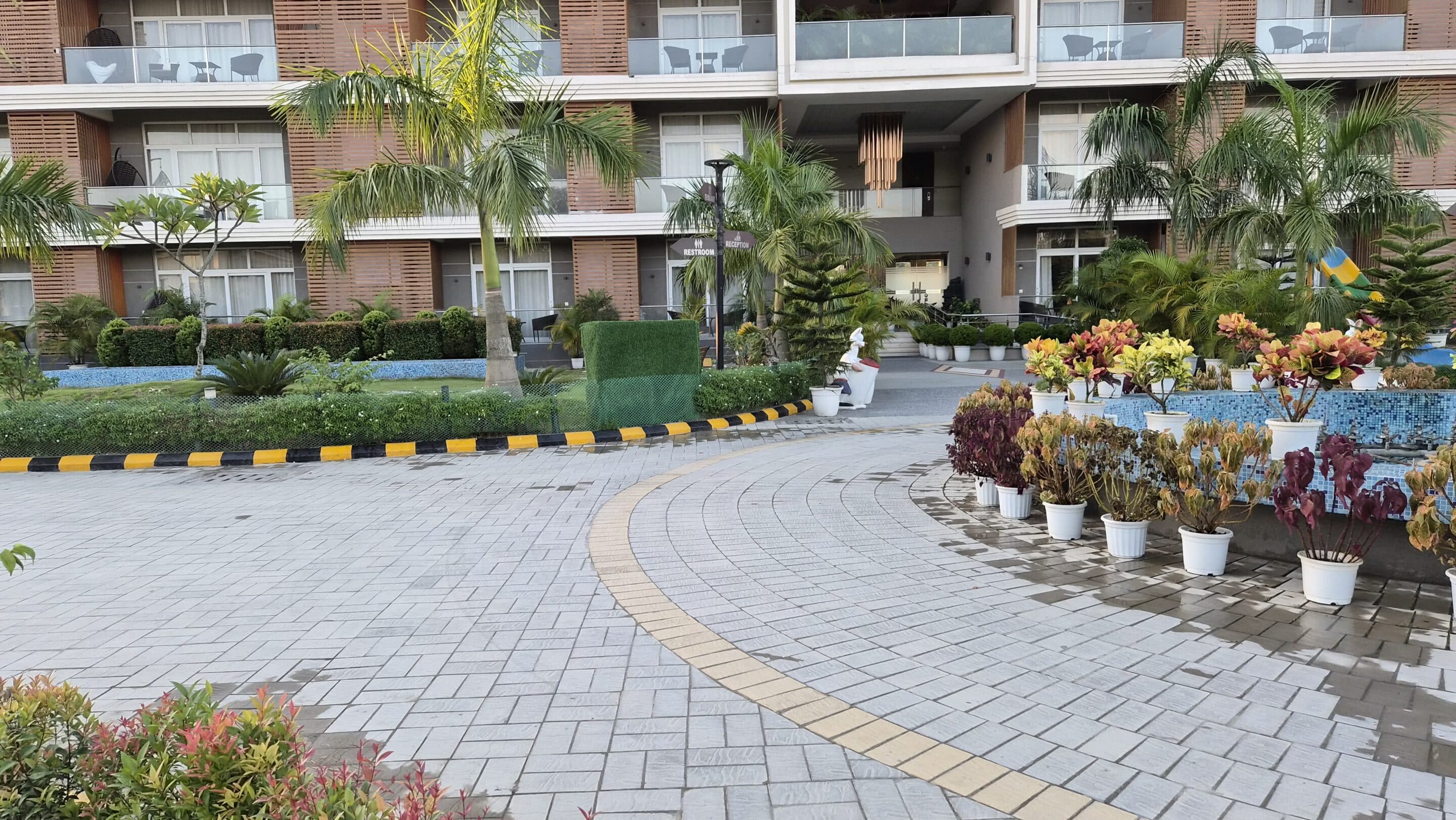
While this camera system isn’t fresh, it is capable. More importantly, ISP improvements, algorithm upgrades, and advanced processing help improve the image quality. In good lighting, the main 50MP sensor impresses. Images are sharp, dynamic range is wide, and colors are accurate without any over-saturation. Samsung has been leaning toward a more natural look lately, and the Flip 7 keeps up with the trend.
Of course, you can fine-tune our shots to get the desired results (and further enhance the look with the built-in photo editor). But by default, if you point and shoot with the new Flip, you get excellent image quality that doesn’t deviate much from what your eyes see in terms of colors. Skin tones are pleasing, exposure is well-balanced, and the detail level is excellent in the default 12MP binned mode.
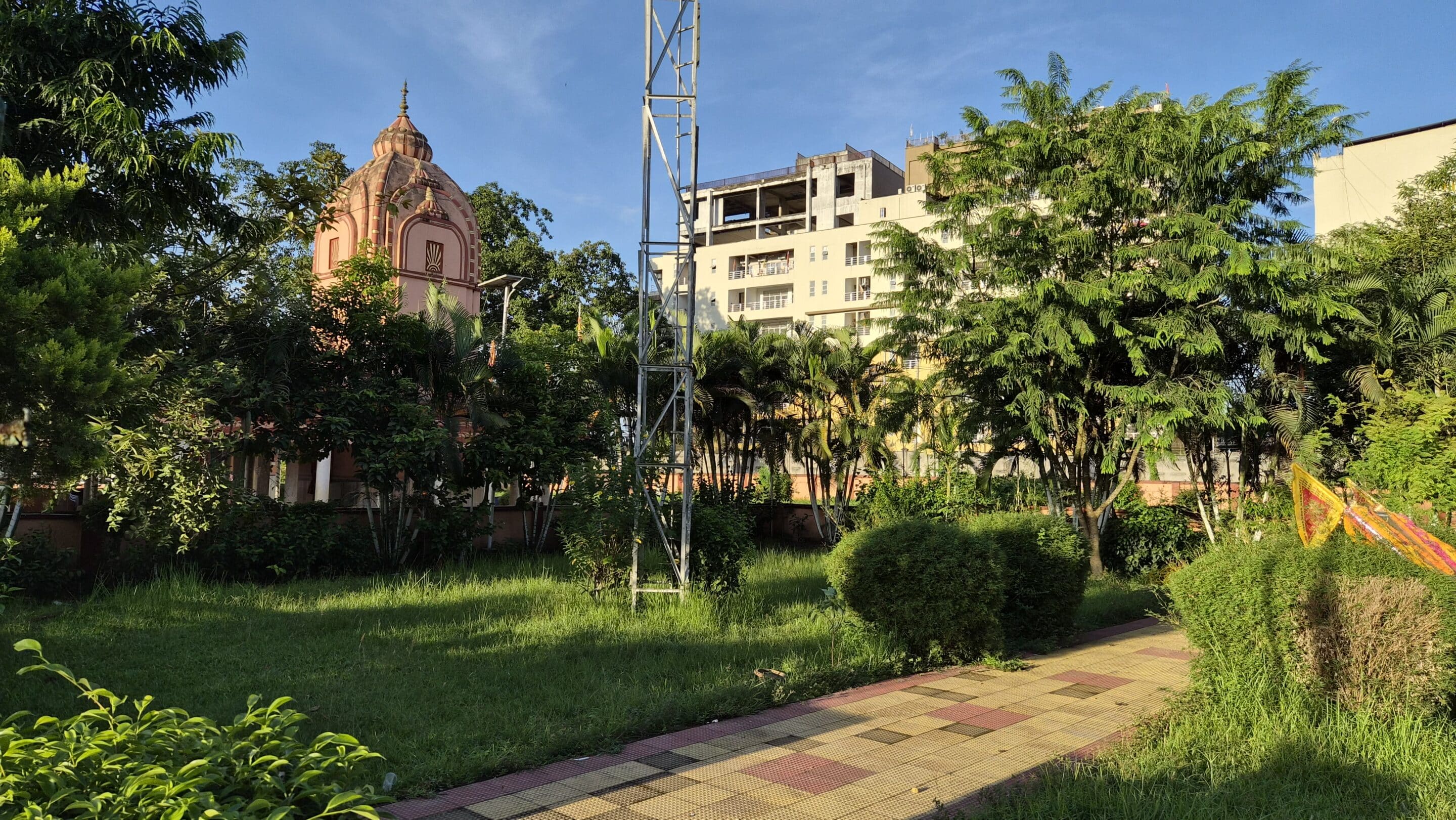
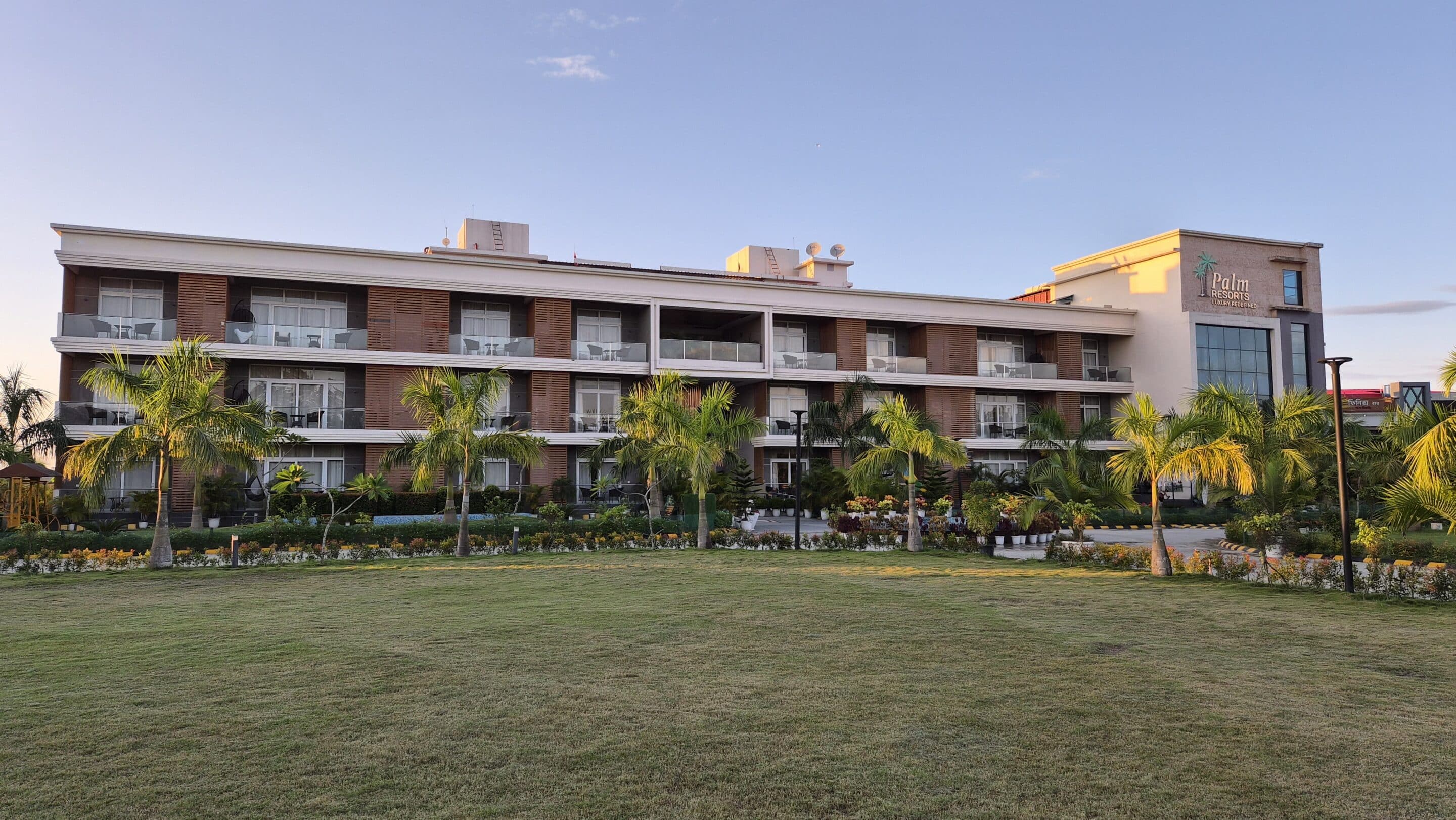
1x daylight camera samples





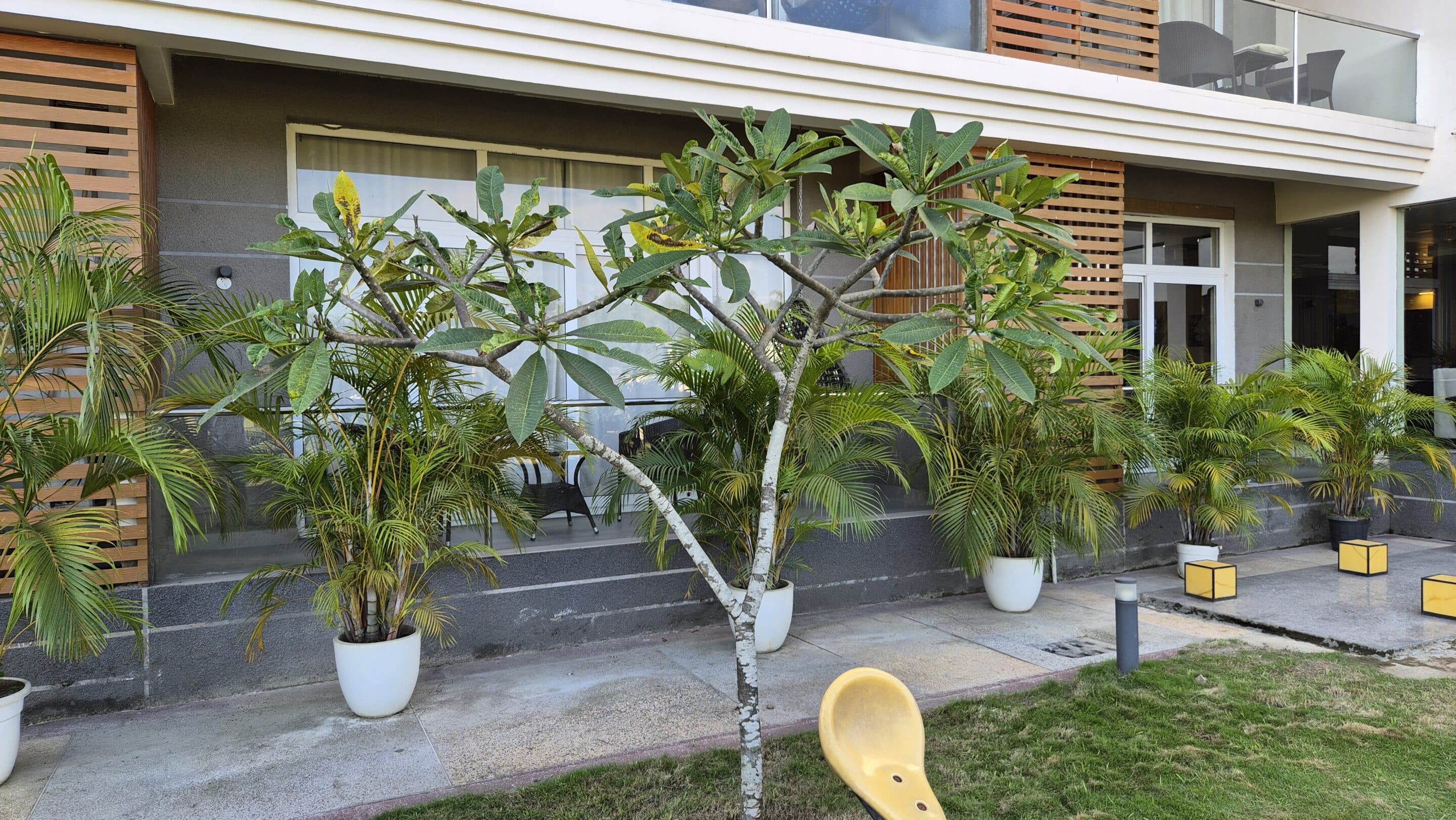
No zoom camera, but 2x shots are fine
This phone doesn’t have a zoom camera. That’s not common for phones priced over $1,000, but a compromise you must make when picking a Samsung Flip. Thankfully, you get decent 2x zoom shots. By default, the 50MP primary camera captures 12MP shots with pixel binning. However, the sensor pulls more fine detail when shooting at the full 50MP resolution, and that allows for near-lossless 2x zoom. Anything beyond 2x, and images lose detail and color.
2x daylight camera samples







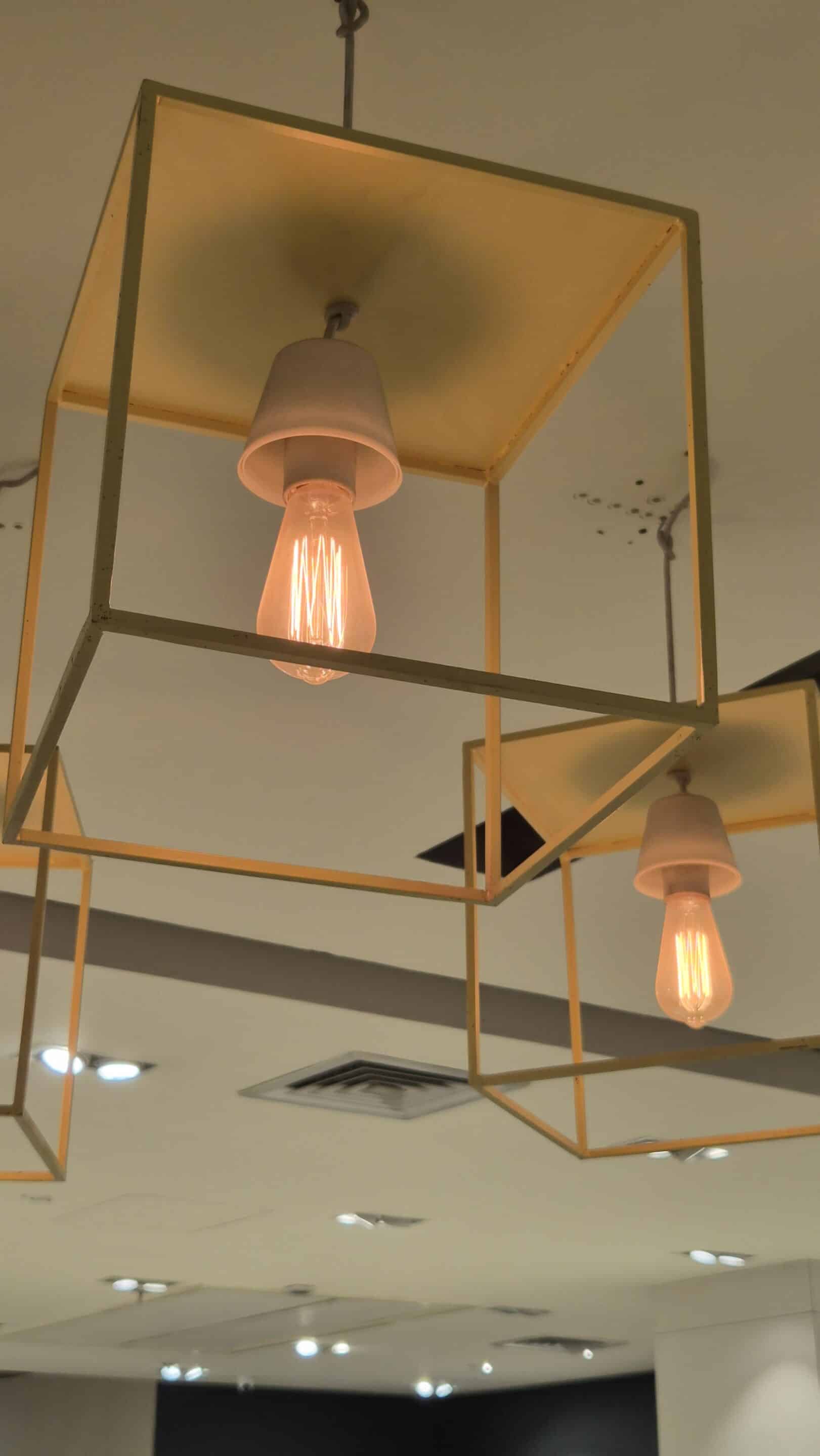
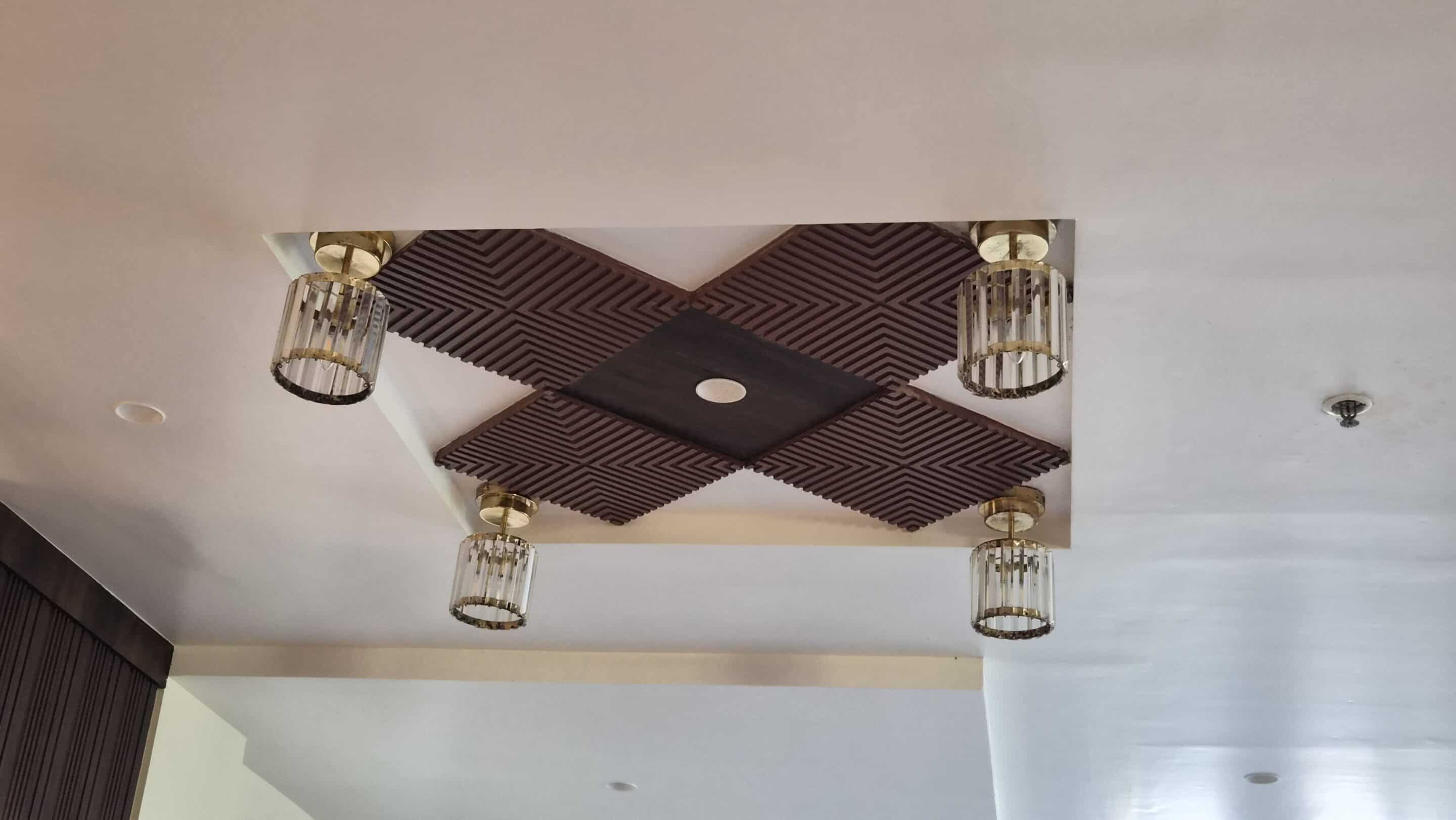
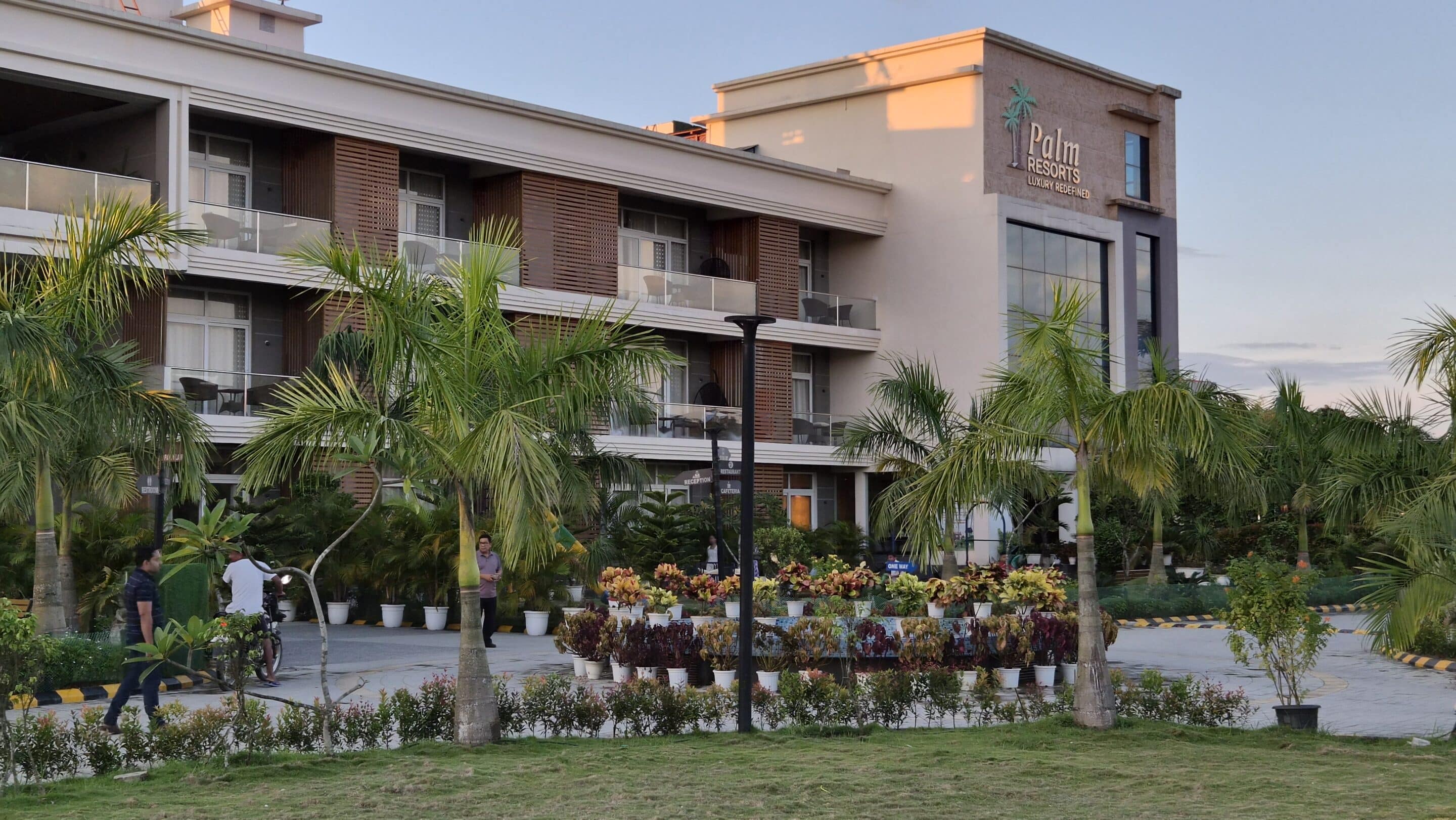
4x daylight camera samples

The 2x crop from the main sensor is good enough for everyday use. If you switch to Portrait mode, it defaults to 2x and delivers reliable background separation and subject isolation. The background separation isn’t always perfect, depending on the lighting and composition of your shot. But if you grab portrait shots in adequate lighting with a recognizable background, you should have no problem.

The ultrawide camera also produces good-quality images in daylight, sharp enough for landscapes. Colors are well-maintained, matching the main camera. Note that it’s a fixed focus lens, so you can’t capture macro close-ups with the ultrawide camera. Basically, the Galaxy Z Flip 7 delivers flagship-quality photos from 0.6x to 2x. Anything beyond that, and it struggles to justify its price tag.
Ultrawide daylight camera samples


Low-light images are okay-ish, nothing extraordinary
When you take the Flip 7’s 50MP primary shooter to low-light environments, your photos will come out with visible noise. They aren’t bad, as the device still manages to capture a good amount of detail with reliable colors. The device can automatically switch to Night mode, which cleans things up a bit. However, Night mode can sometimes oversharpen images and flatten textures.
1x low-light camera samples





2x and 4x low-light camera samples




Unsurprisingly, the ultrawide camera suffers more at night. The images are worse than the main camera in every way, be it colors, details, or noise. Overall, I find the Galaxy Z Flip 7’s dual rear cameras just about okay-ish when it comes to low-light photos. I compared it with the S25 Ultra, and the latter delivered better results every time. This is a clear indication that more powerful hardware always helps.
Selfie shooter doesn’t impress much, but I won’t complain
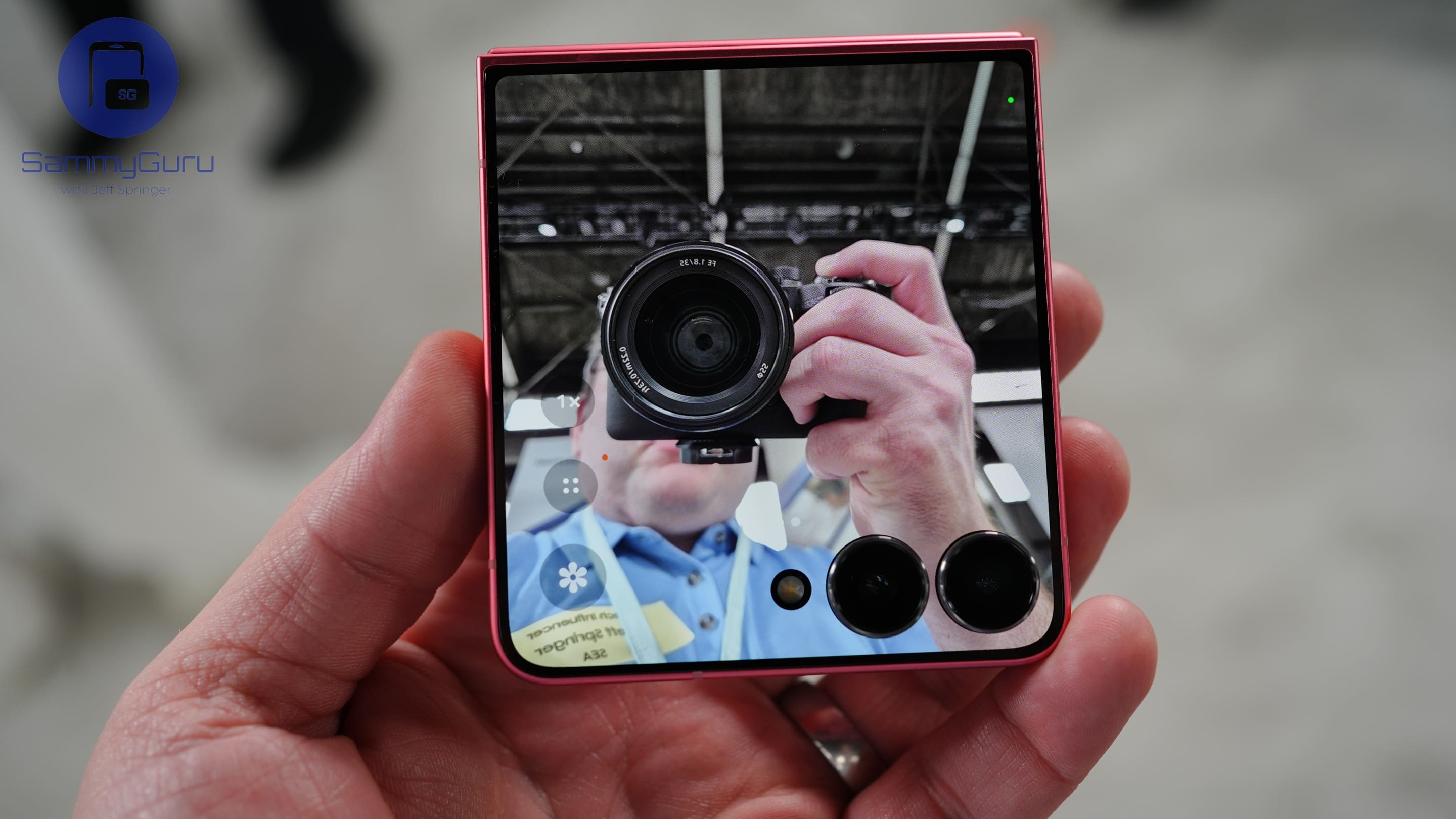
The Flip 7’s 10MP internal selfie camera is fine. It gets the job done, but there’s a noticeable change in color tone compared to the rear cameras. The selfie shooter could have been better, as the phone in question is a flagship. However, I won’t complain, as I can always use the 50MP rear camera to grab selfies. The larger outer screen, which serves as a viewfinder, makes framing easier. You can even take 2x zoom selfies for a more flattering portrait look.
-

- Selfie front camera
-

- Selfie rear camera
Samsung’s clever flex-mode shooting options also allow waist-level, overhead, and tabletop shots without awkward arm stretching. This is one of the best things about a Flip phone. With One UI 8 and Good Lock, Samsung also lets you display some messages, stickers, or images on the cover screen when taking mirror selfies with the inner camera. It adds another fun element to the whole Flip experience.
It’s a similar story with videos
The Galaxy Z Flip 7 can record 4K videos at up to 60fps with all three cameras, and the experience is similar to photos. Video quality from the main camera is solid, with excellent dynamic range overall. The ultrawide camera’s videos lack the crispness of the main sensor. And the quality degrades fast if you move to low-light areas. Stabilization is okay, but I felt like Samsung could have done better. The device supports HDR10+ and Log capture, if those matter to you.
Galaxy Z Flip 7 Review: Performance
The Galaxy Z Flip 7 marks a turning point for Samsung’s foldables. For the first time, a Flip ships with an in-house Exynos processor — the brand-new Exynos 2500 — rather than a Qualcomm Snapdragon chip. That alone makes its performance worth a closer look. After a month of real-world use and testing, I came away impressed with its day-to-day capabilities, though benchmark purists and power gamers may want to temper expectations.
In daily use, the Flip 7 delivers. It doesn’t claim the performance crown, but nails the balance between speed, efficiency, and versatility. Running two apps in split-screen on the tall inner display is smooth and responsive, and plugging into a monitor for the full Samsung DeX desktop experience works brilliantly. DeX is a huge addition for the Flip line, as it was missing from the Flip 6. It’s not the most useful tool for everyone, but those who use it will surely appreciate the addition.
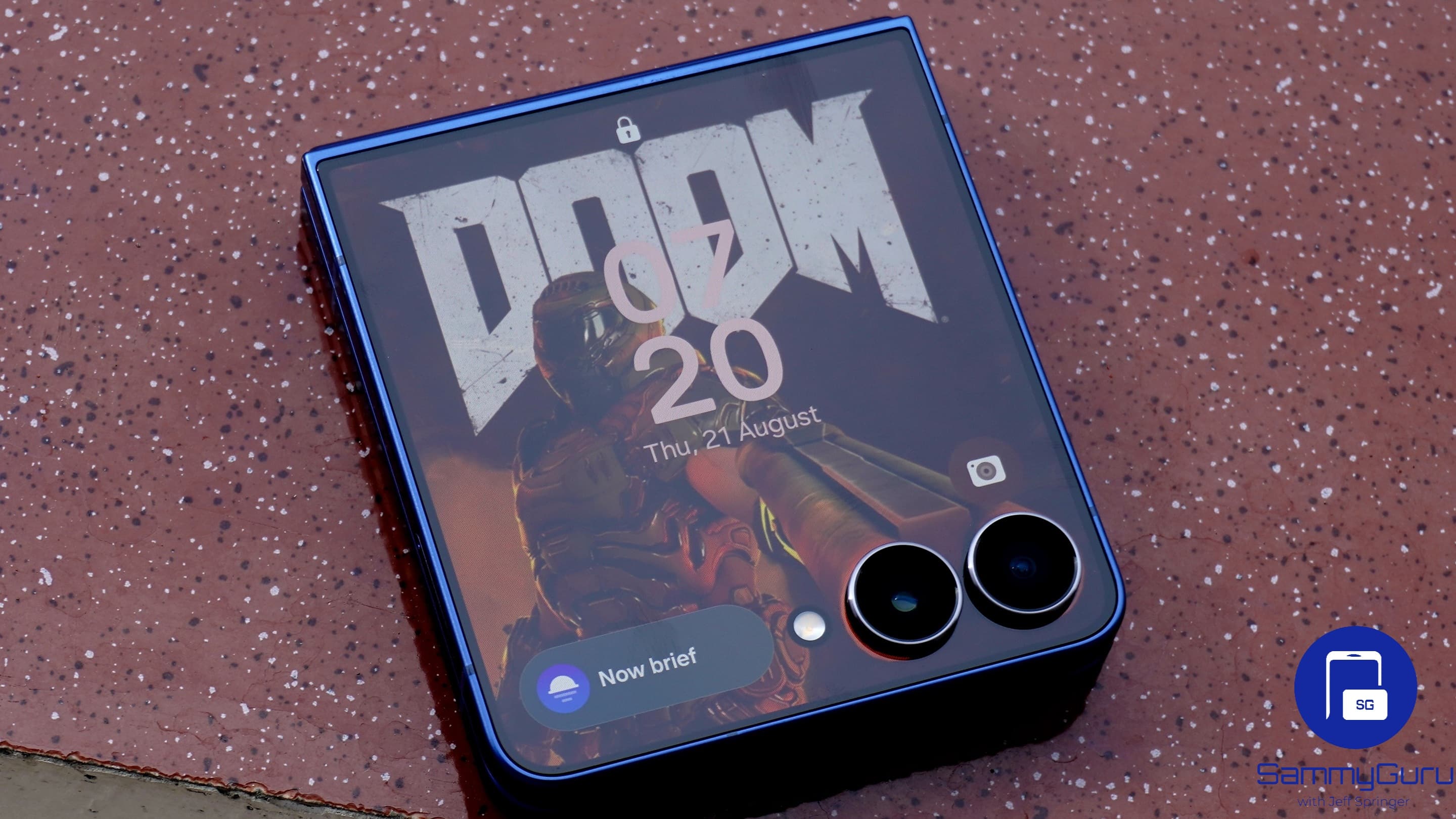
This also shows Samsung’s confidence in the Exynos 2500. The company previously cited heat concerns for omitting DeX from the Flip lineup, but this chip and the upgraded cooling seem up to the task. Still, the compact, thin design means prolonged heavy workloads and graphics-intensive gaming can generate noticeable warmth. The phone generally stays cool during typical tasks, but heavier games or extended camera use push temperatures higher. It can get really hot if you push the device to its limits.
Benchmarks
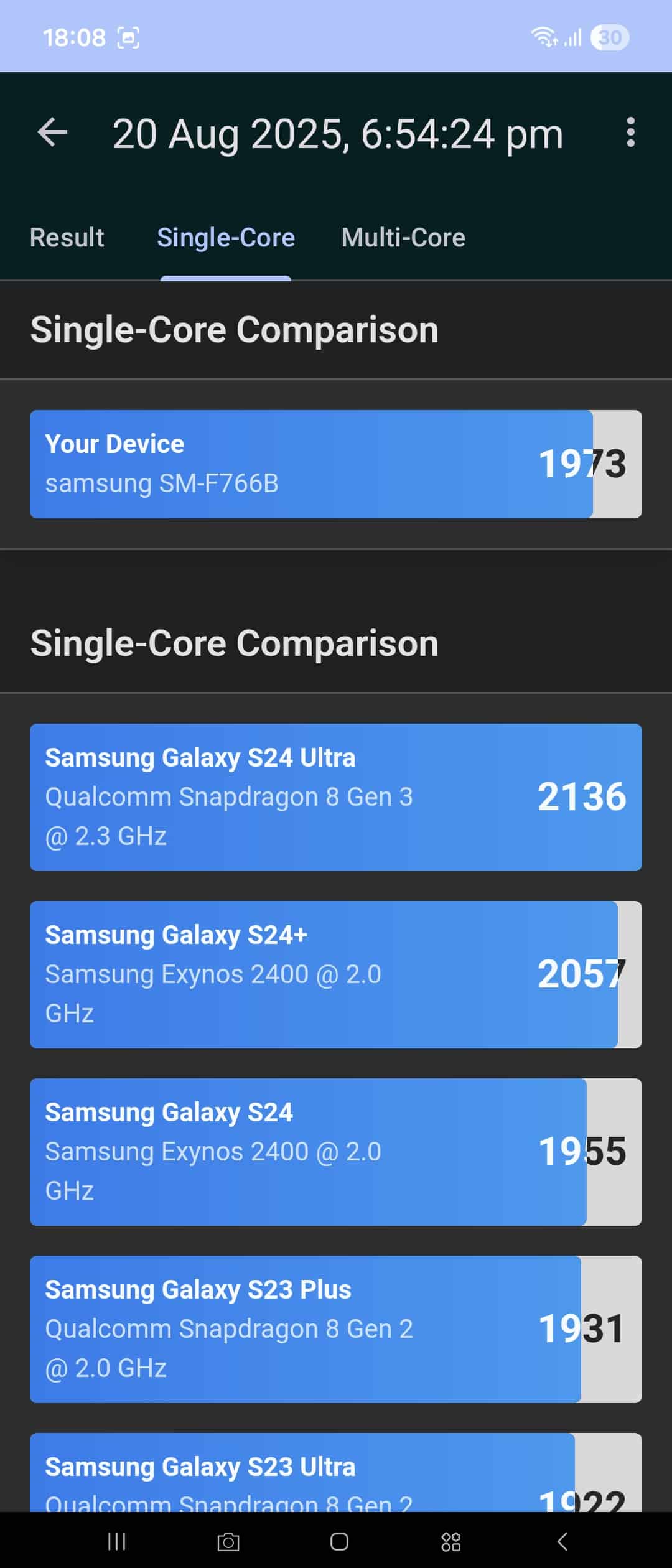
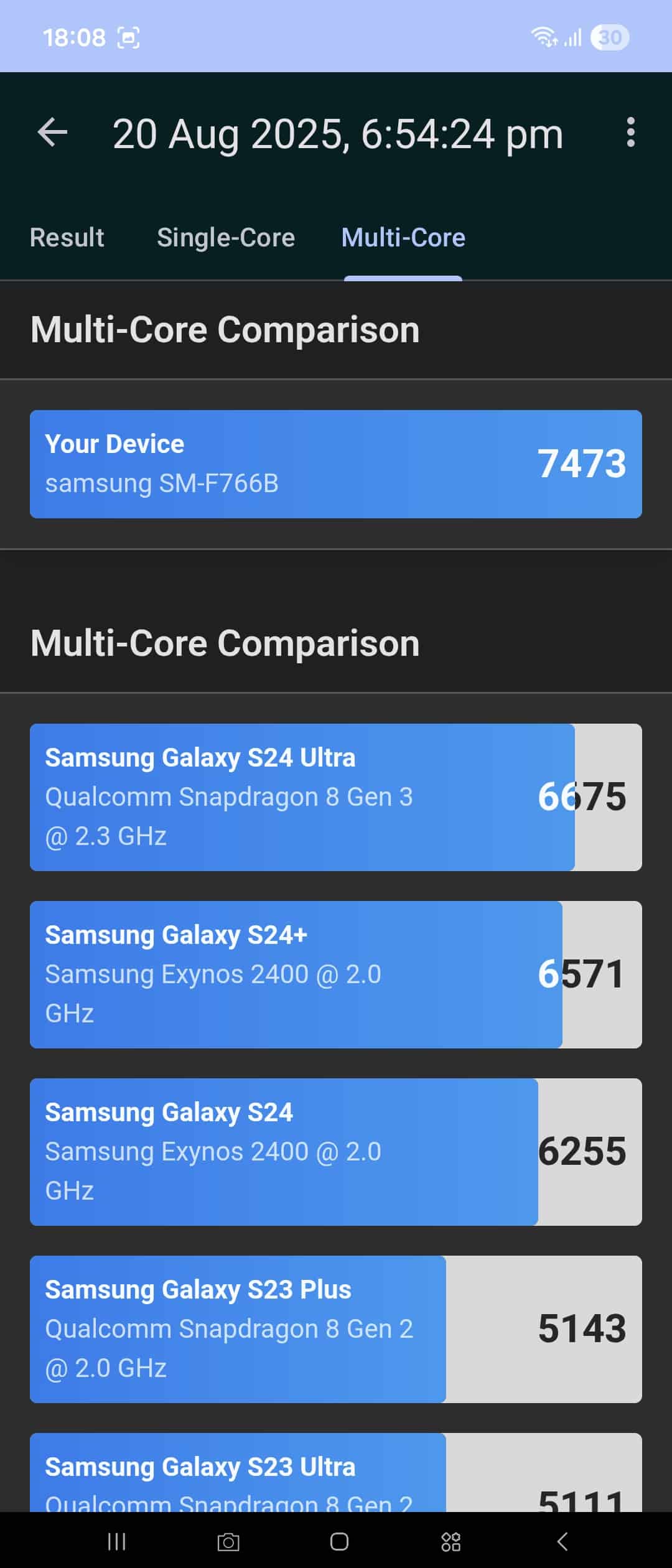
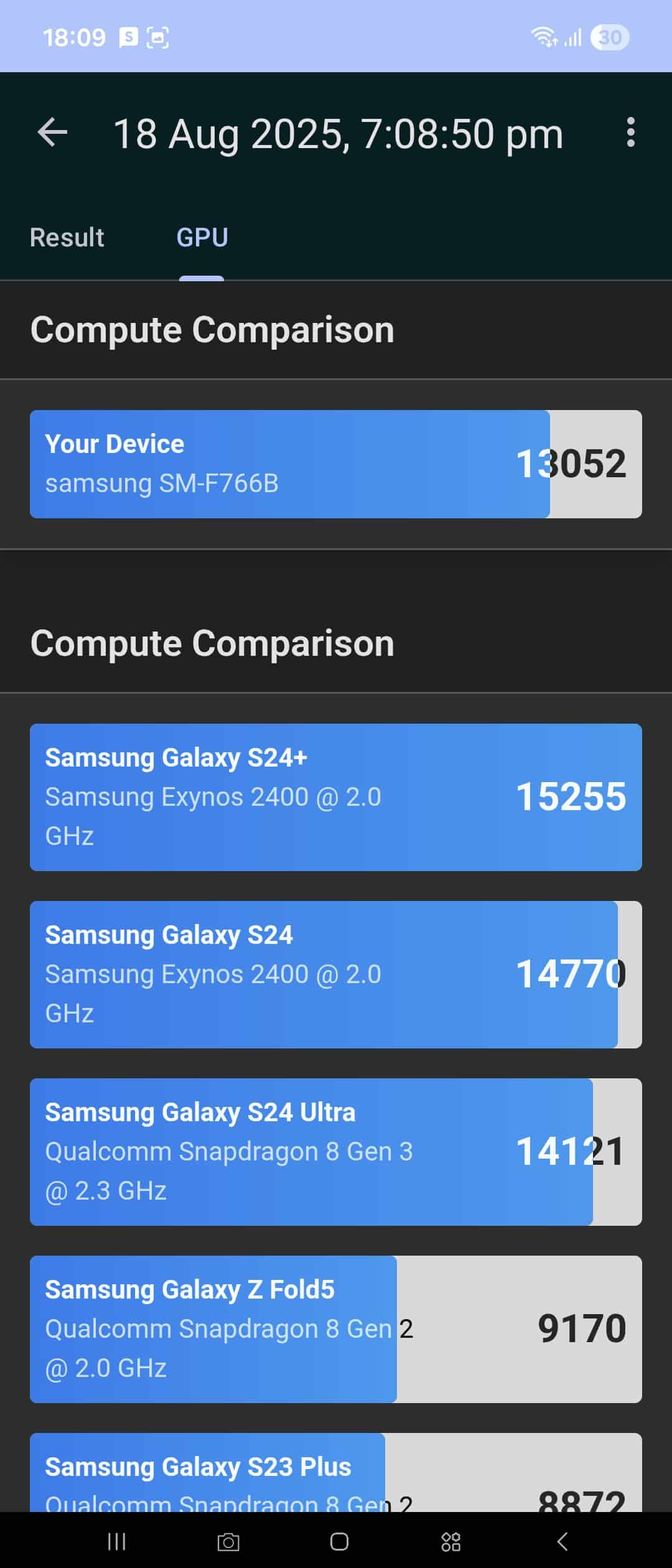
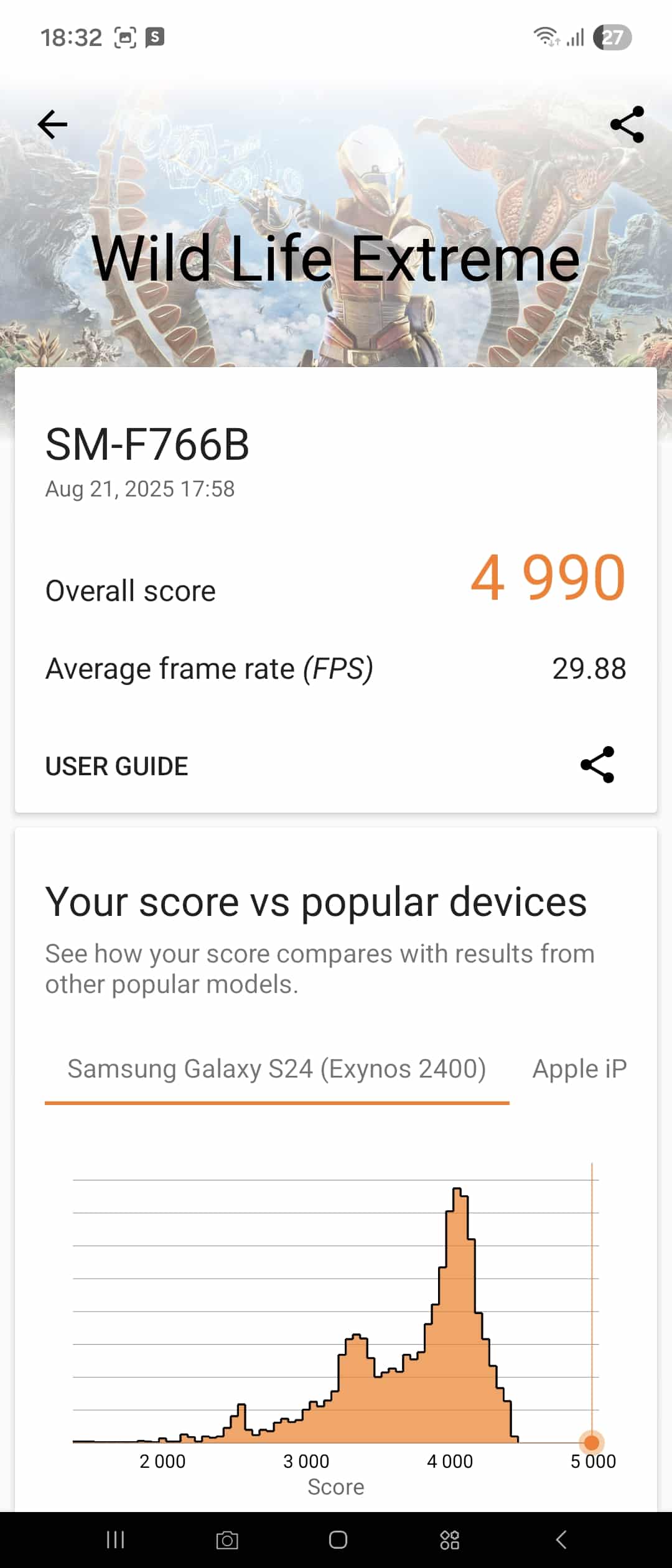
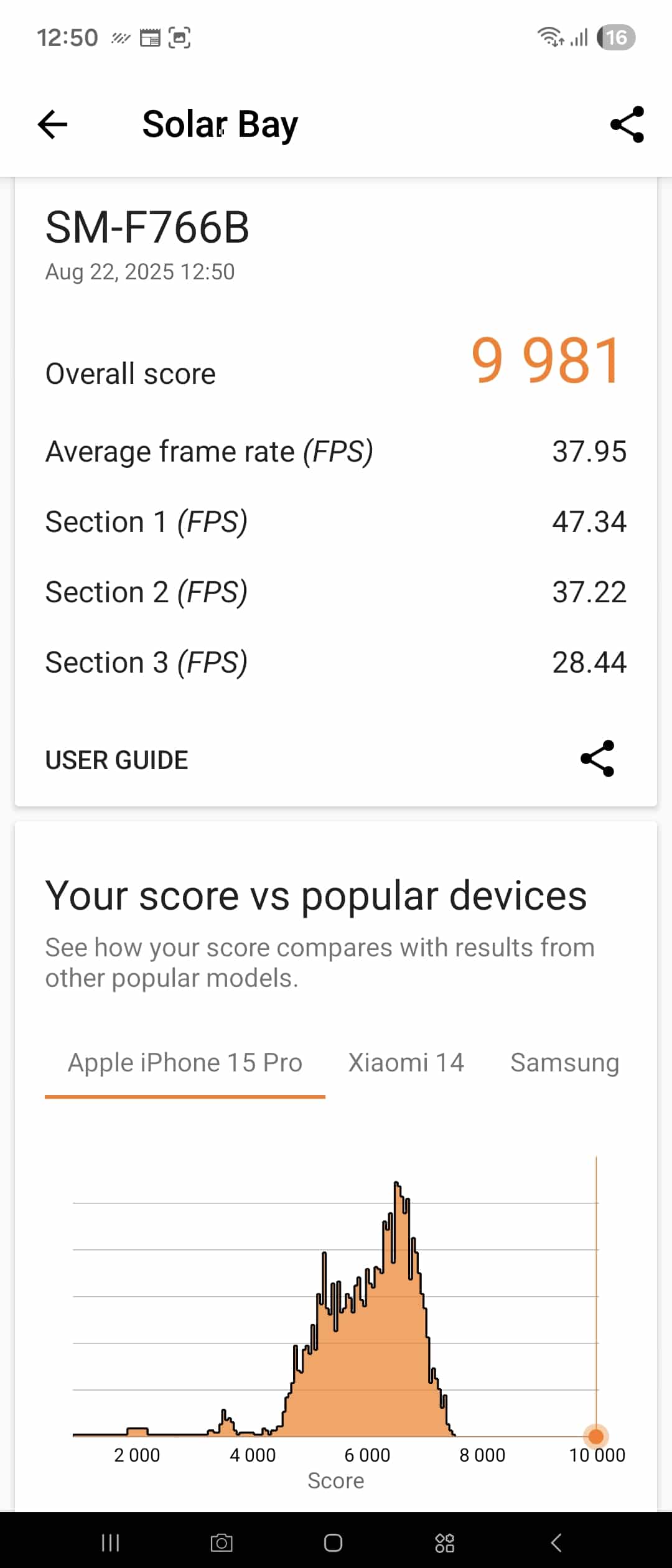
On paper, the Exynos 2500 can’t quite match the Snapdragon 8 Elite found in the Galaxy Z Fold 7 or Galaxy S25. And that shows in benchmarks, too. The Flip 7 trailed Snapdragon 8 Elite-powered Galaxy devices in every major benchmark category — CPU speed, graphics, and sustained performance. I ran several benchmarks on the phone, and the scores are as follows:
- Geekbench 6 CPU
- Single-core: 1,973
- Multi-Core: 7,473
- Geekbench 6 GPU: 13,052
- 3D Mark
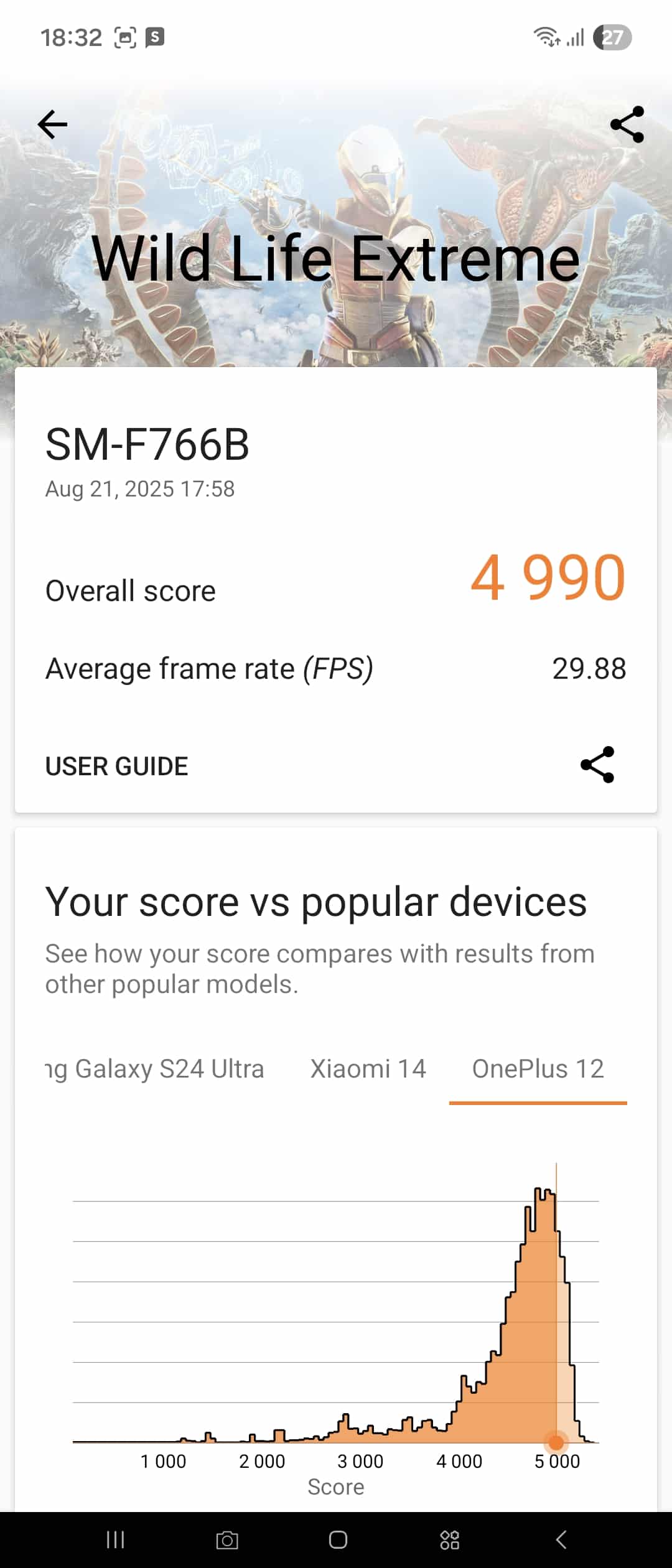
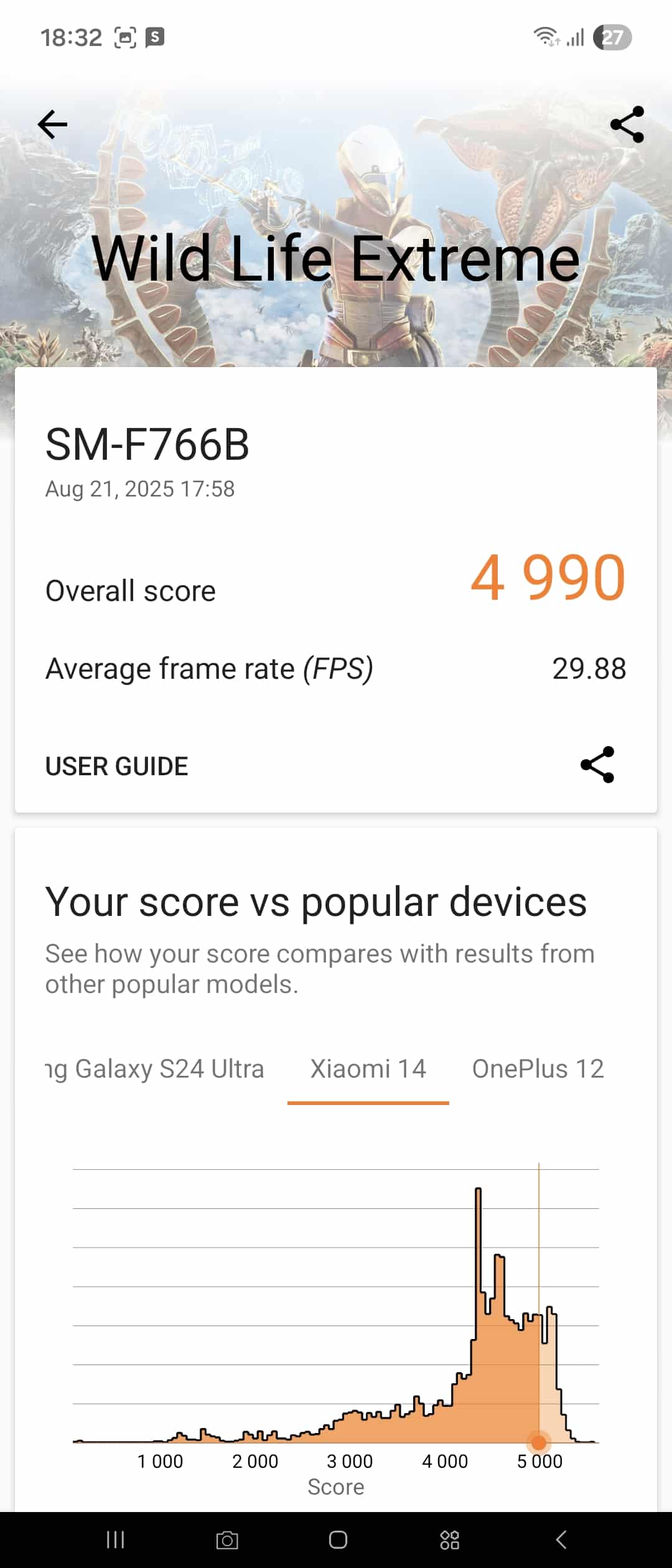
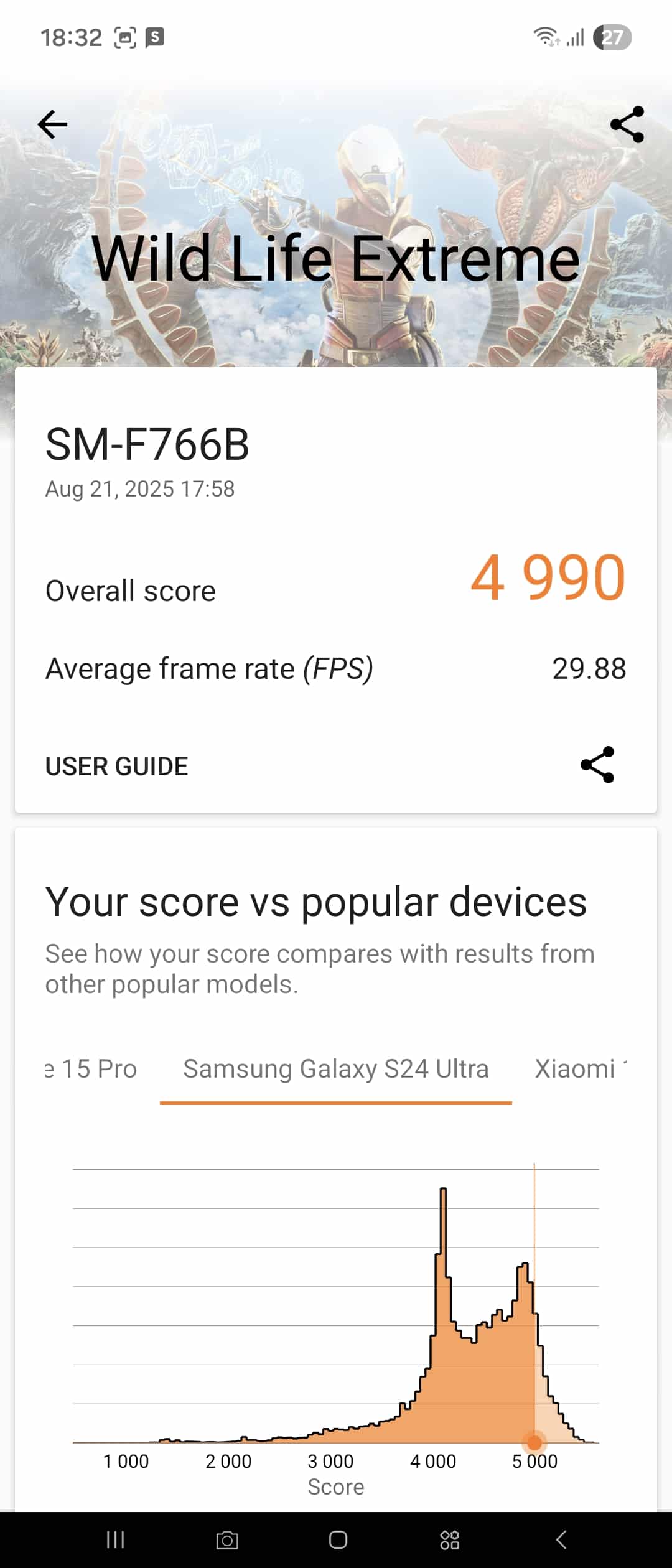
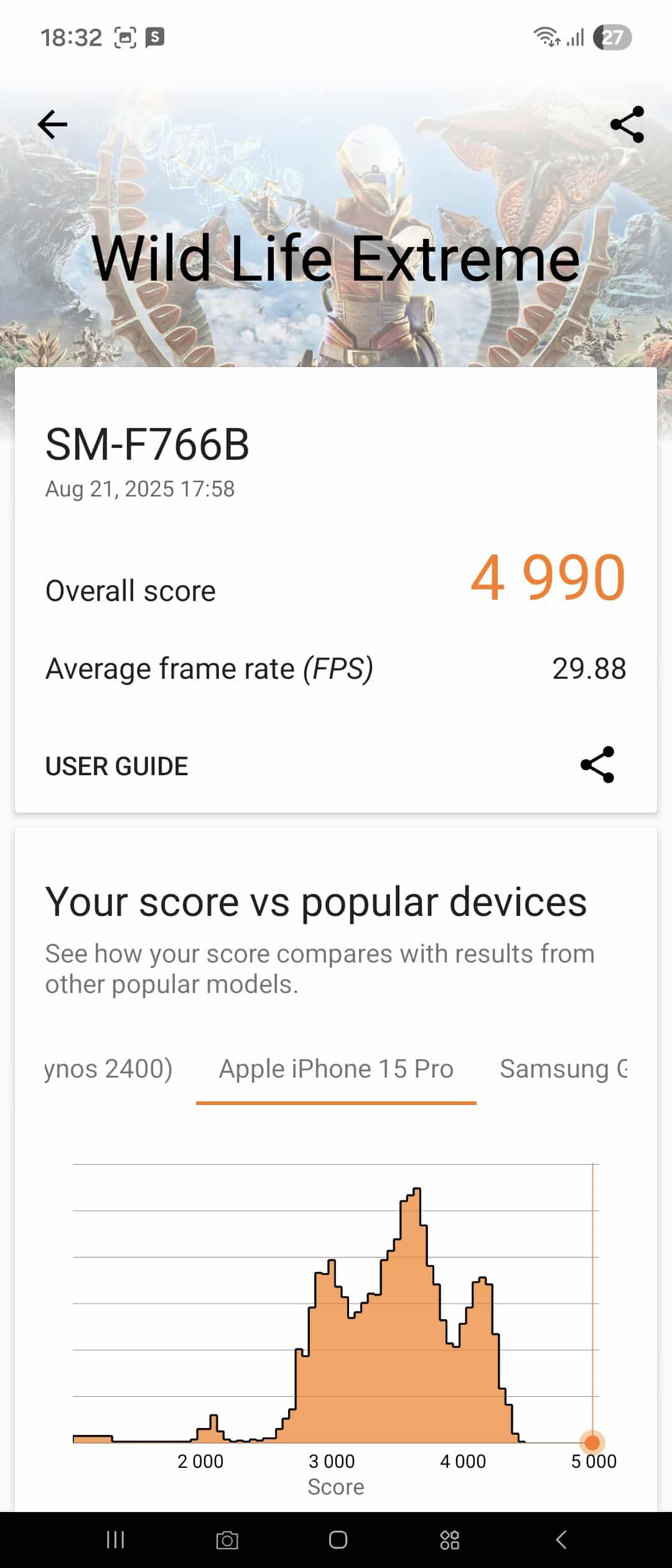
- Wildlife Extreme: 4,990
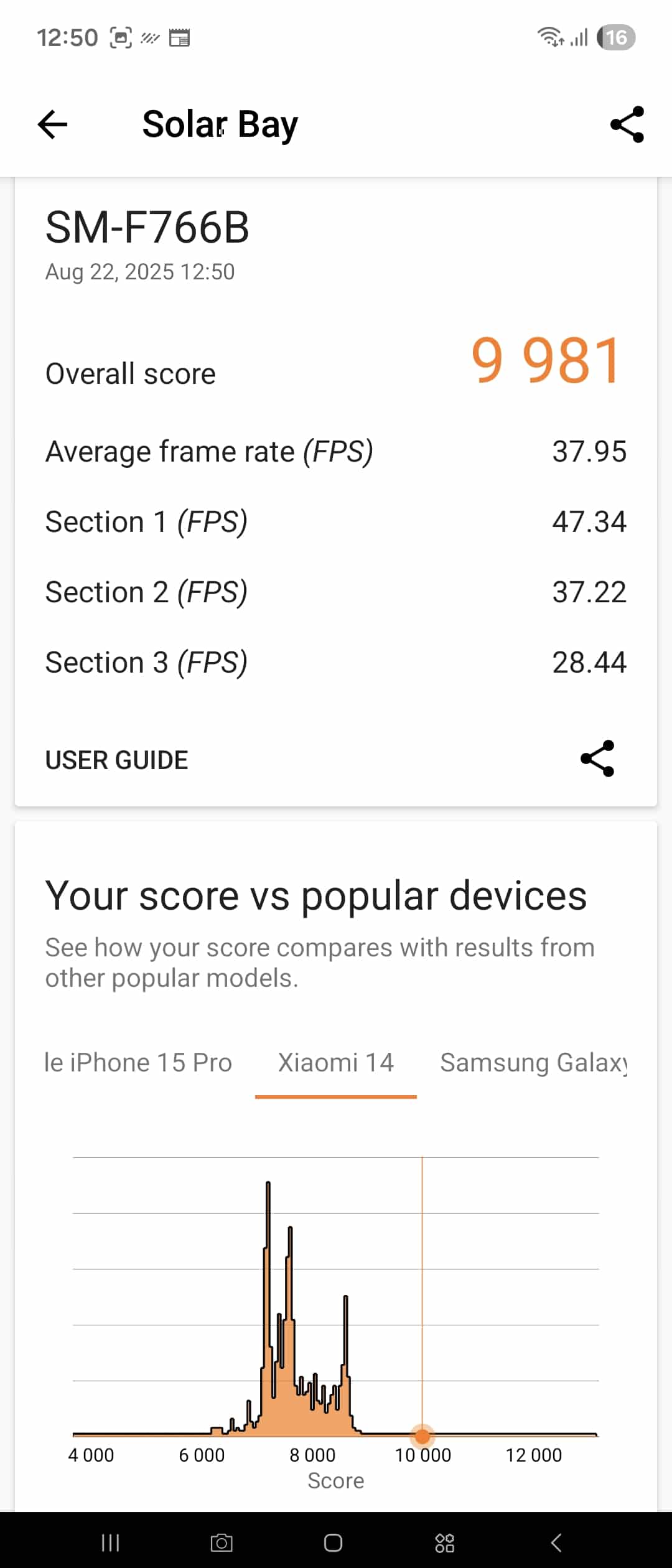
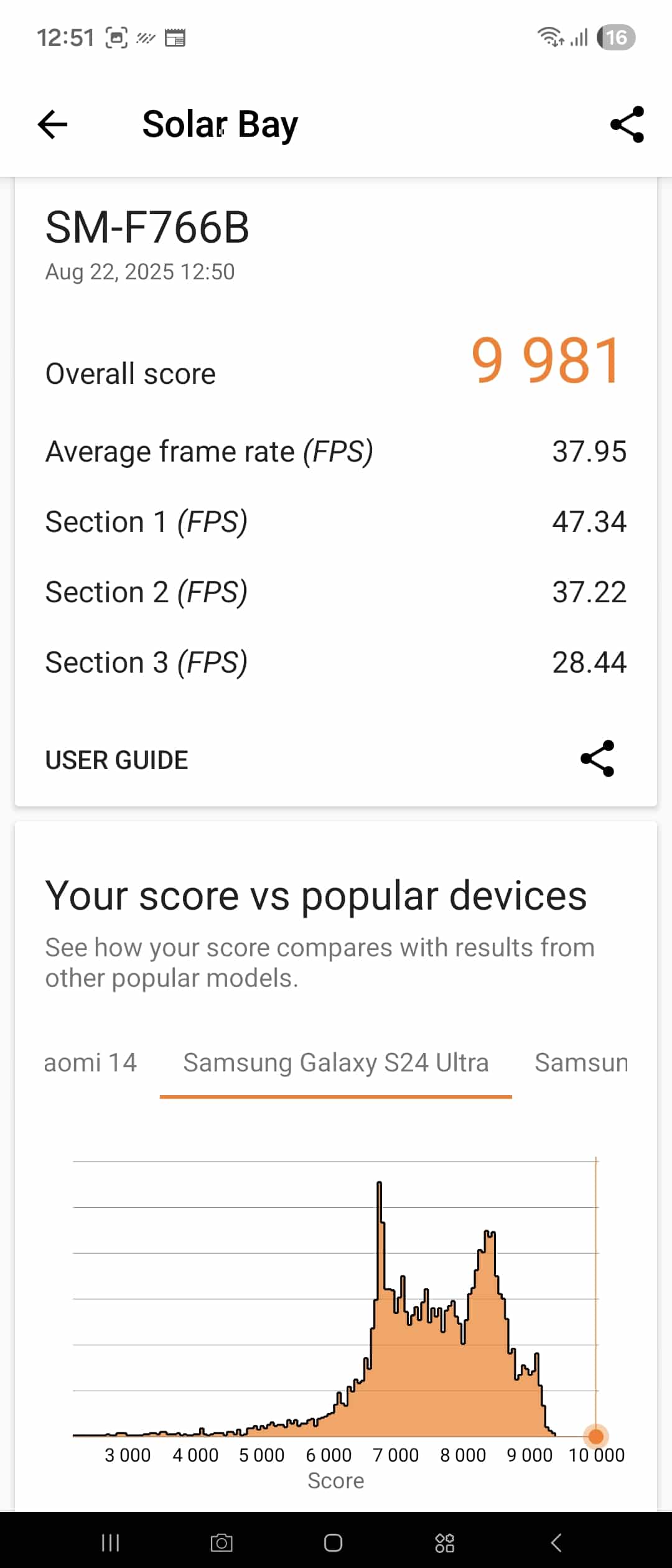
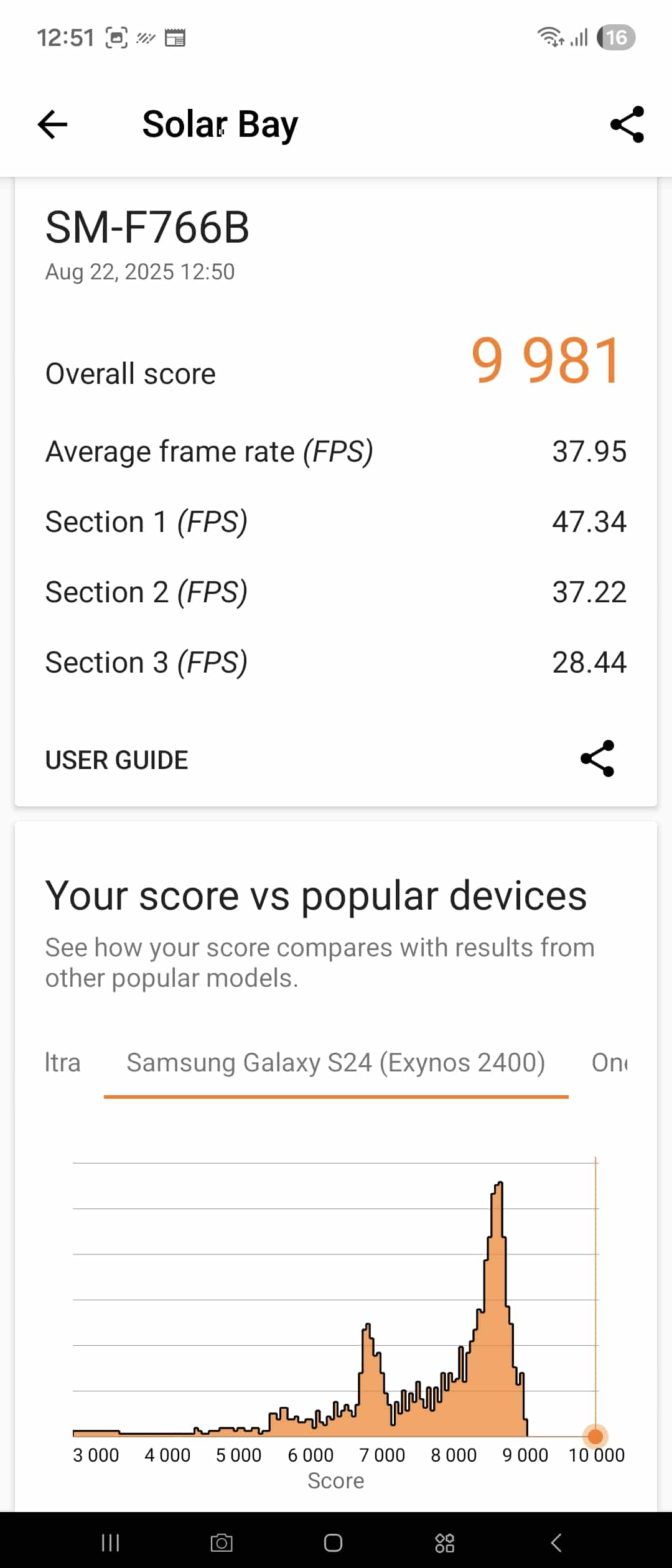
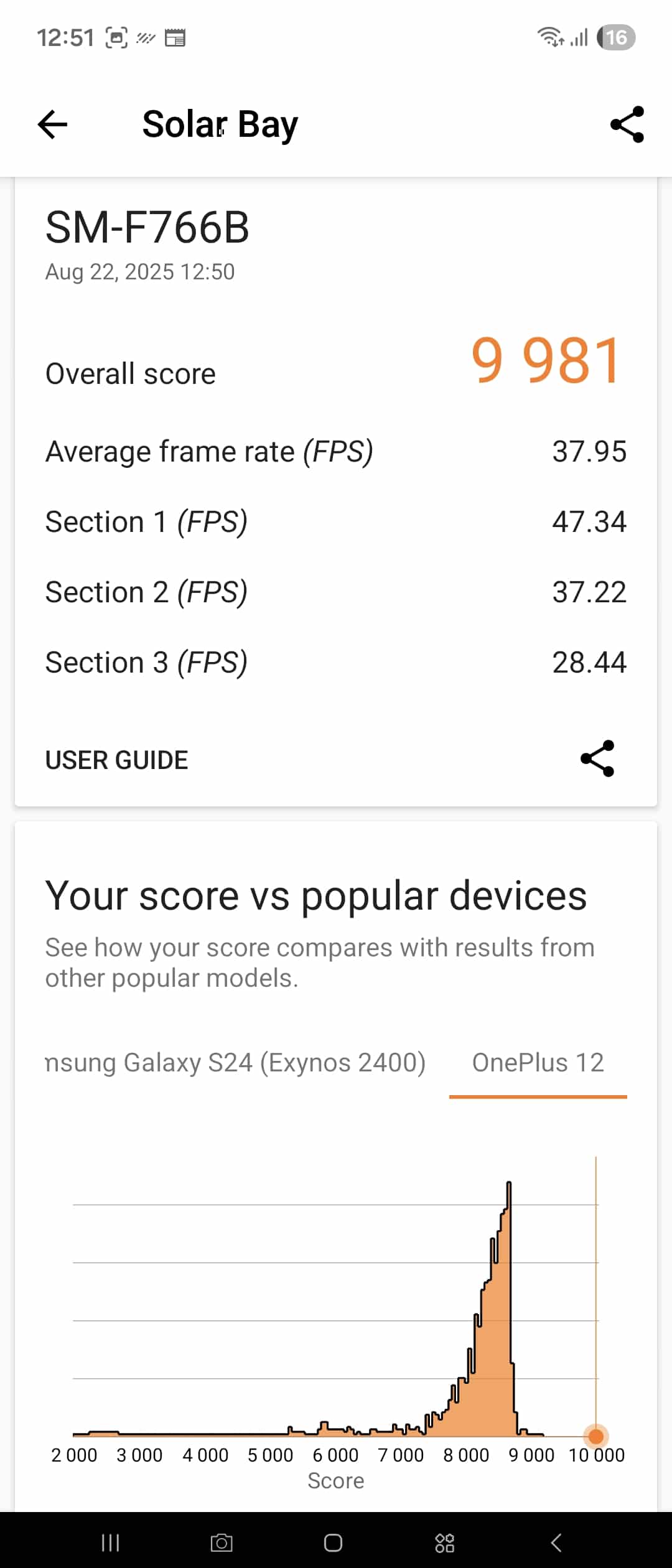
- Solar Bay: 9,981
These benchmark scores are nowhere near what Qualcomm’s Snapdragon 8 Elite (which powers the Fold 7) achieves. However, the Exynos 2500-powered Galaxy Z Flip 7 delivered to my expectations. In the screenshots below, you can see how the new Flip fared against some comparable devices.
- Geekbench 6 CPU and GPU
- 3D Mark Wildlife Extreme
- 3D Mark Solar Bay
Galaxy Z Flip 7 Review: Software
The Galaxy Z Flip 7 launches with Android 16 paired with One UI 8, with Samsung promising seven generations of OS upgrades and seven years of security updates. In terms of design, One UI 8 is more of a refinement over One UI 7, which was the version that brought major visual changes. The interface feels familiar to long-time Samsung users. But even if you are an existing Flip user, the new model has a few extra things on offer.
Most notably, the Flip 7 supports Samsung DeX, both wired and wireless. You can connect it to an external display and get a desktop-like interface, just like on the Galaxy S and Fold series. In my testing, the feature works smoothly and feels like a flagship-grade productivity feature.
Additionally, a bigger cover screen means expanded camera controls without unfolding the device, making selfies easier and more flexible. Now Bar enhancements improve quick access to tools and widgets, while AI features such as Gemini, Now Brief, and Gemini Live are accessible right from the cover display. You can use Gemini Live in Flex Mode (half folded) for things like outfit selection using live camera input. Speaking of AI, the Galaxy Z Flip 7 handles Galaxy AI features pretty well, without a noticeable performance gap to the S25 Ultra.
Samsung needs to allow more apps on the cover screen by default
Despite the larger cover display, Samsung’s software approach still feels overcomplicated and inconsistent. The worst thing about it is that the company doesn’t allow all apps on the cover screen by default. You must enable Labs in Advanced Features, then install MultiStar from the Galaxy Store to run more apps without unfolding the device. The task switcher also often forces a reload rather than simply pulling active apps from the background.
There are areas where I would like to see improvements down the line, including Now Brief, but the overall software experience on the Galaxy Z Flip 7 is satisfactory. Power users who enjoy digging into settings will find a treasure trove of tools, while casual users might feel overwhelmed and miss out on half of what the phone can do. Make sure to install Good Lock and check out all the modules: that’s where all the customization resides.
Galaxy Z Flip 7 Review: Galaxy AI
The Galaxy Z Flip 7 represents a turning point for Samsung’s clamshell foldables in more than one way. While there were doubts over its untested Exynos 2500 processor, the phone delivers. This 3nm chipset includes a Neural Processing Unit that can run AI tasks with ease. The device supports all the Galaxy AI features available on other Samsung phones, including the Galaxy S25 Ultra and Fold 7.
With Generative Edit, you can move or remove unwanted objects from photos, with proactive suggestions like erasing passersby. Audio Eraser helps remove background noise in videos and calls. Other features include Call Assist for real-time transcription, Sketch to Image, Portrait Studio, Best Face, and Generative Wallpaper. Additionally, Google Gemini powers Circle to Search, real-time translation, and Gemini Live, a multimodal tool that interprets what users see, say, and do.
Galaxy Z Flip 7 Review: Battery Life and Charging
Samsung has steadily improved battery endurance in its Flip line, and the Galaxy Z Flip 7 takes another step forward with a 4,300mAh cell — a modest but welcome 300mAh increase over last year’s Flip 6. That’s nearly the same capacity as the much larger Galaxy Z Fold 7, which is impressive for a clamshell design.
In day-to-day use, the Flip 7 generally lasted a full day. During my testing, I typically charged the phone fully in the morning, between 5-6 am, and I often didn’t need another top-up until the next day. My day usually consists of a mix of short sessions of 5G/Wi-Fi browsing, music streaming, social media, YouTube, photography, and video calls. When I go to plug in the device the next morning, I often find the phone with around 10% battery left. I typically get a screen on time of around seven hours.
However, during heavy-use days, which consist of around an hour of gaming and longer camera sessions and video streaming, the battery level dropped to 10% by around 8 pm. I noticed that the battery drops faster if you use the main display more. Thankfully, the larger cover screen allows you to run most apps without unfolding the device, extending the battery life.
Samsung needs to go beyond 25W charging
When it comes to charging, Samsung hasn’t made much progress. The Galaxy Z Flip 7 supports 25W wired charging, and it often charges at full speed. I noticed a drop in the charging speed when the phone is warm, like if you put it to charge immediately after a camera session or benchmark runs.
When charging from 0, it took about 90 minutes to hit 100% battery. However, the phone continued to draw power for another 12 minutes before it reported a “full charge”. At the 30-minute mark, it reached 48% — steady but far from class-leading. Wireless charging is also available, but not faster. This charging speed is unchanged from the Flip 6, meaning the larger battery doesn’t cost users extra time on the charger. Still, compared to competitors pushing 45W or even 65W speeds, Samsung’s approach feels dated.
Galaxy Z Flip 7 Review: Verdict
The Galaxy Z Flip 7 doesn’t reinvent the foldable, but it doesn’t need to. Its slimmer design and larger cover screen make it the most stylish Flip yet, while the bigger battery delivers a real boost in day-to-day endurance. Add in Samsung’s robust One UI and long-term software support, and you have a clamshell that feels more complete than its predecessors.
That said, familiar drawbacks remain. Charging speeds are stuck in the past, thermal management can be a challenge under heavy loads, and the cameras, while solid for a Flip, don’t rival the best traditional flagships. Samsung also continues to hold back the cover screen from its full potential, which can make the experience feel more restricted than it should be.
Overall, the Galaxy Z Flip 7 is an excellent refinement of the clamshell formula — sleek, capable, and fun to use. If you’ve been on the fence, this phone might just convert you. But with its premium launch price, it’s best suited to those who value design, pocketability, and cutting-edge AI features over raw specs or all-day stamina. The phone is currently selling for $1,099 on Samsung’s website.

Written by
Sumit AdhikariSumit, a life-long Samsung user, is passionate about technology and has been professionally writing on tech since 2017. He’s a mathematics graduate by education and enjoys teaching basic mathematics tricks to school kids in his spare time. Sumit believes in artificial intelligence and dreams of a fully open, intelligent and connected world.

Follow us on Google Discover & set us as a preferred source in Google News
Share this Post
___________________________


New Blog Posts
___________________________

First Set of Pixel 11 Pro XL Renders Are Here
Pixel 11 Pro XL CAD renders show minimal design changes

Is Samsung Preparing One UI 8.5 Beta for Galaxy Z Fold 5 and Flip 5?
Samsung may launch a One UI 8.5 beta program for its 2023 foldables

Galaxy S25 One UI 8.5 Beta May Run Longer Than Expected
Galaxy S25 series’ One UI 8.5 beta may stretch to 10 rounds







