
Galaxy to Share Update Brings a New AI Feature and Enhanced Customization
SammyGuru is reader-supported. We have affiliate and sponsored partnerships, so we may earn a commission when you buy through links on our site — at no extra cost to you. Learn more.
Samsung has recently released an update for its Galaxy to Share (GTS) app with version 1.0.79.0. This update brings several improvements, as well as an AI feature to simplify the user experience. The new version should be available to eligible Galaxy users in the coming days.
What’s new in the Galaxy to Share app 1.0.79.0 update?
Samsung offers a host of Good Lock modules to enhance the Galaxy experience through customization. But what if you want to apply the same configuration to your other Galaxy devices? Do you have to set everything up again manually? Well, this is where the GTS app comes in. The tool lets user share their Good Lock customizations across multiple devices. Unfortunately, as of now, it is only available in South Korea. Hopefully, Samsung will bring it to users globally soon.
Speaking of the latest version of the GTS app, Samsung has improved the My GTS Customization feature. You can now easily set up GTS using new templates and layout options. A new sticker feature lets you decorate your GTS with several styles. If you want to add a personal artistic touch, you can use the draw with pen option to express your unique style.
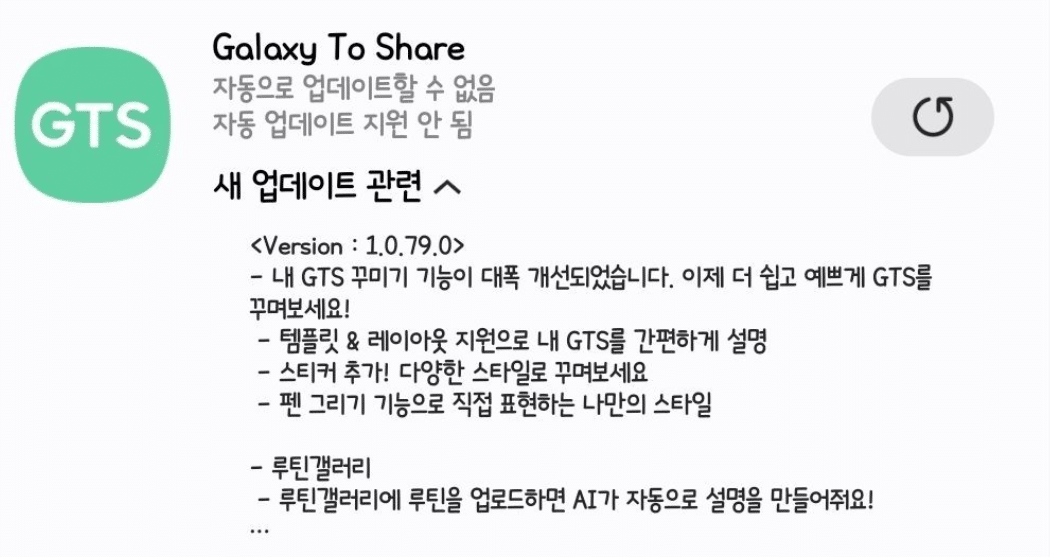
The most notable addition is the integration of AI within the Routine Gallery. Now, when users upload their routines to Routine Gallery, the app will use AI to automatically generate a description. The app’s release notes did not mention any other major improvements, but we can expect that Samsung has made some under-the-hood enhancements as well. You can expect a smoother and more refined experience overall.
So, if you want all the latest features and other possible enhancements, you should update to the latest version of the GTS app. The update process is pretty simple — head over to the Galaxy Store and search for the GTS app. If the latest version is showing up, just tap update to install it.

Written by
Binay KonwarBinay Konwar started his blogging journey in 2014 and has since written plenty of tech articles. At present, he is working as a News Writer at SammyGuru, covering everything about Samsung. He holds a Master's degree in Mathematics, but his real passion lies in tech and writing. In his free time, he enjoys playing chess and watching movies.

Follow us on Google Discover & set us as a preferred source in Google News
Share this Post
___________________________


New Blog Posts
___________________________

First Set of Pixel 11 Pro XL Renders Are Here
Pixel 11 Pro XL CAD renders show minimal design changes

Is Samsung Preparing One UI 8.5 Beta for Galaxy Z Fold 5 and Flip 5?
Samsung may launch a One UI 8.5 beta program for its 2023 foldables

Galaxy S25 One UI 8.5 Beta May Run Longer Than Expected
Galaxy S25 series’ One UI 8.5 beta may stretch to 10 rounds







