
Samsung Galaxy S26 Ultra Virtual Reflector: Introduction and First Look
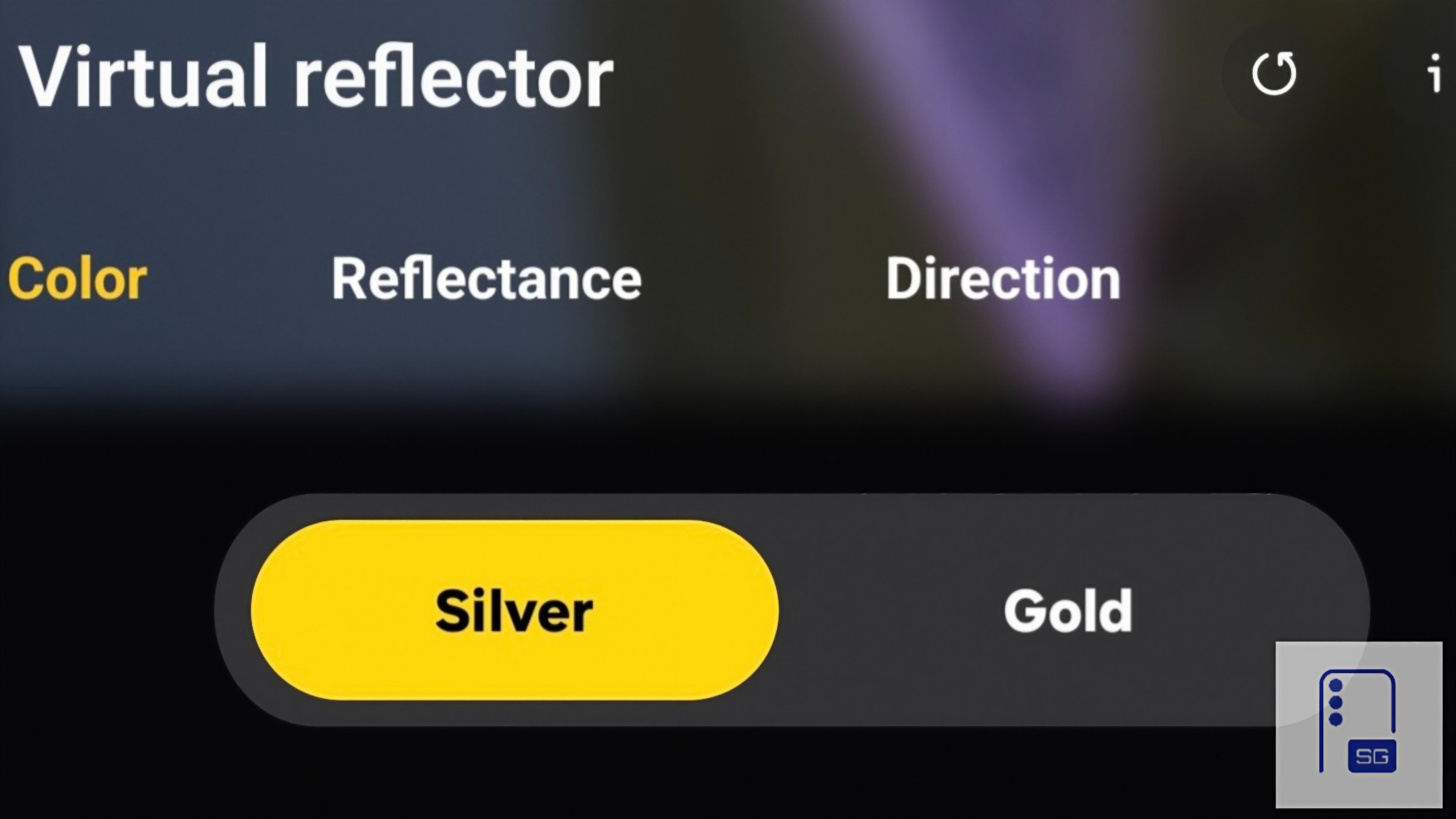
What if your smartphone could simulate a studio reflector in real time while you shoot? With the Galaxy S26 Ultra, Samsung is beginning to explore exactly that idea inside Expert RAW. It introduced a new computational lighting tool called Virtual Reflector.
This article focuses on introducing how Virtual Reflector works. A full technical test with real shooting samples will follow in the next article.
Expert RAW quietly added Virtual Reflector
When Samsung unveiled new Expert RAW features during the Galaxy S26 Ultra launch, most of the attention focused on a single feature: Oceanic Mode. It was the only new capture mode officially highlighted during the presentation. Samsung also briefly hinted at lighting simulation, but it never clearly explained that such a feature would live inside Expert RAW as its own tool.
Yet once you open the app, it’s there — a feature designed not to capture more light, but to reshape how light behaves within the scene. So, what exactly is Virtual Reflector? In traditional photography, a reflector is one of the simplest yet most powerful lighting tools. Photographers place reflective surfaces, often silver or gold panels, near a subject to bounce existing light back into the scene. This helps to:
- fill shadows
- soften harsh contrast
- balance the lighting direction
- introduce subtle warmth or neutrality to skin tones
But reflectors require physical equipment and physical light sources. Samsung’s Virtual Reflector attempts to simulate that behavior computationally. Instead of adding artificial light like a flash, the system analyzes the existing light in the scene and reconstructs how reflected light would interact with the subject. In simple terms:
- It doesn’t create new light
- It redirects existing light computationally
Two reflector types: Silver and Gold
Inside Expert RAW, Virtual Reflector offers two reflector styles. Silver Reflector simulates a neutral reflective surface, increasing brightness and filling shadows while maintaining accurate color temperature. Gold Reflector simulates the warmer tone photographers often use in portrait lighting. It introduces subtle warmth to reflected light, similar to what portrait photographers achieve using gold reflectors during sunset or golden-hour lighting.
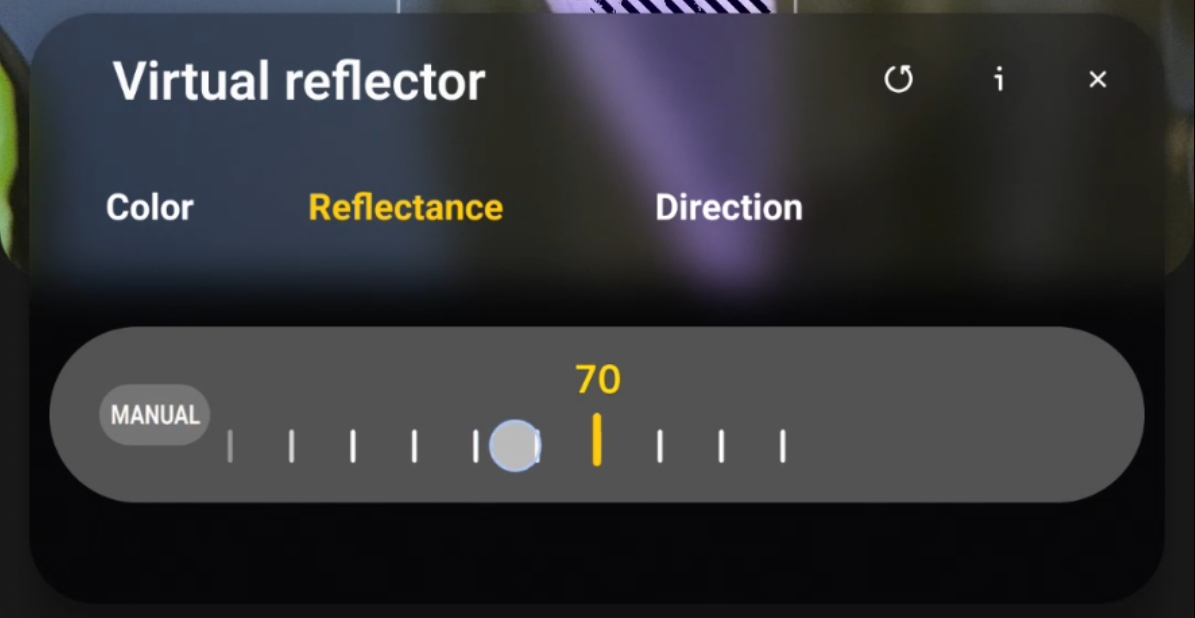
Both options replicate real studio reflector behavior, but through computational processing instead of physical equipment. Virtual Reflector also includes two adjustable parameters: Reflectance and Direction.
Reflectance controls how strongly the simulated reflected light affects the scene. Higher reflectance increases shadow fill and brightens midtones, while lower reflectance produces a more subtle lighting adjustment. Direction, on the other hand, controls where the simulated reflected light originates.
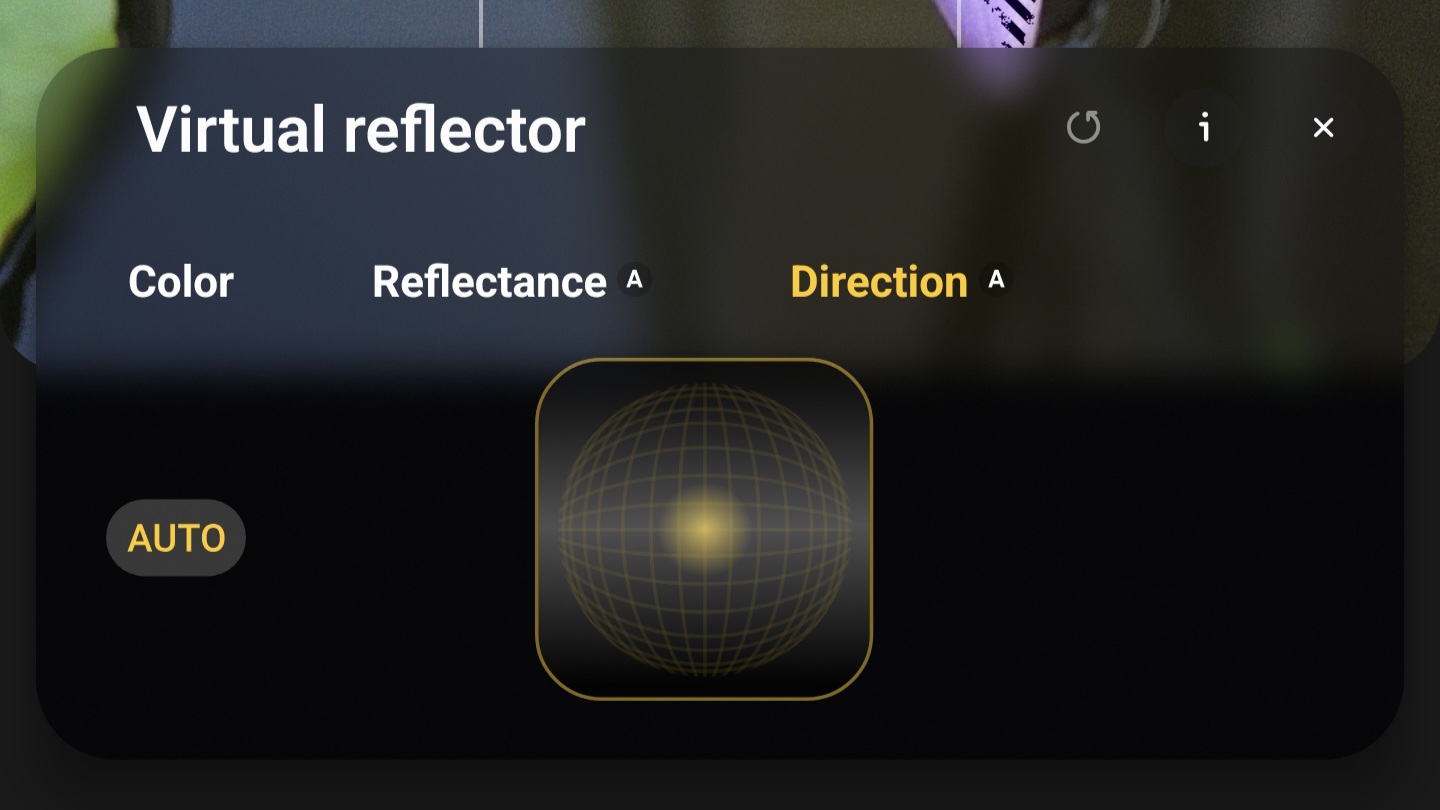
In traditional photography, this would be equivalent to physically moving the reflector around the subject. Adjusting direction allows the system to simulate:
- side bounce light
- lower fill light
- angled shadow lifting
This effectively gives photographers control over the perceived lighting geometry of the scene.
Multiple lens support
Samsung allows Virtual Reflector to work across the main, 3x, and 5x lenses on the Galaxy S26 Ultra. The main camera benefits most in environmental scenes where natural light is uneven. The 3x zoom lens, commonly used for portraits, can soften facial shadows with reflector-style lighting. Finally, the 5x lens benefits in tighter compositions, where directional lighting can help maintain subject separation.
Because Expert RAW works with higher dynamic range data, the system has more tonal information available when reconstructing reflected light. This allows the adjustments to appear more natural than simple shadow lifting or brightness changes.
A new direction for computational lighting
Lighting control has always been one of the biggest limitations in smartphone photography. Unlike studio photography, smartphones typically rely on:
- available light
- small sensors
- limited physical lighting tools
When shadows become too harsh, photographers usually have only a few options: adjust exposure, reposition the subject, or use flash. Samsung’s Virtual Reflector introduces something different. Instead of simply increasing brightness, the system attempts to simulate how reflected light behaves inside the scene itself. That makes it closer to computational relighting than traditional shadow adjustments.
I’m still testing the feature across various lighting conditions and scenes. In the next article, we will explore: how realistic the simulated lighting actually looks, how Silver and Gold reflectors behave in different scenes, the impact of reflectance and direction adjustments, and how each lens responds to the virtual lighting, along with real shooting samples and comparisons.
Because in photography, lighting control is everything, and computational lighting tools like this could open new creative possibilities.

Follow us on Google Discover & set us as a preferred source in Google News
Share this Post
___________________________


New Blog Posts
___________________________

First Set of Pixel 11 Pro XL Renders Are Here
Pixel 11 Pro XL CAD renders show minimal design changes

Is Samsung Preparing One UI 8.5 Beta for Galaxy Z Fold 5 and Flip 5?
Samsung may launch a One UI 8.5 beta program for its 2023 foldables

Galaxy S25 One UI 8.5 Beta May Run Longer Than Expected
Galaxy S25 series’ One UI 8.5 beta may stretch to 10 rounds


